@yousef9911 تطبيق ختمة ، بدون إعلانات @KhatmahApp
ورد اليوم، الأذكار، مواقيت الصلاة،
وتفسير القرآن لو ضغطت على كل آية
أشوفه ممتاز جداً ومفيد👌
جزاهم الله عنا خير الجزاء
@HungerStation - تأخير أكثر من اللازم
- مستلم الطلب في مكان بعيد جداً عن الموقع
- لا يمكن إلغاء الطلب
- وعدم الإلتزام بالوقت المحدد
- لا يوجد تعويض مكافئ للتأخير
- تأخير زمن التسليم كل مرة
@qunaibet@DrHuzam أنا قمت بسداد المخالفات
ولدي ايصال السداد من نفس تطبيق أمانة الرياض
ولكن حتى بعد سدادها !!
لا زالت موجودة في التطبيقات المصرفية
مطلوب سدادها كذلك 😅
لا يوجد رقم للتواصل
واستقبال الشكاوى
ورفع المقترحات
والاعتراضات @Amanatalriyadh
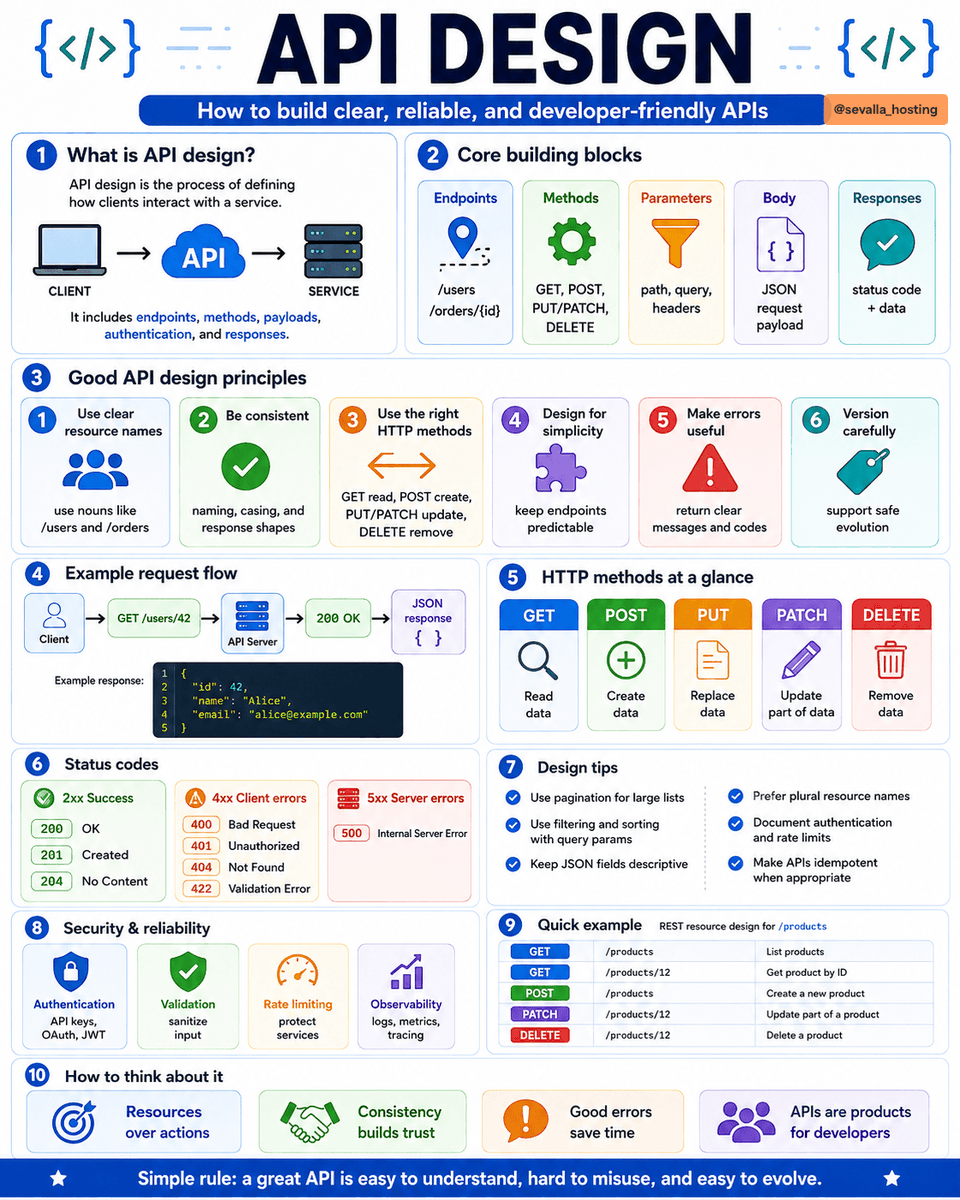
A good API should be easy to understand, hard to misuse, and simple to evolve. 🔌
Here are the core principles of strong API design:
1️⃣ Use clear resource names
Prefer nouns over actions:
/users
/orders
/products/12
2️⃣ Use HTTP methods correctly
🔍 GET - read data
➕ POST - create data
♻️ PUT - replace data
✏️ PATCH - update part of data
🗑️ DELETE - remove data
3️⃣ Keep endpoints consistent
Use the same naming style, casing, response structure, and error format across the entire API.
4️⃣ Return useful status codes
✅ 200 - OK
✅ 201 - Created
✅ 204 - No Content
⚠️ 400 - Bad Request
🔐 401 - Unauthorized
🔎 404 - Not Found
🧩 422 - Validation Error
💥 500 - Internal Server Error
5️⃣ Make errors helpful
Do not return only “Something went wrong.”
Include a clear message, error code, and details that help developers fix the request.
6️⃣ Design for real workloads
Use:
📄 Pagination for large lists
🔍 Filtering and sorting
🚦 Rate limiting
🛡️ Input validation
🔐 Authentication and authorization
📊 Logs, metrics, and tracing
7️⃣ Version carefully
Avoid breaking existing clients. Support backward compatibility and introduce new versions only when necessary.
A simple REST pattern:
GET /products - list products
GET /products/12 - get one product
POST /products - create a product
PATCH /products/12 - update a product
DELETE /products/12 - delete a product
The best APIs feel predictable.
Developers should be able to understand the next endpoint without constantly checking the documentation. 🚀
Evolution of Software Deployment
Deploying software used to be a stressful event.
Today, companies deploy hundreds even thousands of times without users noticing.
Here's how we got here.
1980s–1990s → Manual Deployment
Copy binaries and files directly to servers. Every deployment was a carefully planned event.
⬇️
1990s–2000s → FTP & Deployment Scripts
Teams started automating repetitive deployment steps with scripts.
⬇️
2000s → Continuous Integration (CI)
Automated builds and testing made releases faster and safer.
⬇️
2010s → Cloud & Infrastructure as Code
Infrastructure became programmable and environments became reproducible.
⬇️
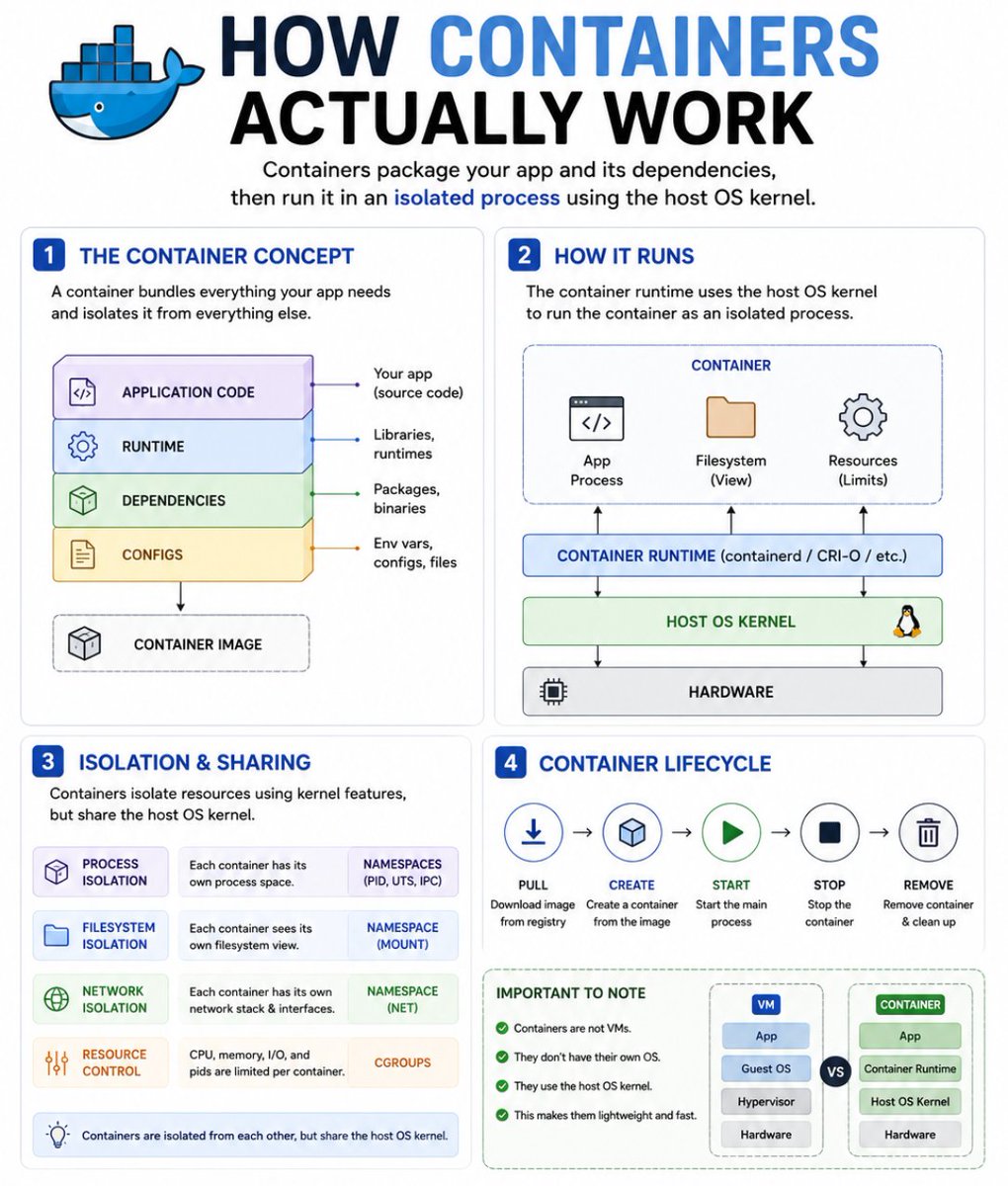
Mid-2010s → Containers & Docker
Applications were packaged with their dependencies, making deployments consistent across environments.
⬇️
Late 2010s → Kubernetes & Container Orchestration
Deployments became automated, scalable, self-healing, and easier to manage across clusters.
⬇️
2020s → GitOps & Progressive Delivery
Git became the source of truth. Canary releases, blue-green deployments, and feature flags reduced deployment risk.
⬇️
Today & Beyond → AI-Assisted Operations
AI is increasingly helping analyze failures, detect anomalies, recommend fixes, and automate parts of deployment operations.
Every generation solved a different challenge
Manual → Get software onto a server
Scripts → Automate repetitive steps
CI/CD → Ship faster and more reliably
IaC → Make infrastructure reproducible
Containers → Run consistently anywhere
Kubernetes → Orchestrate applications at scale
GitOps → Make deployments declarative and auditable
AI-Assisted Ops → Detect, diagnose, and respond faster
The biggest shift?
Deployment went from being an event to becoming a continuous process.
We moved from:
"Don't deploy on Friday."
to:
"Deploy anytime with the right automation, observability, and rollback strategy."
How are you deploying to production today?
Manual , CI/CD , Docker , Kubernetes , GitOps and Serverless
#DevOps #Deployment #CICD #Docker #Kubernetes #GitOps #CloudComputing #SoftwareEngineering #SRE #PlatformEngineering #Developers
DATA CENTER 3-LAYER ARCHITECTURE
As a network grows, connecting every device directly becomes difficult to manage. That's why many enterprise networks use a three-layer design: Access, Distribution, and Core.
The Access Layer is where users and devices connect to the network. This includes PCs, servers, IP phones, wireless access points, and security cameras. Access switches provide these devices with network connectivity and often power them using PoE.
The Distribution Layer sits above the access layer and acts like a traffic manager. It connects multiple access switches together, performs inter-VLAN routing so different departments can communicate, applies security policies, and helps balance network traffic efficiently.
At the top is the Core Layer, the backbone of the network. Its main job is to move large amounts of data between different parts of the network as quickly and reliably as possible. Core switches are built for speed, redundancy, and high availability, ensuring the network stays online even if a link or device fails.
You can think of it like a road system:
• Access Layer = Local streets where people enter the network.
• Distribution Layer = Major roads that organize and direct traffic.
• Core Layer = The highway that moves traffic across the network at very high speed.
This layered design makes enterprise networks easier to scale, troubleshoot, secure, and maintain as they grow from a few dozen devices to thousands.
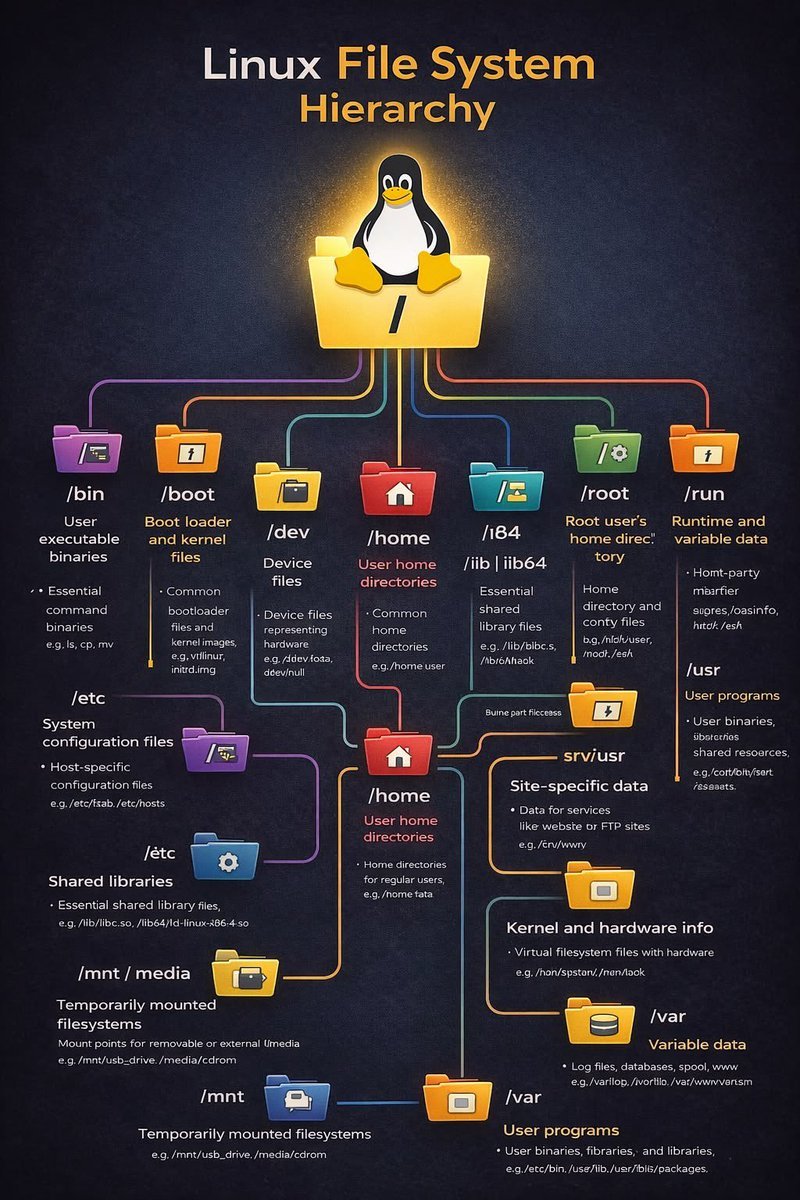
Master Linux, One Command at a Time! 🚀
These essential commands will make you unstoppable in the terminal. Let’s dive in! 🧵
Bookmark & share with your network!
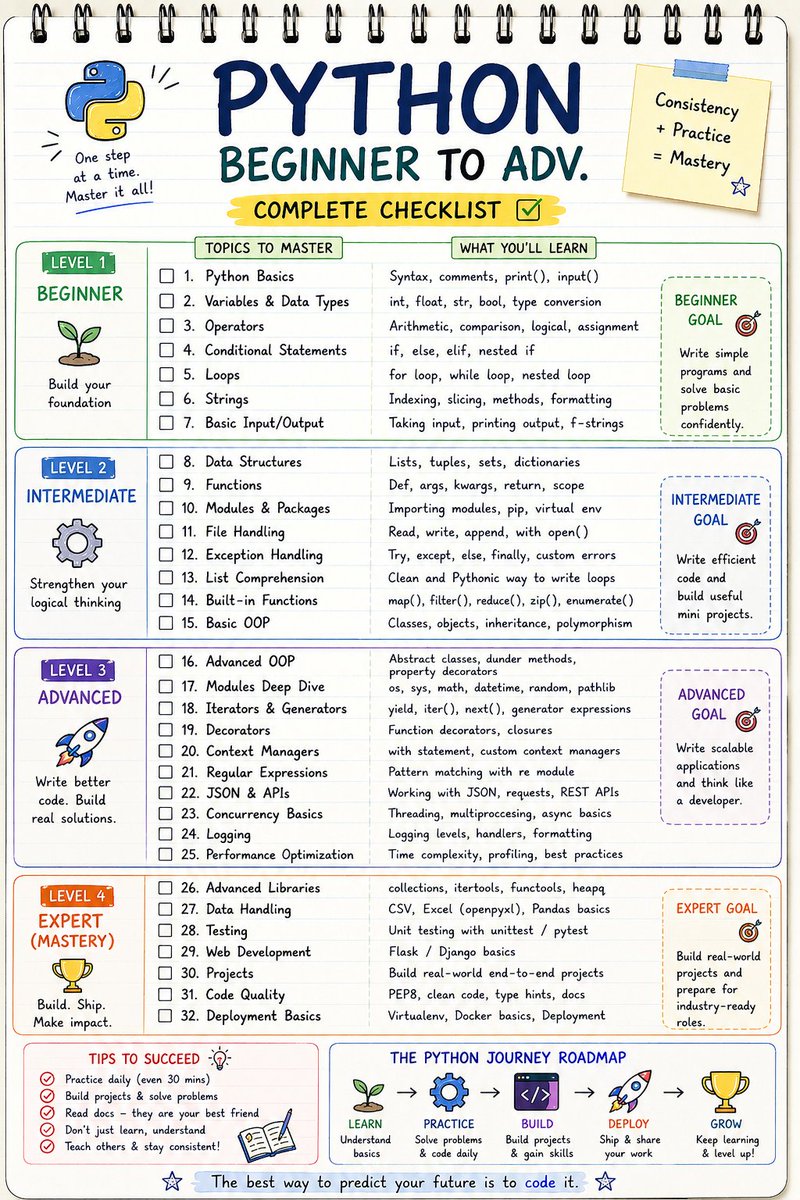
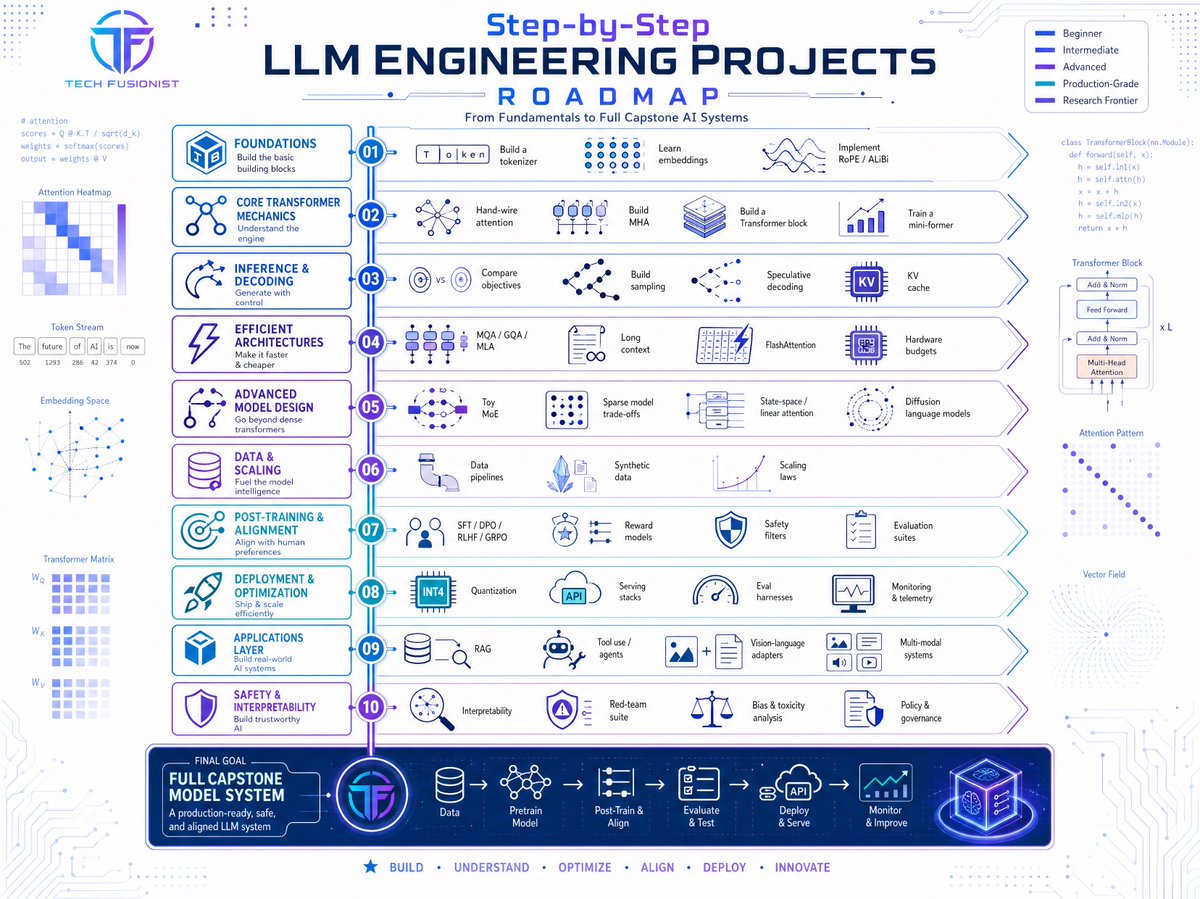
If I had to learn LLM Engineering again, this is the roadmap I'd follow.
No fluff. No random tutorials.
Just a structured path from embeddings and transformers to RAG, agents, alignment, and production deployment.