@SparkMailApp Hi. When I snooze emails they are finding their way into the Set Aside feature item. It really is causing alot of problems and wasted time. Anyone else having this issue?
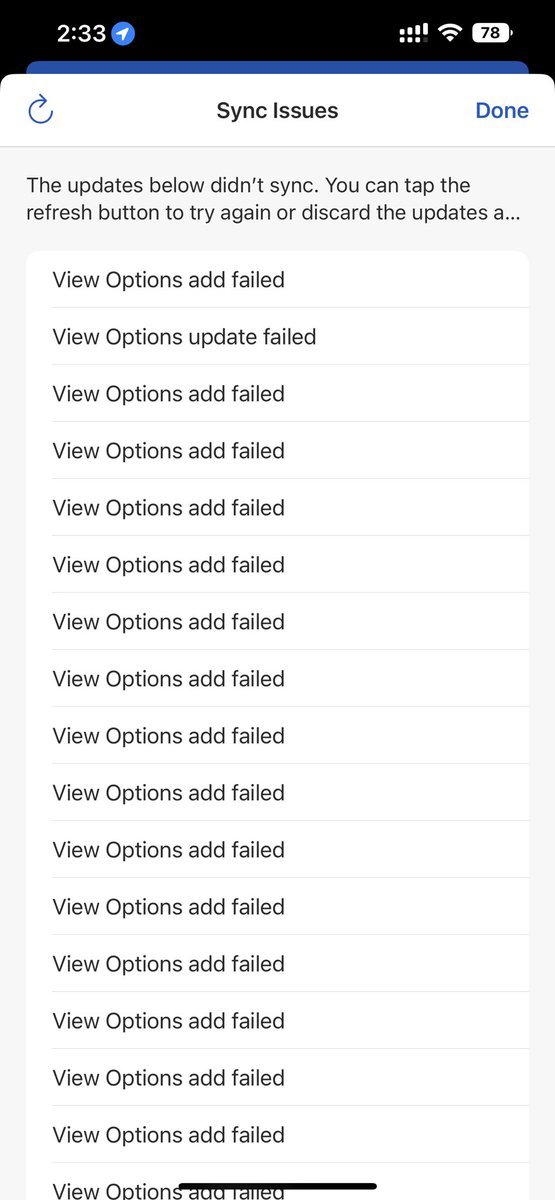
@TodoistStatus Hi there. Are you guys down? Checked status site but says up. Nothing syncing. Went to trial an AI Filter, and for offline mode also. All settings show I am online.
@todoist hovering over a task date in list view is showing just a black box. You cannot see the repeat date details. This is under experimentalist. Cannot take a screen shot on desktop as when mouse moved box disappears.
@TodoistStatus Hi there. Logged out of ToDoist using Safari after running a Todoist update and now when trying to get back in getting “service unavailable”.
@todoist Hi there. Do you have a filter to show only Task with Reminders that have been set by time or location? Checked online and other blogs but no luck. Just want a filter that targets the use of the reminder feature.
@todoist just wanted to let your team know you have a fantastic app. Been using it for several months and can find no fault. Additionally, your team is always working on making it better which is why the subscription is worth it.
@todoist Hi, will send support ticket also. Beta 9161 alerts or location alerts feature not showing if you click on task. If you tap 3 dots on a task in list it shows but if you select location the feature closes.
@todoist Hi. Was wondering if others were not getting location alerts on their Watches. I get the reminders to my Watch but not Location arrival or departures. They do come to my iPhone however.
@todoist Hi there, may be something I am overlooking but is there a way to know the total amount of task I have in Todoist? Not talking about “Today” but about “Total Todoist Task”. Thanks.
@TonyKiriotoshi@todoist Hi, slide the calendar upwards to top of screen if using iOS and then within today/tomorrow or other area touch and push up, the option to edit the schedule will show at the top. This has been reported by myself and others also and the above it a temp fix.
@todoist@TonyKiriotoshi Hi, temp fix. If using iOS scroll the calendar to the top of the screen and then within the today, tomorrow section or other, scroll up and the option you are looking for shows. There are some others, including myself, that have reported this.
@todoist Hi There, you guys are amazing. Really appreciate all that was done. Been working with support, they are addressing the issues. Back up and running, thanks again 👍
@todoist Hi, Ran update on ToDoist iOS. When I select a Task and click on date that I have scheduled I no longer can see what the schedule is. Please advise, need this Urg.
@todoist Ticket number for issue that has Todoist not working is 455793. I have attached screen shots to it. Your urgent assistance is really appreciated as I have no functionality. Thanks.
@todoist Hi, ticket was 455477. Figured it out & posted comment. My biggest problem is that I am stuck on free subscription, am monthly pro through App Store & no matter what I do I cannot change that. Was working before last iOS upgrade. I have also lost all my labels.