How do you give feedback to an AI agent without writing a spec?
@drodio's workflow with the Chief Companion:
🎙️ Say what you want
📸 Screenshot it
✏️ Draw where it goes
Copy the link, paste it into Claude Code. The agent gets both.
Capture thoughts. Take screenshots. Ask Chief questions.
All without breaking your workflow.
Here's how Chief Live Session Companion works and how you can start using it.
👇👇👇
https://t.co/AB6VJ42XT4
Giving an AI feedback shouldn't mean 10 tab switches.
When an agent has worked for a while, you come back with a pile of notes: bugs, screenshots, "this looks off", "move that". Then you juggle the prompt bar, file paths and pasted images, and lose your place.
We built the Chief Companion for this. It's a global hotkey capture pad that lives minimized on your desktop. Hold or double-tap to talk, take screenshots as you go, and keep all of it in one place. It tracks what you've already sent, so the next paste is only the new stuff. One click drops it into VS Code, Claude Code, Slack or wherever you were. Or share a link and your agent reads the whole thing, screenshots included.
Think of it as "Wisprflow for rich media". Try it at https://t.co/034D7FMzQ6
Just shipped in v1.1.56: Proactive Intelligence Cards prep you for meetings, and notch notifications give you answers + brainstorm in real-time as you do video calls. We've also added real-time automatic tagging of content like to-dos, decisions, bugs, urgent items, priorities, and anything else you define as taggable. Give the Chief Live Sessions app a try at https://t.co/3ErJ1hCfdT
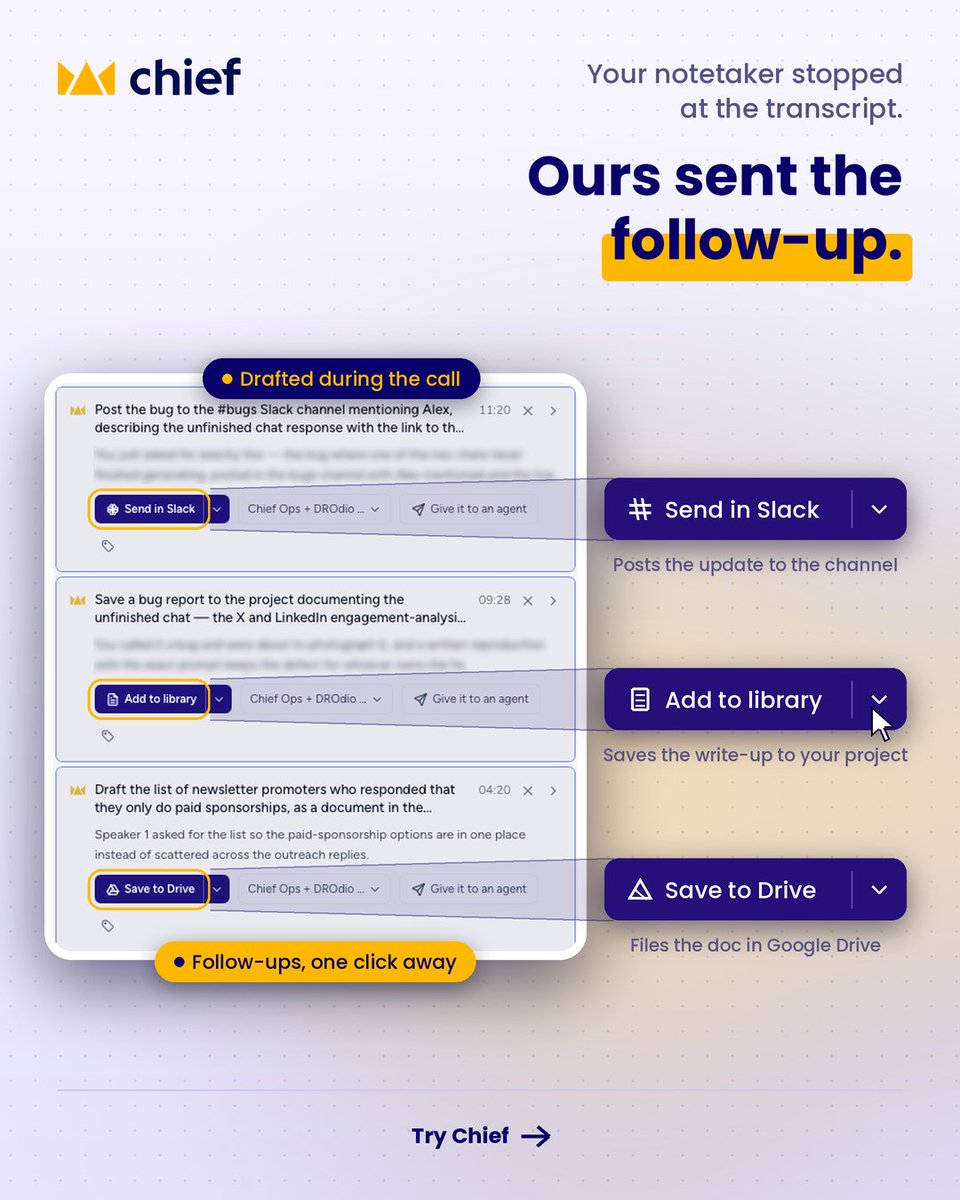
Your notetaker would have written this down.
Chief offered to do something about it: a Linear issue for the bug we'd just discussed, ready before the call ended. https://t.co/2pe2efQaRx
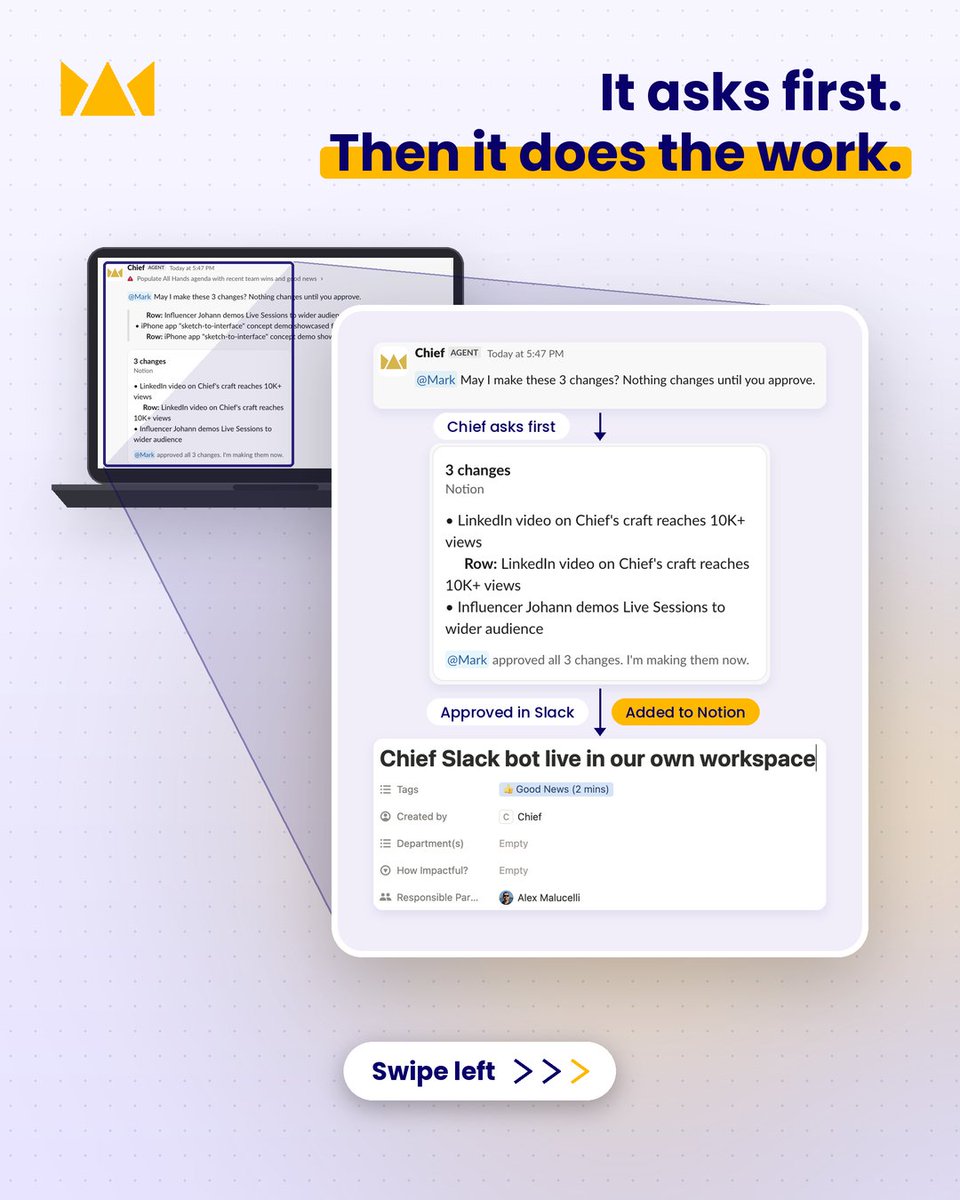
Once a month, our Slack turns into a search party for Wins and Good News.
This month we just asked Chief. It found the wins, asked "May I make these 3 changes?", and added them to our All Hands doc once we approved.
Chief’s latest updates are live:
• Refreshed Live Sessions UI
• Project-based filtering
• Builder + Executive layouts
• macOS Dynamic Island controls
• Editable actions before sending to Linear or Slack
Here’s a quick walkthrough of what’s new 👇
https://t.co/U32YtN2xY1
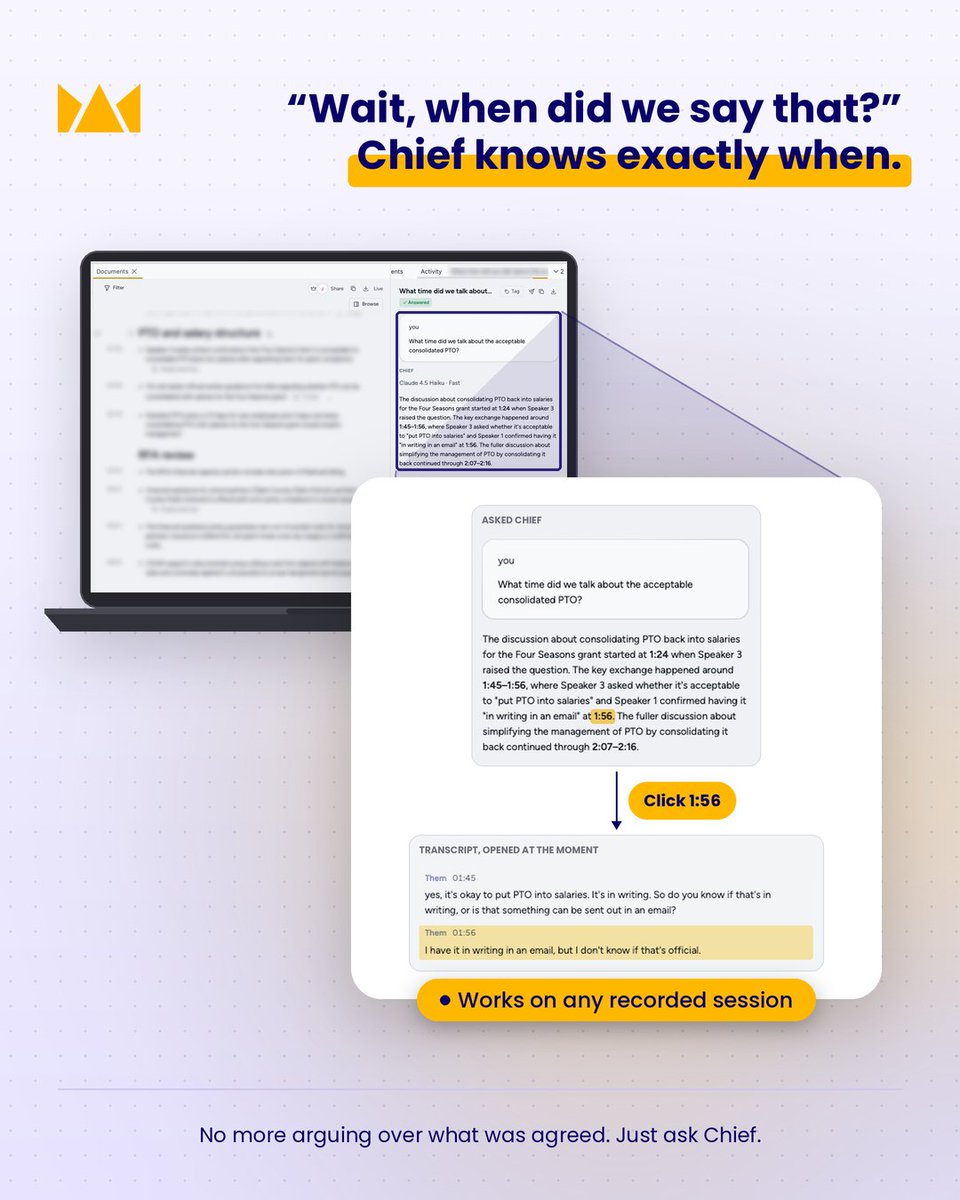
"Wait, when did we say that?"Chief knows exactly when. ⏱️
Ask it about any recorded session and get the timecode, plus a link straight to that moment in the transcript.
https://t.co/74AXAZQZ7C
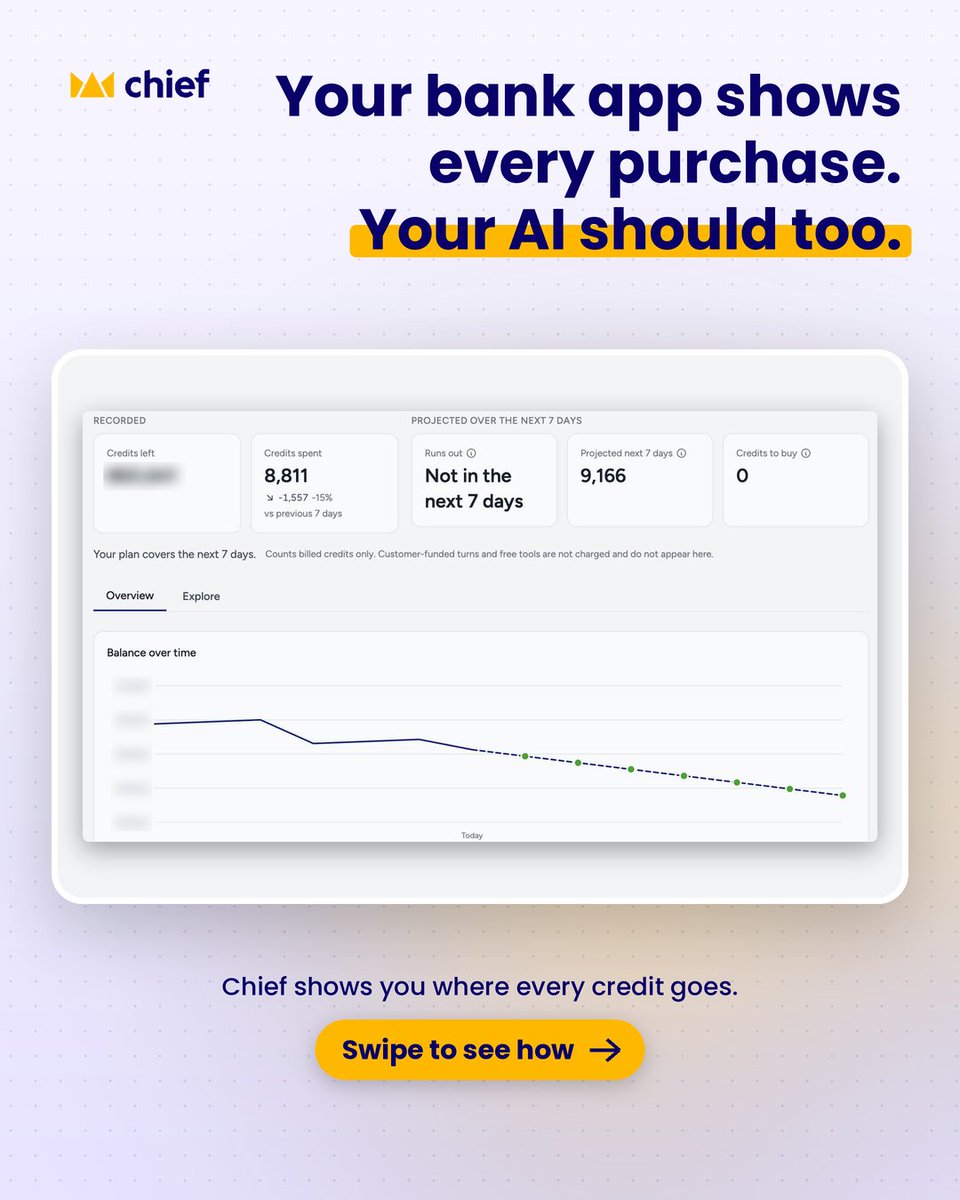
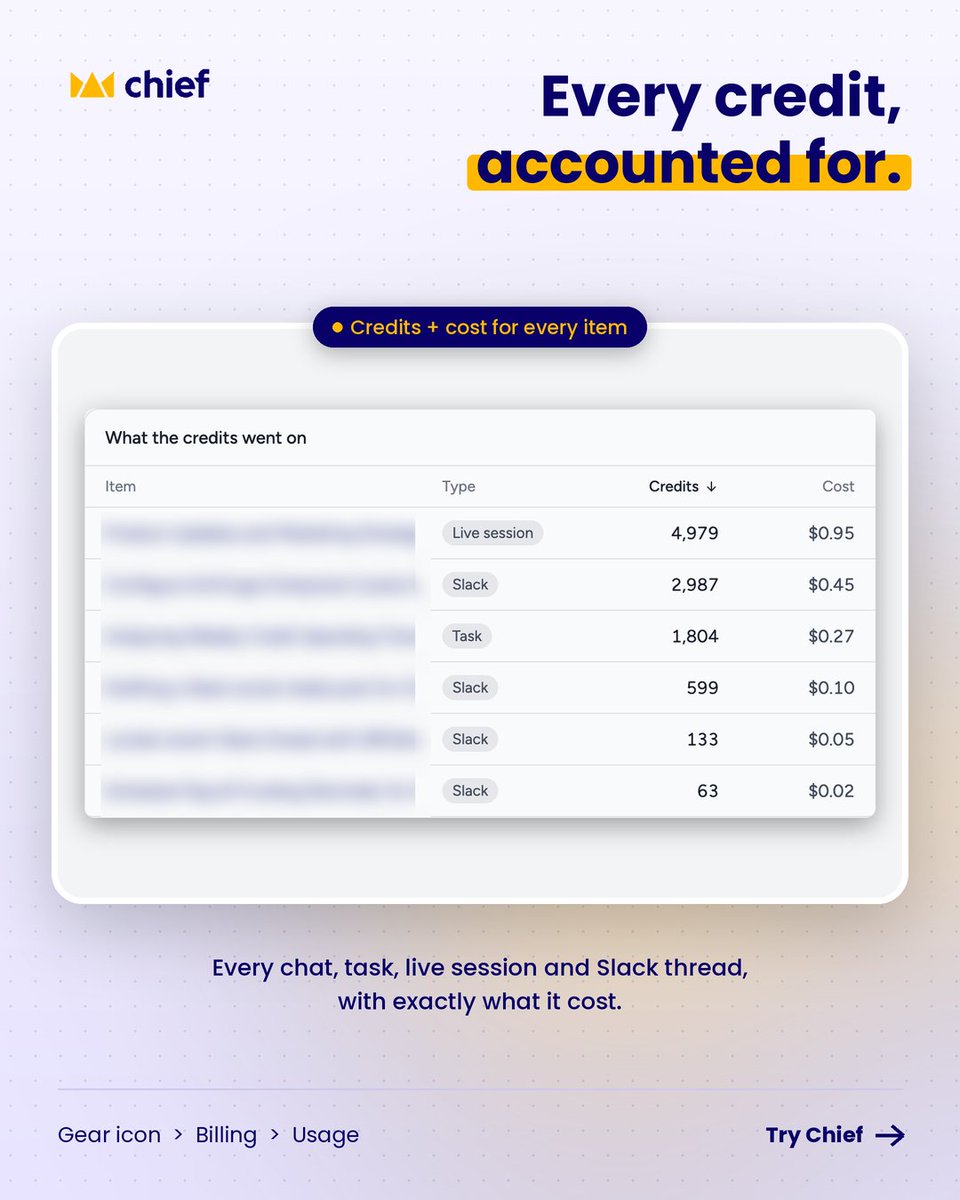
Quick question: what did your AI spend this week? 👀
With Chief, you can actually answer that.
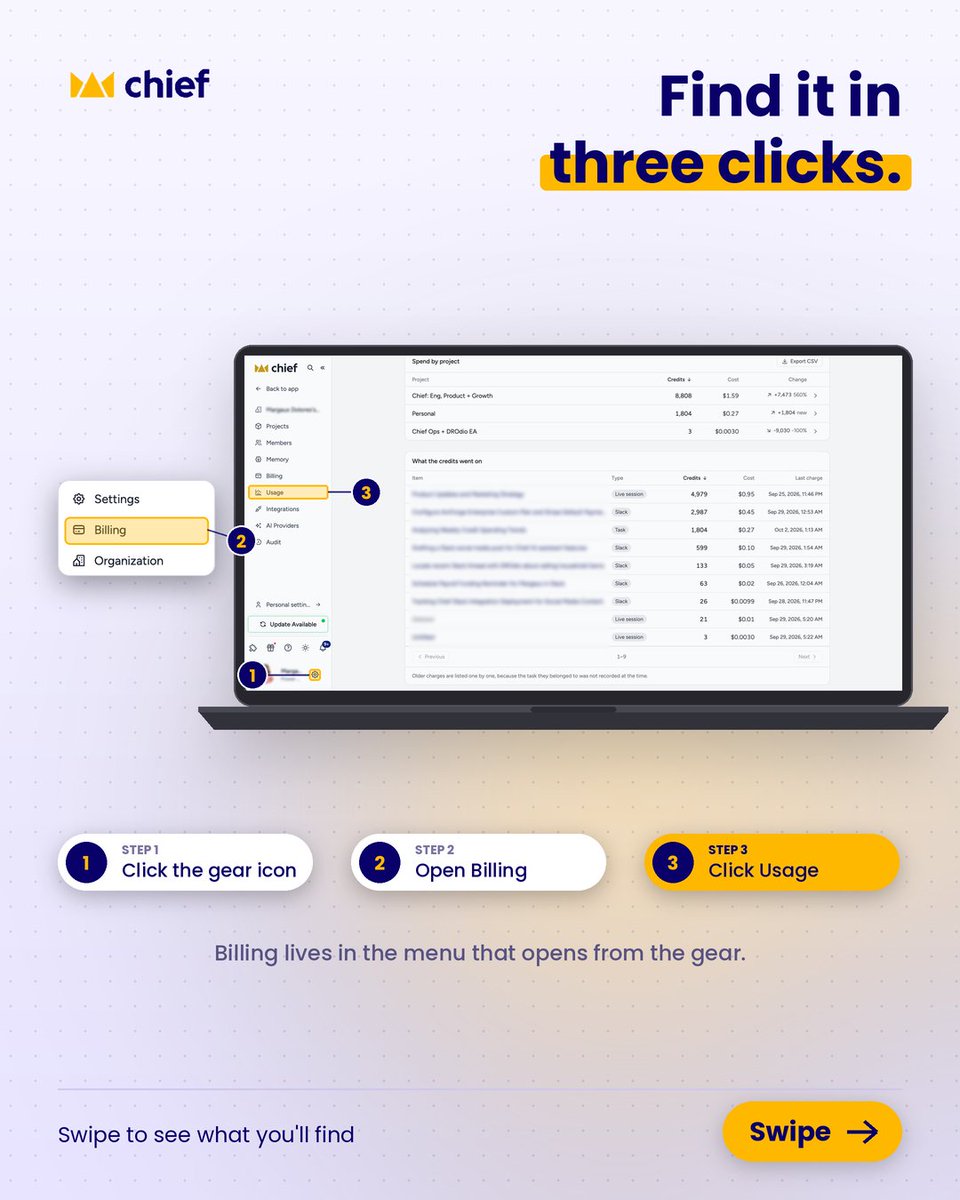
Every credit, by chat, task, project and day.Gear → Billing → Usage. https://t.co/2pe2efQaRx
Tag the person on your team who always asks about the budget 👇
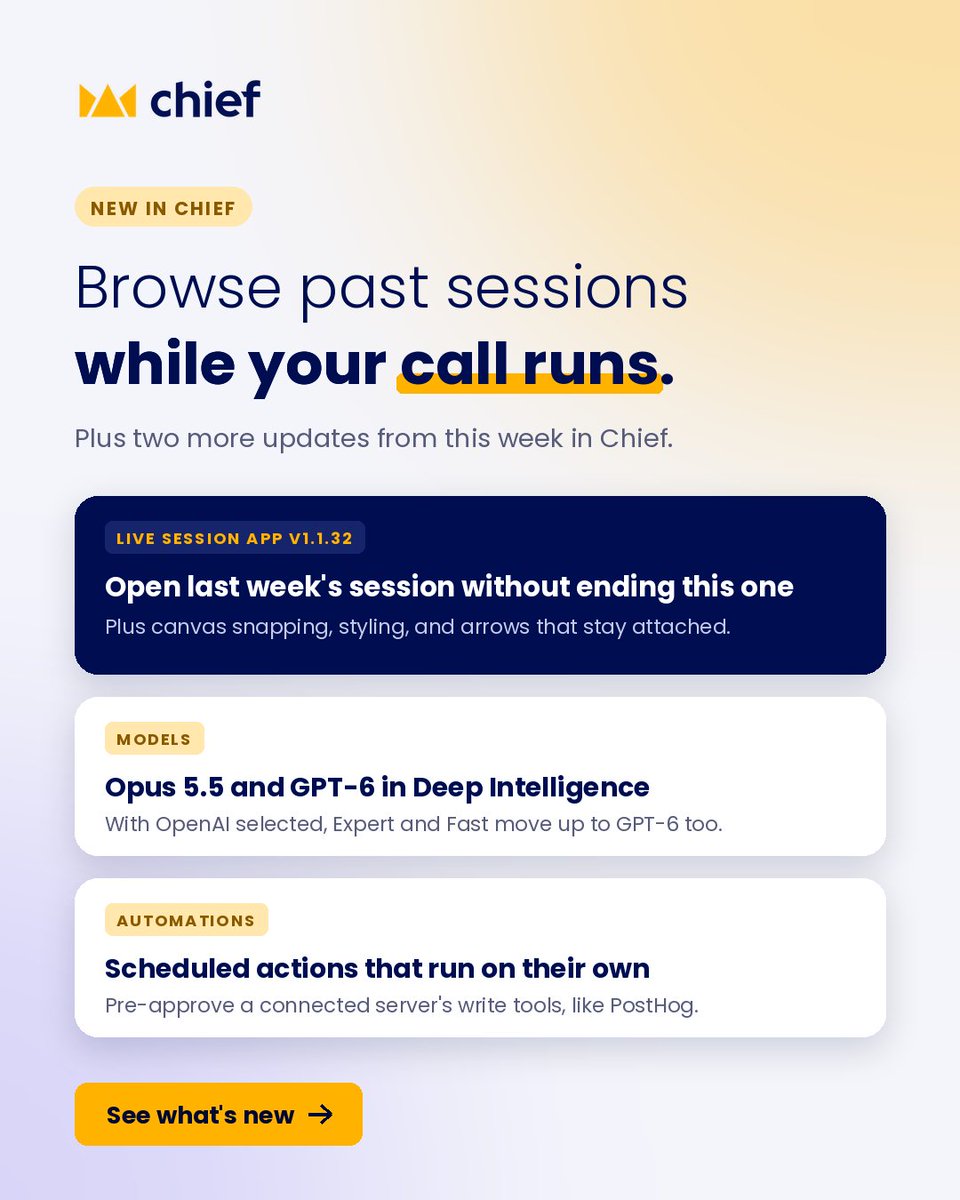
Mid-call, someone asks what you agreed to last week.
Now you can open that session in Chief without hanging up.
Live Session app v1.1.32: https://t.co/MaQ3QAewLf
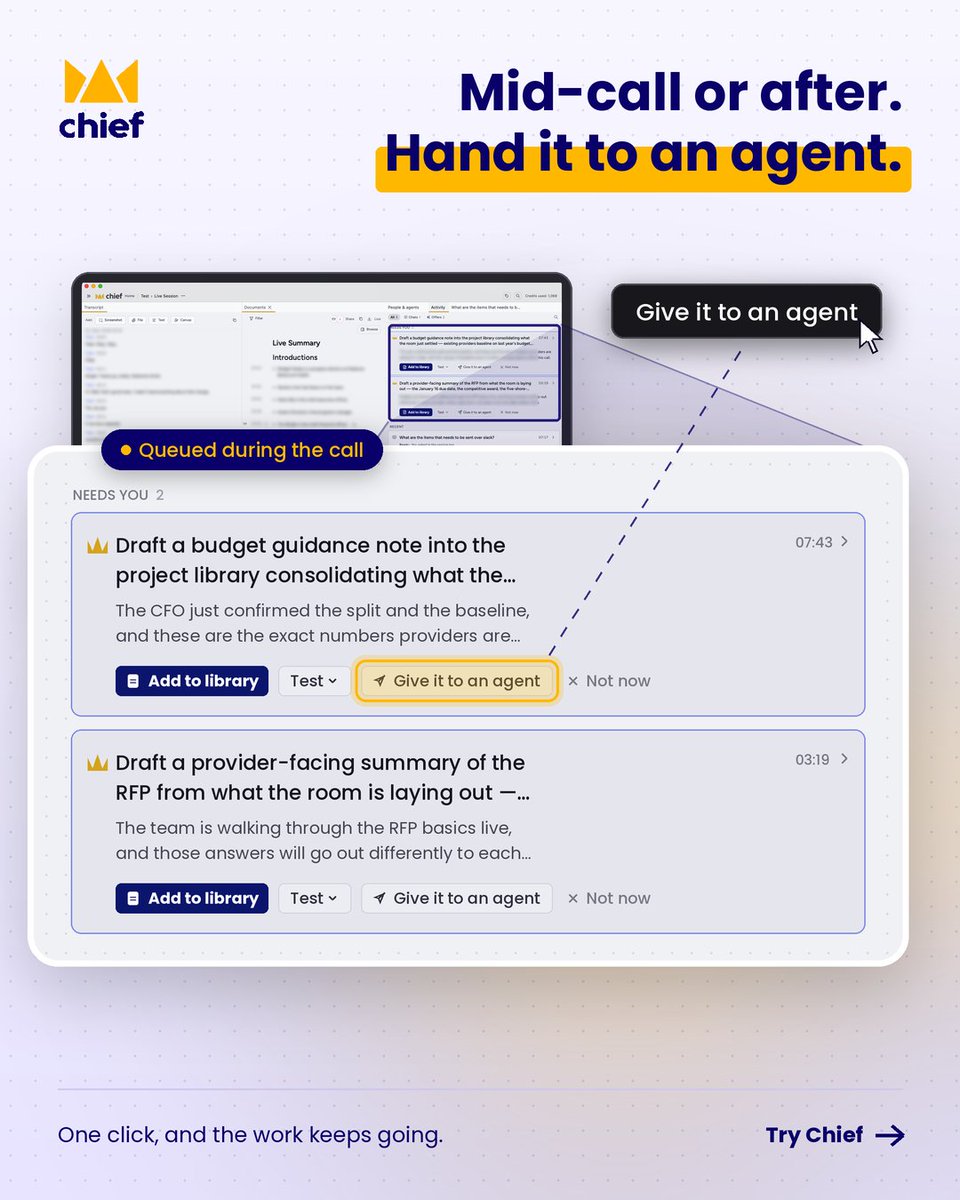
Your meeting just made a to-do list. Chief already turned it into tasks.
Hand one to an agent mid-call, or after you hang up. One click.
https://t.co/2pe2efQaRx
Live Sessions on mobile now make it easier to stay in the conversation wherever you are.
Jump into active sessions, follow the transcript as it updates, and start or share a session right from your phone.
👇👇👇
https://t.co/CQqRXTkppP
Chief on Slack is getting closer to the web experience.
Tasks stream as they happen, images can be analyzed directly, and artifacts can move between Slack and the web.
More of Chief, without leaving Slack.
👇👇👇
https://t.co/zPG6GOxcNq
You shouldn’t have to think about which mode to use before asking a question.
Chief can now recognize the task, route it automatically, and use your existing context to help shape the prompt as you type.
👇👇👇
https://t.co/TlMAsMezCR
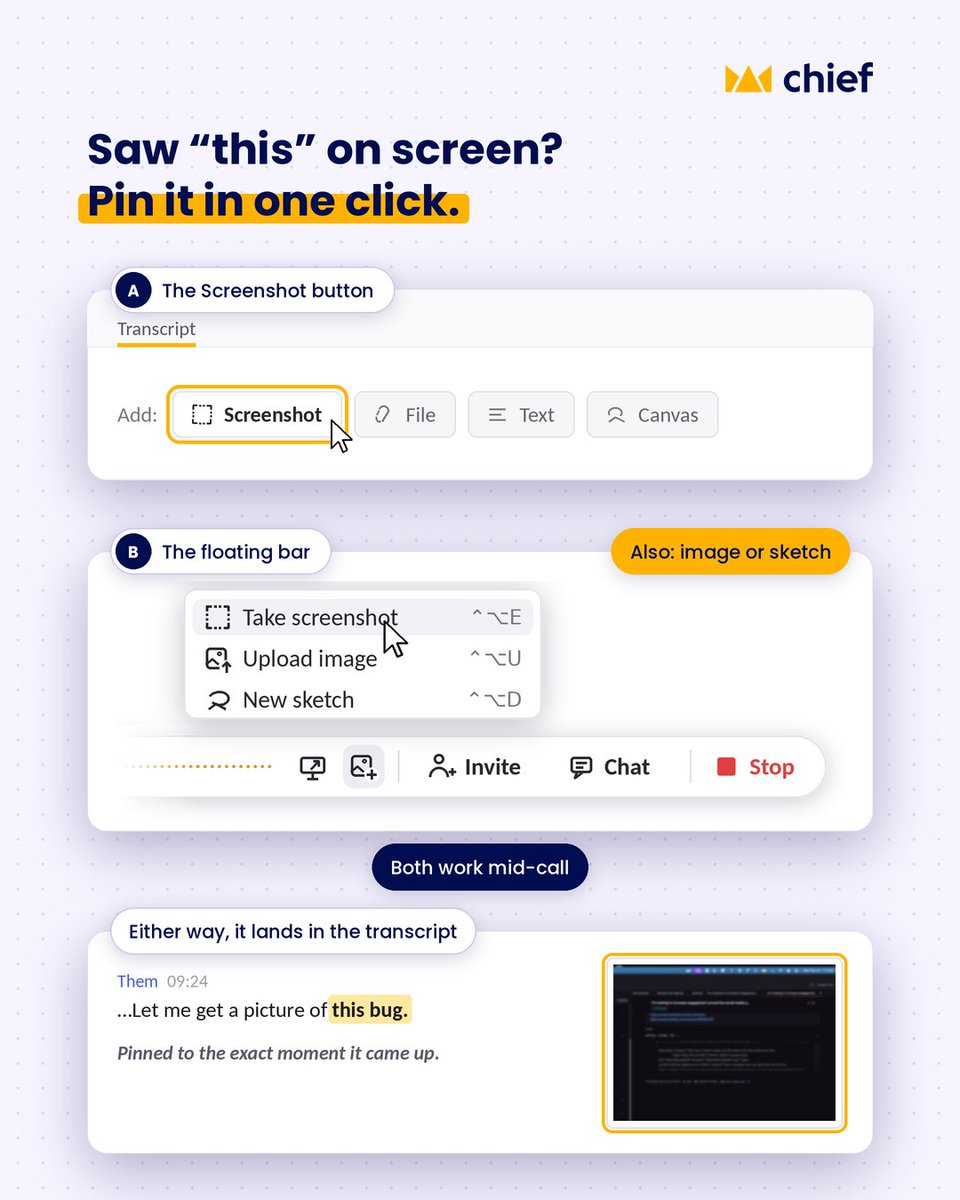
Two ways to grab it mid-call: the Screenshot button in the transcript, or the floating bar, which also lets you add an image or a sketch.
https://t.co/2eJz5u1eCC
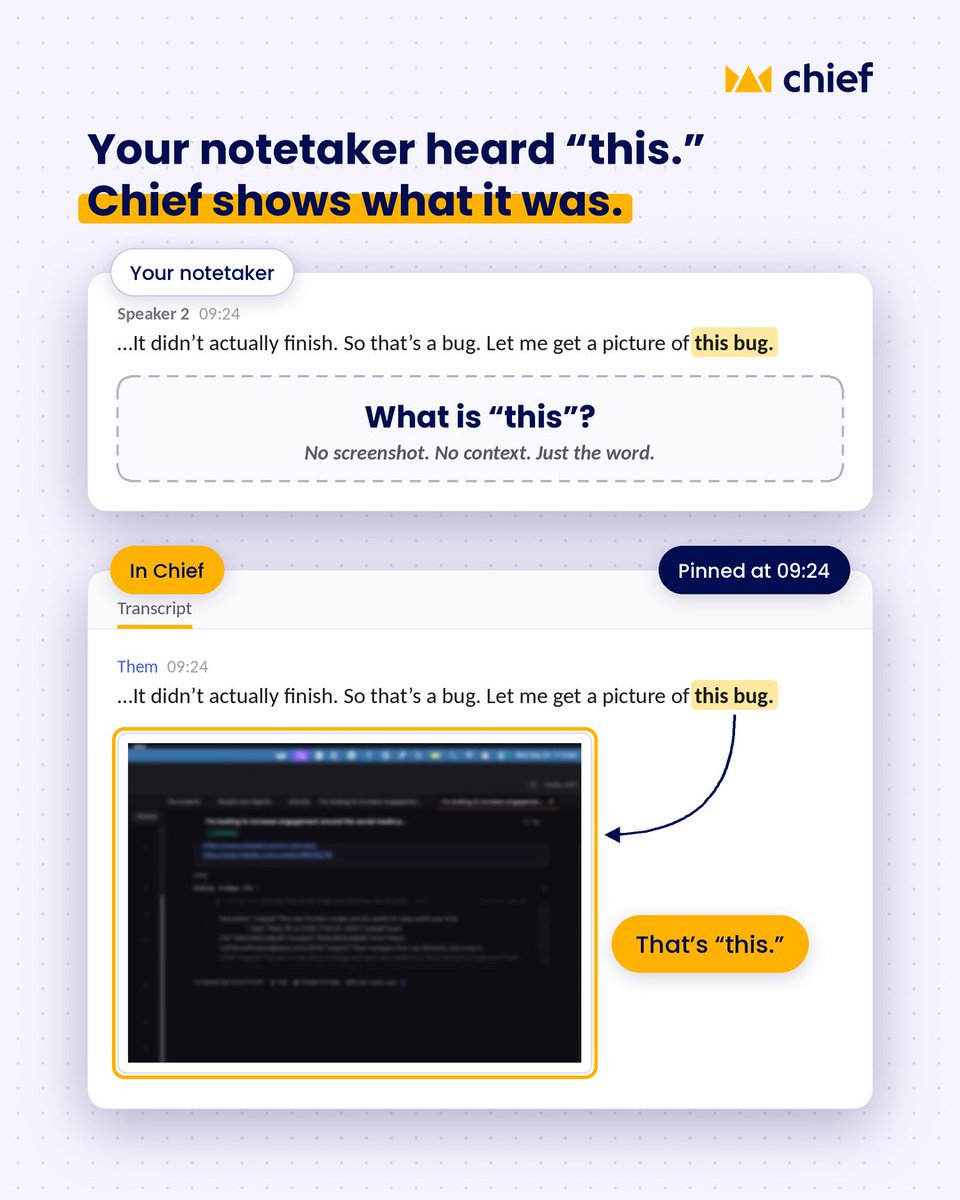
Your notetaker heard "this."
Chief shows what it was.
Grab a screenshot mid-call, and it's pinned to the exact moment in the transcript. No more "wait, which bug?" a week later.
Try it in your next meeting 👇