1/ Introducing the Cua Spaces SDK.
Every big lab now ships a bot with its own computer: Grok Bot, Muse, dots. None let you bring your own. With Cua Spaces, now you can.
Put Claude Code, Codex or any agent on compute you choose, and run jobs across all your computers at once.
Great news for anyone running Hermes.
With the @trycua Spaces plugin, Hermes gets its own Linux, macOS or Windows computer on hardware you already own. Your team can watch it live, take over, and hand it back while it keeps working.
That "step in, hand back" part is what makes agents usable for real work.
What would you let Hermes run on its own computer first?
This Hermes update is honestly kind of wild.
Hermes now gets its own computer.
It can now:
• Run on its own Linux, Mac or Windows machine
• Write files and run code without touching your laptop
• Run 2 agents side by side
• Let you watch live and take over the mouse
• Throw the whole computer away when the job's done
Free, open source, and set up in 3 steps.
AI agents don't need your computer anymore.
They have their own.
I keep seeing these people posting about "AI isn't doing anything for them", and frankly, they really have to be doing it wrong.
Right now, my @grok@bot is searching an old tax portal for some documents (it offered, and figured out how to do it (it has access to Gmail)) while another one just helped me through how to make it so my @trycua lume-based @NousResearch Hermes agents reboot every two days and still come up automatically.
I've got another one that is building things in AWS right now as well. There's NO WAY if you're doing things correctly that you can't be substantially more productive.
@Howaboua@cursor_ai cursor cli using worker with --computer-use works in linux.
but @trycua (cua-driver) is still better if you install their skill it works perfectly
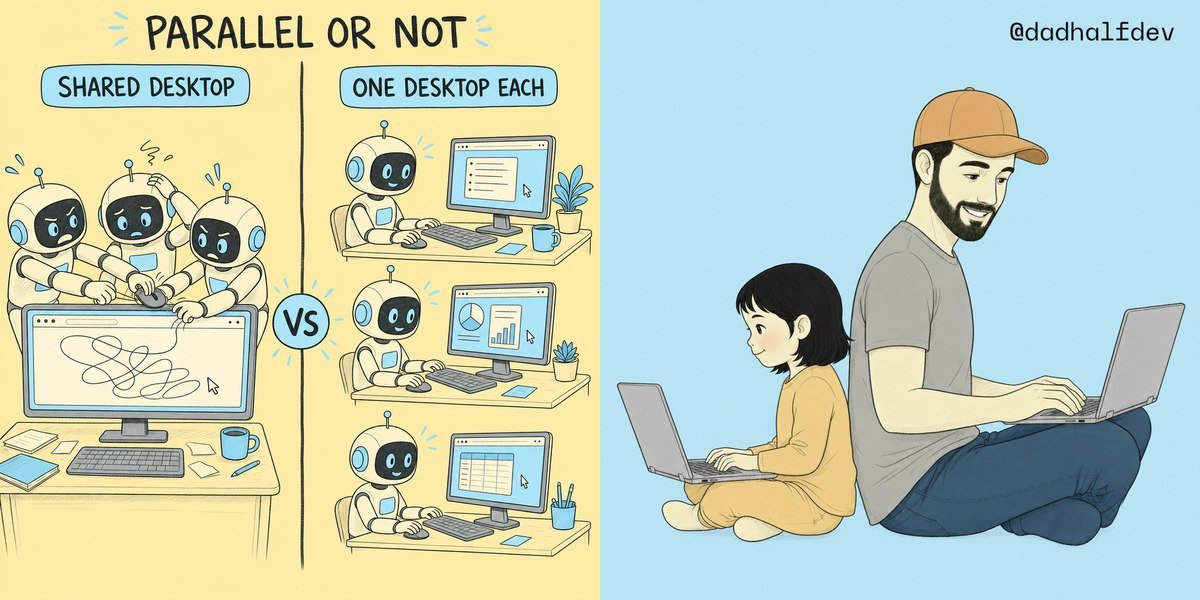
Multiple agents, multiple desktops.
No more shared screen.
Your Hermes Agent profiles, Grok Bots, and other agents all do their browser work in the same browser, share the same display, use the same cursor, and access the same filesystem.
That makes parallel browser actions difficult because you end up with two agents fighting over the same mouse and window.
@trycua Spaces fixes this by giving each of your agents its own desktop, so you can have several Spaces running in parallel. And a single agent can also have multiple Spaces.
Why does that matter?
> You can visualise what your agents are doing.
> You can have two or more scrapers running at once.
> You can get more done by running tasks in parallel.
> You can protect each bot’s sessions from the others, since each has its own disk and browser profile.
Everything still runs on the same machine, though, so don’t expect a huge productivity boost if your VPS only has 8 GB of RAM.
Also, the free tier only allows two live sessions and 20 remote hours per month. So you won’t be running an army of agents performing browser interactions simultaneously without paying for it.
In any case, this is a feature many users have been asking for: one Space per agent is now possible with any agent harness you can connect to MCP, including Grok Bot, Claude Code, Codex, Cursor, Hermes, and OpenClaw.
when a task needs a computer, your agent creates a Space on your Mac, Windows or Linux box, does the work there and deletes it when done.
it is super easy to use, with only one config line:
`hermes config set terminal.backend cua`
thanks Cua for this amazing plugin!
Another banger by @trycua!
This is the kind of infrastructure work that actually moves agents forward.
Run the same code on your own cloud or hardware, without being locked into one provider.
And $10.2k vs $700 for 256 RL sandboxes is a hell of a difference.
That changes what’s practical to build, test, and scale for more people!
Your team and your Hermes can now share a computer.
The new @trycua Spaces plugin gives Hermes its own Linux, macOS, or Windows Space on hardware you already own. Anyone on your team can open it, watch live, step in, and hand it back while Hermes keeps working.
https://t.co/nVs7sCmspk