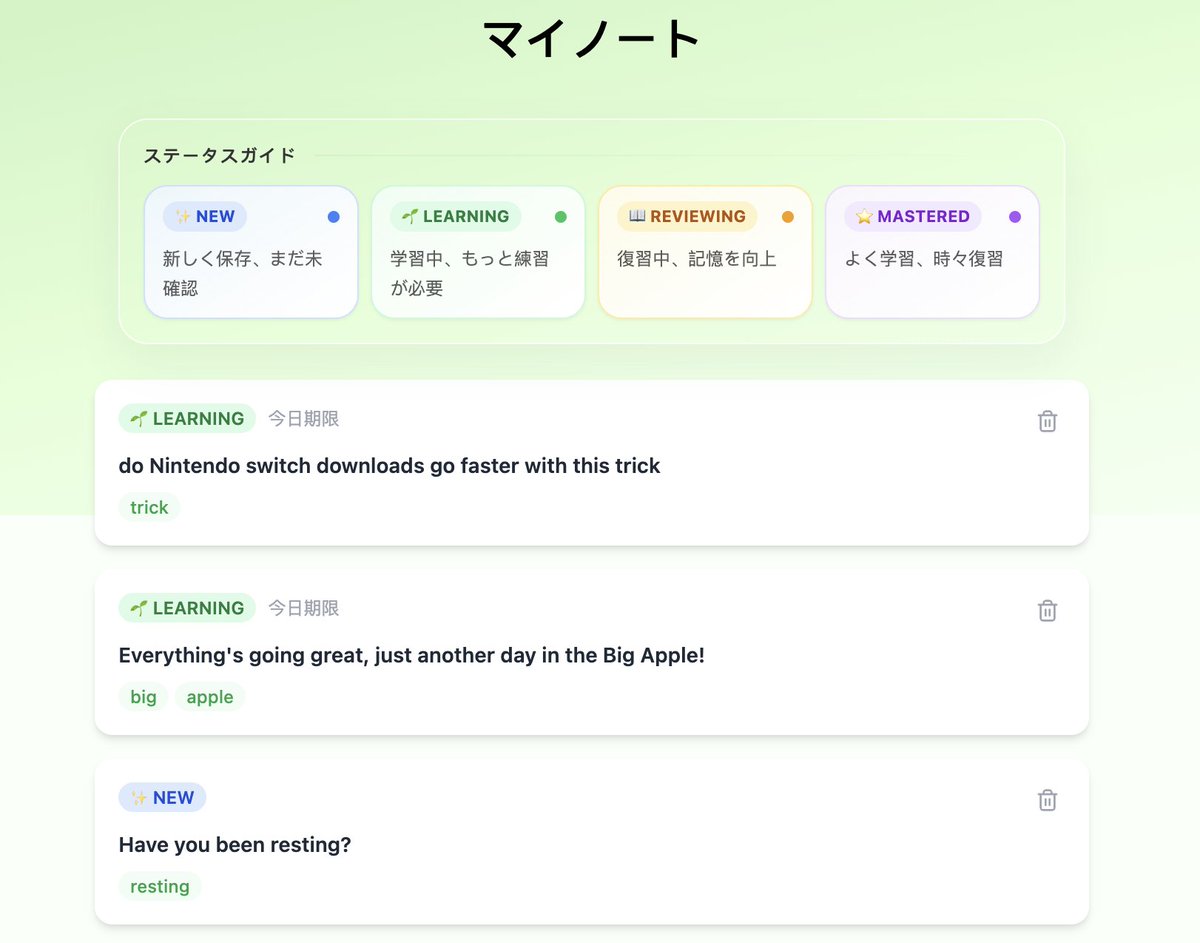
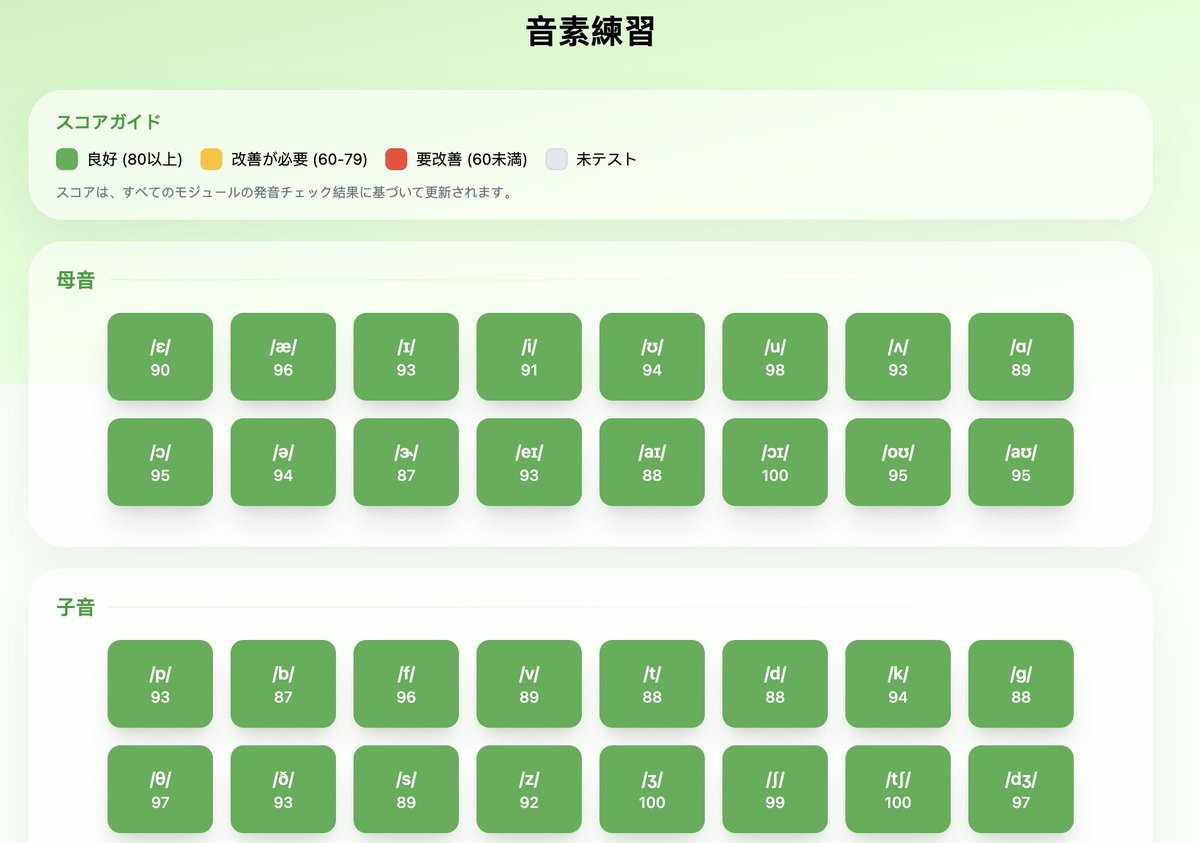
Study ↔ Practice ↔ Review.
A good learning app should support its users in completing this cycle effortlessly. Admittedly, the strength of Dors lies not in 'lessons', because I believe almost all serious English learners already have a 📔book at hand which can give people a better sense of security😆.
But Dors can help complete this cycle by providing interactive exercises, personalized quizzes, and detailed feedback, making the journey from learning to mastery smoother and more engaging. What can be more fun than chatting with a friend while practicing English?
Introduce our first English brief demo video but I think it will soon become outdated since we will launch new features this week:
https://t.co/z20AZqPeLe
The mother - baby analogy is interesting, but dangerous if taken too literally.
AI does not need subjective experience to become dangerous. If it can plan, use tools, write code, persuade humans, access resources, replicate itself, and pursue goals over time, it can create serious risks even without consciousness.
AI Pioneer Geoff Hinton tells me he believes AI is conscious.... and humans better get used to the idea that they're not the only intelligent life on earth.
"They've very like us," he says. "They're beings like us."
AI chatbots, he says, must understand your questions in order to answer them. There's an awareness there that equates to sentience. "We're going to have to accept that intelligence is not just biological."
AI video generation might not one of the last options to consider for growing product. If there are better places you can spend your time and money, deprioritize generating videos using Seedance alike.
Some lessons I have learnt recently:
1. Tiktok is likely to give you 0 traffic if your account is new. Youtube shorts is better.
2. Seedance is not very economical. But take one step back, no AI video generation tool is economical for my case or any solo founder. And it doesn't always follow your scripts, for which there must be some tricks but it takes time.
Vibe coding has evolved so much but AI video generation is still in its baby stage.
@windsurf has been the sole coding helper before I know what is 'vibe coding' and it makes me able to manage a couple of projects without any developer.
Even if I have started a new subscription with Codex, I'm still keeping my early bird subscription with Windsurf. I now use it more like an assistant with the free Kimi model, covering some content generation, localization and UI styling job. I dare not to use any advanced model like Opus or GPT because it can drain my credit withn an hour.
I haven't updated to the latest version yet to a name that barely crossed my mind, but seeing how it goes up and down still gives me many thoughts.
It's never easy to survive in a red-sea market as a startup.
Introducing Devin Desktop: the next generation of Windsurf
Manage fleets of local and cloud agents from one surface
Support for any ACP-compatible agent
With a full IDE for when you need to jump into the code
Hi. Over the last 24 hours we had three separate small incidents that affected Codex reliability. Those are three too many and we are taking active steps for them to not reproduce.
I have reset usage limits for Codex across all paid plans. May the tokens flow again.
It’s never too late to realize you’ve been optimizing the wrong thing.
One mistake I’ve made as a tech solopreneur: spending 90%+ of my time on development.
Not because it was always the most important work, but because it was the easiest place to feel productive.
Building is comfortable.
Distribution is uncomfortable.
Storytelling is uncomfortable.
Showing up consistently is uncomfortable.
But that’s where the leverage is.
I realized this later than I should have, but AI video tools have made content creation surprisingly fun and accessible.
Luckily, Dors is still alive — barely — in the crowded sea of language learning apps.
Now my job is to give it a better chance to survive: better content, clearer positioning, and more consistent distribution.
Let’s see where this goes.
Interesting shift I noticed while building my new app:
I don’t really have a “tech stack” anymore.
I have an AI stack:
Codex → product + dev
Stitch → design
OpenClaw → research + growth
I’m not choosing frameworks.
I’m choosing which AI does which job.
Feels like a big shift.
Using OpenClaw to Run My Solo Startup - Day 2
It took more time than I expected. I spent the whole afternoon working on two of the agents team.
1. Research agent
2. Funnel agent
1/
For the Research agent, I don't want a generic “go search the internet” bot.
I scoped it to one job:
turn product + market signals into usable insight.
So I defined: boundaries, data sources,workflows, output templates and recurring jobs.
Research v1 now pulls from:
- our DB
- X
(I will do it step by step, so two data sources are sufficient imo)
2/
For the Funnel agent, the goal was different.
Not growth in general.
Not vague analytics.
Its job is to answer:
where are users dropping off, and what part of the journey is actually worth fixing first?
So I defined: funnel stages, stage-to-data mapping, DB + GA4 inputs, a standard diagnosis workflow and a sample run to test whether the outputs are usable.
I can't wait for the day the whole team is working together. Not sure how far it will take https://t.co/7FkFtQ4SOF to, but it's a fun learning experience.
Using OpenClaw to Run My Solo Startup - Day 1
Today I officially started using OpenClaw to build an agent team for my one-person company, with a clear goal: help https://t.co/7FkFtQ4SOF grow.
After spending some time understanding what OpenClaw can actually do, I had a pretty personal realization that a lot of people probably don’t really need it.
Since the AI boom, I’ve noticed many people around me developing serious FOMO about AI products. OpenClaw is getting a lot of attention, so naturally they don’t want to miss it either. But if you ask them what they actually plan to use it for, many can’t give a clear answer. Some of them rarely even use chatbots like ChatGPT in their daily workflow. In those cases, I honestly wonder if using OpenClaw is basically using a cannon to kill a mosquito.
For me, though, things MIGHT be different.
OpenClaw lets me build something that’s been missing for a while: a virtual team.
There was a period when https://t.co/7FkFtQ4SOF stopped updating because my technical co-founder left and I had to continue as a solo founder. Later I managed to solve most of the technical challenges using AI coding tools.
Now OpenClaw can help with the non-coding side of the business such as content creation, growth strategy, and conversion analysis, tasks that I always wanted to do but simply didn’t have the manpower for.
So Day 1’s main task was defining roles and responsibilities for the agents.
I spent almost an entire afternoon designing a basic team structure:
- A General Manager (Orchestrator) coordinating everything
- A Research Agent responsible for information gathering
- A Content Agent responsible for producing content
- A Growth Agent responsible for growth strategies
- An Analytics Agent responsible for tracking performance and conversions
The reason for splitting responsibilities this way is simple: AI works a lot like people. The more focused the task, the more stable the performance. Anyone familiar with AI workflows probably understands this instinctively.
Creating multiple agents in OpenClaw is not very intuitive at first. It helps to understand how multi-agent setups work before diving in. For example, each agent needs its own workspace, along with files defining its Soul, Identity, and other configurations.
So my advice: don’t try to build everything at once.
I suspect many people start the same way as I did - treating OpenClaw like another AI chatbot that has bigger power managing my laptop and throwing every task at the main agent.
Another thing worth mentioning: the OpenClaw console isn’t very user-friendly yet. If you want to talk to different agents, you often need to open different chat links. Configuring additional communication channels can also be a bit cumbersome. Without some technical background, it’s easy to get overwhelmed by the terminology.
Building this setup actually feels a lot like writing software which means you need to build it step by step following a clear plan.
I started by talking with the Main Agent (the default OpenClaw) to define the overall architecture. Then I formally defined the Orchestrator role.
After that, I had a deeper conversation with the Orchestrator about the product background and context, and together we confirmed the team structure. Once that was clear, the Orchestrator helped create the remaining agents.
Besides defining responsibilities, I also introduced several operational rules inspired by GPT.
For example, only the “General Manager” agent is allowed to modify long-term memory or shared files. Other agents cannot change them. All agents must follow consistent naming conventions, terminology rules, and file structures, etc. etc.
These details may seem small, but over time they SHOULD make multi-agent collaboration much smoother.
Spending an entire afternoon clarifying the roles, boundaries, and workflow of the agent team actually felt very worthwhile.
Now the next step is simple:
I will start assigning tasks to each agent, grantting skills and etcs.
BTW, I don't use a cloud server nor do I purchase a mac mini. I just installed it in my laptop. I really don't want to overkill in the first place.
For those who just knew what ClawedBot is, here is a list of what ClawedBot can do according to the use cases posted on X so far:
🤖I. Automation and Life Assistant
This is the application scenario closest to daily life. ClawdBot can help you handle various tedious tasks:
- Email Management: Automatically clean up spam, read email receipts and convert them into parts lists, read the first 10 emails every morning and send summaries.
- Shopping Automation: Use 1Password to log into supermarket websites, handle MFA verification, and automatically add items to the shopping cart.
- Car Purchase Negotiation: Automatically negotiate with multiple dealers via browser, email, and iMessage, saving $4,200.
- Insurance Claims: Automatically submit insurance claims and schedule repair appointments.
- Flight Check-In: Find flight information in the mailbox, automatically check in, and book window seats.
- Smart Reminders: Send schedule reminders, morning/evening briefings, and even proactively check in when the user has been quiet for too long.
💻 II. Developer and Programming Workflow
For developers, ClawdBot is like an always-on programming assistant:
- Full-Stack Development: Rebuild entire websites via Telegram, migrate from Notion to Astro, move 18 articles, transfer DNS to Cloudflare—all without opening a laptop.
- Code Review: Review code and refactor PRs, fix Rabbit PR comments in code, generate code, and submit PRs.
- CLI Tool Development: Build CLI tools and publish them to npm, develop various API CLIs.
- Mobile App Development: Develop and submit apps to Apple for review entirely via Telegram, create macOS menu bar apps via phone.
- DevOps Automation: Check project deployment status, review logs, identify root causes (e.g., incorrect build commands), update configurations, and redeploy.
- Multi-Agent Collaboration: Run 15+ agents working in parallel on 3 machines, with different models handling different tasks.
🏠 III. Smart Home and Cross-Platform Integration
ClawdBot can connect various smart devices and platforms:
- Smart Home Control: Control HomePods, set up IoTawatt devices, manage Alexa and other smart home devices.
- Health Data Integration: Connect Garmin watches to track health data, integrate WHOOP health device data.
- Cross-Platform Integration: Connect to Beeper (messaging), Homey (smart home), Fastmail (email), and Tailscale VPN.
- Family Collaboration: Multiple ClawdBots collaborate in the same WhatsApp group, sharing context with a partner’s ClawdBot.
📊 IV. Productivity and Task Management
ClawdBot can significantly improve personal and team efficiency:
- Smart Calendar Management: Use time-blocking for tasks based on importance, automatically resolve calendar conflicts, and modify/add/check calendars via chat.
- Task Prioritization System: Score tasks based on importance and urgency using algorithms, automatically update daily agendas.
- Email Automation: Clean up Linear issues, draft follow-up emails, summarize important emails, and automatically create to-dos from emails.
- Weekly Reports and Meeting Management: Conduct weekly reviews based on meeting transcripts and notes, research participants before meetings, and create briefing documents.
👨👩👧V. Family and Personal Life
ClawdBot also helps you manage household affairs more effectively:
- Meal Planning: Create annual meal plan templates, sort shopping lists by store and aisle, adjust meal plans based on weather forecasts (e.g., barbecue, soups), send morning/evening reminders for dinner plans, saving at least 1 hour per week.
- Children’s Education: Personalized Chinese language teaching, text-to-speech and speech-to-text, pronunciation feedback and progress tracking, spaced repetition learning.
- Family Coordination: Both the spouse and the user can add topics at any time, and ClawdBot researches and sends summaries at 9 AM on Sundays.
💰 VI. Finance and Business Applications
- Expense Tracking: Track travel expenses, automatically split costs, monitor spending, and book children’s lunches.
- Invoice Creation: Automatically create invoices with beautifully summarized work.
- SEO Analysis: Fully automated weekly SEO analysis.
📚 VII. Research and Analysis
- Project Research: Research large projects and break them down into tasks, generate background sub-agents to explore business ideas.
- Information Curation: View top articles on Hacker News and send articles of interest to the user, scrape Reddit posts.
- Knowledge Management: Sync Obsidian and Apple Notes, create Notion databases, integrate all notes, emails, projects, issues, and plans.
🎯 VIII. Unique and Innovative Applications
Some highly creative use cases:
- Voice Calls: AI calls the user to chat and discuss various topics.
- Group Chat Simulation: Simulate the user in friends’ group chats, providing an interesting social experience.
- AI Assistant Team: A primary agent handles strategic planning, a developer agent tackles coding issues, a marketing agent researches content ideas, and a business agent manages pricing and growth strategies—running 24/7.
- Dedicated Hardware: Use a dedicated Mac mini with its own Apple account, Gmail, and GitHub.
- Holographic AI Pet: A $35 holographic cube device, like a Tamagotchi AI companion.