Unity devs, what IDE are you using for your game development?
Would you like to have a full IDE experience directly inside Unity, with better DX than VS Code or Rider?
I’m curious to hear what you think. 👀
#Unity3D#Unity#GameDev#IndieDev
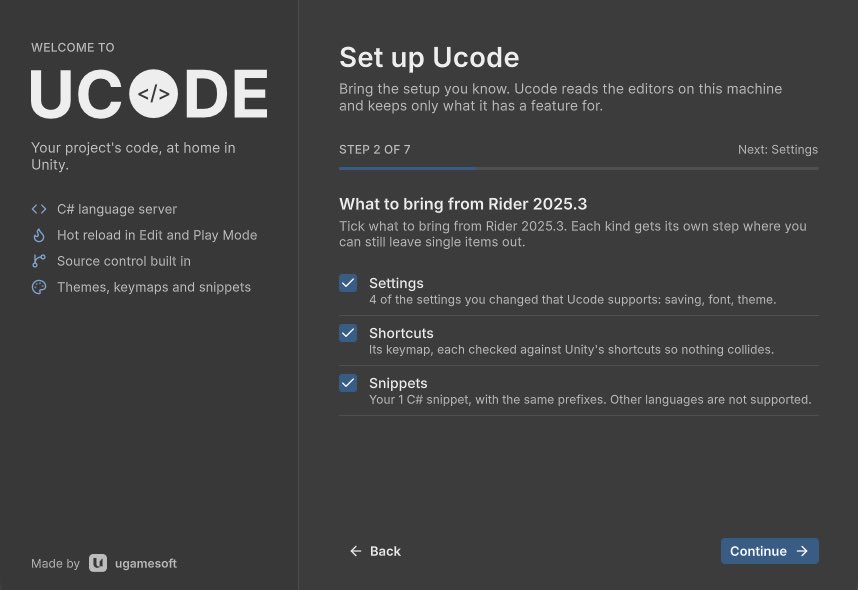
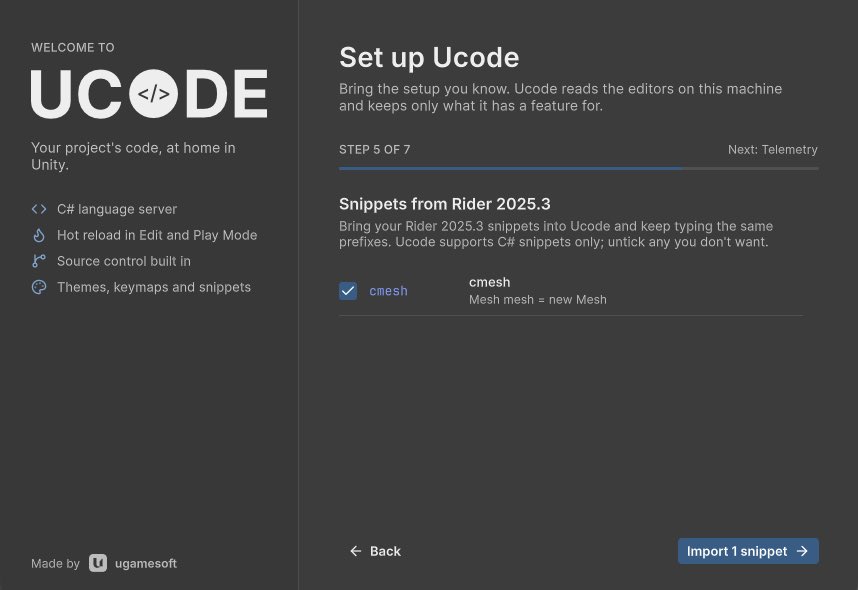
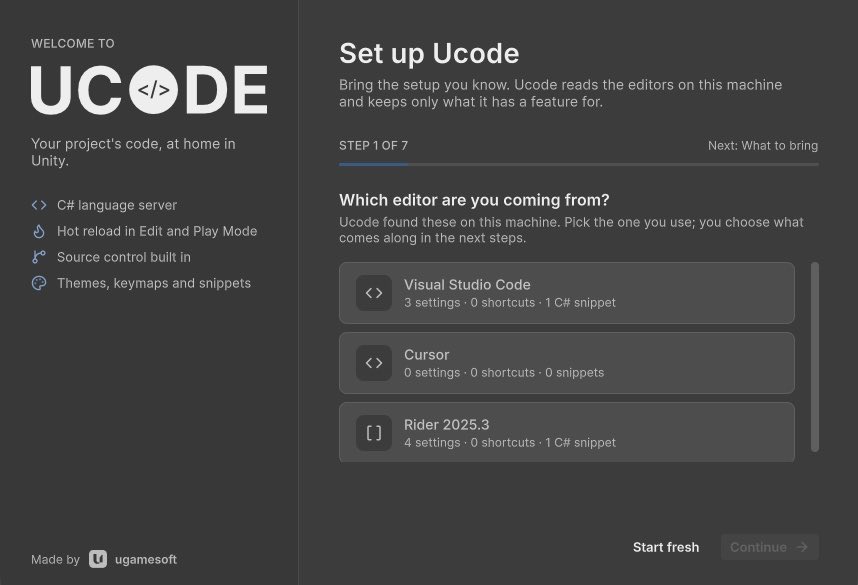
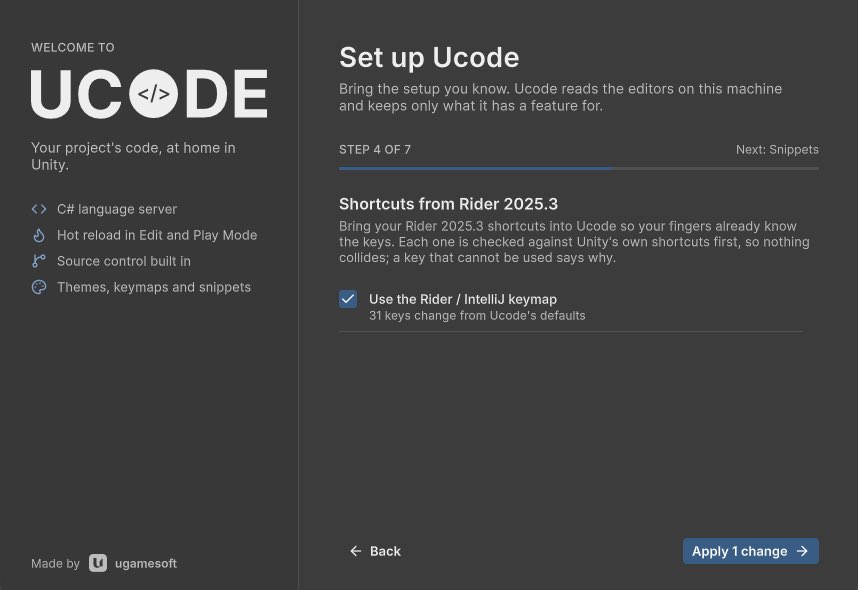
@18reuchagas Yes, they can preview all the import changes, and you can even choose which changes you want to import that Ucode supports. (Check the screenshot examples.)
Switching editors usually cost you a weekend of setup.
Ucode, the code editor that lives inside Unity, finds your VS Code, Cursor or Rider setup and brings your settings, shortcuts and snippets along.
Coming to the Unity Asset Store. Follow for the launch.
#gamedev#unity3d
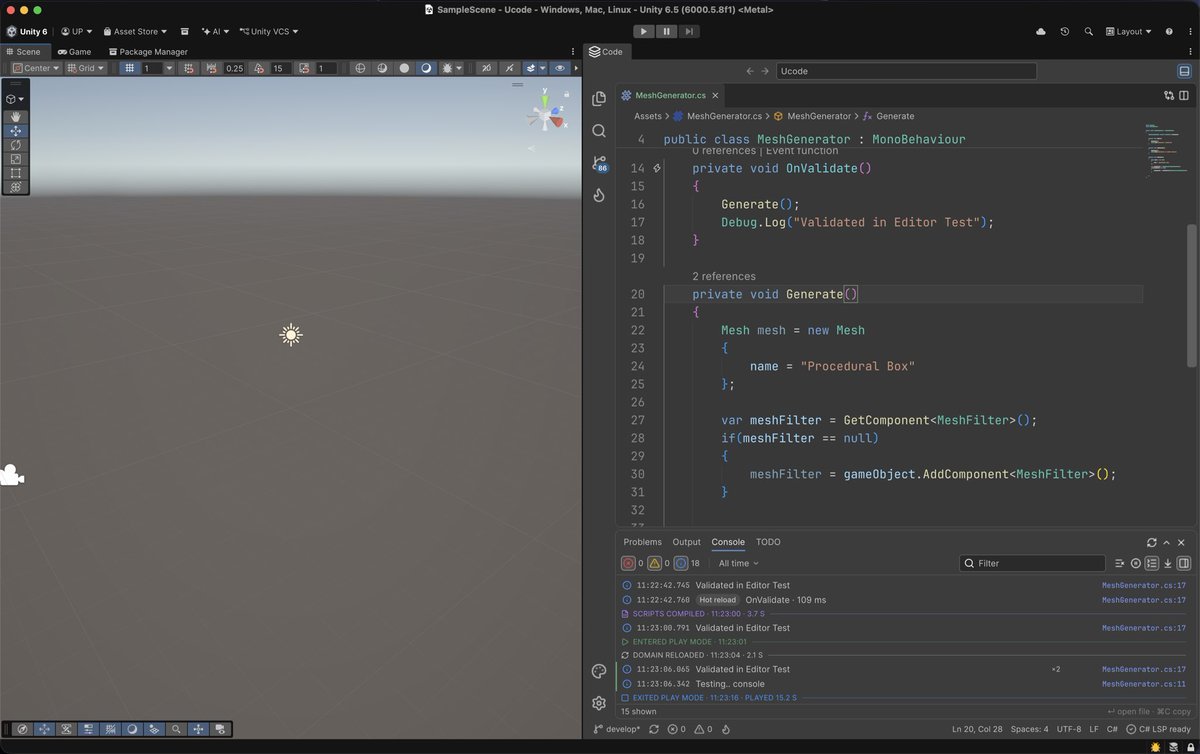
I’ve got tired of alt-tabbing between Unity and my code editor all day, so I built a full code editor that lives inside the Unity Editor.
It’s called Ucode. It docks next to your Scene view like any other Unity tab.
Not a text box with syntax colours: real C# IntelliSense, Git, search, a command palette, themes and hot-reload.
Here’s what it does, and why it isn’t just another VS Code or Rider 🧵
Ucode is heading to the Unity Asset Store.
If you’ve ever lost your train of thought to a domain reload, or alt-tabbed to Unity just to check an Inspector value, it’s built for you.
Follow me for the release and more of these screenshots .
And one question while you’re here: what’s the one thing that bugs you most about your Unity + IDE setup right now?
What it doesn’t do yet:
- No visual debugger. It’s in progress.
- Hot reload has gaps. New Classes and new serialized fields still need a domain reload, which Ucode runs for you.
Better you hear it from me now than find out after buying.