How to Use Upload3D Pro Features: A Quick Guide!
1: Subscribe to Pro
From the Profile section, subscribe to Upload3D Pro for just $9.99/month! You’ll unlock premium features and access exclusive tools.
2: Tap on Models
Head to the Models section from the bottom navigation bar.
3: Generate Your Model
Tap the "Generate" button located in the top right corner. Time to create your masterpiece!
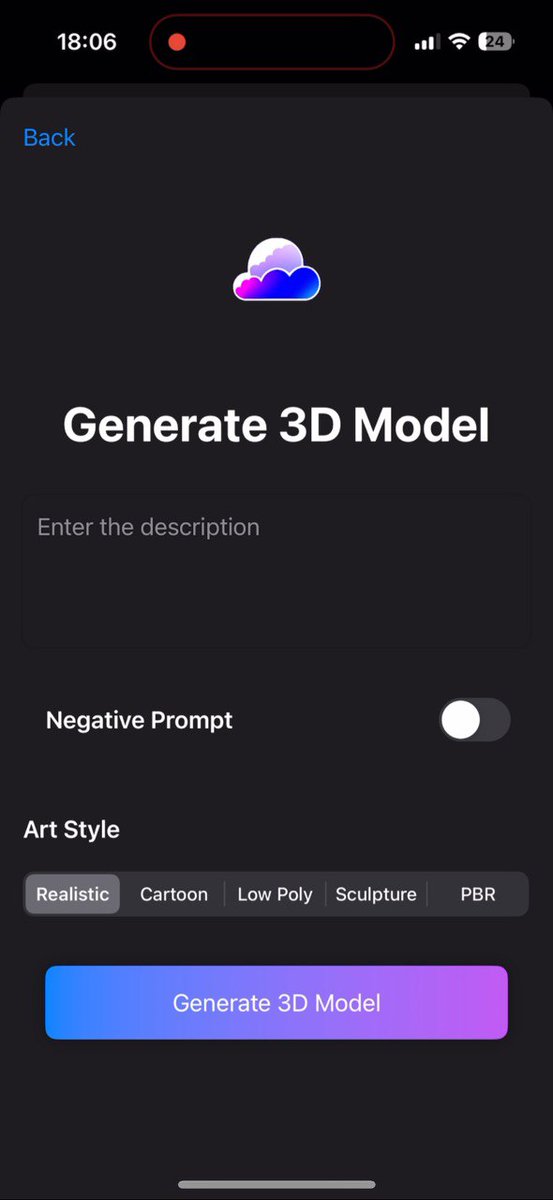
4: Write Your Prompt
Enter the description or prompt for your 3D model. Don’t forget, you can choose your preferred art style for a custom look!
5: Wait for Magic to Happen
After you submit the prompt, let Upload3D work its magic. In just a moment, your 3D model will be ready!
6: Use Your Asset
Once your model is ready, you can use it for anything—like RWAs, games, or fun!