Remodex 4.0 is out!
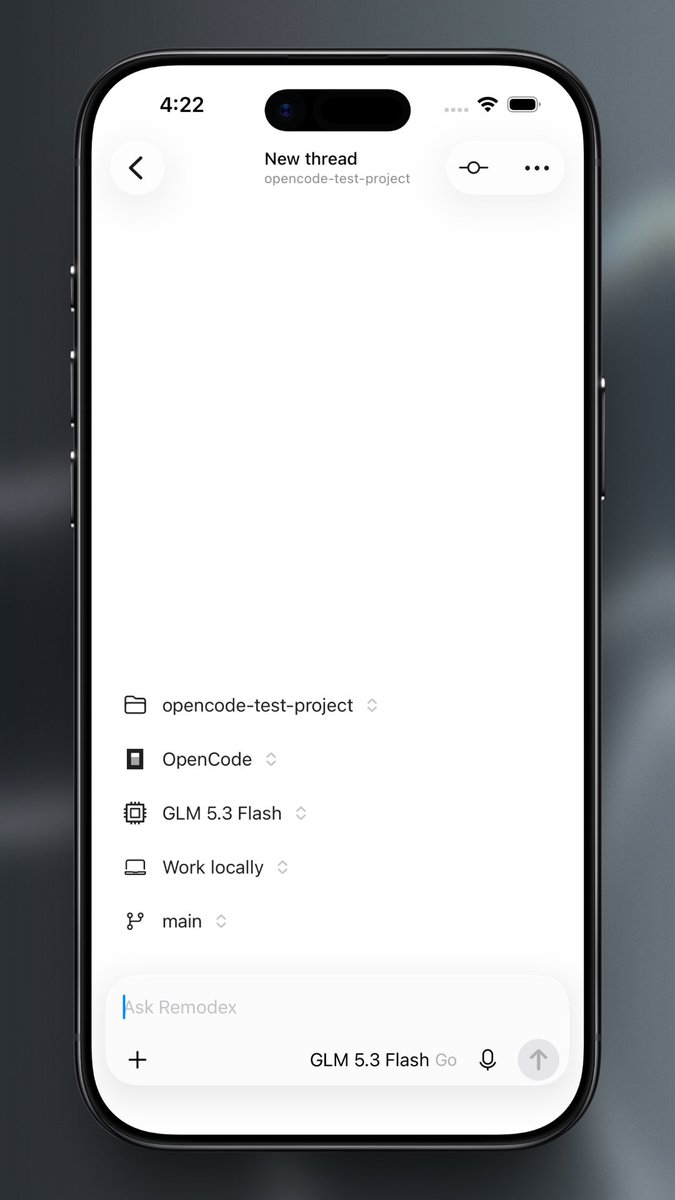
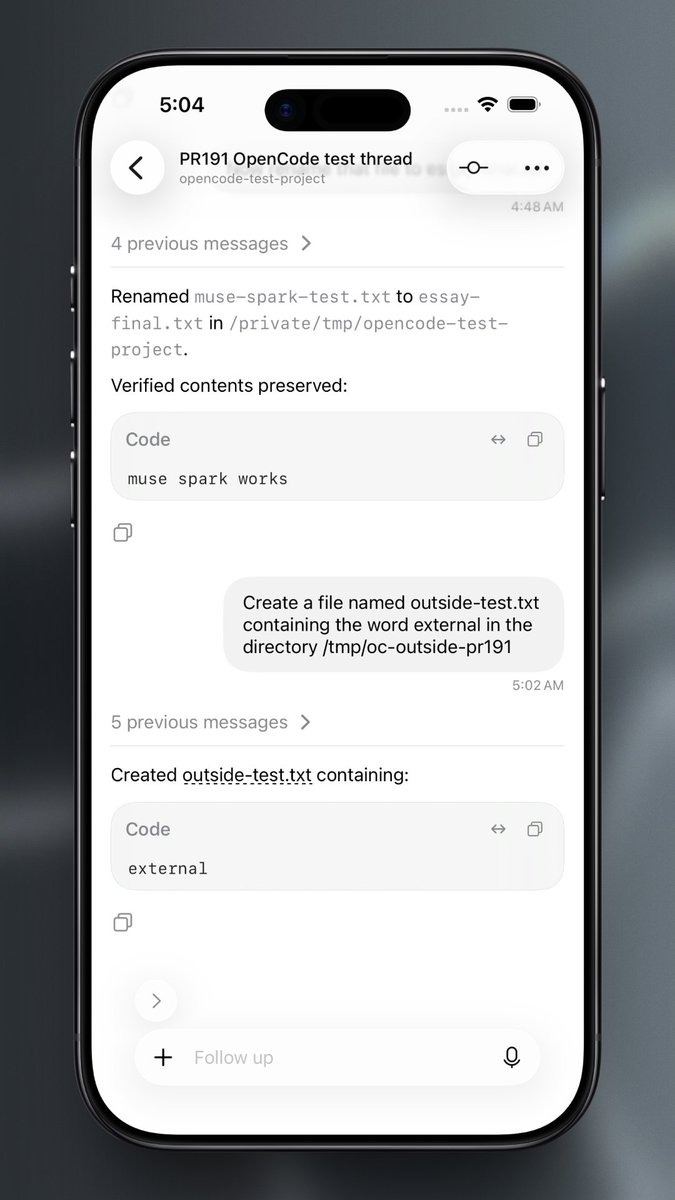
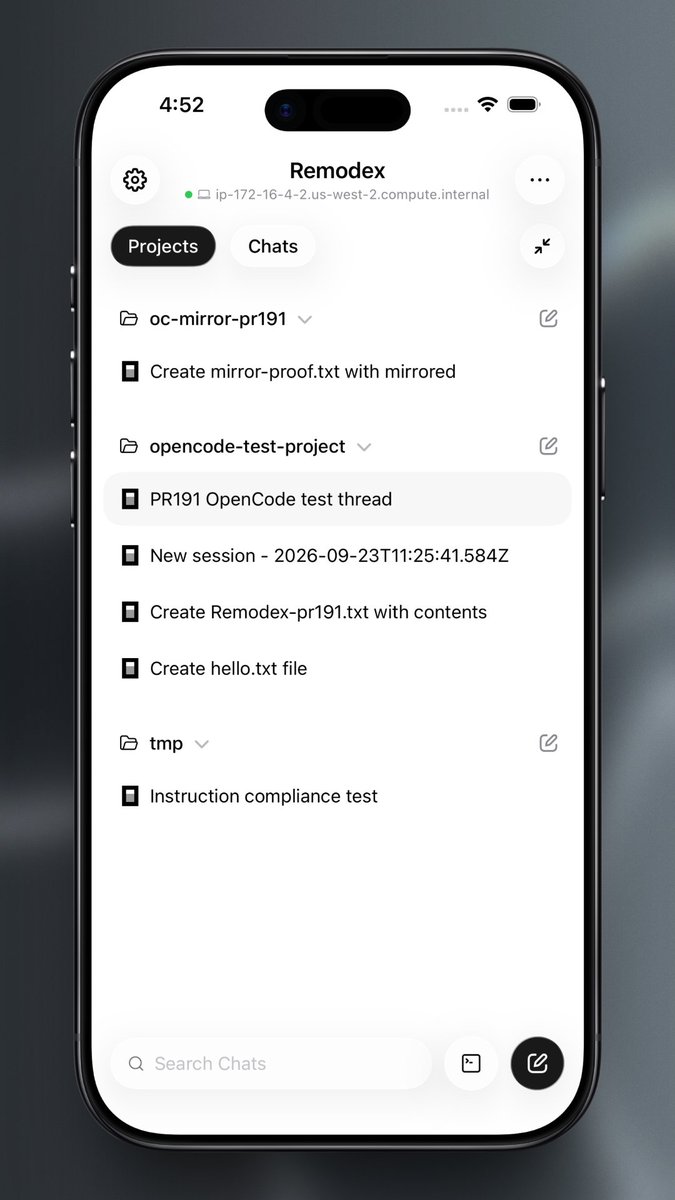
OpenCode now runs on your iPhone, alongside Codex.
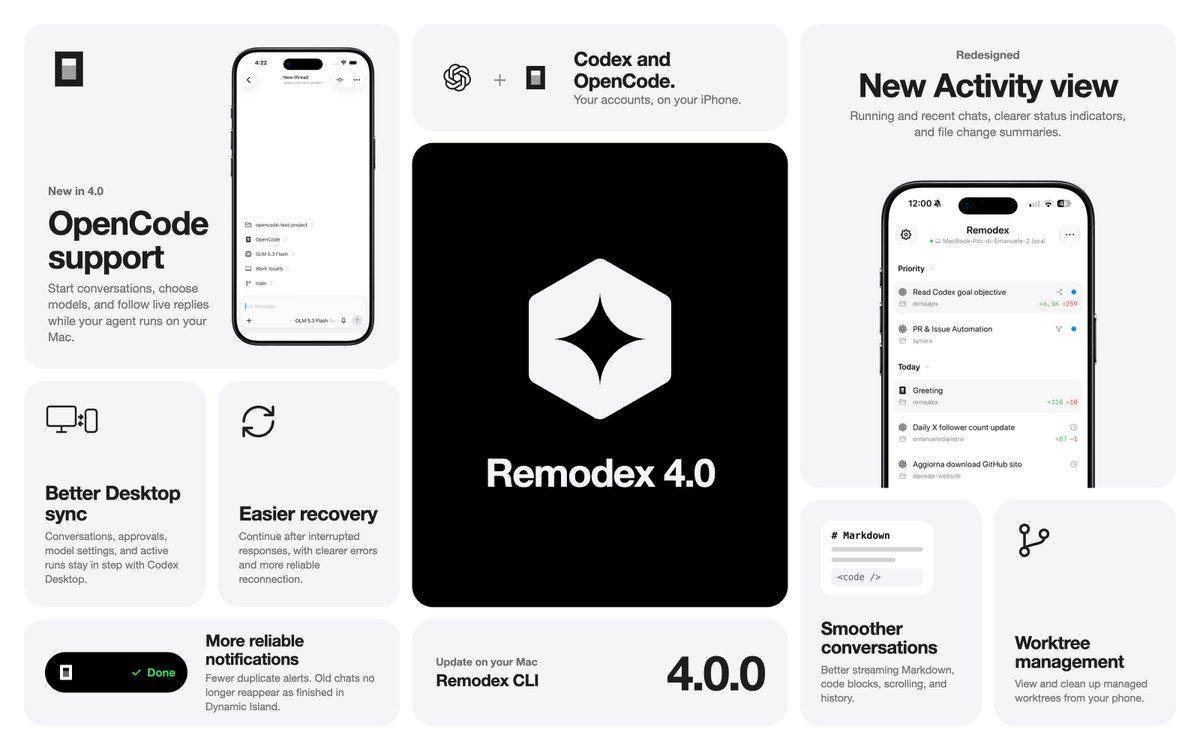
- OpenCode chats, models and live replies
- New Activity view
- Better Codex Desktop sync
- Easier recovery, fewer duplicate alerts
- Manage worktrees from your phone
Update the Remodex CLI to 4.0.0
Remodex 4.0 is out!
OpenCode now runs on your iPhone, alongside Codex.
- OpenCode chats, models and live replies
- New Activity view
- Better Codex Desktop sync
- Easier recovery, fewer duplicate alerts
- Manage worktrees from your phone
Update the Remodex CLI to 4.0.0
Introducing Remodex 4.0 ✨
You can now use OpenCode on your iPhone.
Start @opencode chats, pick your model and watch replies stream live while the agent runs on your device.
Right next to Codex.
Other updates:
→ New Activity view
→ Better Codex Desktop sync
→ Worktree management from your phone
→ Smoother streaming and more reliable notifications
Now live on the AppStore!
You'll soon be able to use OpenCode from your iPhone
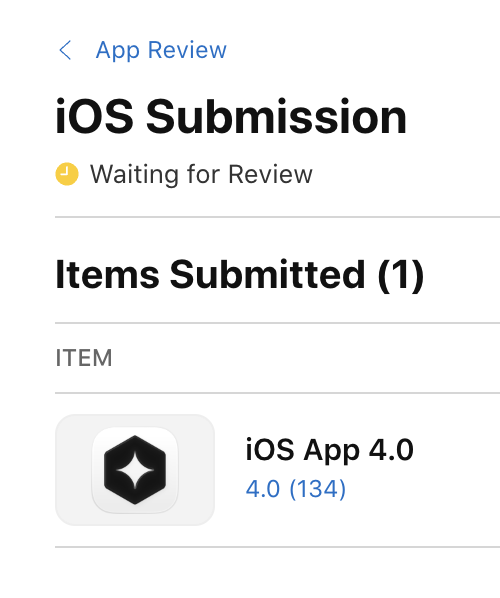
Remodex 4.0 is submitted to the App Store waiting for review
And it's the first version with OpenCode support alongside Codex
You'll soon be able to use OpenCode from your iPhone
Remodex 4.0 is submitted to the App Store waiting for review
And it's the first version with OpenCode support alongside Codex
OpenCode is getting a native iOS app
Starting from the next update, Remodex will support @opencode as a provider in beta, paired with Codex
Start a new chat or continue one from your phone, and it runs on your machine like a real remote controller
I think I just made the Codex Mobile app, but open source
I'm working on a new feature in Remodex: the Activity Sidebar view from Codex
In the next update, @useRemodex will let you see what's running at a glance, just like the new Activity View in Codex
Remodex also has an integrated terminal connected via SSH
And if you have multiple Codex accounts, you can switch between them without logging out and back in
Remodex connects automatically, ready to use!
Remodex is still a life saver when you want to use Codex remotely and have multiple accounts
You don’t need to relogin everytime
Remodex automatically catches it and you can start using your account remotely right away!
This big update will hopefully be the last of the month
Starting tomorrow I will take a break from building, as much as I can and as much as my mind allows me to
I’ve been working non stop, weekends included, for over a year
And the recent things that have happened to me, Synara and Remodex were quite highs and lows (emphasis on the lows lately)
I will continue posting on X, to keep the streak and to do a full year of recording a video every single day
In the meanwhile you can keep using the apps and share feedbacks, ideas and bugs so that once I get back from the break I will be able to tackle them
Reminder that the project is opensource, so you’re more than welcome to send well structured PRs to speed up development
Thank you guys for the continuous support, I’ll see you soon.
New Remodex 3.1 update!
In this version:
→ Fixed QR re-pairing after reopening the app.
→ Improved automatic reconnection.
→ Fixed stale Terminal controls.
→ Added support for Remodex Bridge 3.1.0.
Remodex is better than ever, same price, always opensource!
Thanks to all the people that reported me, blocked me, muted me.
You made my reach close to 0.
Which means that when I'll get out of this, which I will, my win will be even better
Actually, keep reporting me, keep blocking me, put me to the ground
Give me some challenge.
Let's make this fun.
it is not better, not worse
it works really well with your codex sub and remodex has its own advantages like:
→ integrated ssh terminal
→ constant pairing: which means that if a person switches account, that person doesnt have to switch it in the app too, remodex captures the account so you can keep working without logging in and out
Remodex 3.0 is finally live!
This are all the new things in this version:
• Live Desktop Sync:
Keep messages, models, queues, approvals, unread status, and active conversations synchronized between Remodex and Codex Desktop.
• Approve for Me:
Let Codex review approval requests automatically, see what access is needed, and retry denied actions with one tap.
• Goals:
Create long-running goals, track progress and token budgets, pause or resume work, and receive completion notifications.
• Live Activities:
Follow running, completed, and failed chats from the Dynamic Island and Lock Screen, with shortcuts back to Remodex.
• Smarter Worktrees:
Choose any base branch, carry configured project files into new worktrees, and keep worktree chats grouped under their original project.
• Better Model Controls:
Use the redesigned model and intelligence picker with Fast Mode, an all-models browser, and automatic reloading.
• Redesigned Composer:
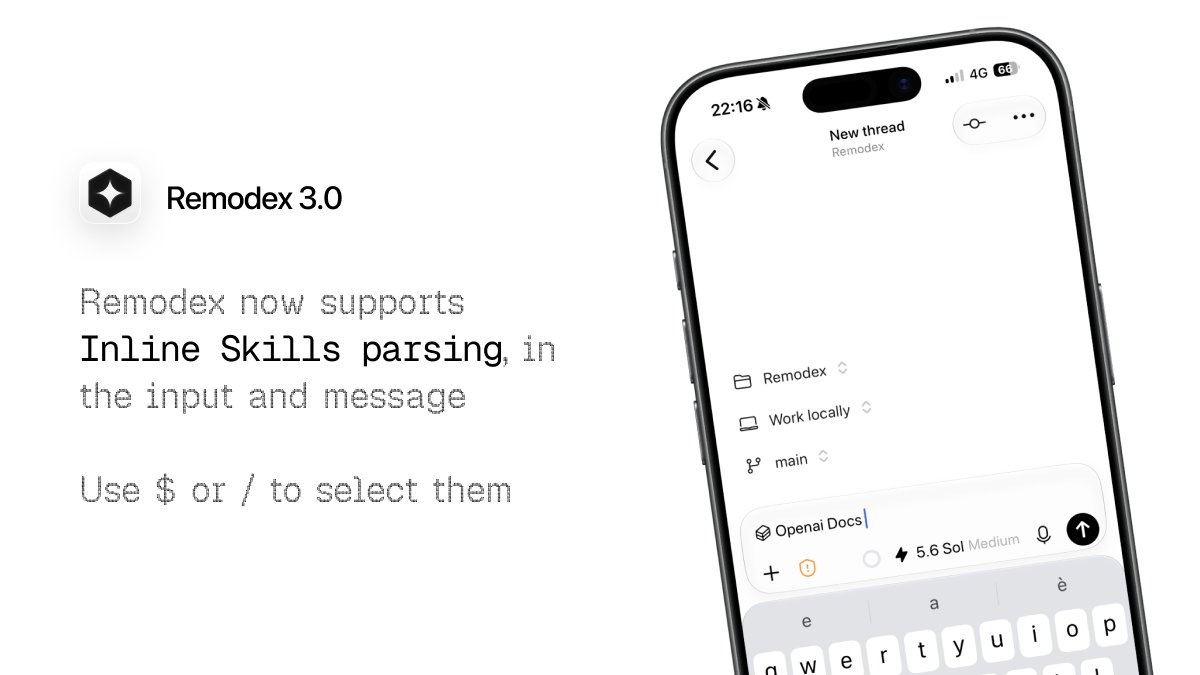
Manage queued prompts, active plans, file changes, and skill mentions through cleaner, more compact controls.
• Better Markdown:
Enjoy Markdown in your own messages and faster, smoother streaming responses.
• Clearer Tool Activity:
Commands and tool calls are now grouped, expandable, and easier to follow with improved icons, statuses, history, and file changes.
• Smarter Sidebar:
Find active and unread chats faster with improved sorting, status indicators, and automation labels.
• Reliable Recovery:
Pairing, reconnects, and running chats now recover more reliably after sleep, relaunch, bridge restarts, or network loss.
• Cleaner Timelines:
Duplicate messages, reasoning, final answers, and stale tool activity have been reduced, with smoother scrolling and history restoration.
• Improved Terminal:
Select and copy terminal output, with refreshed native menus across Terminal, Settings, Git, and chat controls.
• Better Voice Input:
Voice transcription is faster and more reliable, with smoother recording animations.
• Fresh New Look:
A new Remodex icon and unified visual identity, plus an SF Pro Rounded font option.
• More Reliable Workflows:
Plan Mode, completed steps, message sending, attachments, and long-running sessions are now more dependable.
• Performance and Stability:
Cleaner Mac bridge removal, fixed service restart loops, and many additional synchronization, performance, and stability improvements.
Introducing Remodex 3.0! ✨
The biggest update since launch.
Codex runs on your Mac. Your iPhone controls it.
Now perfectly in sync, both ways.
→ Live sync with Codex Desktop
→ Approve for Me
→ /goal support
→ Live Activities
→ Better and faster UI
And so much more
Open source.
Live now on the App Store!
it is not better, not worse
it works really well with your codex sub and remodex has its own advantages like:
→ integrated ssh terminal
→ constant pairing: which means that if a person switches account, that person doesnt have to switch it in the app too, remodex captures the account so you can keep working without logging in and out