We've changed the name and released a new version. Now you can find us at https://t.co/bpQlWWrpV2.
The new release includes:
🎯 Goals - tasks that you can track on a separate page
🧮 Tabs - to keep important pages close
⏸️ Paused status - to take a break from tasks
🌊Release 2026.2 of @use_kona is live!
You can now filter tasks in the sidebar, save these filters, and apply them later.
On a new home page you can add recurring notes (daily, weekly, monthly, quarterly and yearly) and use them to plan a certain period of time in advance.
https://t.co/YAjTjHf8kR
Kona 2026.1 is here — you can now select and move multiple events at once. Also, we have updated the search. It is now faster and supports searching for goals.
In the release 5.1.3, we focused on fixing some annoying bugs and improving the existing functionality of the app. We’re also working on an authentication fix that will require signing in to the app less often. Sorry for the inconvenience!
📅 Release 4.5
In our latest update, we've added a long-awaited month view, couple of improvements and few fixes:
- You can now switch the calendar view with a hotkey
- You can now duplicate tasks and events via context menu and by drag'n'drop.
More: https://t.co/EHPRGBER0G
🔥 Week 4.3 is out
In the last Week's update, we introduced a new way to schedule tasks. You can enter a text like "tomorrow at 12:00" or manually choose time and date for a task. The scheduling window also shows some recommendations based on time boxes you've created for your projects.
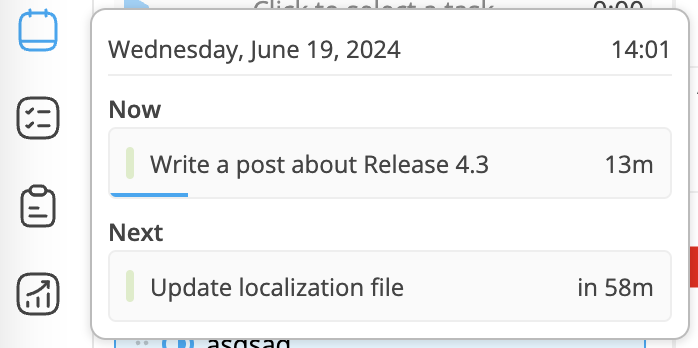
We've also added a small window when you hover over navigation icons. It will show the actual information, like next events or recently opened tasks and notes.
Version 4.0 is out! 🎉
You can now create time blocks along with tasks and events. Time blocks allow you to plan your time in advance without selecting particular tasks. Create a time box for your work or personal tasks and Week will help you to fill it with tasks.
So I'm making a new feature for @week_pro. It's gonna be a blast. The idea is to automatically plan tasks on your calendar. All your need to do is to mark some areas on your calendar (you can see "Work" areas on a video) and click "Plan" button. That's it! Week will move your existing unscheduled tasks to this area.
Task 2 becomes 1st because it should have been done few days ago.
Task 3 becomes 2nd because it has higher priority than Task 1.
There are also 15 minutes breaks between tasks and it will be a configurable option.
It's still #workinprogress, but I'm really proud of the result. Gonna fix some bugs now and teach algorithm to avoid existing tasks and meetings.
#buildinpublic
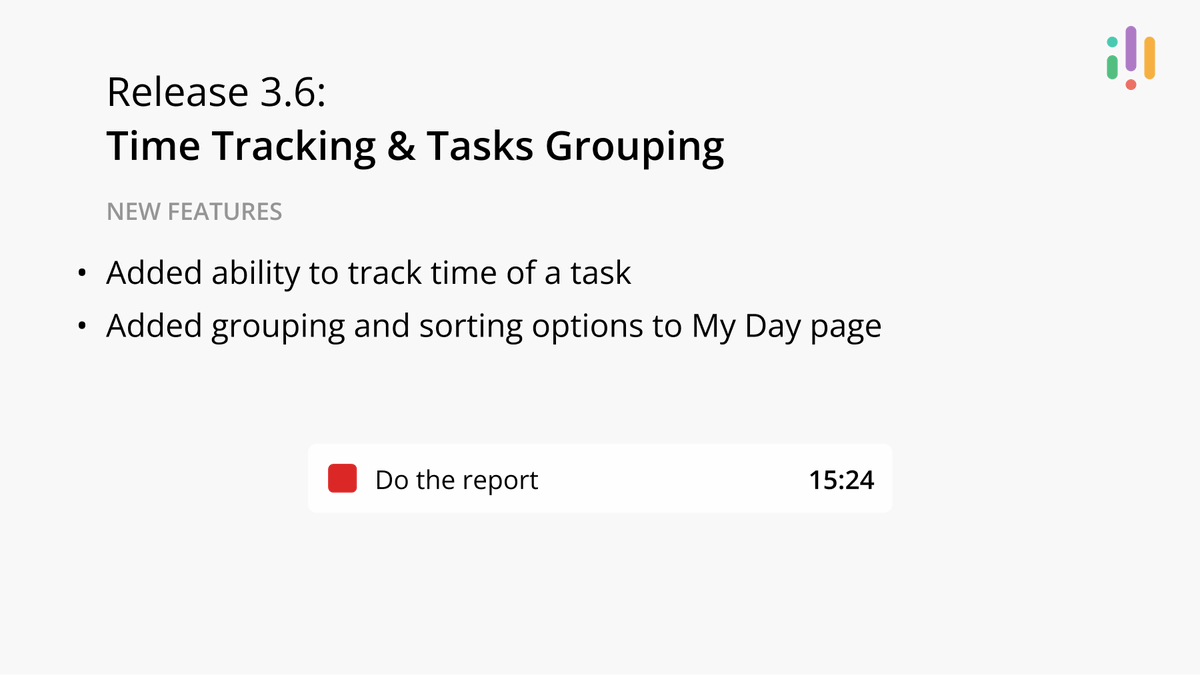
Version 3.6 is live!
Now, it is possible to track the time of your tasks, and the My Day page has received grouping and sorting options.
https://t.co/RknKcbuuCd
Want to know our plans for the following next few months? Visit our site https://t.co/RknKcbuuCd, which is now updated with a preview of upcoming features.
I've been thinking about this idea for a while. What if you could mark areas in your calendar for activities?
It would be much easier to plan your tasks. There are also many other things we could do. For example, it would be possible to compare your planned and your actual work and display it on the stats screen. Later we could implement auto-planning based on these areas.
After 5 month of development version 3.4 is finally live.
Tasks now have more than two statuses and it is possible to drop each task on a calendar multiple times.