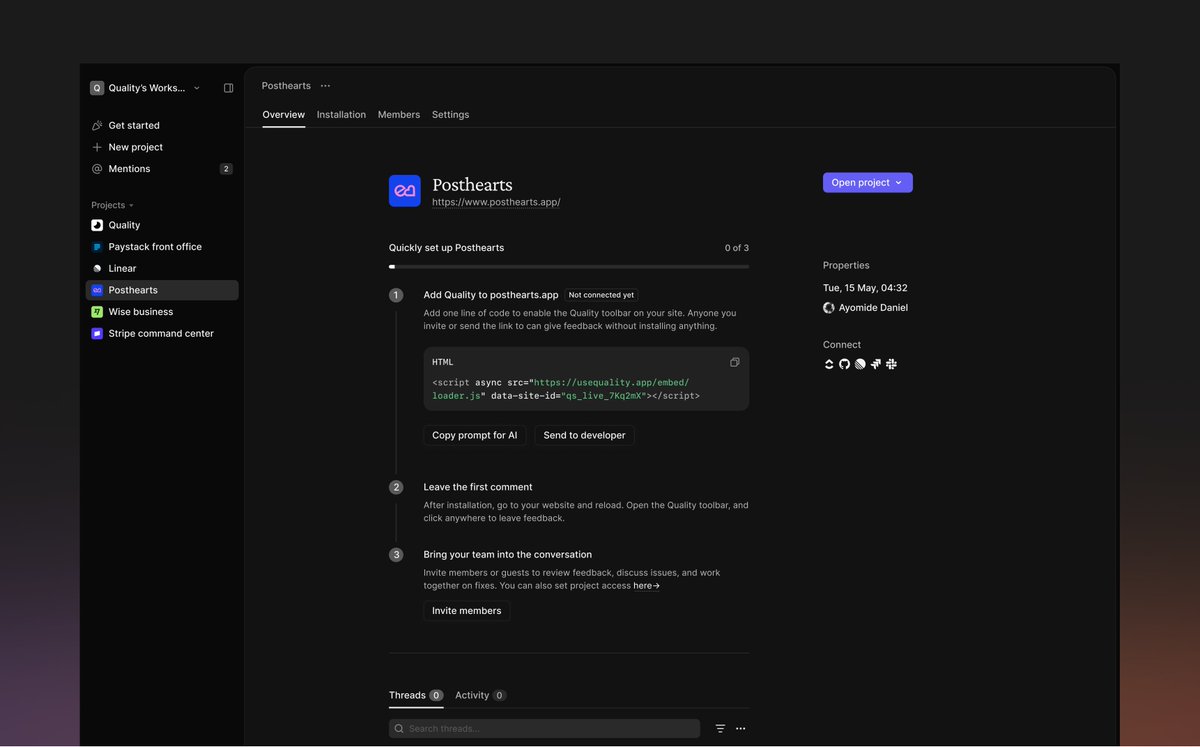
Introducing Quality (@usequality_ ): The feedback layer for teams and agents.
i've always believed that feedback within product teams should be as easy as dropping comments and getting response right on top of what they're working on.
with Quality you can:
→ click anywhere, leave a comment, and your teammates gets notified and can reply.
→ a playback recording is attached to each thread, with console logs, network and actions so engineers have full technical context.
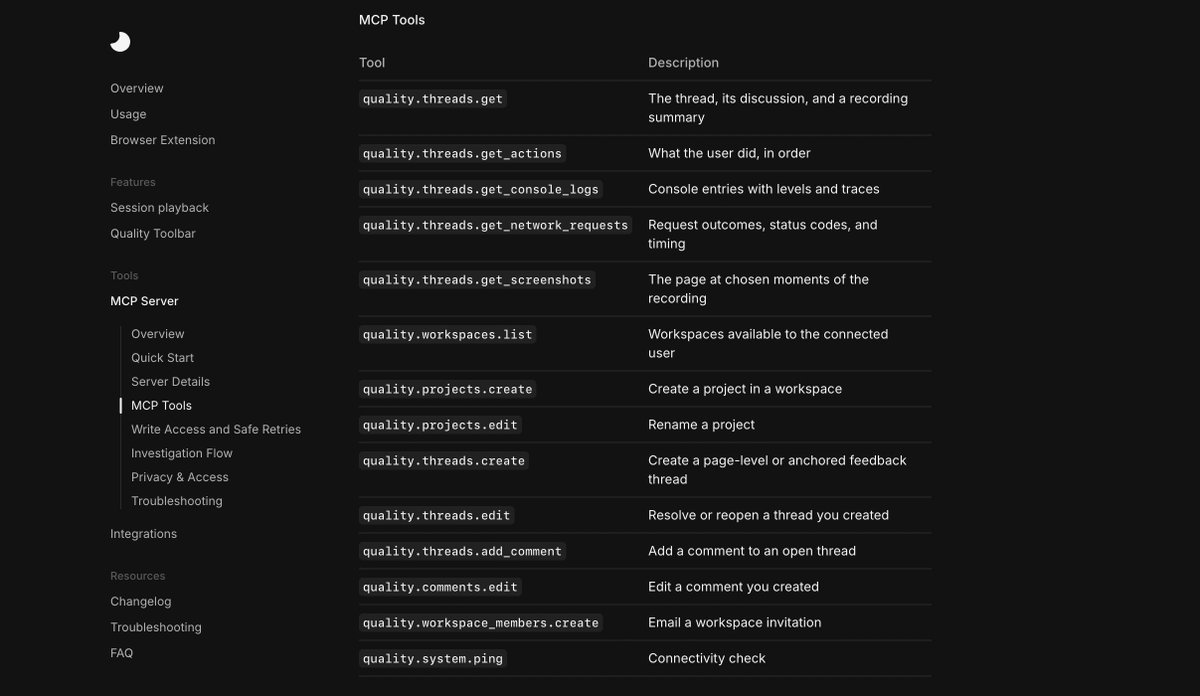
→ connect Quality MCP to your agents (claude, codex, cursor & others), they can go through a thread, watch the playback and fix issues for you without explaining.
→ you can turn a thread into a Jira/Linear issue or connect Slack to get notified on what your feedback your teammates are giving.
Your team's feedback and session data should stay yours.
We wrote about how Quality protects your data, from redacting sensitive information in replays to keeping our own team out of your workspace.
https://t.co/cWJhHOHWu2
We are big on security at @usequality_ , it is the bedrock of everything we have built.
Your data stays yours and you decide who sees what.
You can read more here: https://t.co/NeqWsHbbh6
Today we’re launching the Quality script: one line of code that puts Quality directly inside the web app or site your team is building.
Less friction, easier onboarding, and a simpler way for your team to jam on feedback without them installing the extension.
Your current threads are also carried over when you switch from to extension to the script.
Get started → https://t.co/kbNlB196IJ
I've been using @usequality_ (script version) locally on what I'm building at work.
I drop comments as I test the app, then tell Claude to go through my feedback and fix it, summarize it, or run E2E tests on it (UI + logic).
Quality MCP lets my agents do all of this.