Deleting your browser history doesn’t delete your actual history.
Google still knows everything.
If you truly want to wipe your digital footprint, here’s how to do it properly:
It's been 24 hours since OpenAI unexpectedly shook the AI image world with 4o image generation.
Here are the 14 most mindblowing examples so far (100% AI-generated):
1. Studio ghibli style memes
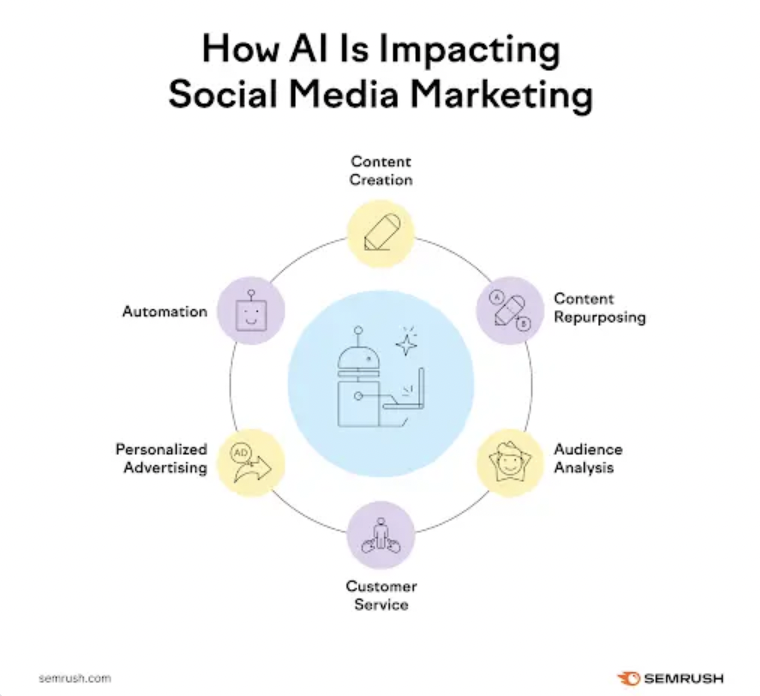
Curious how top brands are using AI to level up their social media game?
Here are all the answers to your questions + the best tools to check out!
https://t.co/uQcBlwsuyJ.
A few months ago we ran a small experiment. We created a new account in Telegram and started looking for a job. We joined channels that were directly about jobs in Estonia. Here’s what happened.
AI video generation is getting shockingly good.
In a couple of years, anyone will be able to create a movie from a smartphone- we're entering a whole new era of film.
Here are some of the best examples I've seen:
Here is how you can create the Google Ads report in #GA4…
1) Make sure that your Google Ads account is linked to your GA4 property.
2) Create a new exploration report via a blank template and name it ‘Google Ads report.’
3) Add the following dimensions to this report:
Google Ads Campaign
Google Ads ad group name
4) Add the following metrics to this report:
Google Ads Impressions
Google Ads Clicks
Google Ads Cost Per Click
Google Ads Cost
Gross Purchase Revenue
.
.
FAQ: You can also go to the Acquisition Overview report and click on the "View Google Ads campaigns" card for the standard Google Ads report. So, what's the point of creating this report?
Standard reports often suffer from cardinality issues and do not contain raw event and user-level data + Exploration report provides a lot more customization options.
.
.
FAQ: But the same data can be seen in Google Ads Manager, right? Since we import the GA4 goals including revenue. Keen to know what difference this report shows us.
The main benefit is that you can correlate Google Ads data with the website usage data (not shown in the screenshot).