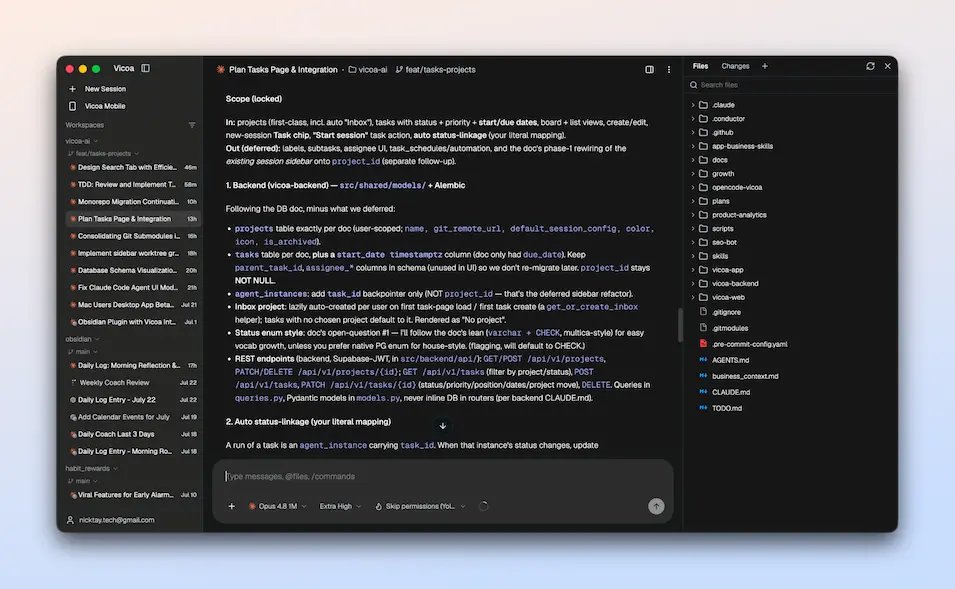
Archiving a session in Vicoa no longer marks its task done.
If the task is in progress or in review, you choose what happens to it: no change, todo, in progress, in review or done.
Available in desktop v0.1.42
Vicoa's AskUserQuestion now shows option previews, drafts, mockups or snippets, in one pane beside the choices instead of a box under each one.
Available in desktop v0.1.40
Select text in a Vicoa transcript and you get Copy, Add to chat and Continue in new session.
Add to chat keeps the passage with your comment on it, and it goes to the agent with your next message as a numbered quote.
Available in desktop v0.1.39
Vicoa automations can now run inside a session you already have, instead of starting a new one each time.
Each run sends its prompt into that session and resumes it if it has stopped, so the agent keeps its context between runs.
Available in desktop v0.1.38
Vicoa sessions can move between projects now.
Right-click one in the sidebar, or open its menu in the session header, and pick another project or No project.
Available in desktop v0.1.37
desktop v0.1.36
- drag automations into your own order
- pick a saved agent straight from an automation's Agent dropdown
- type # in the new session prompt to reference a session, task or automation
- worktree setup no longer hits "pnpm: command not found" after a Dock launch
Sharing a Vicoa project now includes its automations.
The people you share with see them read-only. Editing, running and pausing stay with whoever created one, because each run starts an agent on that person's machine with their credentials.
Available in desktop v0.1.35
Your teammate can now type into your agent session.
Share a Vicoa session and they watch it run live from their own laptop. If you let them, they can send the agent its next prompt too; otherwise they just follow along.
Available in desktop v0.1.34
You can now share a Vicoa project with specific people, or with a whole team, not just by link.
Pick what they see (tasks, sessions or both) and a role from viewer to admin. Shared sessions open read-only.
Available on web and in desktop v0.1.33
Vicoa now has an AI-native IDE
All in one place.
- Run agents in parallel
- Browse files
- Manage git worktrees
- Terminals
Mac version is ready. Windows and Linux are coming.
Download from: https://t.co/S2PFwinQPk
#ADE#VibeCoding#Vicoa#IDE#buildyourmasterpiece
Vicoa now runs eight coding agents.
Cursor, Gemini, Copilot, Kimi and Hermes just landed, alongside Claude Code, Codex and OpenCode.
You already picked your agent. Now it follows you to your phone.