🚀What's new in Vidimote 1.8 for #iOS & #macOS?
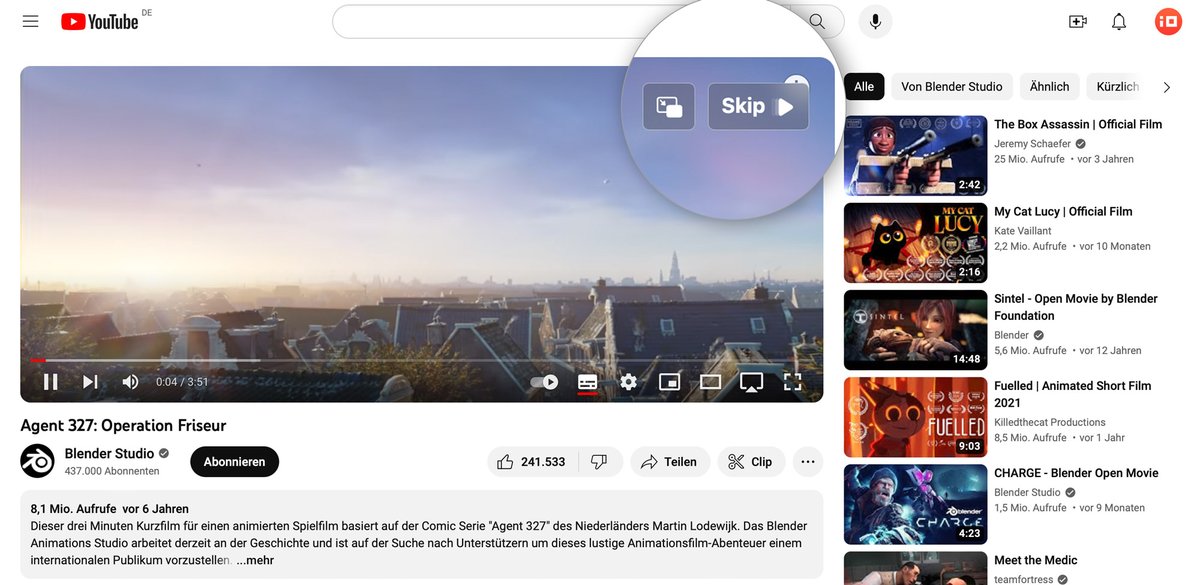
⏭️ Skip & PiP overlay actions on top of videos: skip unwanted videos or jump right into PiP
🔒Automatic Speed Lock prevents websites from resetting your playback speed to 1x without request
➡️Learn more: https://t.co/rknkVkTEJp
Vidimote is now just $2.99 for BOTH iOS & macOS.🤯
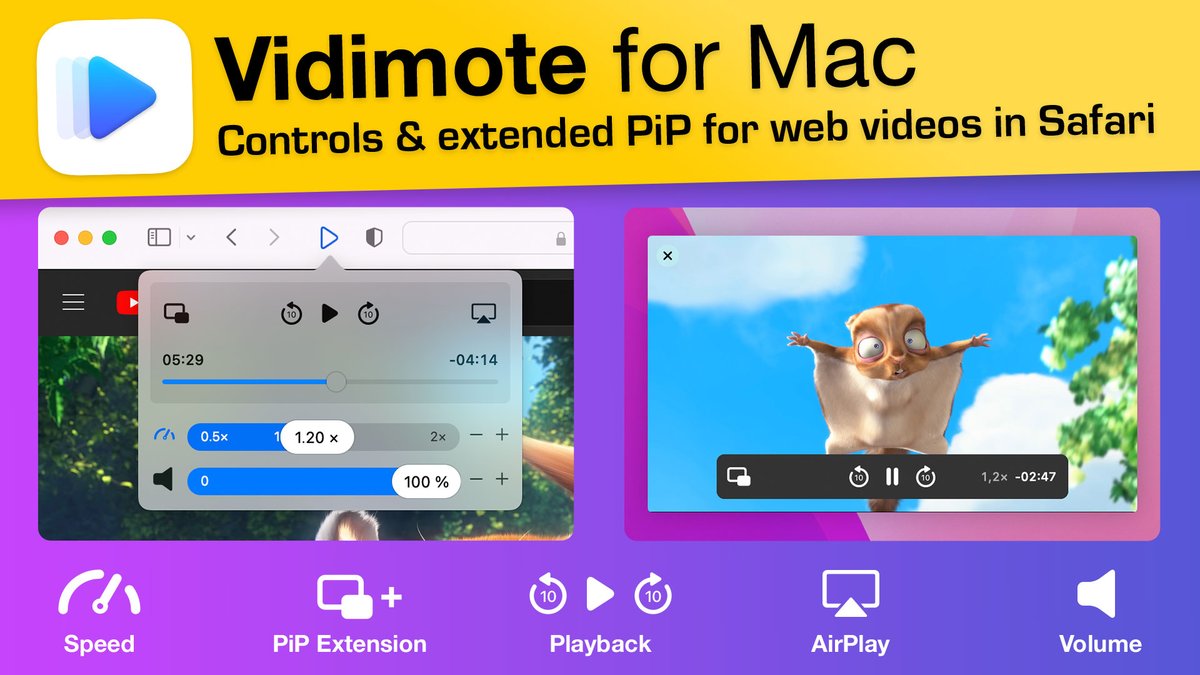
Get back control of videos in Safari:
🏃♂️ change speed
🍿 enter & EXTEND (on Mac) PiP
⏯ control playback
🔈 adjust volume
🎯 pick AirPlay target
+more
🆕Today's V1.7 release brings a new feature & a fix: https://t.co/UYubQGIa61
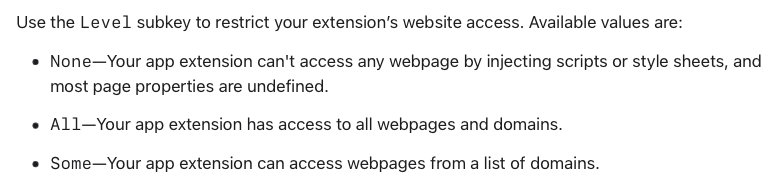
@u21d04 What that option effectively is meant for are extensions that target only specific sites. An extension that's meant to be usable and available on any website can't make use of that.
@u21d04 No, unfortunately not. That list can't be managed by the user.
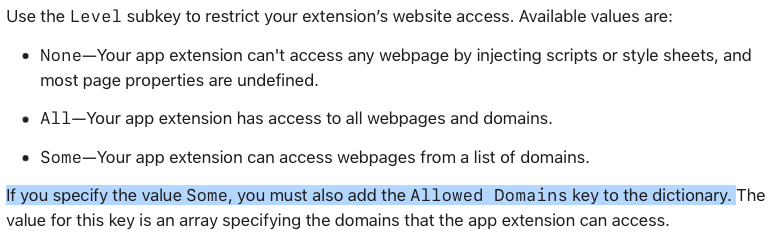
In the documentation, the next paragraph clarifies that that list of domains must be put into the Info.plist, which is guarded against changes by Apple's code signing and not meant to be touched after build time.
@u21d04 On macOS, Vidimote is implemented as a Safari App Extension. Vidimote's native UI and advanced features like additional PiP controls would otherwise not be possible. Other than Safari Web Extensions, Safari App Extensions can't offer "per website" permissions:
For one week, Vidimote for Safari is now just $1.99 (- 60%!) for BOTH iOS and macOS. 🤯
Get back control of videos in Safari:
🏃♂️ change speed
🍿 enter & EXTEND (on Mac) PiP
⏯ control playback
🔈 adjust volume
🎯 pick AirPlay target
➕ more
App Store: https://t.co/7FNoaWOJlr
@xemkee Custom keyboard shortcuts aren't supported at this time. However, exploring - and if possible/feasible implementing - keyboard shortcuts is on the roadmap.
We just launched Vidimote for Mac! 🥳🚀
Vidimote puts you in control of videos in Safari:
🏃♂️ change speed
🍿 enter & EXTEND PiP
⏯ control playback
🔈 adjust volume
🎯 pick AirPlay target
➕ more
App Store: https://t.co/1kATOXQsSq
Web: https://t.co/ssl1QhZ6Mi
Take a tour: 1/🧵
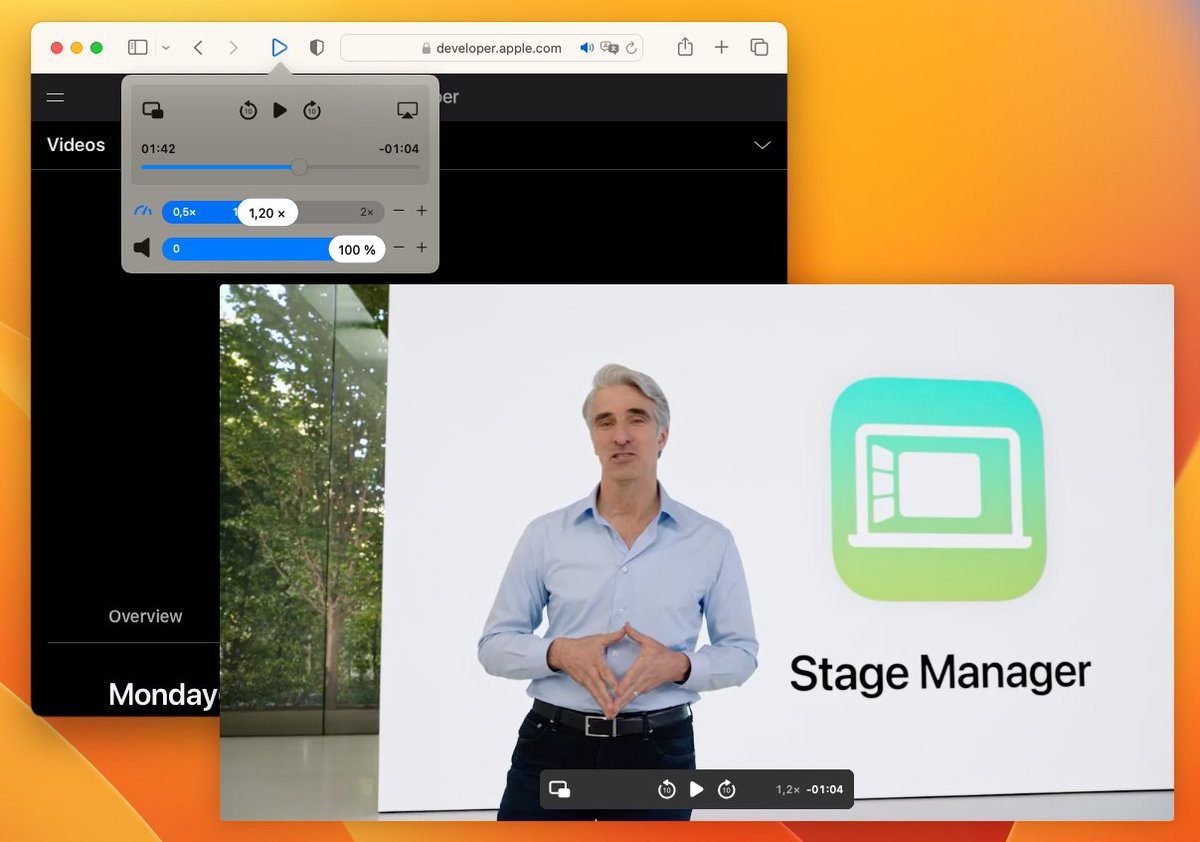
#Protip if you're watching #WWDC22 videos in Safari on your Mac & would like better playback controls - especially in picture-in-picture:
@Vidimote adds missing PiP controls, so you can
- jump back/fwd
- change playback speed
right in PiP: https://t.co/vYjnNKNKqP
@azerbarret Since Vinegar also targets YouTube videos, please try the following steps:
- temporarily turning off Vinegar
- reloading the YouTube page
- changing the speed on the YouTube video with Vidimote
Thanks.
@azerbarret The extension script used on iOS and macOS are identical. I can control speed on all YouTube videos that I tried with the + and - buttons without any issue.
Are you using any other Safari extensions on macOS?
@azerbarret Thanks for the info. Since not all YouTube videos are created equal, please share the address of a YouTube video where this issue occurs. Also, which bandwidth does your internet connection have? Thanks in advance!
@daniel11olu In the Vidimote app, you can change the speed limits in 0.1 increments. So you could change the slowest speed to 0.2x or 0.3x, but not 0.25x exactly.
But if you choose 0.2x as slowest speed in the app, you can change speed to 0.25x in Vidimote's extension popup.
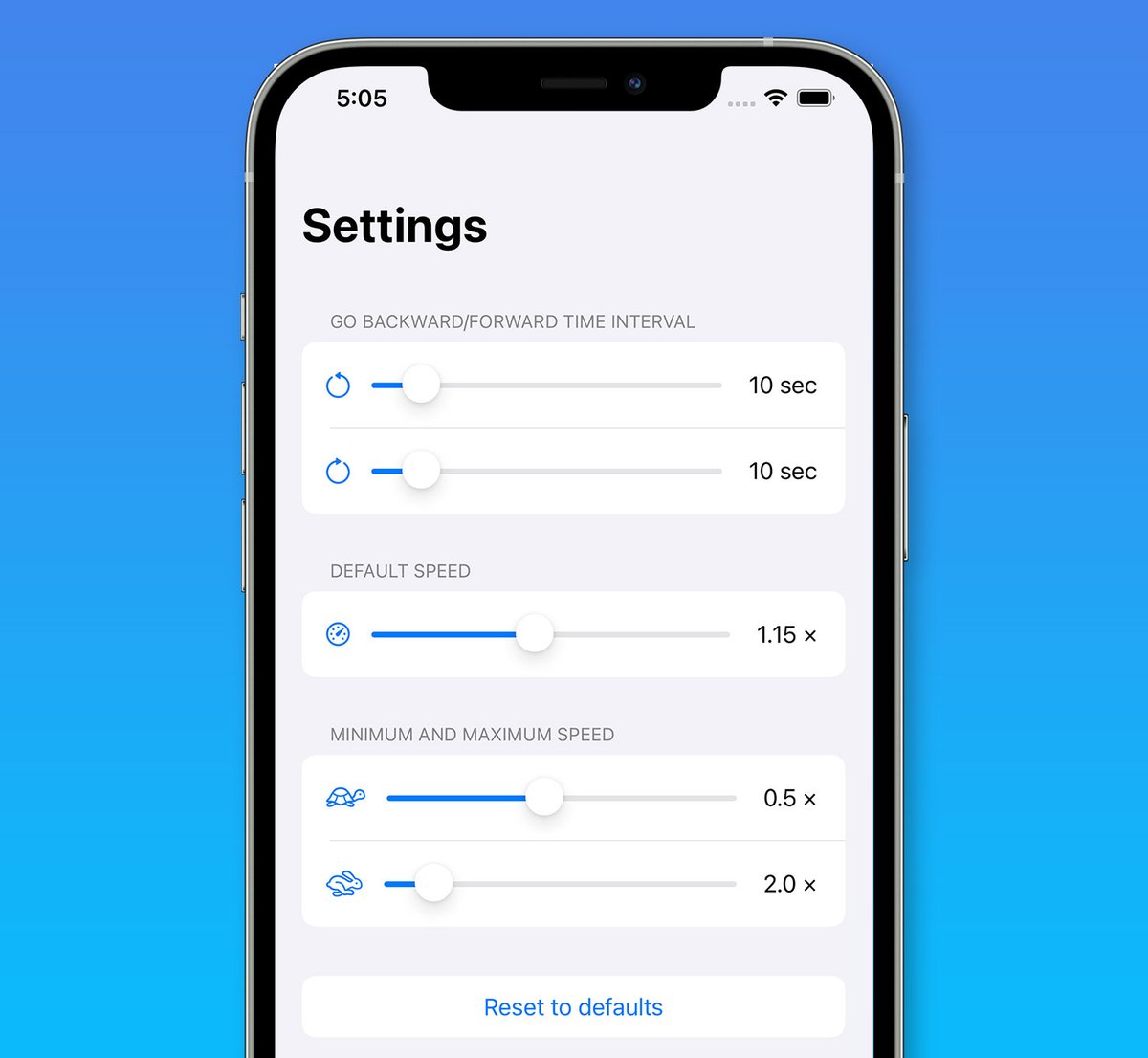
We also released a new version of Vidimote for iOS and iPadOS today, adding a new Default Speed setting. It lets you control with which speed web videos should start by default.
Now available on the App Store! https://t.co/R8CUK0nFT8
@Eckhardsson Thanks for the suggestion! No promises, as such a feature would have to be site/service-specific, but this is now tracked by an issue.
Which sites would you like to use this with?