How do you manage webhooks on ViewPallet?
Connect a wallet. That is your login.
Your wallet signs a message to authenticate, and your webhooks live under your address.
→ Sign a message, no transaction
→ Create a webhook and receive real-time HTTP POST notifications from your monitored addresses
Sign in today: https://t.co/UYYAweEh5J
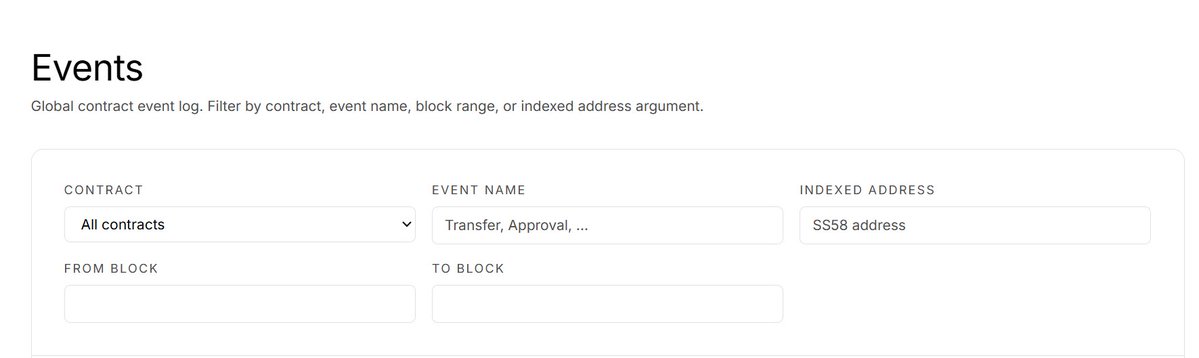
How do you filter events on ViewPallet?
Five ways, and they stack.
→ Contract: one, or all of them
→ Event name: Transfer, Approval, anything emitted
→ Indexed address: every event that touched an SS58 address
→ From block / to block: any window of chain history
One filter narrows the log. Stacked, they answer precise questions: every Transfer from one contract, in one block range, involving one address.
Try it yourself: https://t.co/sBOnxXz4bt
What does the Blocks page show you?
Every recent block on the network, in sequence. The head refreshes every ~12 seconds.
Each row is one block: height, age, transaction count, event count, and its full hash.
The hash is the part that matters. It is the block's fingerprint, and it makes every row independently verifiable on-chain.
→ Blocks in sequence, none skipped
→ Quiet blocks reported honestly
→ Every row carries its proof
The chain's history, one row at a time.
https://t.co/ICLiPNlNG3
What does the OTC page let you do?
Swap tokens for TAO, peer to peer, through a public order book.
The top row is the market summary: price, change, bid/ask, spread, volume.
Below it, two books. Asks sell for TAO, bids buy with TAO. Every order is public: offer, price, maker.
Connect a wallet to create an order or fill one. Trades settle through escrow.
Try it yourself: https://t.co/Kw2RY0rwre
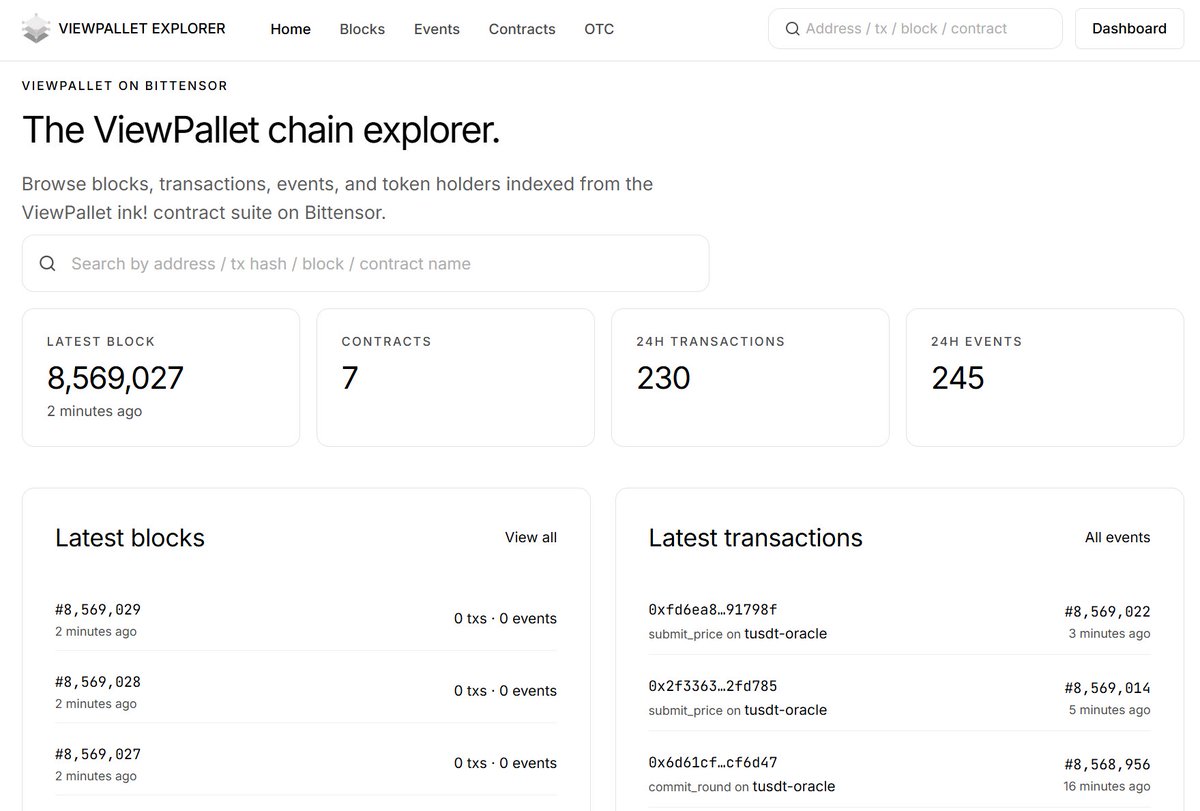
What does the ViewPallet Explorer home page actually show you?
The stat cards answer three questions at a glance: is the chain producing, how big is the indexed ecosystem, how busy was the last 24 hours.
Latest blocks is the rhythm. A new block every ~12 seconds, and even a quiet one reports itself honestly.
Latest transactions is the content. Every call decoded into real method names on named contracts.
Read the network like a log, verify any row on-chain.
Visit us at: https://t.co/3D25PWDmUx
The ViewPallet Explorer is live.
Blocks. Events. Contracts. OTC.
Every indexed ink! contract on #Bittensor, decoded and readable in your browser.
Fresh blocks stream in. Contract calls appear in real time. Every block carries its verifiable on-chain hash.
How to find indexed ink! contracts?
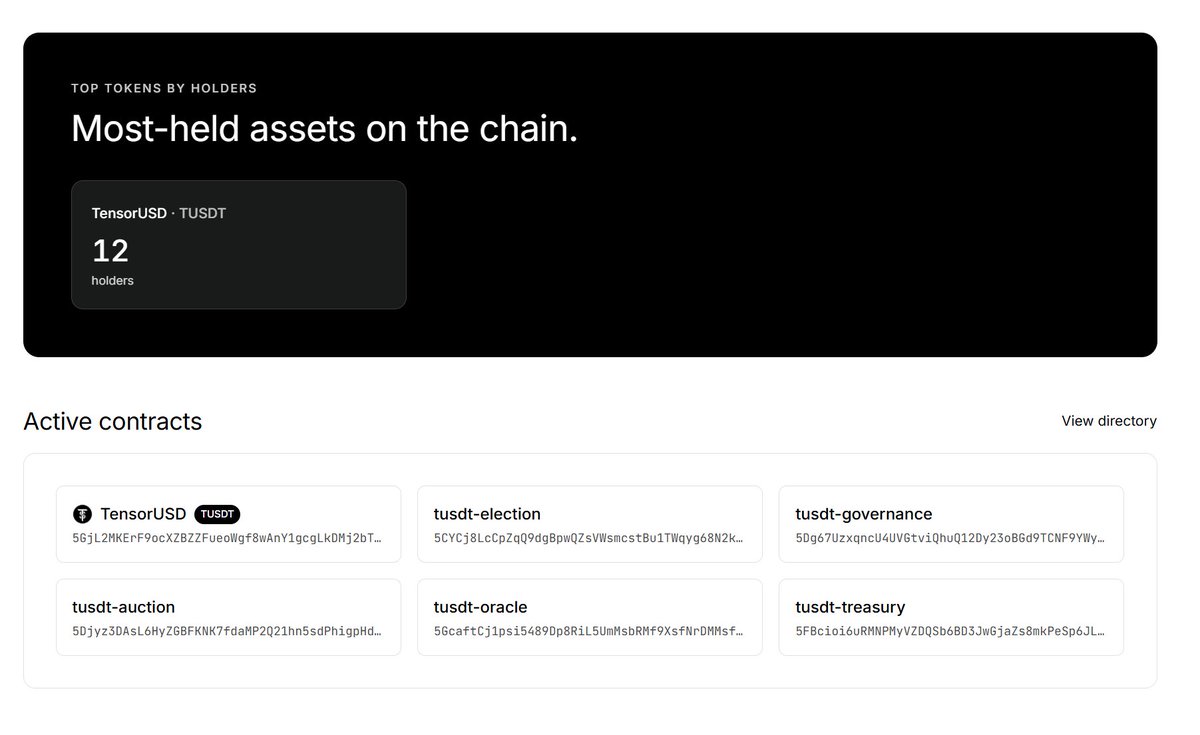
ViewPallet's directory lists every contract it indexes on Bittensor. Name, address, deployment block, status.
→ Browse the indexed ecosystem in one place
→ Verify before you interact
→ One click into full activity
https://t.co/k5R6eGJacl
What is inside ViewPallet's indexer?
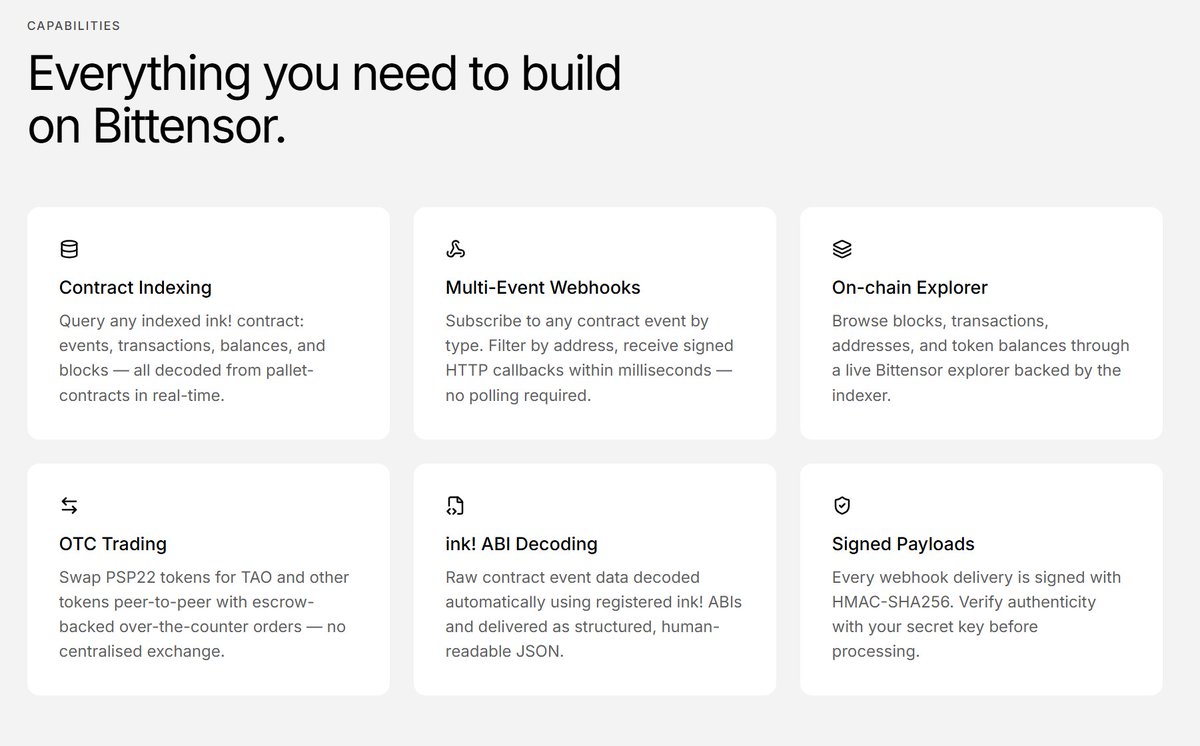
Every ink! contract on Bittensor.
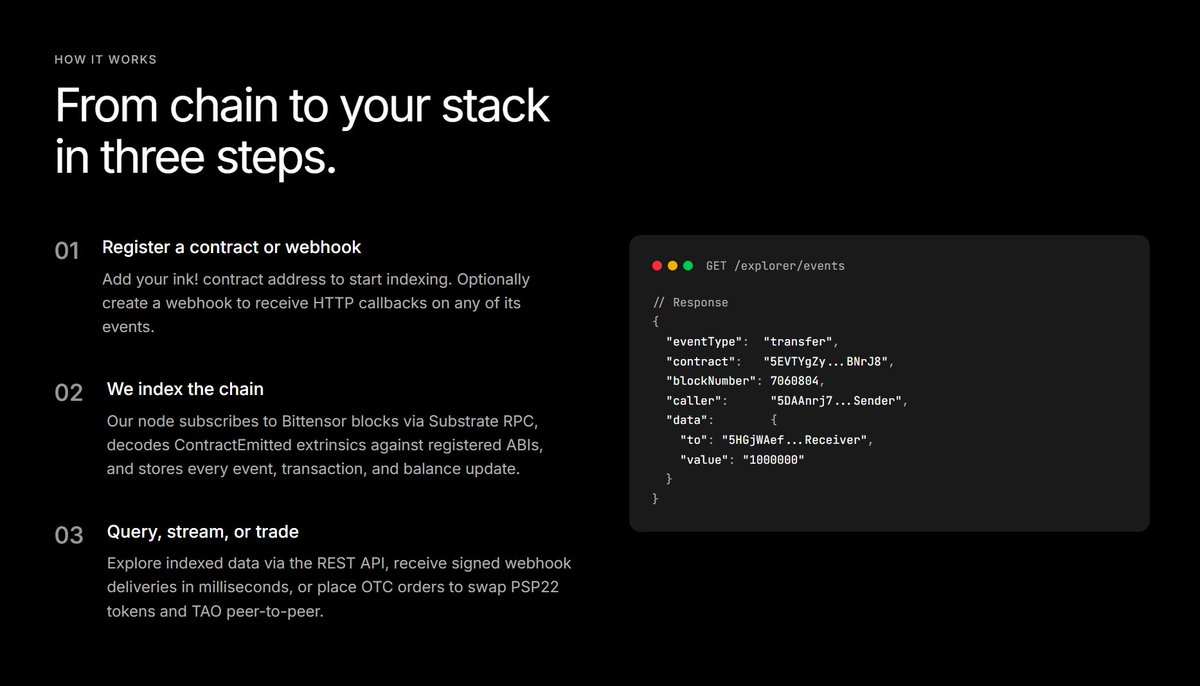
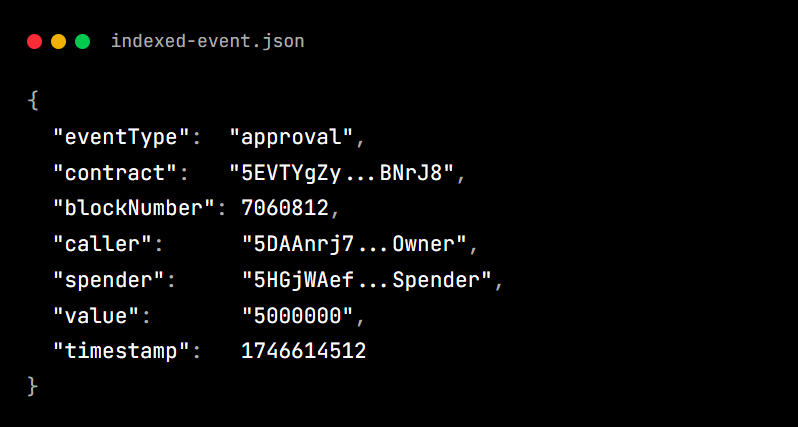
Events, transactions, balances, blocks. Decoded from pallet-contracts in real time.
Why does it matter?
Builders write indexers before they write apps. ViewPallet removes that entire layer of work.
🚀 Big news: @TensorUSD (SN113) 🤝 @Viewpallet
Another milestone for @TensorUSD.
We're partnering with View Pallet, the real-time block explorer for @Bittensor.
Here's what it means → every TUSDT move is now public and verifiable.
View Pallet will index and stream all core TUSDT activity:
• Mints and burns
• Vault deposits and collateral
• Contract events, live
• Every transaction, on-chain
A stablecoin should be something you can verify, not just trust. With View Pallet, anyone can watch the protocol work in real time, block by block.
TensorUSD is aiming to be more than just another stablecoin. Transparency isn't a feature here. It's the foundation.