If you’ve ever set an alarm on your phone just so you wouldn’t miss a meeting, this post is for you:
Users tell us all the time that they run late because they were heads down, or because Do Not Disturb silenced the notification. Some set alarms as a workaround but it’s tedious and easy to forget.
⏰ So I’m super excited to share that you can now 𝘀𝗲𝘁 𝗮𝗻 𝗮𝗹𝗮𝗿𝗺 𝗳𝗼𝗿 𝗮𝗻𝘆 𝗺𝗲𝗲𝘁𝗶𝗻𝗴 in @Vimcal with just one tap, 𝗱𝗶𝗿𝗲𝗰𝘁𝗹𝘆 𝗳𝗿𝗼𝗺 𝘁𝗵𝗲 𝗶𝗻𝘃𝗶𝘁𝗲!
It goes off 1 minute before the meeting starts (you can customize this), and if the meeting moves, the alarm moves with it.
You can also long press on an event's push notification to set the alarm from your lock screen.
I've been turning on alarms manually for years and this has been a lifesaver ever since I got to dogfood this feature, so I'm really happy to share it with you today.
Alarms is available on the 𝗩𝗶𝗺𝗰𝗮𝗹 𝗶𝗢𝗦 𝗮𝗽𝗽, which is 𝗳𝗿𝗲𝗲 even if you don't have a Vimcal Desktop subscription.
Install Vimcal iOS today and never show up late to a meeting again: https://t.co/VyJb8GZ0rz
🔌 New in Vimcal: Slack & Gmail integrations!
💬 Slack
Get pinged the instant someone books, cancels, or reschedules a meeting through any of your booking links, as well as whenever someone votes in one of your polls.
✉️ Gmail
Emails to attendees can now be sent directly from you instead of the de facto Vimcal address, improving delivery rates.
Go to the new Integrations page in your Settings to connect both.
---
Want any other integrations? Let us know!
@Zapier researched nearly 70 iPhone calendar apps, tested ~25 of the top contenders, and named Vimcal the "Best iPhone calendar app for teams" 🏆
If you spend a lot of time in your calendars at work, consider this a sign to check us out :)
https://t.co/fVrJZwlCfc
We added a World Cup Easter egg to Vimcal! ⚽
To activate it, just drag an availability Slot for 2+ hours.
It disappears after the Finals this weekend, so try it while you can :)
✨ New in @vimcal: you can now schedule by voice or screenshot!
We spent months training this AI feature to understand all the nuance and social etiquette that goes into scheduling:
🎙️ Voice
Tap the mic and say something like "Coffee chat with Monica next Thursday at 1pm at Starbucks."
Vimcal will help you pick a Starbucks location and even find the right Monica.
📸 Screenshots
Upload or drag a screenshot (e.g. email threads, concert tickets, flight confirmations) into Vimcal to autofill the event details for you.
Vimcal will pick up details like the time zone based off location of the venue, or that you want a recurring meeting based off your email convo.
Cancellation Counter is here!
You can now see how often a recurring meeting has been canceled over the past 6 months.
This helps surface those meetings that repeatedly get canceled but still linger on the calendar.
Try Vimcal at https://t.co/ysxarJlAiu
One of the most under-leveraged roles in a company is the Executive Assistant.
We surveyed 600 EAs on workload, AI, job satisfaction, and retention.
Findings are below here! https://t.co/QKL3YNqnEA
Hey @dakotahermes, just wanted to congratulate you as one of the winners of a $25 Amazon gift card thanks to you posting your Vimcal Rewind!
Whenever you get the chance, could you please DM me your preferred email address so we can send you a Digital Gift Card?
Thank you for participating and congrats again!
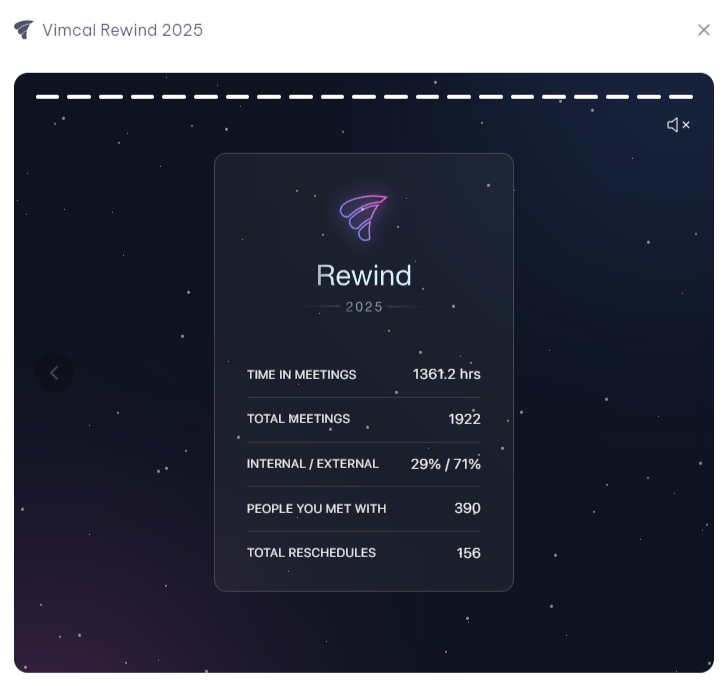
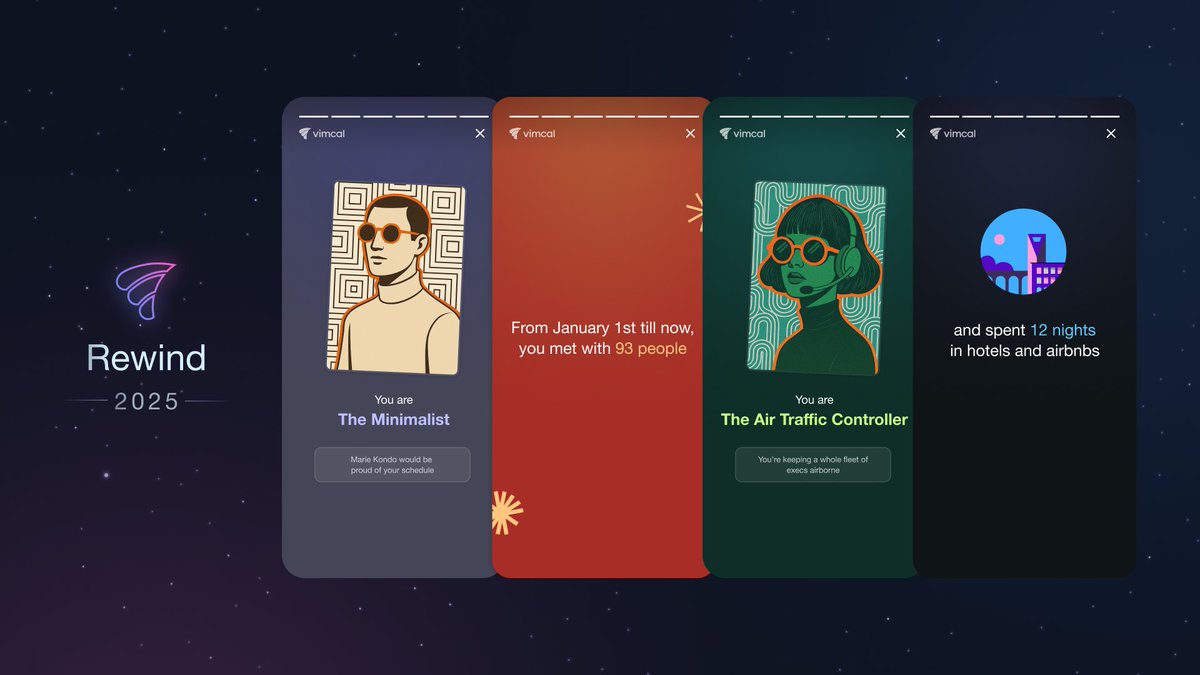
Your 2025 @Vimcal Rewind is now live!!
This year brings refreshed visuals, new personas, and a clearer picture of how your calendar evolved in a year where AI sped up deep work… and somehow still made meetings multiply.
It answers the questions we all secretly have at the end of the year:
- How many hours did I spend in meetings?
- How many times did I reschedule meetings?
- How many flights did I take?
- What's my Calendar Persona?
And much more!
You can access your Rewind for the rest of the year by typing “Rewind” into the Command Center.
Hope it gives you a fun look back and a few surprises!
⌛ New in Vimcal: Smart Meeting Buffers + Commute Time Calculator!
Whether you need to drive to a coffee chat or leave room to prep for a sales call, @Vimcal's got your back.
With our new Smart Buffers feature, you can easily add color-coded buffers before and/or after any meeting.
The best part? If the meeting gets rescheduled, the buffers will automatically move with the meeting to the new time. No more manual dragging after-the-fact.
There's a new way you can protect your calendar with Vimcal! 🛡️
You can now limit how many meetings get booked per day through any Personal Link.
Simply go to the link, expand the "Scheduling Settings" section, and set a max number.
Once your limit is hit, your link will appear fully booked for the day.
Whether you want to max out at 3 office hours or you have too many sales calls (great problem to have), we've got your back!
🔒 🗒️ New in @vimcal: You can now add a private note on any calendar event!
By "private", I mean no one else can see them but you. Not an attendee, not a teammate, not even someone with edit access to your calendar.
Use them for:
* Quick meeting prep, e.g., “Remember to bring up budget increases”
* Running agendas
* Sensitive context you don't want in the description
Just scroll to the bottom of an event on any of your calendars and start typing.
Your notes live within your Vimcal account and are for your eyes only, even if the event is owned by a coworker or is on a shared calendar.
This is a feature I've personally wanted ever since we launched Vimcal in 2020, so I hope you find it as useful as I do!
Comment and let us know if there's anything else you'd like to see regarding notes.
🌐 We've got another new feature for you today that you'll only find in @vimcal!
Now when you look up your coworkers' calendars, Vimcal automatically sorts everyone by their local time so you can immediately see how everyone is spread out.
You can then overlay everyone's time zones onto your own calendar in just one click.
It's easy to forget who is where when you're scheduling across continents (or even just coasts). This small touch makes it a tad faster and much less error-prone =)
If you're constantly scheduling/rescheduling team meetings, check out Vimcal today: https://t.co/aL85XQWySa