I’m an Incident Responder on the AWS Customer Incident Response Team (CIRT). And I get asked a lot of questions, like:
“Where do I even start with incident response in the cloud?”
Here’s a beginner-friendly thread on AWS IR tips — with a few lessons I learned 🧵👇
ON JAN 6TH 2025!
WE'RE KICKING OFF THE 30 DAY DEVOPS CHALLENGE!
What's included:
- YouTube step by step tutorial videos
- GitHub repos with instructional ReadMe's
- Architectural Diagrams
- Discord Community
Here's how to get ready:
- Join the Discord community here > https://t.co/lRbgwY7Iem
- Start preparing your environment
Here are some FREE resources to start going through to get you ready:
- Linux: https://t.co/XlyjqZRJ7S
- Git/GitHub: https://t.co/G2EYCPoUXK
- Python: https://t.co/v1iTYqQu32
- AWS Cloud Fundamentals: https://t.co/ckBijA2EUj
- Infrastructure as Code: https://t.co/nr07NfDmIu
- Containers (Docker): https://t.co/CmbzciftIq
- CI/CD: https://t.co/CR3GqFFgJw
Whether you're starting your cloud journey or trying to advance your DevOps skills, we've designed this challenge for YOU.
Head to our 30 Day DevOps Challenge page > https://t.co/lsVXOBrH0a
♻️ Repost/Share to help someone on their 2025 Cloud journey ♻️
📮New blog post; My Favourite Security-focused GPO: Stopping Script Execution with File Associations
There are many group policies I recommend for reducing the risk of malicious script execution, but file association is by far one of my favourites.
I couldn’t find a post on how to implement this policy across the entire domain, so I wrote this quick guide. I hope you find it helpful and share it with your sys admins!
https://t.co/kS2LjDLpy3
Folks, a quick thread to help you transition to using the Microsoft 365 admin centre to manage licenses.
On September 1, the ability to manage licenses in the Entra portal is going away and you will need to switch to using the Microsoft admin center.
🧵👇
Important announcement for IT Professionals!
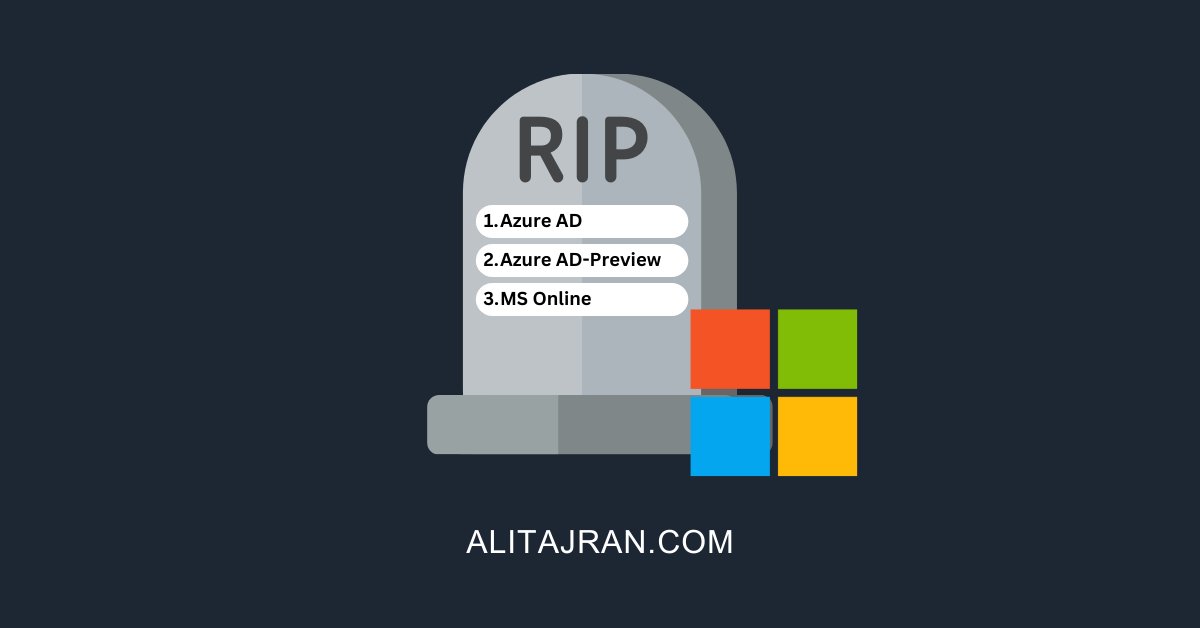
Starting March 30, 2024, Microsoft will deprecate the following three PowerShell modules:
1. Azure AD
2. Azure AD-Preview
3. MS Online
𝐇𝐨𝐰 𝐭𝐡𝐢𝐬 𝐰𝐢𝐥𝐥 𝐚𝐟𝐟𝐞𝐜𝐭 𝐲𝐨𝐮𝐫 𝐨𝐫𝐠𝐚𝐧𝐢𝐳𝐚𝐭𝐢𝐨𝐧:
This change will affect your organization if you use any of these PowerShell modules.
𝐖𝐡𝐚𝐭 𝐲𝐨𝐮 𝐧𝐞𝐞𝐝 𝐭𝐨 𝐝𝐨 𝐭𝐨 𝐩𝐫𝐞𝐩𝐚𝐫𝐞:
If you are currently using any of the deprecated modules, you will need to take action before March 30, 2024. Create a list of your scripts and upgrade them to Microsoft Graph APIs and Microsoft Graph PowerShell SDK to ensure continued support and functionality.
𝐖𝐡𝐚𝐭 𝐡𝐚𝐩𝐩𝐞𝐧𝐬 𝐚𝐟𝐭𝐞𝐫 𝐌𝐚𝐫𝐜𝐡 𝟑𝟎, 𝟐𝟎𝟐𝟒:
After this date, the only support offered for these PowerShell modules will be support in migrating to Microsoft Graph PowerShell SDK. Only security fixes will be offered for these PowerShell modules after deprecation is announced. Once these modules are deprecated, they will continue to work for a minimum of six (6) months before being retired.
#Microsoft365 #Microsoft #PowerShell
I’m giving away my AWS book for free until the end of the year. It covers all the things Jack mentions.
Grab your copy here for free: https://t.co/JsNXmhrSPp
🧐 Interested in learning how to Optimize Your XR Device Deployments with Workspace ONE? Join our webinar on Tues. 12 Dec. w/ @Matt Coppinger to learn how you can deliver the white-glove digital employee experience (#DEX) you want. Register today! ➡️ https://t.co/9iNb8RU1w8
🌐Don't miss VMUG’s December Global Virtual Event on December 5th! 🗓️ Join us for a keynote with @AmandaBlev from #VMware by #Broadcom. Curious about the latest Broadcom updates? @BradTompkins_ is here to share more! #VMUGMinute
Get a concise walkthrough of Microsoft 365 Copilot settings in the admin center. Dive into configurations for Bing Chat, Data Security, Plugins, and more.
Understand how Copilot respects data permissions and extends capabilities with external apps.