All 53 Claude Skills (Free for First 300 People)
CLAUDE SKILLS LIBRARY - FREE
1. The 7 GTM Skills, full SKILL.md prompts
2. The 10 Claude Code Skills, install commands and use cases
3. The 18 GTM Agent Skills, full descriptions and invoke commands
4. The 15 Business Skills, slash commands and full descriptions
5. The 3 LinkedIn Carousel Skills, full SKILL.md files
(72 Hours only)
Like + RT + comment 'SKILLS'
Must Follow me so I can DM you.
Google offers several powerful AI tools for free.
They’re useful for professionals, creators, and businesses trying to use AI.
From content to visuals to coding, they simplify how you work and enhance your creativity.
Here are 11 free AI tools from Google (and how to use them):
[🔖 bookmark this post for later]
1. Firebase Studio: Use AI to quickly build and launch websites or apps.
2. Veo (Video Generation): Create video clips or animations from simple text prompts.
3. Gemini Ask on YouTube: Chat with videos to get quick answers, chapters, and insights.
4. Gems in Gemini: Build custom AI assistants using files, data, and instructions.
5. Nano Banana (Editing): Edit and refine AI images into creative new variations.
6. Gemini in Google Sheets: Generate text, formulas, and insights within spreadsheets.
7. Google App Builder: Build apps quickly with prompts or templates (no coding needed).
8. Media Generation (Imagen/Nano Banana): Create images from short, simple prompts for instant visuals.
9. Gemini Live (Stream): Host live AI chats with screen sharing for meetings and presentations.
10. Google AI Studio: Test Google models, adjust settings, and compare prompt results side by side.
11. NotebookLM: Turn sources into summaries, mind maps, audio/video overviews, and quizzes for learning.
Don’t overpay for AI tools. Use Google’s tools for free.
Start building, creating, and exploring today.
📌 Learn 30 free AI tools in 30 days: https://t.co/7MJCwAPtaQ
👉 Follow me @AndrewBolis for more and 🔄 Repost this to help others learn AI
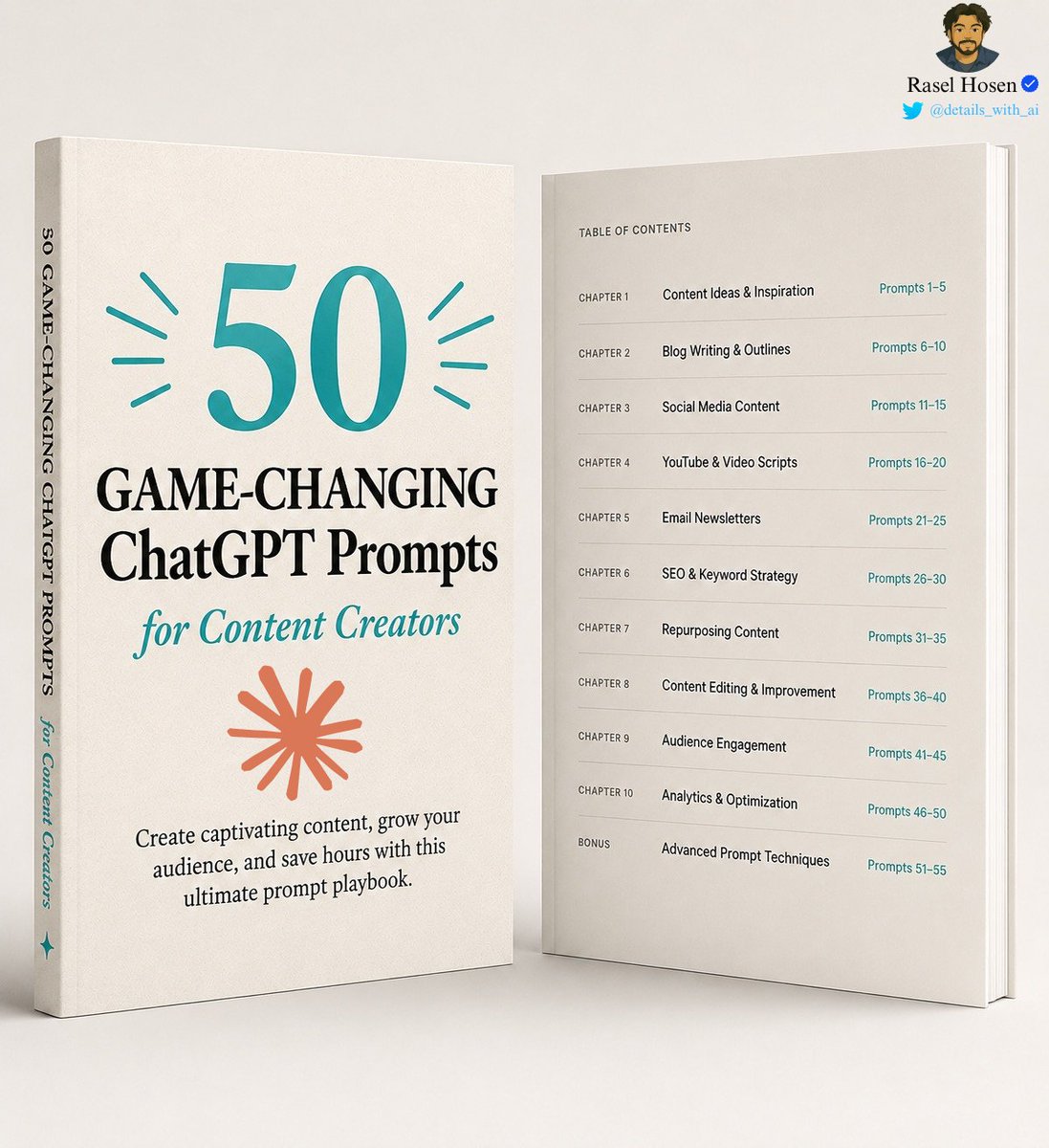
I wish someone had given me this AI document a year ago.
It would've saved me hundreds of hours.
These are the same prompts I use to build a publishing business generating $50,000/month.
50 pages. No fluff. Just prompts that work.
Like & repost + comment "Send"
I'll DM it to you.
(Must follow to receive the DM.)
⏳ Available for the next 48 hours.
NVIDIA is offering free online courses to learn AI.
They’re practical, well-structured, and easy to follow.
Here are 9 NVIDIA courses with official links included:
[ bookmark 🔖 this thread for later ]
There are 3 ways you can use AI in your workflows.
Non-Agentic (prompts), AI Agents and Agentic AI.
Each works differently and has specific use cases.
Here are the pros, cons and guidelines for using each.
[ bookmark 🔖 this post for later ]
💻 Non-Agentic AI
↳ Simple prompt-response AI with no memory or reasoning.
🛠️ How it works:
↳ User enters one prompt, system replies in isolation
↳ Output generated instantly without refinement
↳ Interaction ends with no context retained
🟢 Pros:
↳ Fast, cheap, and widely accessible
↳ No technical setup required
↳ Ideal for one-off, simple tasks
🛑 Cons:
↳ No reasoning or memory
↳ Quality depends on prompts
↳ Weak for multi-step work
📈 How to start using:
↳ Open ChatGPT, Claude, or Gemini
↳ Write clear, specific prompts
↳ Copy, edit, and reuse output
🤖 AI Agent
↳ Single-task AI worker built to automate one job.
🛠️ How it works:
↳ User defines one clear role (e.g., update CRM)
↳ Agent pulls inputs and uses integrated tools
↳ Executes and outputs without supervision
🟢 Pros:
↳ Automates repetitive tasks
↳ Specialized and very capable
↳ Easy to refine within roles
🛑 Cons:
↳ Limited scope, rigid use
↳ Breaks if inputs are unclear
↳ Needs coordination to work with other agents
📈 How to start using:
↳ Select one repetitive task
↳ Connect LLM via Zapier, LangChain, or API
↳ Link inputs/outputs and test
🚀 Agentic AI
↳ Self-managing AI that plans, executes, and improves.
🛠️ How it works:
↳ Goal broken into smaller sub-tasks
↳ Connects to tools, APIs, and data sources
↳ Refines results with memory and feedback
🟢 Pros:
↳ Handles complex, multi-step projects
↳ Integrates with tools and databases
↳ Produces consistent outcomes
🛑 Cons:
↳ Slower and more expensive
↳ More complex and resource-intensive
↳ Difficult to configure, needs regular maintenance
📈 How to start using:
↳ Use LangChain, CrewAI, or AutoGen
↳ Assign roles (Planner, Executor, Critic)
↳ Add memory and feedback loops
In short:
Non-Agentic AI = prompts
AI Agents = Automate one task
Agentic AI = Run complex workflows
Start with prompts. Then try AI Agents or Agentic AI.
Use all three to get the most out of AI.
📌 Get Advanced ChatGPT Guide (free): https://t.co/kOBWfKrBaX
👉 Follow me @AndrewBolis for more and 🔄 Repost this to help others use AI


![AndrewBolis's tweet photo. Google offers several powerful AI tools for free.
They’re useful for professionals, creators, and businesses trying to use AI.
From content to visuals to coding, they simplify how you work and enhance your creativity.
Here are 11 free AI tools from Google (and how to use them):
[🔖 bookmark this post for later]
1. Firebase Studio: Use AI to quickly build and launch websites or apps.
2. Veo (Video Generation): Create video clips or animations from simple text prompts.
3. Gemini Ask on YouTube: Chat with videos to get quick answers, chapters, and insights.
4. Gems in Gemini: Build custom AI assistants using files, data, and instructions.
5. Nano Banana (Editing): Edit and refine AI images into creative new variations.
6. Gemini in Google Sheets: Generate text, formulas, and insights within spreadsheets.
7. Google App Builder: Build apps quickly with prompts or templates (no coding needed).
8. Media Generation (Imagen/Nano Banana): Create images from short, simple prompts for instant visuals.
9. Gemini Live (Stream): Host live AI chats with screen sharing for meetings and presentations.
10. Google AI Studio: Test Google models, adjust settings, and compare prompt results side by side.
11. NotebookLM: Turn sources into summaries, mind maps, audio/video overviews, and quizzes for learning.
Don’t overpay for AI tools. Use Google’s tools for free.
Start building, creating, and exploring today.
📌 Learn 30 free AI tools in 30 days: https://t.co/7MJCwAPtaQ
👉 Follow me @AndrewBolis for more and 🔄 Repost this to help others learn AI](https://pbs.twimg.com/media/HMnvN46bwAABSRI.jpg)
![AndrewBolis's tweet photo. NVIDIA is offering free online courses to learn AI.
They’re practical, well-structured, and easy to follow.
Here are 9 NVIDIA courses with official links included:
[ bookmark 🔖 this thread for later ] https://t.co/CPjESuOd6n](https://pbs.twimg.com/media/HI__rnHbkAAAHOx.jpg)
![AndrewBolis's tweet photo. There are 3 ways you can use AI in your workflows.
Non-Agentic (prompts), AI Agents and Agentic AI.
Each works differently and has specific use cases.
Here are the pros, cons and guidelines for using each.
[ bookmark 🔖 this post for later ]
💻 Non-Agentic AI
↳ Simple prompt-response AI with no memory or reasoning.
🛠️ How it works:
↳ User enters one prompt, system replies in isolation
↳ Output generated instantly without refinement
↳ Interaction ends with no context retained
🟢 Pros:
↳ Fast, cheap, and widely accessible
↳ No technical setup required
↳ Ideal for one-off, simple tasks
🛑 Cons:
↳ No reasoning or memory
↳ Quality depends on prompts
↳ Weak for multi-step work
📈 How to start using:
↳ Open ChatGPT, Claude, or Gemini
↳ Write clear, specific prompts
↳ Copy, edit, and reuse output
🤖 AI Agent
↳ Single-task AI worker built to automate one job.
🛠️ How it works:
↳ User defines one clear role (e.g., update CRM)
↳ Agent pulls inputs and uses integrated tools
↳ Executes and outputs without supervision
🟢 Pros:
↳ Automates repetitive tasks
↳ Specialized and very capable
↳ Easy to refine within roles
🛑 Cons:
↳ Limited scope, rigid use
↳ Breaks if inputs are unclear
↳ Needs coordination to work with other agents
📈 How to start using:
↳ Select one repetitive task
↳ Connect LLM via Zapier, LangChain, or API
↳ Link inputs/outputs and test
🚀 Agentic AI
↳ Self-managing AI that plans, executes, and improves.
🛠️ How it works:
↳ Goal broken into smaller sub-tasks
↳ Connects to tools, APIs, and data sources
↳ Refines results with memory and feedback
🟢 Pros:
↳ Handles complex, multi-step projects
↳ Integrates with tools and databases
↳ Produces consistent outcomes
🛑 Cons:
↳ Slower and more expensive
↳ More complex and resource-intensive
↳ Difficult to configure, needs regular maintenance
📈 How to start using:
↳ Use LangChain, CrewAI, or AutoGen
↳ Assign roles (Planner, Executor, Critic)
↳ Add memory and feedback loops
In short:
Non-Agentic AI = prompts
AI Agents = Automate one task
Agentic AI = Run complex workflows
Start with prompts. Then try AI Agents or Agentic AI.
Use all three to get the most out of AI.
📌 Get Advanced ChatGPT Guide (free): https://t.co/kOBWfKrBaX
👉 Follow me @AndrewBolis for more and 🔄 Repost this to help others use AI](https://pbs.twimg.com/media/HHyzSlYaUAEAYyZ.jpg)


