‘FEEL FAN FUN PARTY CONCERT’ 🎤🎸🎧🎨 #FFFPartyConcert2026
รับชม Streaming ได้แล้ววันนี้ Now available to watch on demand.
RERUN TICKETS AVAILABLE NOW!
Buy Tickets here : https://t.co/t4Ng3jQFWv
1,200 Baht (Link & Access Code for RERUN) or 1,220 Baht (Link & Access Code for RERUN + Souvenir Plastic ticket)
โดยสามารถเลือกเข้าชมได้ในรูปแบบ Full Performance และ Exclusive Focus Cam
(Viewers can choose to watch in “Full Performance” or “Exclusive Focus Cam”)
สามารถรับชมการแสดงย้อนหลังได้ตั้งแต่วันนี้ ถึงวันที่ 21 สิงหาคม 2569 เวลา 23:59 น. (GMT+7) รับชมได้ 330 นาที ต่อ 1 รหัสการรับชม สำหรับผู้ที่มีบัตรรอบ LIVE Streaming สามารถรับชมได้โดยใช้ลิงก์และโค้ดเดิม
(*ราคาบัตรยังไม่รวมค่าบริการไทยทิคเก็ตเมเจอร์ใบละ 30 บาท และค่าบัตรพลาสติกที่ระลึกและค่าขนส่ง)
Those who already purchased the live streaming tickets can watch the playback via the same link with the same code, up to 330 minutes of video playback.
The playback is available Today to 21 August 2026 at 11:59 p.m. (GMT+7)
(*Ticket price excludes the Thai Ticket Major service fee of 30 baht per ticket, souvenir plastic ticket and delivery fee.)
#GMMTV
@Earth_Pirapat@wixxiws@Firstkpp@myktnw@bb0un@Prem_space
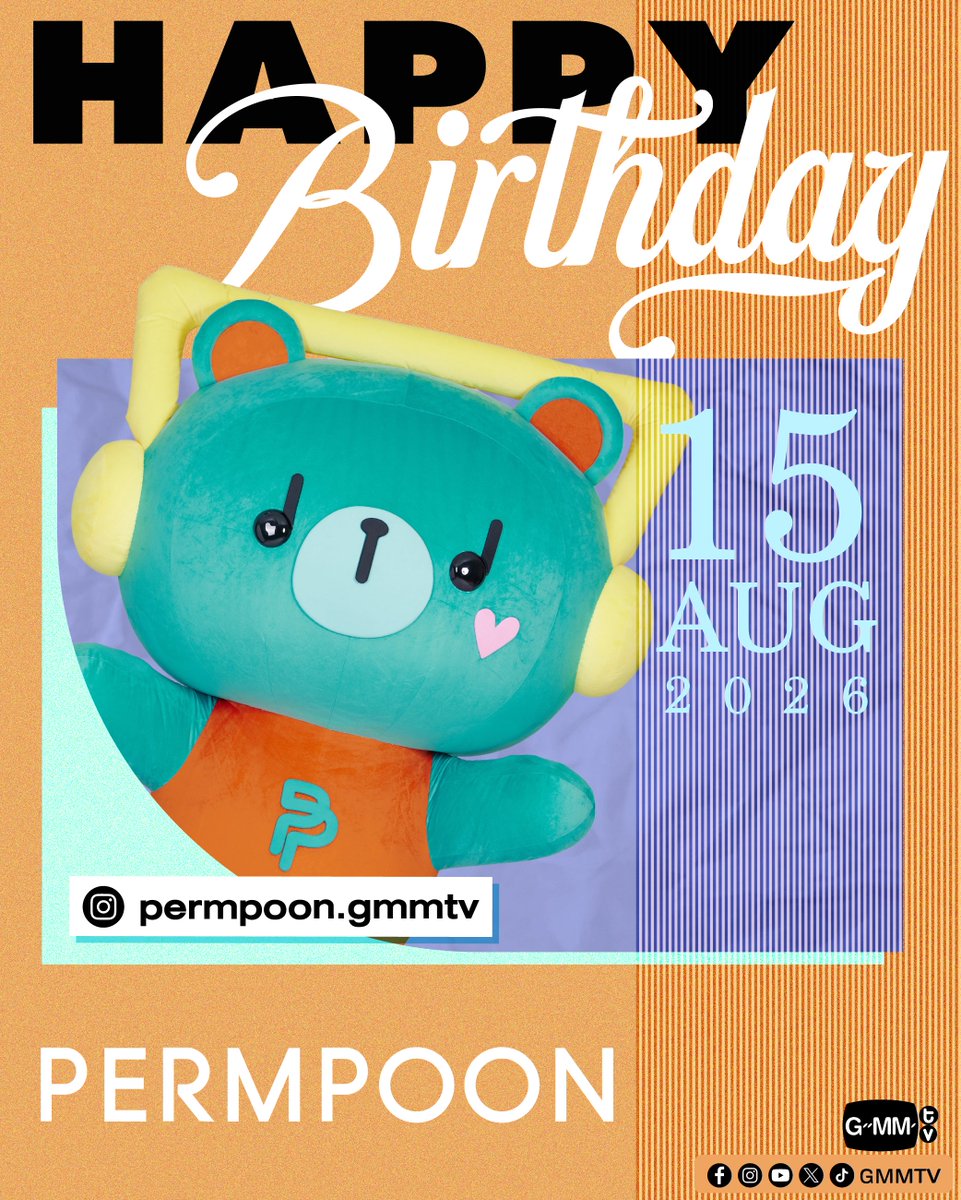
วันนี้มาเจอกับ GMMTV FANDOM CHARACTER สุดน่ารัก ในงาน Character Fest Thailand 2026
Today, come meet the adorable GMMTV FANDOM CHARACTERS at Character Fest Thailand 2026!
GMMTV OFFICIAL MERCHANDISE BOOTH
14 - 17 August 2026
10 AM - 10 PM
EDEN ZONE , 1st Floor, centralwOrld
#CharacterFestThailand2xGMMTV
#CharacterFestThailand2
#CharacterFestThailand
#GMMTV
PRE-ORDER NOW! LYKN OFFICIAL LIGHT STICK V.3 ON GMMTV SHOP
สั่งซื้อที่นี่ / Order Here
LYKN OFFICIAL LIGHT STICK V.3
https://t.co/vVh690z6C9
Pre-order available now until August 30, 2026
On-site pickup is available at the LYKN REFLEXION CONCERT, held between October 24 – 25, 2026.
For customers who do not wish to pick up the product on-site, shipping will begin in the order that orders were received, starting early - November 2026.
#LYKNLIGHTSTICKV3
#LYKN
#RISERMUSIC
#GMMTV
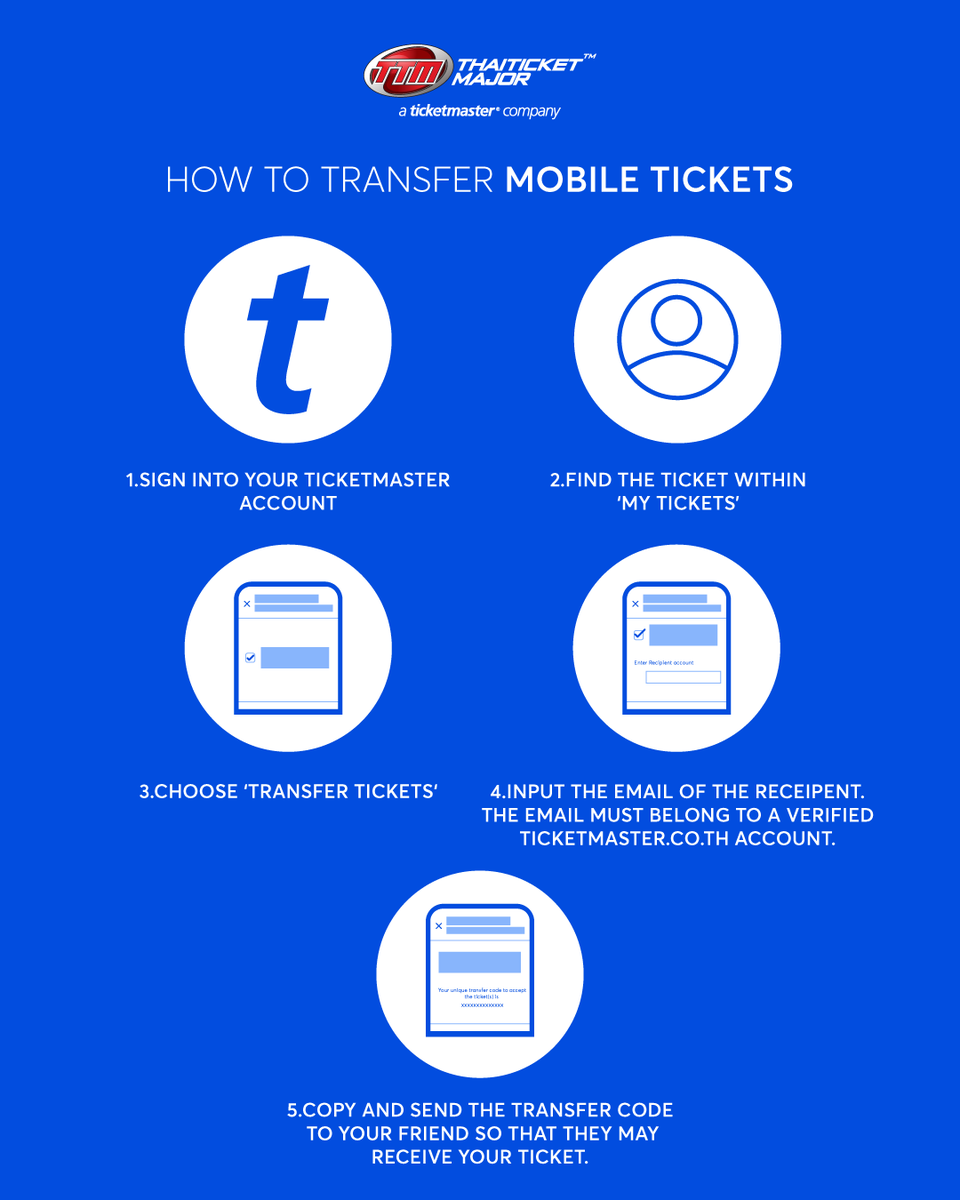
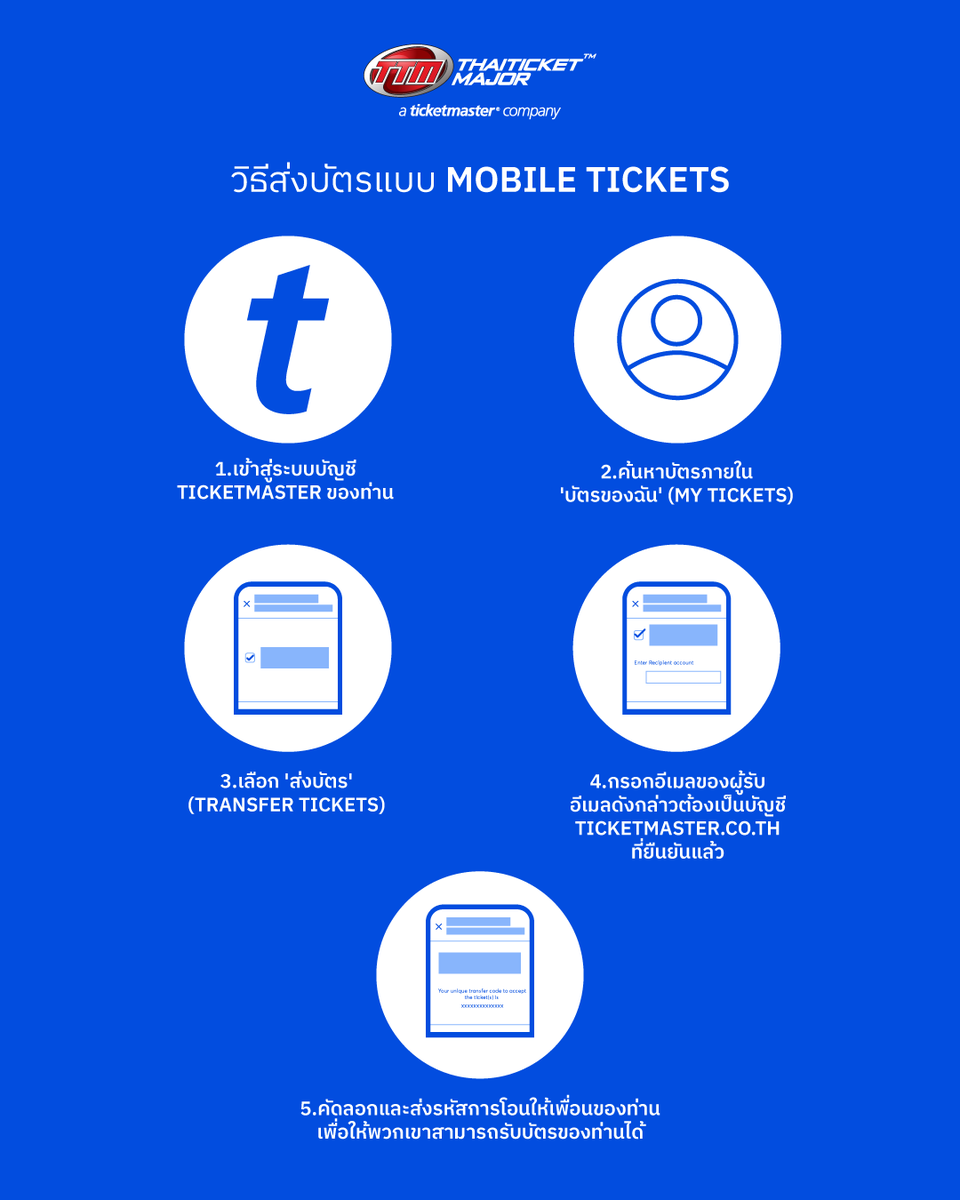
วิธีการโอนบัตร Mobile Tickets ของ https://t.co/gxW83pHvNr ✨🎫
โอนให้เพื่อนง่าย ๆ ไม่ต้องกลัวพลาด! ดูขั้นตอนการ ส่งบัตร–รับบัตร แบบครบทุกขั้นตอนที่นี่
🎟 วิธีส่งบัตรแบบ Mobile Tickets
1️⃣เข้าสู่ระบบบัญชี Ticketmaster ของท่าน
2️⃣ค้นหาบัตรภายใน 'บัตรของฉัน' (My Tickets)
3️⃣เลือก 'ส่งบัตร' (Transfer Tickets)
4️⃣กรอกอีเมลของผู้รับ อีเมลดังกล่าวต้องเป็นบัญชี https://t.co/9I5CntCTL9 ที่ยืนยันแล้ว
5️⃣คัดลอกและส่งรหัสการโอนให้เพื่อนของท่าน เพื่อให้พวกเขาสามารถรับบัตรของท่านได้
🎟 วิธีรับบัตรแบบ Mobile Tickets
1️⃣ในบัญชี Ticketmaster ของท่าน คลิก 'บัญชีของฉัน' (My Account) ที่มุมขวาบน แล้วเลือก 'รับการโอนบัตร' (Receive Transfer)
2️⃣กรอกรหัสการโอนเฉพาะที่ได้รับจากเพื่อนของท่าน แล้วคลิก 'ยืนยัน' (Submit)
3️⃣บัตรที่จะถูกโอนจะปรากฏเป็นรายการ หลังจากตรวจสอบบัตรของท่านแล้ว คลิก 'ยอมรับการโอนบัตร' (Accept Ticket Transfer) เพื่อรับบัตร
4️⃣ดูบัตรของท่านได้โดยคลิก 'ที่ได้รับ' (Received) ในเมนู My Tickets ของท่าน
🎟How To Transfer Mobile Tickets
1️⃣Sign into your Ticketmaster account
2️⃣Find the ticket within ‘My Tickets’
3️⃣Choose ‘Transfer Tickets‘
4️⃣Input the email of the receipent. The email must belong to a verified https://t.co/9I5CntCTL9 account.
5️⃣Copy and send the transfer code to your friend so that they may receive your ticket.
🎟 How To Accept Mobile Tickets
1️⃣In your Ticketmaster Account, click ‘My Account’ in the top right and select ‘Receive Transfer’.
2️⃣Enter the unique transfer code received from your friend and click ‘Submit’.
3️⃣Tickets to be transferred will be listed. After confirming your tickets, click ‘Accept Ticket Transfer’ to accept the ticket(s).
4️⃣View your tickets by clicking ‘Received’ in your My Tickets.
#TicketMasterTH