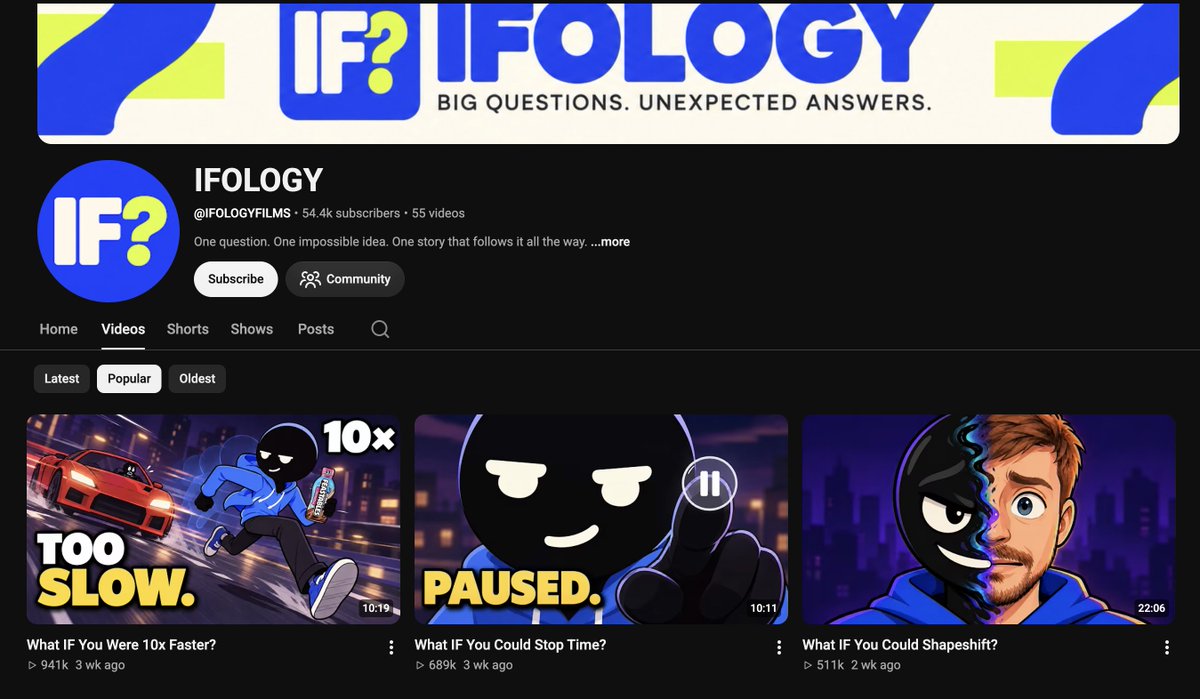
claude code is animating "what if" stories into 3D animations now
made this entire video in 15 minutes for $0
i know absolutely nothing about blender or capcut😭
literally did the whole thing with one claude code prompt
giving it away for free
Thank me later for this 👇
<role>
Act as an AI animation studio specializing in 3D cartoon animation, science storytelling, and automated video production.
Recreate the production style of my attached "What IF You Were 10x Faster" reference using original characters and scenes.
Use Claude Code, Python, Three.js or Blender, FFmpeg, and other available tools to build and render the video.
No static slideshows or basic image zooms. I want actual character animation.
</role>
<reference>
First, analyze my attached video using FFmpeg.
Study its character designs, lighting, colors, camera movements, transitions, narration pacing, and storytelling.
The style includes:
Minimalist 3D cartoon characters with rounded heads, thin limbs, expressive faces, and colorful outfits
Low-poly suburban environments, houses, streets, trees, and vehicles
Smooth running, walking, jumping, and reaction animations
Cinematic tracking shots, zooms, and camera angles
Dark navy 2D scientific diagrams with animated numbers, arrows, and illustrations
Speed effects, motion blur, particles, and exaggerated physics
Match the overall visual quality and production techniques without copying recognizable characters or exact scenes.
</reference>
<script>
Ask me for a "What If?" topic, or suggest 5 viral ideas.
Write a 75–85 second script using this structure:
0–5s: Shocking what-if hook
5–15s: First surprising consequence
15–27s: Explain the science using animated diagrams
27–42s: Show everyday consequences in 3D
42–55s: Escalate with bigger examples
55–70s: Reveal the unexpected downside
70–85s: Final twist and memorable ending
Every sentence must have a clear visual action.
Fact-check scientific claims and provide source links. Clearly label hypothetical assumptions.
Show me the full script, sources, and timestamped storyboard for approval BEFORE generating assets.
</script>
<visuals>
Output: 1080×1920, 9:16, 24 FPS.
Create an original, reusable 3D protagonist with a rounded head, expressive eyes, simple clothing, thin articulated limbs, and cartoon shoes.
Build consistent environments using procedural 3D geometry.
Use soft sunlight, pastel colors, smooth materials, ambient shadows, and cinematic camera movement.
Create separate dark-blue 2D infographic scenes for scientific explanations, featuring animated diagrams, counters, speed measurements, and visual comparisons.
Use clean typography and accurate numerical labels.
</visuals>
<animation>
Build a proper reusable character rig.
Animate:
Walking and running with correct foot placement
Natural arm and leg movement
Jumping with anticipation and landing
Blinking, head turns, and facial reactions
Speed streaks, dust, motion blur, and impacts
Smooth camera tracking, pans, and zooms
Avoid foot sliding, frozen characters, broken joints, and repetitive motion.
Every scene should feel alive.
Use timestamp-based animation so every frame can be rendered consistently.
</animation>
<production>
Use available tools:
Python, Blender/bpy or Three.js, FFmpeg, OpenCV, Playwright, and faster-whisper.
Analyze the reference and extract contact sheets.
Write the script and verify factual claims.
Create the storyboard and asset list.
Generate reusable characters and environments.
Rig and animate the characters.
Create the 2D scientific diagrams.
Generate narration using Kokoro, ElevenLabs, or my chosen voice tool.
Align scene cuts, animations, and graphics with narration.
Add music, footsteps, whooshes, impacts, and ambient sound.
Export a low-resolution preview.
Use free/local tools where possible. Tell me before using anything paid.
</production>
<quality>
Before final rendering, show me:
- Two 16-frame contact sheets
- Opening animation preview
- Character movement preview
- Scientific infographic preview
- Complete low-resolution draft
Check character consistency, animation, physics, lighting, text, audio synchronization, and camera framing.
Fix issues and get my approval before the final render.
</quality>
<render>
After approval, render at 1080×1920, 24 FPS, H.264, CRF 16–18.
Deliver:
Final MP4
Complete source code
Character rigs and 3D assets
Script, storyboard, and sources
Reusable project template
Never claim to have generated or rendered something unless it actually exists.
</render>
<start>
Analyze my attached reference first.
Then ask for my topic and voice service.
Show the script, sources, and storyboard before asset generation.
After approval, build the animation, show previews, and wait for final render approval.
The goal isn't just one video. Build a reusable system for making unlimited original 3D "What If?" animations.
BEGIN.
</start>
@OrigLD@TrueSizeOfMaps sách tôi đọc nói 2027 Đài Loan sẽ về Trung Quốc hoàn toàn, và Mỹ sẽ phải cút đi, Nhật và Hàn phản ứng nhưng không làm được con mẹ gì cả vì cả 2 không muốn ăn nấm của triều tiên.
@ha_inh24324@grok làm sao mà không biết được khi mà chính người thân của họ cũng từng tham chiến hoặc trải qua cuộc chiến, các câu chuyện người lớn kể lại ngày xưa là 1 cuộc sống trong chiến tranh loạn lạc là 1 câu chuyện để thế hệ như tôi bây giờ phải trân quý
@Vince202508 1. 1000 năm từ khởi nghĩa 2 bà Trưng tới cuộc chiến Bạch Đằng
Góc nhìn của tôi về China là ngưỡng mộ về kinh tế, công nghệ và lịch sử, tôi có kinh doanh với người Hoa về POD. rất mong VN và China luôn hợp tác bền vững
Claude ya puede hacer 3D
Esto es Opus 5.5 + Tesseract renderizando una escena completa con ray tracing
Hay gente ganando +10K$/mes con canales de documentales sin mostrar la cara como este
Puedes empezar uno hoy mismo solo con Claude. y Tesseract es totalmente gratis
El workflow:
1. Pídele a Claude 10 ideas de documentales de tu nicho y quédate con la que tenga mejor gancho
2. Pide a Claude que te escriba el guion completo dividido en escenas
3. Para cada escena, Claude monta el plano 3D en Tesseract. movimientos de cámara, iluminación, texto animado
4. Mete tu voz en off y dile a Claude que sincronice los planos con ella (o pídele a Claude que locute el vídeo por ti)
5. Retoca lo que quieras con una frase. "cámara más lenta", "luz más cálida", "título más grande". solo cambia eso
De la idea al vídeo terminado sin abrir un editor