𝗟𝗮𝘁𝗲𝗻𝗰𝘆 𝘃𝘀 𝗧𝗵𝗿𝗼𝘂𝗴𝗵𝗽𝘂𝘁 𝘃𝘀 𝗕𝗮𝗻𝗱𝘄𝗶𝗱𝘁𝗵: 𝗪𝗵𝗮𝘁'𝘀 𝘁𝗵𝗲 𝗗𝗶𝗳𝗳𝗲𝗿𝗲𝗻𝗰𝗲?
"The network is slow, let's buy more bandwidth." We hear from time to time, but it rarely fixes anything. The three terms measure different things, and confusing them up leads to the wrong fix.
Here is what each one means:
𝟭. 𝗕𝗮𝗻𝗱𝘄𝗶𝗱𝘁𝗵 𝗶𝘀 𝘁𝗵𝗲 𝗰𝗲𝗶𝗹𝗶𝗻𝗴
The maximum amount of data the link can carry. A 100 Mbps connection means the pipe can move 100 megabits per second under ideal conditions. It says nothing about what we actually get (this part is important).
𝟮. 𝗧𝗵𝗿𝗼𝘂𝗴𝗵𝗽𝘂𝘁 𝗶𝘀 𝗿𝗲𝗮𝗹𝗶𝘁𝘆
Data successfully delivered per second. On that same 100 Mbps link, real throughput comes out at 62 Mbps. Packet loss, congestion, protocol overhead, and retransmissions takes the difference. This is the number that matters when we move large amounts of data.
𝟯. 𝗟𝗮𝘁𝗲𝗻𝗰𝘆 𝗶𝘀 𝘁𝗵𝗲 𝘄𝗮𝗶𝘁
How long one packet takes to get from sender to receiver. Part of it is physics, distance and the speed of light. The rest is routing hops and queues under load. A geostationary satellite link can have huge bandwidth and still feel sluggish because every round trip takes 600ms.
𝟰. 𝗪𝗵𝘆 𝘁𝗵𝗲 𝗱𝗶𝘀𝘁𝗶𝗻𝗰𝘁𝗶𝗼𝗻 𝗺𝗮𝘁𝘁𝗲𝗿𝘀
Different workloads care about different metrics. Gaming and trading need low latency, backups and streaming need throughput, and bandwidth matters only when the pipe itself is the limit. When users say an app feels slow, the first job is finding which of the three is the bottleneck.
𝟱. 𝗛𝗼𝘄 𝘁𝗵𝗲𝘆 𝗶𝗻𝘁𝗲𝗿𝗮𝗰𝘁
High latency also caps throughput. TCP waits for acknowledgments, so on a high-latency link the sender sits idle instead of pushing data. This is why a transatlantic transfer on a 1 Gbps link can be slow at a fraction of capacity.
Quick check: ping tells us latency, iperf tells us throughput, and the provider contract tells us bandwidth.
Which one do you measure first when debugging a slow system?
A boy dropped his sister and another girl at school in an auto-rickshaw. He was paying the driver.
AUTO DRIVER: Are they both your sisters?
BOY: No, only one is my sister. The other girl couldn’t find an auto, so I asked her to come with us.
DRIVER: Then it’s okay. You don’t need to pay. Buy yourself something to eat with this money 😊
BOY: Thank you, Uncle ❤️
5 Free DevOps Labs Every Engineer Should Know 💎
These platforms give you real environments to practice, break things, and learn by doing:
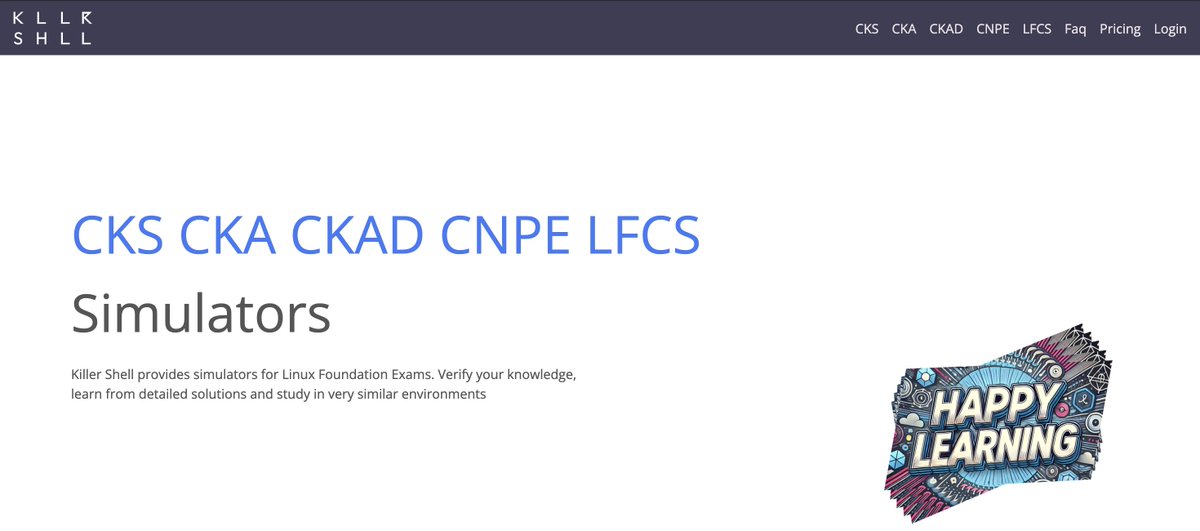
1⃣ Killer Shell: Exam simulators for CKA, CKAD, CKS, CNPA, and LFCS
https://t.co/rElFc7wWEl
2⃣ Play with Kubernetes: Free browser-based Kubernetes playground
https://t.co/3YqJu8Q25t
3⃣ Play with Docker: Spin up Docker environments in seconds
https://t.co/6RCLst7KLd
4⃣ iximiuz Labs: Hands-on labs for containers, Linux networking, eBPF, Kubernetes, and more
https://t.co/Mb9x9CAhIG
5⃣ LabEx: Interactive browser-based labs for Linux, Docker, Kubernetes, DevOps, and Cybersecurity
https://t.co/Q45OD5Txff
If you're stuck in tutorial hell, start spending more time in labs than videos.
A girl ordered an HP laptop online with a 1TB SSD, 16GB RAM, and a Silver finish.
When the laptop arrived as an Open Box Delivery, she noticed it was Blue instead of Silver. Since she liked the color, she accepted the delivery after recording the unboxing.
Later, while setting up the laptop, she checked the specifications and discovered that although the RAM was correct, the SSD was only 512GB instead of the 1TB she had ordered.
She immediately requested a return. After explaining to customer support that internal specifications cannot be fully verified at the doorstep, her return request was approved.
However, the pickup agent refused to collect the laptop, claiming that the Serial Number did not match the details in the return request.
“That’s the problem,” she explained. “If the wrong product was delivered, how can the Serial Number match?”
The invoice showed one configuration, while the laptop she received had another. After contacting customer support again, the pickup was rescheduled, and she was assured that any further rejection would be properly documented.
The experience taught her an important lesson: during online deliveries, don't just record the unboxing. Always verify the color, model number, Serial Number, invoice details, RAM, and SSD, because some issues only become visible after checking the device thoroughly.
It's 2am and your pager is going off. You're on call, you were asleep, and now there's a pod stuck in CrashLoopBackOff. You know the drill: tail the logs, kubectl describe, scroll Git history, ask in Slack whether anyone shipped anything in the last hour.
Forty minutes later you've found it, and you've woken up your tech lead to confirm.
This walkthrough is about not doing that anymore.
We'll build an AI observability pipeline on Amazon EKS with Elastic Cloud and OpenTelemetry, end to end. The whole thing rests on one move: join two streams of data, your crash logs and your deployment history, and let a language model reason across the join.
Then you ask a plain question, "Why is paymentservice crashing?", and instead of another dashboard to squint at, you get the root cause:
paymentservice went OOMKilled three minutes after commit a1b2c3 by xyz, which dropped the memory limit from 128Mi to 24Mi.
The commit SHA, the author, what changed, what to revert. Two indices and one agent is all it takes. In the below detailed blog, you'll learn how to wire OpenTelemetry, Elasticsearch, and ArgoCD into your EKS cluster until that 2am question answers itself.
Learn Linux with these 5 websites ♻️
1. Linux Handbook
https://t.co/QWeWYBRFzl
2. Linux Survival
https://t.co/FLpi3vTOqD
3. Linux Cheatsheet
https://t.co/E9z5YCO4vm
4. Linux Journey
https://t.co/EVgcXaDQBR
5. Linuxize
https://t.co/egXcbIhlom
#Day8OfDevOpsGuy
before kubernetes -> learn docker
before docker -> learn linux
before linux -> learn computer fundamentals
before everything tell yourself that its going to be a long journey, its going to be difficult but at the end its going to be all worth it. there’s going to be 1000 others who start their journey with you but 990 of them will quit half way through, you just need to be in 10 who refuse to give up. I promise it will be worth it
Found one of the most underrated DevOps learning repos on GitHub 🤯
Most people try to learn DevOps by jumping between random YouTube videos, blog posts, and outdated tutorials.
This repo puts everything in one place.
- Linux.
- Docker.
- Kubernetes.
- Terraform.
- AWS.
- CI/CD.
- Monitoring.
- Networking.
- GitOps.
And a lot more.
Basically a curated roadmap of free resources for anyone trying to get into DevOps or level up their skills.
Definitely worth starring ⭐
Repo: https://t.co/czH0YNXL78
🎉 Happy New Month!
Linux tutorial series, structured as Day 1 through Day 30:
1. Day 1: What is Linux – Understanding the Linux Kernel and Distributions
2. Day 2: Installing Linux – Dual Boot, Virtual Machine, or WSL
3. Day 3: Navigating Linux – Essential Linux Commands for Directories and Paths
4. Day 4: Managing Files in Linux – Create, Copy, Move, and Remove
5. Day 5: Linux File Permissions – Mastering chmod, chown, and chgrp
6. Day 6: Editing Files in Linux – Vi, Vim, Nano, and GUI Editors
7. Day 7: Linux Processes – Viewing, Managing, and Killing Processes
8. Day 8: Linux Text Processing – grep, sed, awk, and Regular Expressions
9. Day 9: Linux Redirection and Pipes – stdin, stdout, stderr and |
10. Day 10: Linux User Management – Adding, Modifying, and Deleting Users
11. Day 11: Linux File System Hierarchy – Understanding /bin, /etc, /var, and More
12. Day 12: Linux Disk Management – Partitioning, Formatting, and Mounting
13. Day 13: Linux Boot Process – BIOS to Initramfs to systemd
14. Day 14: Linux Services with systemd – systemctl, journalctl, and Targets
15. Day 15: Linux Networking Basics – ip, ifconfig, ping, and netstat
16. Day 16: Linux Firewall – Mastering iptables, ufw, and firewalld
17. Day 17: Linux Secure Shell (SSH) – Remote Access and Key Authentication
18. Day 18: Linux Package Management – APT, YUM, DNF, and Pacman
19. Day 19: Linux Scheduling – Cron, Crontab, and At for Automation
20. Day 20: Linux Logging and Monitoring – rsyslog, logrotate, and journalctl
21. Day 21: Linux Performance Tuning – top, htop, vmstat, and iostat
22. Day 22: Linux Bash Scripting – Variables, Loops, and Conditionals
23. Day 23: Linux Environment Variables – PATH, HOME, and Custom Variables
24. Day 24: Linux Advanced Permissions – SUID, SGID, Sticky Bit, and ACL
25. Day 25: Linux Security – SELinux, AppArmor, and Auditing with auditd
26. Day 26: Linux Containers – LXC, LXD, and Docker on Linux
27. Day 27: Linux Virtualization – KVM, QEMU, and libvirt Basics
28. Day 28: Linux Troubleshooting – strace, ltrace, lsof, and Recovery Mode
29. Day 29: Linux Hardening – Secure Configuration and Best Practices
30. Day 30: Linux Final Project – Building a Production-Ready Linux Server
Grab the Linux Ebook: https://t.co/DeHjJ1Wubf
#Linux #LinuxTutorial #DevOps #SystemAdministration #OpenSource #Programming #Developer #CodeNewbie #100DaysOfCode #LinuxLearning #TechEducation #SoftwareEngineering #CloudComputing #CyberSecurity #BashScripting
Follow @e_opore on X to learn more.