If the wave channel gains 100 subscribers, I will open one person's access to new features that will appear in the future. There are really decent functions, so do your best.
not every task on a to-do list is work.
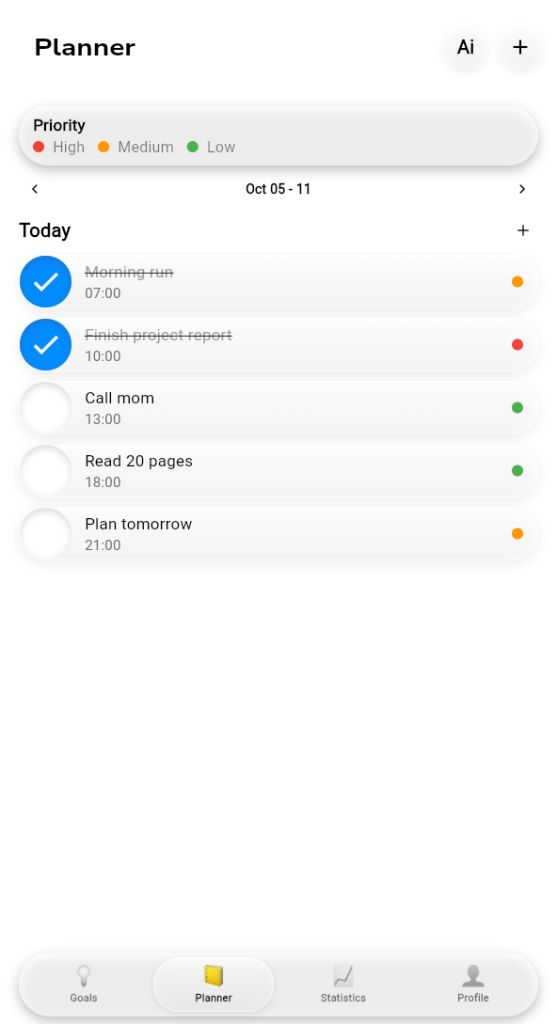
"call mom" sits right between the report and the evening reading here. in wave the small personal things get a time and a priority dot too, so they stop slipping to "later".
what's one non-work thing on your list today?
tiny detail in wave: every goal gets an emoji next to its name.
📚 for reading, 🏃 for the half marathon, 💰 for the trip fund. once the list grows, you spot the right goal before you read a single word.
which emoji would your main goal get?
three weeks ago this account had zero posts. now there's a new one every couple of hours, plus a daily tiktok since oct 9.
the app didn't change overnight. what changed is that i stopped waiting for wave to feel "ready" before showing it.
#buildinpublic#indiedev
finished tasks don't vanish in wave.
they stay on today's list, crossed out with a blue check. by evening you see what you actually got done, not just what's still left.
do you delete done tasks, or like seeing them?
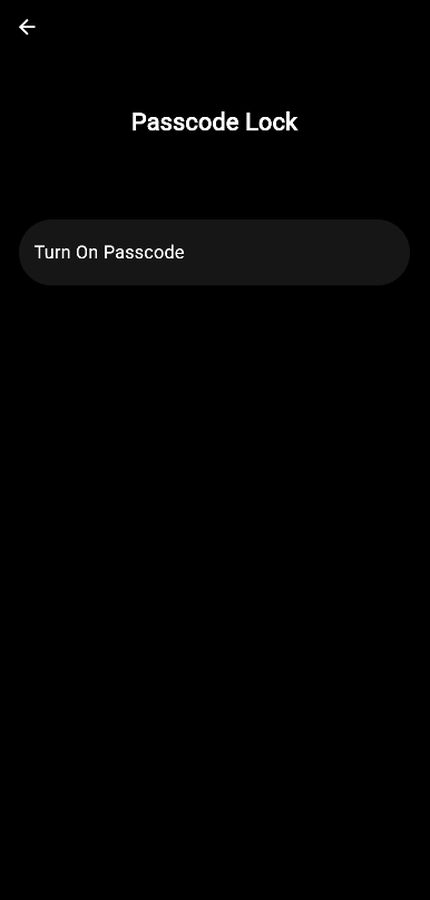
would you put a lock on your planner?
mine holds stuff i'd rather not leave open on the table: money goals, habits i keep dropping, next week's plans.
in wave it's one switch: turn on passcode and the app stays behind a code.
yes or no?
why are the planner and the goals in the same app?
a goal that never shows up on today's list stays a wish. in wave a goal breaks into small tasks, and your day sits one tap away in the bottom bar.
no second app to keep in sync.
#buildinpublic#indiedev
on iphone, wave doesn't come from the app store.
open the site in safari, tap share, then "add to home screen". it gets its own icon and opens like any other app. the site even shows a small hint with the steps.
on android it's on google play. link in bio
"read 12 books this year" is way too big to do today.
so in wave every goal gets its own task list. today it's just "read 20 pages". tick it off, tap + on the progress bar, and the big goal finally looks like it's moving.
android and iphone. link in bio
dark mode in wave wasn't a nice-to-have for me.
a lot of planning happens right before bed, and a bright white screen at night makes you close the app fast.
so settings has three options: system, white, dark. pick once, forget it.
#buildinpublic#indiedev
if everything is high priority, nothing is.
in wave every task gets one of three: high, medium or low, shown as a small colored dot. try capping today at two highs and see what actually gets done.
what's your one high for today?
monday morning, and the planner says "no tasks this week".
that's how an empty week looks in wave: no mascot, no guilt trip. just the dates, two arrows to flip between weeks, and room to fill it however you like.
#buildinpublic#indiedev
not every goal is about habits. some are just a number.
when you create a goal in wave you pick one of two types: regular, or money. saving for a trip or a new laptop gets its own progress bar and its own task list.
what would your money goal be?
you probably don't need more motivation.
you need a smaller first step. make it so small it feels a bit silly, then do it before lunch tomorrow. momentum shows up after you start, not before.
i build wave in two languages at once: english and russian.
every label gets written twice. it turned into a surprisingly good test. if a button is hard to translate, it's usually unclear in both.
#buildinpublic#indiedev
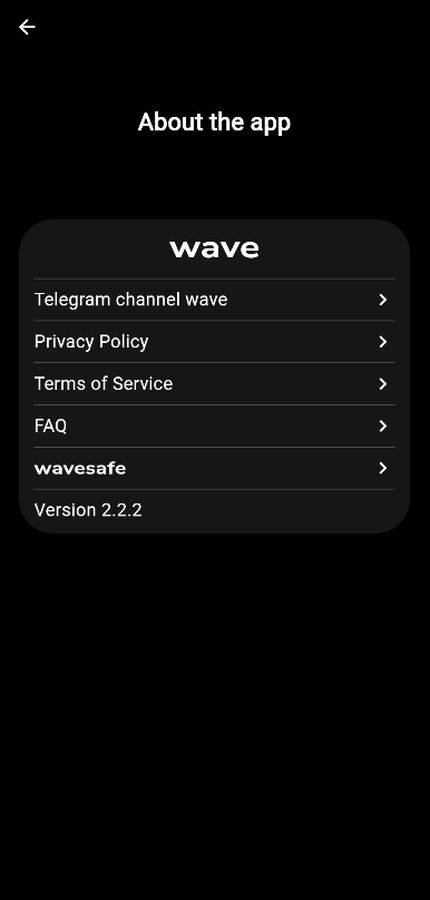
the quietest screen in wave is "about the app": version 2.2.2, privacy policy, terms, faq, wavesafe.
nothing flashy there on purpose. as a solo dev i'd rather you can read exactly what the app does with your data than guess.
#buildinpublic#indiedev
"someday" isn't a time.
in wave you can pin a task to an actual minute, like 4:25 pm, and give it a high, medium or low priority. vague plans get a lot harder to dodge.
what's one thing you'd schedule for tomorrow?