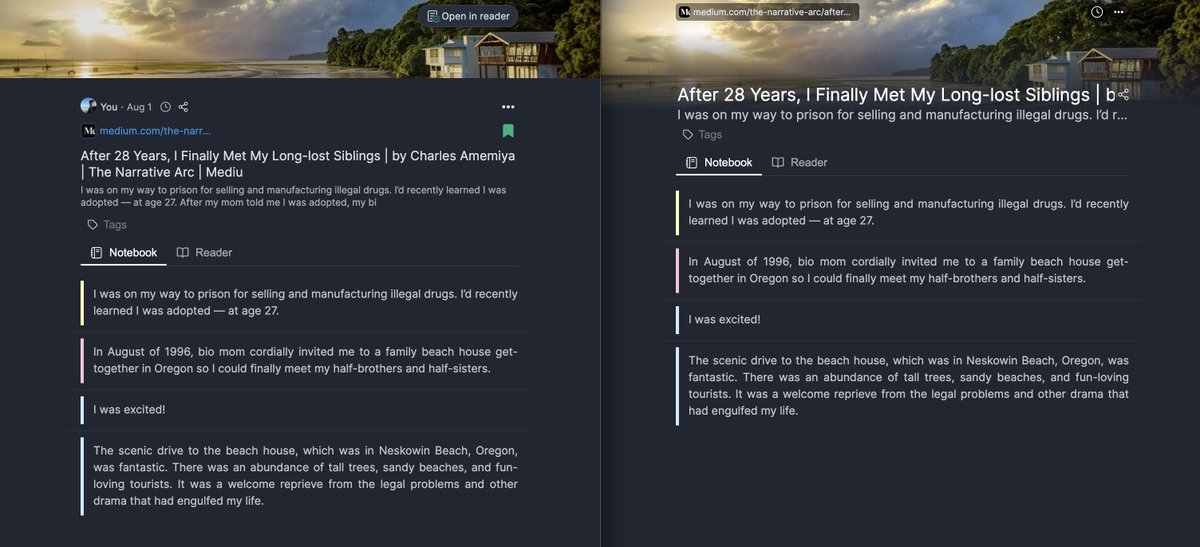
You can now see every highlight & note on a page at a glance — and jump to any of them in one click. 13.0.11 of @WebHighlights_ ships a thin outline minimap.
The outline shows one dot per highlight, color-matched and positioned to where the highlight actually sits on the page.
For years, users kept asking for folders. I finally found the time, and they're here.
@WebHighlights_ 13.0.7 ships Collections 🚀 A simple folder tree in the sidebar, nested subfolders, drag-and-drop, and you can move many pages into a folder at once.
Until now, @WebHighlights_ only had a minimal sidebar — and the full dashboard required signing up and leaving your page. Not anymore. Click the expand button → dashboard, filters, grid views, multi-select. Every user without sign-up.
@FClavichord Hey, sorry to hear that - that shouldn't happen. Do you use the offline mode or do you have an account? If you have an account, please try to uninstall the extension and reinstall it. If you use offline, please create a local backup file and do the same. Then import your backup.
⚠️ Heads up: We’re currently seeing an issue with the YouTube feature affecting all users. We are actively working on a fix and will share updates soon. Thanks for your patience! 🙏
People asked for a @diigo import, so we built it. Now Diigo users can switch to Web Highlights and bring their library with them easily.
https://t.co/aAb4PIolGQ
⚠️ Heads up: We’re currently seeing an issue with the YouTube feature affecting all users. We are actively working on a fix and will share updates soon. Thanks for your patience! 🙏
Super excited to share a new AI feature coming soon for @WebHighlights_ — you’ll be able to chat with any website, PDF, or YouTube video directly in your browser 🚀
No more copying content into ChatGPT — the AI automatically reads the full page and gives answers based on it.
Just discovered @WebHighlights_ and it's been a game-changer for my studying! Finally found a way to actually remember and organize all the articles I need for school.
If you're drowning in bookmarks like I was, you'll love this: https://t.co/8gBtBAaxUZ
More than 10,000 YouTube videos have been highlighted with @WebHighlights_ already — and it’s only been 1 week since launching the YouTube Highlighter!
I’m so happy this feature is helping so many people. Can’t wait to keep improving it further. 🚀
https://t.co/Sj9E7yMpXD
Spent the weekend building a super exciting new feature for Web Highlights: 𝗬𝗼𝘂𝗧𝘂𝗯𝗲 𝗛𝗶𝗴𝗵𝗹𝗶𝗴𝗵𝘁𝗶𝗻𝗴. Perfect for watching long podcasts while taking notes at the same time.
Super easy—just paste the URL of any video and start highlighting.
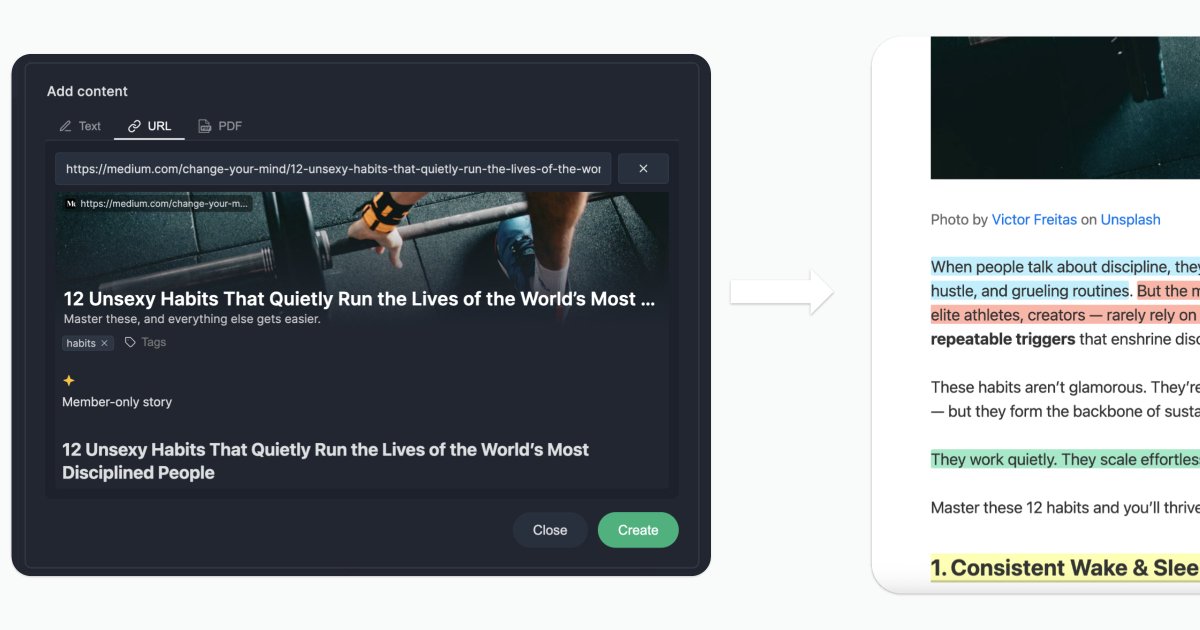
I’m trying to make Web Highlights more and more independent from the browser extension. That’s why there’s now an “Add Content” button letting you paste in any URL, and the article will be saved with its content so you can open it in the reader and highlight it.
New free tool: Paste any text (e.g., from Apple Notes) and highlight it right in your browser.
No account needed—your notes stay saved locally. Perfect if you don’t want to install the @WebHighlights_ extension.
👉 https://t.co/E9eQZmeaKN
#Highlighter#Productivity @Tools
Bad news for Firefox users: @mozilla disabled our add-on (we believe by mistake). We’ve appealed and are waiting for a response. If you want to install it manually, email us at [email protected]. Thanks for your patience!