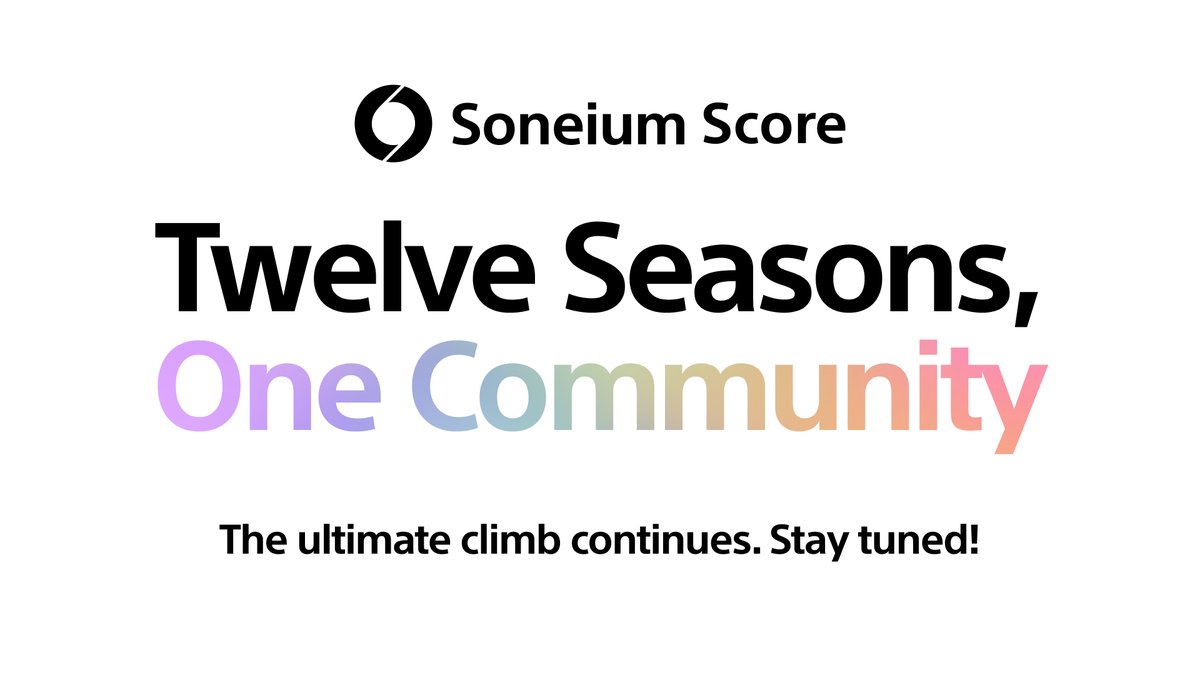
The final chapter of Soneium Score is closed, but the stage is already set for what is next. 🏁
12 seasons. 720k+ participations. 70+ projects.
Thank you to every participant and builder who made this possible. Everything you have built over the past 12 seasons is permanently recorded on Soneium in the form of Soneium Score badges.
Keep your badges close. It’s finally happening 👇
https://t.co/gPztuHjzVc
It's finally official! @axisrobotics has revealed its $12M Seed Round. 💪
If you haven't registered yet, now is the perfect time to get involved, start contributing, and be part of the future of Physical AI.
Don't miss the opportunity to be early. 🔥
🚨 Applications are now open for the @cryptitaplays Builder Showcase, a live presentation competition scheduled for August 8, 2026, at the SMX Convention Center Manila, providing a platform for students, developers, startup founders, researchers, and technology communities to present pre-existing projects on the WOCEE Main Stage. 👇
👉 Full Details: https://t.co/9oQ5Thi22G
This AI + Robotics project is so early!
All i see in @axisrobotics is opportunity to learn and earn! So start now by registering your account here 🤖🔥
https://t.co/1zVAZNjIoL
WHAT THE FULL TUTORIAL BELOW 👇
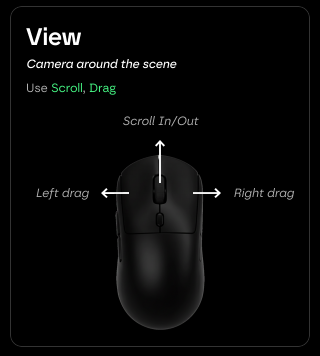
@axisrobotics@axisroboticsPh Camera Controls
Left-click and drag to control the camera in the left view.
Right-click and drag to control the camera in the right view.
Scroll up to zoom in, and scroll down to zoom out.
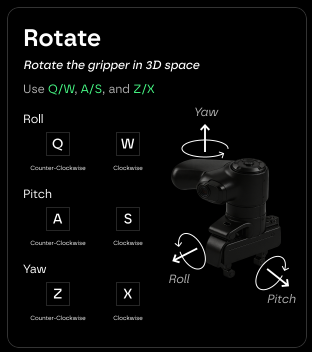
@axisrobotics@axisroboticsPh To ROTATE the Gripper
Press Q to roll the gripper counterclockwise.
Press W to roll the gripper clockwise.
Press A to pitch the gripper counterclockwise.
Press S to pitch the gripper clockwise.
Press Z to yaw the gripper counterclockwise.
Press X to yaw the gripper clockwise.
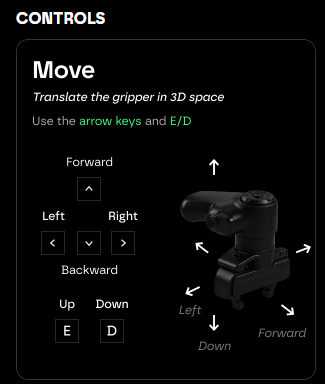
@axisrobotics@axisroboticsPh To MOVE the Gripper
Press LEFT ARROW to move the gripper to the left.
Press RIGHT ARROW to move the gripper to the right.
Press UP ARROW to move the gripper forward.
Press DOWN ARROW to move the gripper backward.
Press E to move the gripper up.
Press D to move the gripper down.
This is good opportunity sa mga taong familiar sa Stocks product. Bitget is always doing things like this , a very good strategic move for innovation and growth that can accommodate alot of people like traders, investors and other crypto enthuasiast like me.
#CryptoMarket
Bitget is once again leading stock product innovation.
We are now officially offering Stock Options trading on Bitget Stock+
The first to support tokenized stocks.
The first to introduce Pre-IPO access.
Now, the first major exchange to launch stock options.