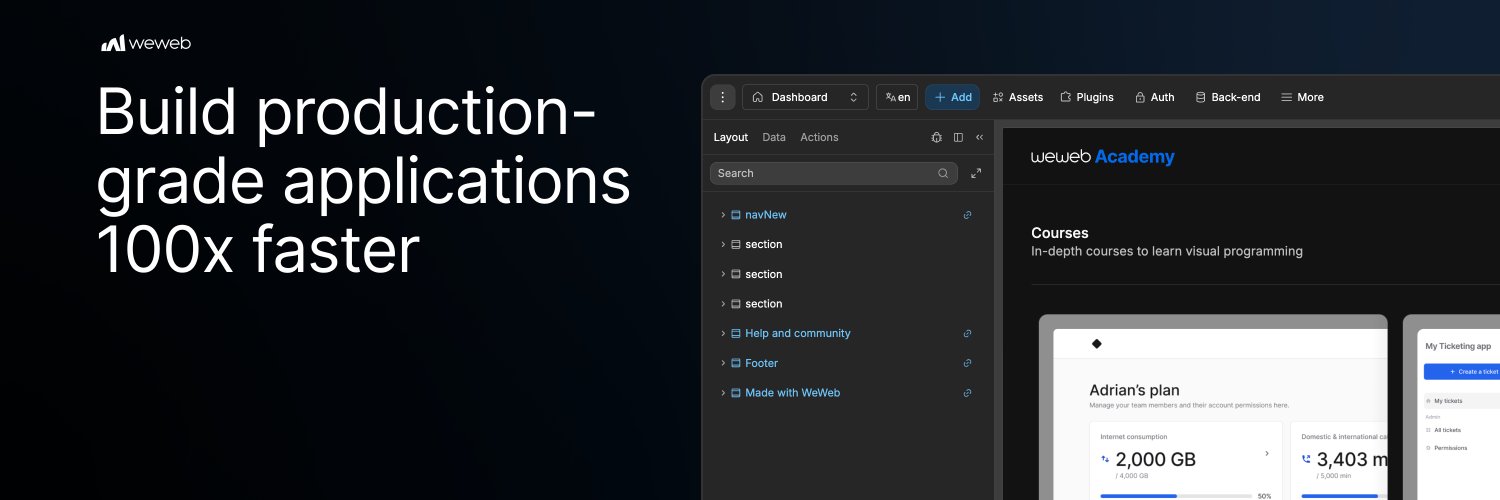
Introducing WeWeb Unify: a brand new, full-stack version of WeWeb ✨
With WeWeb Unify, you can now combine AI & a drag-and-drop editor to design your interface, manage data, build backend logic, and publish production apps. All in one platform.
We'd love to hear what you think 👇
✨ AI is only as smart as the context you give it.
That’s why Google’s new open format, `DESIGN.md`, is such an interesting signal for AI builders.
It gives AI agents a structured way to understand your design system: colors, typography, spacing, components, and the reasoning behind them.
WeWeb AI doesn’t just generate UI. It can use your design context to build more consistently.
Start with a screenshot of your UI and ask WeWeb AI to set up your design system.
Or paste your DESIGN.md directly into your WeWeb library, so AI can follow your design rules throughout your project.
🚨 ScaleUpNet had to build more than a startup directory.
Because founders don’t need another list of people to scroll through.
They need better matches.
That’s the insight behind ScaleUpNet: a networking platform for entrepreneurs, startups, and investors, powered by their own AI matching algorithm.
The challenge?
ScaleUpNet needed to move fast without getting boxed in.
They needed custom logic, location-based discovery, and room for their AI matching system to evolve.
So they chose WeWeb for the frontend, connected it to Xano, and integrated Google Maps into the product experience.
“I chose WeWeb because I needed to move fast while keeping enough flexibility to build a real web application.”
That’s what WeWeb helps teams do:
Build beyond the MVP.
Connect the tools they need.
And turn sharp product ideas into custom web apps with room to scale.
Hugo built a custom Rich Text Editor for WeWeb, and woww 🔥
Here's what's inside:
• Supabase image upload, with auto-refreshing signed URLs
• Dynamic variable placeholders like {{firstName}}
• @mentions with avatars and tooltips
• Inline image resizing
And a lot more. Try it yourself, link's in the comments.
Perfect for internal tools, CMS workflows, and Notion-style editors.
Big day today, @weweb_io is live on Product Hunt!
We built advanced AI capabilities into a powerful no-code web app builder. The result? The best tool for non-technical users to build their apps.
Check out the launch below. We’d love to get your support ❤️
And yes, there’s a special launch offer for the PH community: 20% off any plan 🤗
https://t.co/RiqBjv4p6B
We’re hosting a live AMA with @raphgoldz, WeWeb CEO & co-founder, so bring your questions!
✅Ask us anything
✅ Share feedback and ideas directly
✅ Hear what’s coming next for WeWeb
📆 May 21st at 4 PM UTC
Set a reminder and join us live 👇
(link in comments)
🌎 Need to share Airtable data without giving everyone access to your full base? With WeWeb, you can.
Build secure internal or client-facing apps on top of your Airtable data.
Airtable stays your source of truth.
WeWeb adds the secure app layer on top:
🔐 Authentication
🛠 Protected CRUD APIs
👥 Role-based permissions
So everyone gets the right level of access:
Contractors can update only the records assigned to them.
Clients can view only their own data.
Admins stay in control of everything.
Here’s how to build it in 3 steps 👇
🚨 Stop force-fitting your internal workflows into rigid tools.
That’s exactly what Aaron Townsend set out to do at HBI Innovations.
Coming from a Webflow background, Aaron was already building websites, but he wanted to go further and create real web apps.
After hitting the limits of traditional website builders for app-like workflows, he started looking for a better way to build custom tools.
When his team needed an internal ticketing system, he built one around their exact workflow.
Using WeWeb, @nocodebackend, and @Resend, Aaron created a responsive internal tool where teams can submit tickets, route requests, track statuses, and manage notifications, all in one place.
As Aaron put it: “If we build our own, we can keep improving it as the business evolves.”
Instead of adapting the team’s process to software that wasn’t built for them, Aaron built tools that fit the team and evolve with the business.
Swipe left to explore the ticketing app Aaron built:
AI can generate a login page.
But can you see, trust, and maintain the auth logic behind it?
Login is the easy part.
The hard part: knowing who can access what, what each role can do, and how those rules evolve as your app grows.
WeWeb Auth gives you fast setup without the black box.
Click “Set up automatically”, and get a ready-to-use auth foundation:
✅ Login, signup, and forgot password pages
✅ Auth workflows already wired up
✅ Dummy users ready for testing
✅ Visual access rules you can inspect and update as your app grows
No reverse-engineering what AI generated.
No digging through docs to understand your auth setup.
No fear of breaking roles, permissions, or access rules.
Open every page. Follow every workflow. Test every role. Adjust every rule. All from a visual, drag-and-drop editor.
Spend less time decoding auth. More time building your app.
🔐 Want users to only see their own data?
In our new backend, you can set it up in 3 steps:
1. Create a View
2. Filter rows by authenticated user
3. Bind the View in your frontend
No SQL. No custom code. No complex RLS policies.
See it in action 👇
You don’t need to replace your stack to build a scalable app.
👉 You need to connect it.
Most teams already rely on a mix of tools:
Google Sheets, Airtable, Supabase, Xano, internal APIs…
That is not the problem. The problem is that each tool works on its own, not as part of one unified app backend.
👉 With WeWeb, they do.
Turn disconnected data sources into a single app-ready layer, without rebuilding your backend.
Then add what’s missing, visually:
• Synced tables to unify data across sources
• Filtered views for user-specific experiences
• Visual workflows for complex backend logic
• Auth, permissions, and integrations in one place
You keep your stack.
WeWeb turns it into a backend your app can actually build on.
Connected, scalable, and genuinely easier to maintain.
✨ Don’t lose your flow looking for the right element.
The redesigned WeWeb Add panel helps you find what you need faster, from favorite elements and UI Kits to reusable sections and custom components.
Spend less time searching, more time building.
Customize your Add panel today 👇
Every app requires a quiet architectural choice: filter data on the frontend or on the backend?
Frontend filtering is quick to set up. Load the entire data into the page, add a search box, and filter the results in the browser.
For a few hundred rows, it works. Once you're dealing with tens of thousands of rows, two things break:
1. Performance suffers because the browser has to download, sort, and filter the entire dataset before it can show the user the data they actually need.
2. And security suffers because the rows you filtered out are still in the response: admin-only fields, other users' data, anything you meant to hide.
Backend filtering solves that, but it usually comes with more setup.
Table Views close that gap. Set up filters, sorting, and access rules in 3 clicks:
🔐 Access control built into the view
🔍 Backend search powered by your page inputs
🔗 Filtering and sorting on linked tables, without writing joins
🎛️ One view that can handle search, sorting, pagination, and personalized lists
Try it out and let us know what you think 👇
Most AI builders trade power for opacity. WeWeb doesn’t.
Build business logic you can see, understand, and maintain.
Snap together composable action blocks (branches, loops, data operations, third-party integrations, and custom API calls) in a visual canvas you can follow step by step.
You’re not guessing what happens. You can see it.
When something breaks at 2am, you don’t want spaghetti code you don’t understand: you want clarity.
As your app scales, your workflows stay structured, readable, and easy to build on.
And the next person who opens your project will understand what’s going on.
Connecting to Stripe is the easy part.
Building the logic around it, handling payments, managing subscriptions, triggering the right actions at the right time, that's where most no-code tools leave you on your own.
WeWeb doesn't.
27 native integrations, each with no-code actions you can wire directly into your app workflows. See every step. Control every detail.
✅ Payments and subscriptions with @Stripe
✅ User tracking with @Segment and @CustomerIO
✅ File storage and optimization with @Cloudinary
✅ Email with @Resend or SendGrid
✅ PDF generation with @apitemplateio
✅ Team notifications with @SlackHQ
Each integration unlocks no-code actions you can drop into your app. You control which ones are enabled and what data they can access.
Which integration should we add next? 👇