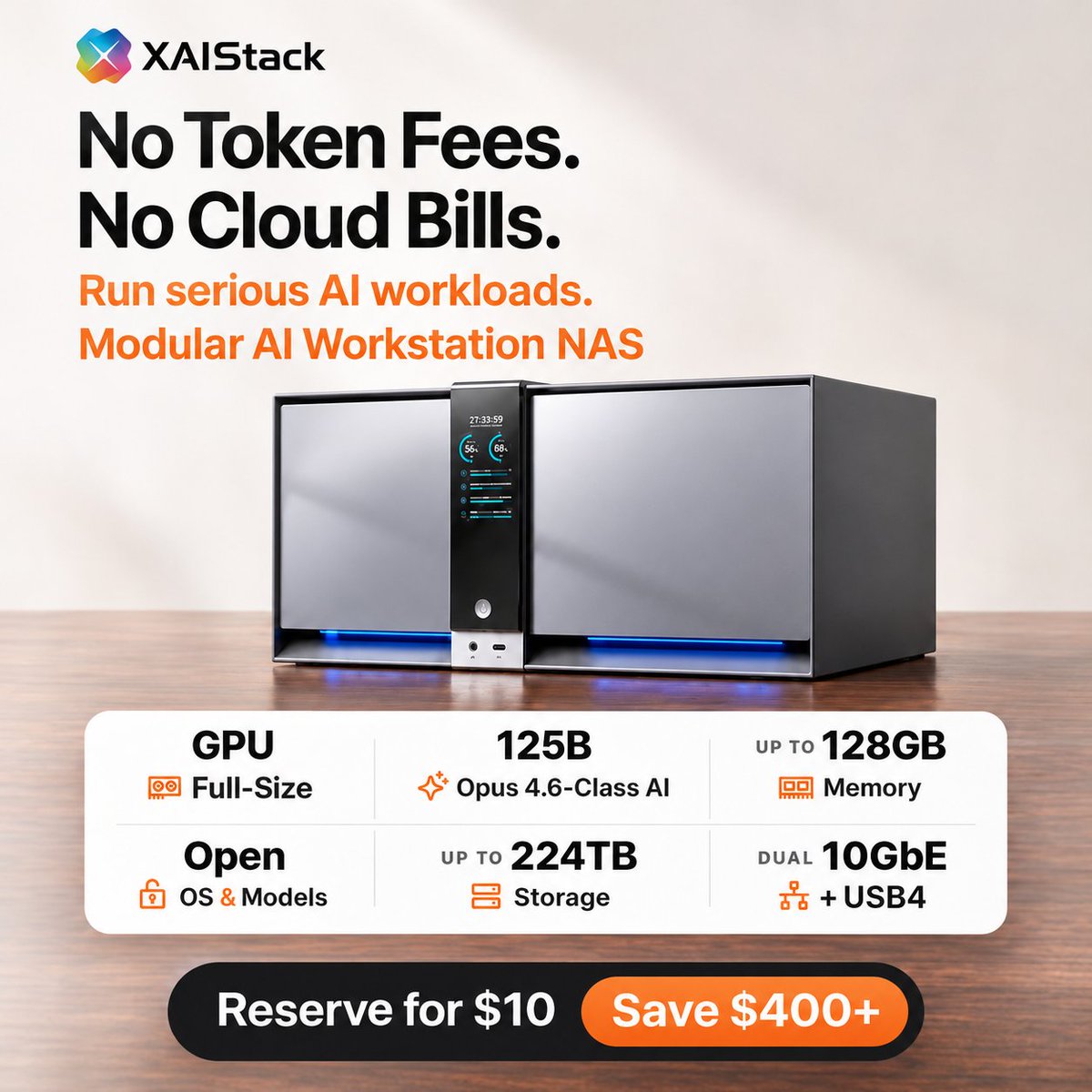
Run AI locally, without cloud token bills.
Meet XAIStack, a modular AI workstation and NAS. Keep your files on your own hardware and add GPU or storage modules as you need them.
#localAI#XAIstack#HomeLab
Another month, another AI bill.
For the tasks you can run locally, that budget could go toward a setup that stays yours.
Reserve for $10 to unlock $400+ in launch savings.
@sgiff The models shown are Qwen and DeepSeek. “No token fees” applies when you run those models locally on your own hardware. Hardware and electricity still cost money, and any cloud APIs you choose to use would be billed separately.
What if your AI budget went toward something you actually own?
Put supported models to work on your own hardware with XAIStack.
Reserve for $10 to unlock $400+ in launch savings.
@tqbadu The demo shows Qwen3.8-Flash-Next and DeepSeek-V4.1-Flash-1017. The Opus/GPT labels were intended as capability comparisons, not the names of the models running locally. We should have made that clearer.
@TornSky_ Glad you like the idea! A refundable $10 reservation unlocks the X1’s $999 VIP host price at launch, $400 below retail. That includes a 256GB system SSD; RAM, expansion modules, a GPU and additional drives are separate.
@SyntheticaIS Fair question. It depends on the full build and financing terms. If Claude already meets your needs, a subscription may be better value. XAIStack makes sense if you also want to run models locally and use the same machine for NAS storage, with hardware you own and can expand.
A closer look at how XAIStack’s compute module connects to the main unit, with the system powered off.
What should we show next: GPU installation or the drive bays?
125B AI, right next to your files.
Pair XAIStack with a compatible GPU and memory setup to run a supported 125B model locally. AI compute + NAS storage in one modular system. No per-token fees.
Reserve for $10 to unlock $400+ in launch savings.
@dxgl_org Yes, PCIe 5.0 ×16 offers more bandwidth. We chose ×8 to balance GPU connectivity with SSD expansion and dual 10GbE. The performance difference depends on the workload, particularly how much data moves between system RAM and VRAM.
Why We Chose This CPU
Two questions keep coming up: “Isn’t that a laptop chip?” and “Can I swap it later?”
We chose the Intel Core Ultra 5 deliberately. In XAIStack the CPU is the hub -- it connects the GPU, system memory, and fast SSDs at full speed so big models can run the way we designed.
Three things mattered most:
1. Lanes
28 PCIe lanes. Full PCIe 5.0 ×8 to the GPU (shared with nothing), four M.2 SSDs that don’t share lanes, dual 10GbE + six SATA bays. More than the 16-lane chips in many unified-memory boxes.
2. Memory you can grow
Two SO-DIMM slots. X1 up to 96GB, X1 Pro up to 128GB. Start small, add more later.
3. Power for 24/7
28W base power. Main unit idles ~35W. When a model runs, the heavy power draw stays on the GPU.
Result from our tests: same CPU + 64GB RAM, just swap the GPU -- 50+ tok/s on a 125B model (RTX 5060 Ti), 30+ tok/s on a 763B model (RTX PRO 5000).
CPU is soldered in this generation. When we release a newer host, you swap that one module. GPU, RAM, SSDs, drives and other modules carry over.
👉 Reserve for $10: https://t.co/6J7OflPnJH
Discord: https://t.co/lKto2dP3zv
@Baba_Yaggi HDDs aren’t included. The host comes with a 256GB system SSD. The six-bay storage module is a separate add-on and comes without drives, so you can choose your own compatible HDDs or SATA SSDs.
Tired of watching the usage meter every time you run a model?
Full-size GPU, up to 224TB storage, open OS & models.
Reserve VIP for $10 and save $400+ at launch.
@humansareindef1@zollicoff_ Got it, you're now working on getting the workers to run in parallel and stay on task. Is the whole workflow running locally, or do parts of it use external APIs?
Thanks for flagging this. The host includes a 256GB system SSD. Additional SSDs and hard drives are sold separately. The six-bay storage module is a $160 VIP add-on, without drives.
224TB is the maximum raw capacity, not the storage included. You’re right that filling it would mean a substantial extra cost for drives. You can start with the capacity you need and expand over time.
Thanks for explaining your thinking. Memory is optional with XAIStack. We offer it at market prices, or you can bring your own compatible RAM. If prices fall, that can make upgrades cheaper for our users too.
Competition is a fair concern. Our focus is combining local AI and NAS in one modular system, so you can choose your GPU, memory and storage around your needs and budget. We also have Centerm’s experience in enterprise hardware development and manufacturing behind us.
We’ll need to keep earning users’ trust through performance, reliability and support as the market evolves. That’s what we intend to do.
Stop watching a usage meter every time you run a model.
With XAIStack, experiment with supported models locally—without per-token API fees.
Expand compute or storage as your needs grow.
Reserve VIP launch pricing for $10.
@NoBeginnin34964 It's more like a modular PC with NAS storage. You can choose your OS, install compatible local models, upgrade RAM and drives, and add a GPU module.
What would you like to run on it?
Here’s the pricing and what’s included:
X1: $999 VIP / $1,119 early bird / $1,399 retail
X1 Pro: $1,119 VIP / $1,279 early bird / $1,599 retail
Both hosts include the CPU, a 256GB system SSD and a power adapter. RAM is purchased separately.
Optional modules:
• GPU module: $120
• Storage module: $160
For a host with both modules and 64GB RAM, VIP pricing is $2,479 for X1 or $2,599 for X1 Pro. The graphics card and data drives are sold separately.
A fully refundable $10 reservation secures VIP pricing and a place in the first shipping batch. For the host alone, that saves $400 on X1 or $480 on X1 Pro compared with retail.
Do you already have RAM or a GPU you’d like to use?
Installing a compatible GPU or choosing your own OS won’t void your warranty. Damage directly caused by installation or modifications is excluded.
What would you like to know about support before launch? Leave a question below and we’ll answer it here.
Who builds XAIStack, and how will support work after delivery?
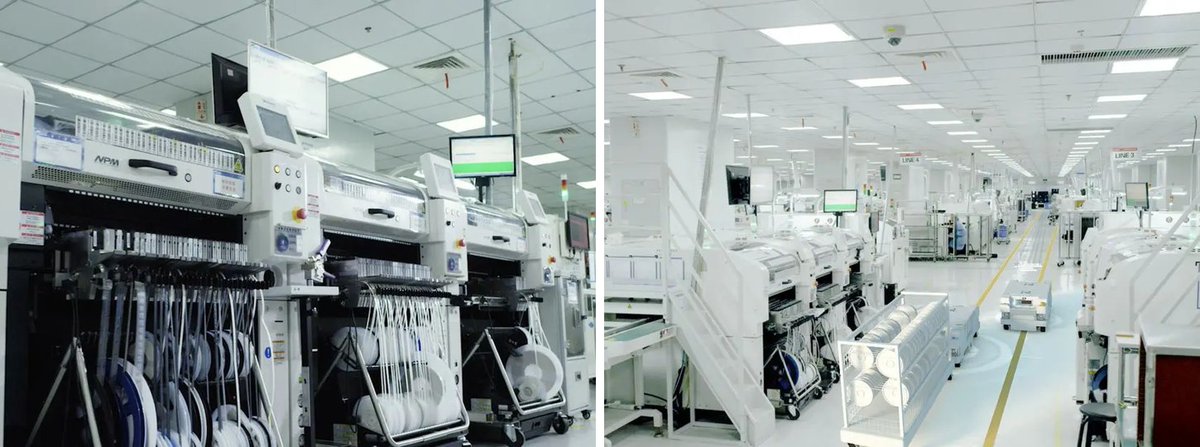
XAIStack is developed and manufactured by Centerm, founded in 2002. Centerm ships to 120+ countries and ranked first in global thin client shipments in 2023–2025, according to IDC data cited by Centerm.
Our manufacturer’s warranty covers the system for 1 year and specified core components supplied by us for 3 years, including CPU, memory, SSD, power adapter and power supply.
For covered faults, replacement parts and shipping to you are free. Accidental damage is excluded.