Your VCam Name Tag can now stay right where it works best.
Add your name, role, or details, then choose its position so it stays visible in calls and vertical videos.
Try the latest VCam here: https://t.co/rWz6QJ12vS
#VCam#VideoCalls#RemoteWork
Smoother DX12 game capture is here.
XSplit Broadcaster’s latest update improves Game Source performance and stability, helping you stream demanding DX12 games with more confidence.
Update XSplit Broadcaster today: https://t.co/9iWoNBO0po
#XSplit#Streaming#Gaming#GameCapture
New in XSplit Broadcaster: better DX12 Game Capture, Twitch Dual Format streaming, AI Live Captions and AI Voice Clarity.
Built for clearer streams and better viewing on every screen.
Download XSplit Broadcaster today: https://t.co/EU1Y2RVt9A
#XSplit#Streaming#Gaming#Twitch
Your webcam feed should look good before the call even starts.
With VCam, you can clean up your look, stay on brand and keep your setup ready for work, content and live sessions.
Download VCam at https://t.co/1ERDxcnLO1
https://t.co/1Gs2YBYHOB
#VCam#VideoMeetings#WebcamSetup
Build your stream in one place: ready-made sources, game capture, webcam tools, background removal, Multi Output Mode, multi-streaming and recording.
Do it with XSplit Broadcaster.
https://t.co/Y6H0IC3L4y
CANVID 3.0 beta just dropped!
We added region capture, clip speed control, background music, and more!
We're making your videos better and faster, again.
Read the blogpost for more details and download info:
https://t.co/ORZ0qVcPr6
XSplit Broadcaster 4.6 Beta rolls out real-time English subtitling and a refreshed UI. Big wins for accessibility and streamlined streaming. Full details: https://t.co/sUTYjnYur5 #XSplit#Streaming#Accessibility
A smoother streaming workflow is here!
The latest XSplit Broadcaster update brings updated controls and a revamped Preview Editor to make live production feel more natural.
https://t.co/myd1L58WNQ
#XSplit#XSplitBroadcaster#LiveStreaming
Announcing the release of XSplit Media Manager Beta. Manage your YouTube Channels, quickly edit your VODs and much more. Free and no login required.
Get it here: https://t.co/Gb1228GPcQ
Customize how your webcam behaves when you zoom in CANVID 🎥
• Shrink the camera
• Fade it out
• Keep it fixed
Small details like this make screen recordings look much more professional! :)
Learn more: https://t.co/QrLnM4GVEI
Sharing screen recordings? Don’t leak sensitive info 🚫
Use CANVID Privacy Areas to blur, pixelate, or block private data in seconds 🔒⚡ Fast, simple, and built right into your workflow.
Learn more through the link👇
https://t.co/MzZl5KraKK
CANVID 2.4.0 is here ✨
This update brings powerful new features:
• AI Webcam with templates 🤖
• Privacy Areas to protect sensitive info 🔒
• New On Zoom camera controls 🎥
And many more improvements to make recording smoother than ever.
Changelog:
https://t.co/sBwoRGpXv3
STEP AWAY. STAY PRESENT.
Need a quick coffee, stretch, or doorbell break? Pause Loop records a short clip and loops it as your camera feed until you come back.
Try it here 👉 https://t.co/SkTAwz00ZW
#RemoteWork#VideoCalls#VirtualCamera#BetaTesting#VCamai
Most screen recorders make you pay every year.
Some are not really “lifetime.”
Others charge $299+.
CANVID gives you:
✔ Lifetime license
✔ Lifetime updates
Pay once. Create forever. 🔥
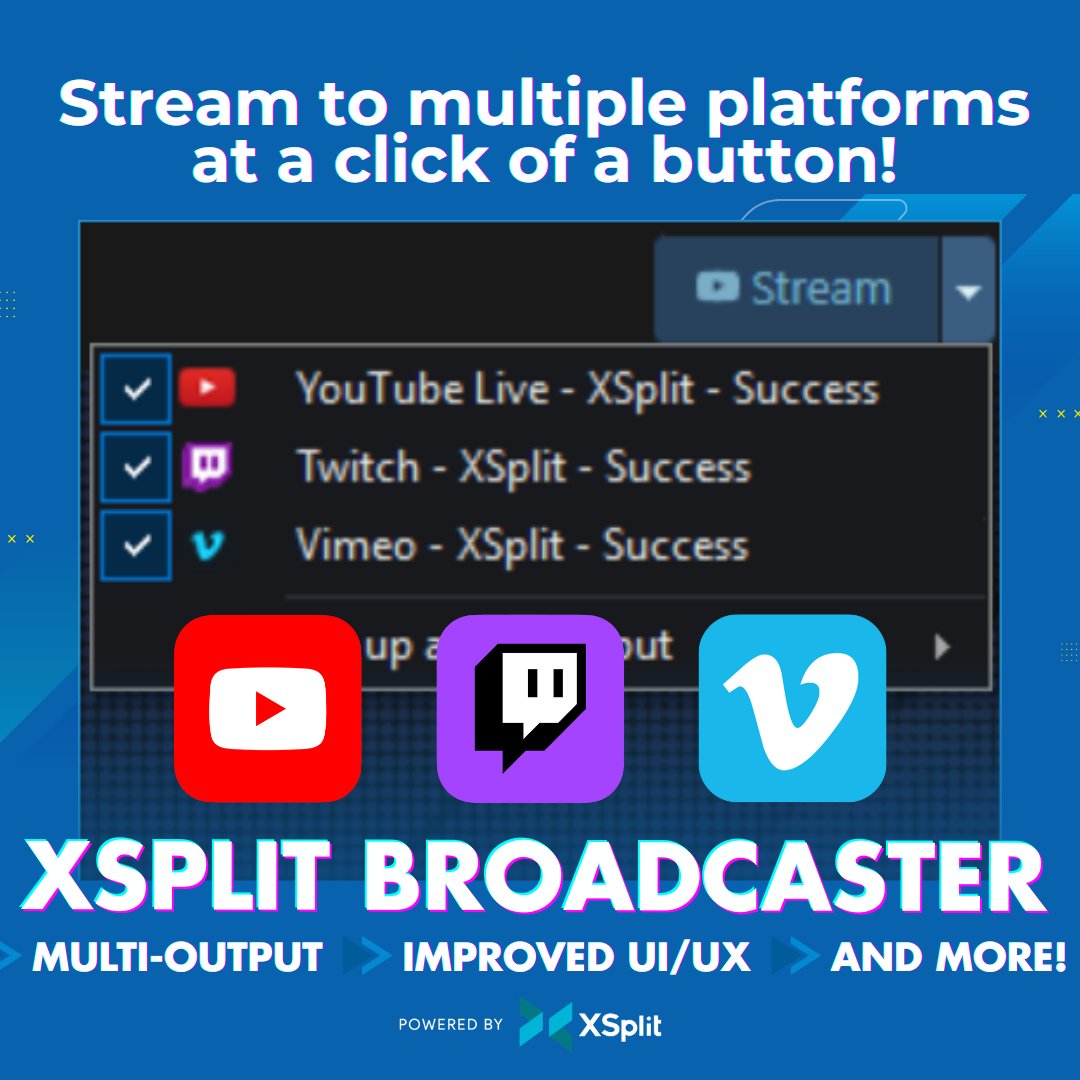
Stream to multiple platforms from ONE Stream button. We recently updated XSplit Broadcaster's UI to let you pick your outputs and start them together.
Grab XSplit Broadcaster Premium Lifetime at 30% OFF now!
https://t.co/bhB0j6DpBQ
#XSplit#Streaming#Gaming#Multistream
We’re hanging out at the ASUS showroom at CES 2026 🏟️
Jennifer from @ASUS showed CANVID running on the new Zenbook S14 2026 with @Intel Core Ultra Series 3 (Panther Lake) 🧠💻, and the AI stuff like Synthetic Webcam and Audio Retakes runs super smooth ✨
Our team’s been fighting over the dev sample since September 😅, so yeah, we’re probably gonna need a few more🔥
Hey all! 👋
CANVID CEO Henrik got hands-on with the new ROG Zephyrus Duo 2026 at the @ASUS showroom here at CES and it’s wild 🤯
Dual screens 🖥️🖥️, @Intel Core Ultra 9 Series 3 (Panther Lake), plus an RTX 50-series GPU 🚀
In the future, it’ll be able to use both the Intel Core Ultra processor and the NVIDIA 50-series GPU at the same time, meaning CANVID can handle generative video tasks like synthetic webcams for longer videos insanely fast ⚡
Very excited to see where this goes 🔥
🎄🔴 67-CHRISTMAS SALE! 🟢🎄
🎅 Lifetime for $67 this Christmas so you can stream all your celebrations! 🎁✨
https://t.co/CcxJ5Jmccr
#xsplit#sixseven#christmassale