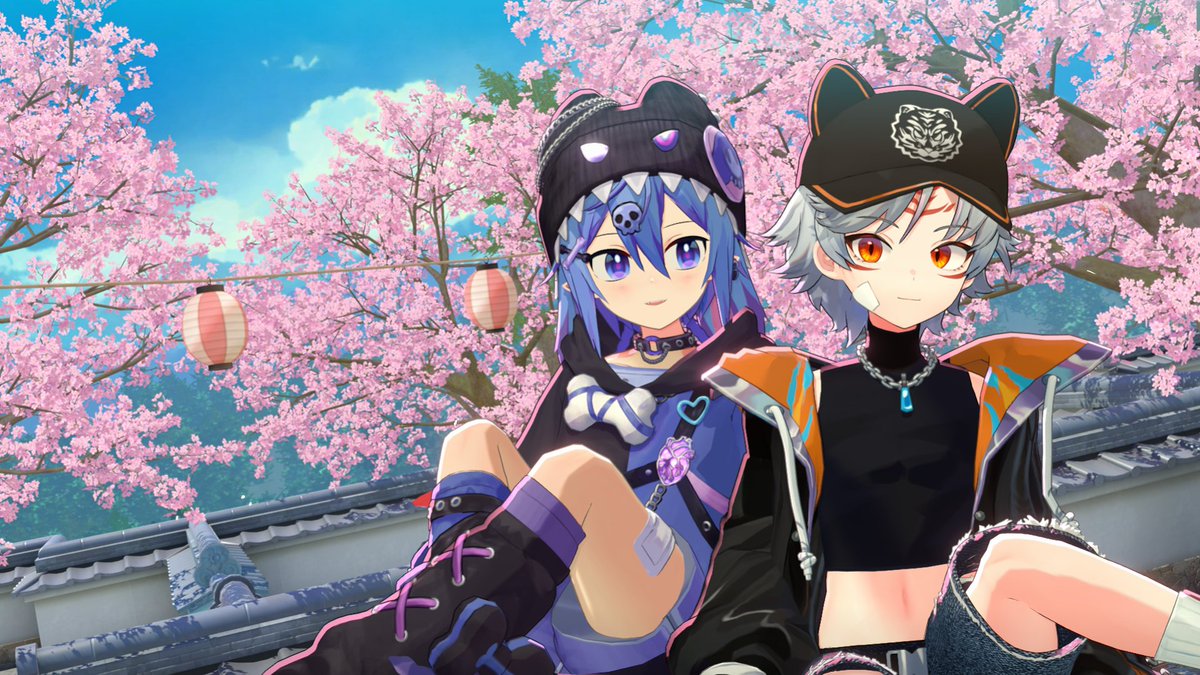
✨와루도 비공식 한글 가이드북?!✨
와루도에 대한 관심이 정말 많은 요즘,
부족하지만 도움이 되고싶어서 사용법이나 여러가지 팁을 담은 한글 가이드를 작성하고 있습니다!
https://t.co/jgdgR8HYyv
💜사용료는 RT &🥰
💜추가 되었으면 하는 점이나 궁금한 것들은 DM🥰
#WARUDO
Came up with a real simple way to make these flasks look like they have liquid! 💦
1. Model glass & invert the normals
2. Model the liquid
3. Rig the liquid with a bone facing up
4. in engine apply "jiggle physics" with negative gravity
#gamedev#unity#blender#animation#b3d
#warudo#와루도#RT
HOV와루도 배경 1주년 이벤트 안내
스트리머라면 누구나 HOV 디코방에 참여하고 무료배포로 3종중 1개를 받으실 수 있습니다.
RT이벤트는
본 트윗의 리트윗 1000회당 1분씩 추가 하여 선정되신 분께 원하는 배경 중 선택한 1개를 보내드립니다.
많관부!! 문의는 named99
와루도 배경 설치가이드 2편을 투고했습니다!
이번 글에서는 나에게 맞는 배경인지 알아보는 법과
예쁜 앵글을 잡는 법, 헤어가 바람에 흔들리게 하는 법 등을 소개합니다
많은 분들께 도움이 되었으면 좋겠어요🩵
네이버 블로그 : https://t.co/C3sNGUJYls
에덴 블로그 : https://t.co/Rlu7qeJYLV
와루도/멜리고/VSF
셋 다 3D 버튜버용 방송 프로그램입니다. 기본적으로 VRM 확장자의 버튜버 모델을 지원하며, 이는 웬만한 3D 버튜버 프로그램이라면 표준 지원하는 게 국룰입니다.
와루도: 유니티를 닮아있는 특유의 에셋 / 블루프린트 시스템을 활용해 비교할 수 없는 자유도로 방송 환경을 만들 수 있는 게 특징입니다.
단점으로는 입문이 어렵고, 영어가 기본값이고 한국어 번역은 매우 어색합니다. 또한 기업세인 경우, 또는 닐로툰 셰이더를 사용하고 싶을 경우에는 와루도 프로 버전을 유료 구입하셔야 합니다.
진입장벽이 있다고는 하는데, 간단한 상호작용까지는 쉽습니다. 이건 유튜브에 모래캣을 쳐보세요
멜리고: 직접 써보진 않았지만, 한국산 프로그램이다 보니 한국어를 네이티브로 지원하고, 자체 에셋 스토어 및 협업 작가들을 통한 지원 솔루션을 갖추고 있다고 합니다. 간단히 훑어봤을 땐 진보된 VSF 같은 느낌이었고, 그래서인지 편하게 쓸 수 있다는 의견이 많습니다. 또한 와루도와는 달리 닐로툰 셰이더를 라이센스 변경 없이 무료로 지원합니다.
VSF: VSeeFace. 완전 무료 프로그램입니다. 가볍게 쓰기 좋습니다. VSFAvatar라는 자체 포맷으로 추가 셰이더를 지원할 수 있으나, 근본적으로 이전 세대의 프로그램이라는 점이 아쉽네요.
지나가다 누군가에게 멘션으로 남긴 거였는데 정작 보질 않고 묻혀서, 이대로는 아쉬우니 많은 분들이 보시라고 글로 올립니다.
https://t.co/pUUAQ4RujI
항상 아바타들 체형 똑같고 그렇다고 체형을 고치자니 의상이 몸에 안맞아서
"체형을 한번 고치고 추가 되는 의상도 계속 작업하느냐"
아니면 "그냥 주어진 몸으로 사느냐"
이지선다가 안타깝고 아바타에 개인취향을 반영 못하는 것이 아쉬워서 만든 툴입니다.
체형 변형할 때 정보를 저장했다가 의상과 함꼐 변형하거나 이후 새로운 의상을 추가 할 경우
체형을 변형 시켰던 정보 그대로 의상에 블랜드쉐이프로 반영해서 웨이트나 본 문제가 발생하지 않게 사용가능한 툴입니다.
많관부
광고용 영상찍어야 하는데 일단 출시부터 했습니다.
[DINOLABS - AlphaStream] 판매 개시 + 오픈 할인
기존에 버튜버분들 아바타 공유 시 닌자 많이 사용하셨을겁니다. 닌자가 레이턴시 측면에서는 장점이 있지만, 투명 배경을 그대로 보내지 못하기 때문에 크로마키를 사용하게 되고, 이 과정에서 색감이 뭉개지거나 퀄리티가 낮아지는 이슈 많이 경험하셨을겁니다.
이를 해결하기 위해 AlphaStream을 개발하게 되었습니다.
AlphaStream 은 투명 배경의 Spout2 소스를 그대로 상대방 컴퓨터에 전송합니다. 크로마키, 소스 필터, 그런거 없이 Spout2 소스 그대로, 1080p60 상태 그대로 상대방에게 전달됩니다. 공유 링크를 브라우저 소스에 넣기만 하면 투명 배경인 상태로 아바타가 실시간 공유됩니다.
https://t.co/AKAp17MzBi
약 이틀 간 해당 링크에서 약 15% 할인된 가격으로 구매 가능합니다.
5/24부터는 가격이 정상 가격으로 판매될 예정입니다.
많은 관심 부탁드립니다.
🌠Mod SDK Updates:
- Due to improvements in the Mod SDK release process, the SDK can now be installed directly from `https://t.co/SDESMlqt5g` or `[email protected]:HakuyaLabs/Warudo-Mod-Tool.git#upm/latest`, and can be directly updated using the Update button in the Package Manager. For a fixed version, use `upm/<version number>` instead of `upm/latest`.
- uMod Update 2.9.0 -> 2.9.9a. Due to an update to the uMod build system, Mods created from SDK 0.14.5.1 onwards will only be loadable by Warudo versions 0.14.5 and above (the current Warudo beta version is 0.14.5). We will update this Beta version to the Default branch in one month.
- The uMod upgrade fixes a previous issue where code within async Task/UniTask blocks couldn't be subject to security checks. In previous versions, disabled code outside of async Task/UniTask blocks would be correctly intercepted during mod compilation, but code within async Task/UniTask blocks wouldn't be intercepted correctly, nor would it be intercepted during loading. This issue is now fixed; security rules will be correctly applied to async Task/UniTask blocks. Mods created using the new SDK will also be correctly intercepted during compilation. Mods created using older versions will now be intercepted during loading if they contain disabled code within async Task/UniTask blocks. This explains the reported disappearance of Assets and Nodes in some mods a few days ago (https://t.co/cKDBoNEWsa).
We will retain the default branch for one month to allow developers to update their mods.
- The Mod Tool now includes a Setup URP option in the Warudo menu, which automatically sets up the URP for your project (Warudo Pro). This feature will have more uses in the future.
- Mod interoperability has been added to the SDK. See https://t.co/XElhM6xDYU
- SDK support has been added for Art-Net DMX light controllers. Data can be received from Art-Net's built-in plugins via the Mod interoperability API to directly access DMX light control data when creating environment mods. (Sample code will be provided in the Warudo Handbook later.)
#Warudo Pushed a new update 0.14.4 on the Beta channel.
Important Notice: This Beta version will be pushed to the official Default (-) Branch in around one month.
If you are using any of the affected content (such as Nodes and Plugins), please use this period to fix and update them (These contents will still be available in the current Default Branch for this month).
🌟Updates And Fixes:
- Upgraded uMod and RoslynCSharp versions (uMod 2.9.0 -> 2.9.9a)
- Implemented the Art-Net DMX lighting control protocol
- Upgraded ChatNova (Douyin/Bilibili). A new authentication mechanism has been adopted, and a separate privacy policy has been added: https://t.co/Ict21C5A6Y
- ChatNova (Bilibili) has been updated to accommodate changes to the Bilibili Live API.
- Added an editing interface for "Ignore Cameras". Previously, if a camera driver encountered a problem during loading, the camera enumerator would automatically add the camera to the ignore list upon the next startup. However, sometimes driver errors were intermittent, and in such cases, the camera would still be ignored. This was the reason some users reported cameras disappearing from the list. Now, cameras can be manually removed from the ignore list. Please perform this operation in the Warudo settings page.
- If the corresponding scene is opened when Workshop content is not subscribed to, an error message will no longer appear. Instead, a message will indicate that Workshop content is missing and provide a subscription option.
- Fixed an issue where the root GameObject in the environment could not be moved, rotated, or scaled using environment scripts.
- When a Terrain component exists in the environment, moving, rotating, or scaling the environment will now trigger a warning to prevent Unity Terrain limitations from occurring when users perform these operations on the environment.
- Fixed an issue where Unity Volumetric Light Beam (VLB) was inoperable or malfunctioning in certain situations. Now, if there is a VLB configuration error, a warning will be displayed during loading.
- Cleaned up and streamlined the Mod Tool SDK.
- Released Mod Tool SDK version 0.14.5.1 (Note: Due to our uMod upgrade, please see the SDK update information below). Meanwhile, we expect to update the relevant information in the Warudo Handbook soon.
- Updated i18n.
- Attempted to fix an issue where MagicaCloth2 might stop working when far from the origin.
- Added motion capture templates for "Movin" and "UDCAP Gloves" in the Onboarding Assistant mocap options.
🎇For Warudo Pro Users:
- The ModTool SDK can now automatically set to URP mode.
- Fixed a Vicon log printing issue.
- Upgraded PotaToon to v143.
- Added a new PotaToon Character Controller asset. (The PotaToon Volume asset will be released in a future update.)
> Please note this is a beta release. You can enroll in the beta by right-clicking Warudo in Steam, select "Properties -> Betas -> Beta Participation -> beta" to switch to the beta branch.
💫Internal Process Updates:
- The Warudo Client can now be updated in the Warudo development environment.
- The Mod SDK can now be published more easily; Github Actions will automatically perform UPM publishing.
안녕하세요.
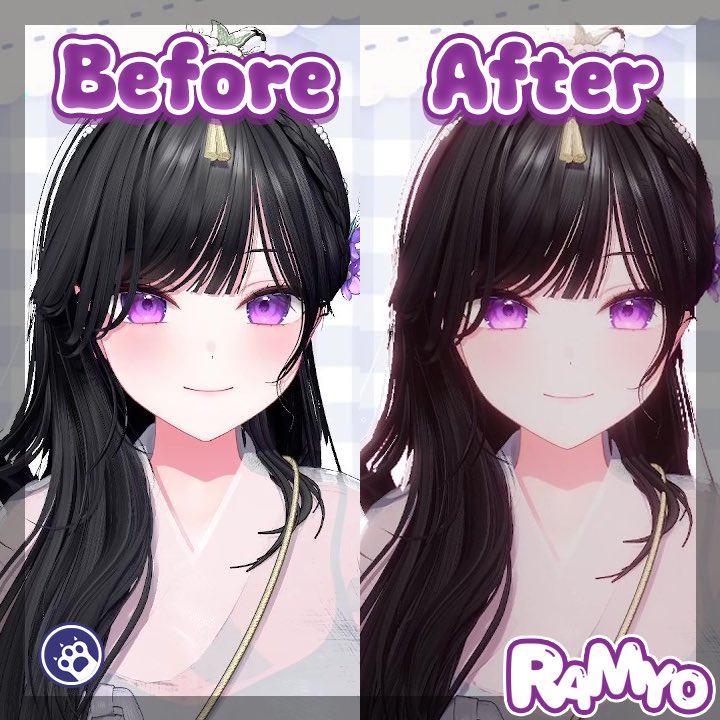
Warudo에서 투명 배경 적용 시 포스트 프로세싱 효과가 사라지는 문제를 해결한 플러그인!
본 트윗 알티해주신 두분께 증정해드립니다.
** RT 인원에 따라 최종 인원은 달라질수 있습니다.
🔗https://t.co/GPC28XF74p
🔗https://t.co/uVjRcmGLfq
#와루도#Warudo#URP#버츄얼










![dinosaur726's tweet photo. [DINOLABS - AlphaStream] 판매 개시 + 오픈 할인
기존에 버튜버분들 아바타 공유 시 닌자 많이 사용하셨을겁니다. 닌자가 레이턴시 측면에서는 장점이 있지만, 투명 배경을 그대로 보내지 못하기 때문에 크로마키를 사용하게 되고, 이 과정에서 색감이 뭉개지거나 퀄리티가 낮아지는 이슈 많이 경험하셨을겁니다.
이를 해결하기 위해 AlphaStream을 개발하게 되었습니다.
AlphaStream 은 투명 배경의 Spout2 소스를 그대로 상대방 컴퓨터에 전송합니다. 크로마키, 소스 필터, 그런거 없이 Spout2 소스 그대로, 1080p60 상태 그대로 상대방에게 전달됩니다. 공유 링크를 브라우저 소스에 넣기만 하면 투명 배경인 상태로 아바타가 실시간 공유됩니다.
https://t.co/AKAp17MzBi
약 이틀 간 해당 링크에서 약 15% 할인된 가격으로 구매 가능합니다.
5/24부터는 가격이 정상 가격으로 판매될 예정입니다.
많은 관심 부탁드립니다.](https://pbs.twimg.com/media/HI2hDlZaYAIdtfs.jpg)