A system that only works in a demo does not work.
I spent seven years running residential construction projects before I started building practical AI systems for business owners.
Construction taught me to judge every tool by what happens on a busy Monday—not during a perfect walkthrough.
The owner should not become the IT department.
The tool should remove work, not create another dashboard.
The process should still run when the week gets messy.
That is still my standard.
I help non-technical business owners find where time is disappearing, decide whether AI belongs there, and build the simplest system that gives those hours back.
Here I write about what I build, what I reject, and where automation should stop.
The goal is not more AI.
It is more time.
Before you make any step faster, find out who catches its output next.
A faster step can just move the pile to someone else's desk. Say a tool lets you send invoices twice as fast. If one person still approves every invoice by hand, the backlog didn't go away. It moved to them.
Run this check before you automate anything:
- The step you're speeding up
- Who gets its output
- How many they handle a day now
- What happens if that number doubles
- Who decides when it's too much
If you can't fill in line five, stop there. Someone has to own that call before the extra volume shows up.
Fix the catcher before you speed up the thrower.
@APompliano I’ve been noticing this personally also. Much less time interfacing with say a browser or piece or software, and more time interfacing directly with my agent.
Every automated follow-up needs a stop rule before it needs a script.
Most people write the message first. They work on what it says and how friendly it sounds.
Then the customer pays, and the reminder goes out anyway.
The wording was never the problem. The system just never knew the job was done.
Before you write a word, answer three questions for each follow-up:
- What counts as done? Signed, paid, replied or booked.
- Where does the system see that happen? The form tool, the payment record, the inbox or the calendar.
- What happens when it stops? Who gets told, and what changes on the record.
If you can't point to the place where the system sees "done," you don't have a follow-up. You have a nag with no off switch.
Don't write the script until the stop is wired.
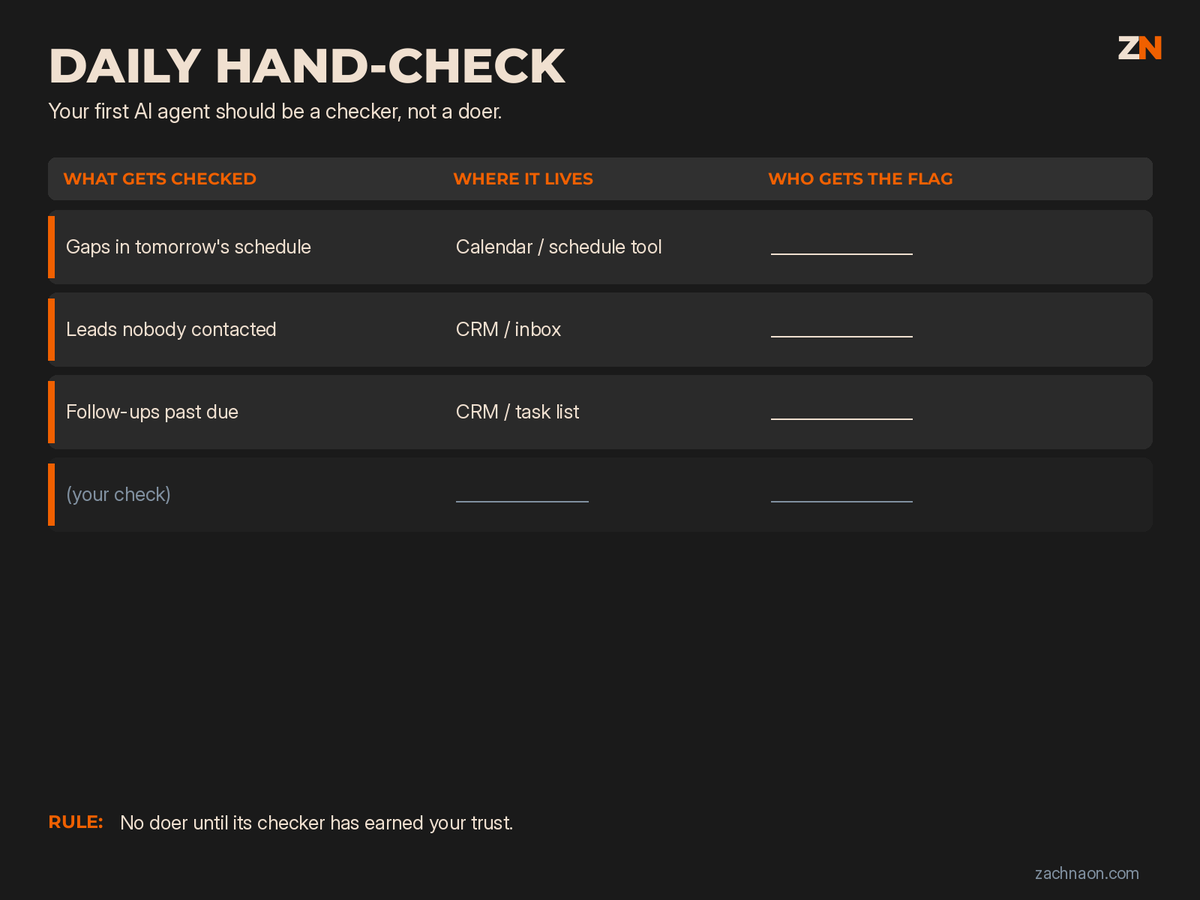
Your first AI agent should be a checker, not a doer.
A doer sends the email, moves the appointment or changes the record. If it gets it wrong, you hear about it from a customer.
A checker looks and tells someone. If it gets it wrong, a person ignores one flag.
Start with the checks your staff already do by hand every day:
- Gaps in tomorrow's schedule
- Leads nobody has contacted
- Follow-ups past their due date
For each one, write three things: what gets checked, where that data already lives, and who gets the flag by name.
A flag sent to "the team" reaches no one.
Once a check runs cleanly and the right person keeps acting on it, you can ask whether it should start acting on its own.
No doer until its checker has earned your trust.
@coreyganim Not that I’ve really seen. Also saw someone else mention that there’s a lack of verifying the bot you import actually does what it says (not anything malicious/hidden), which is valid.
Anyone can buy the same AI you use. Nobody can buy your last three years of quotes.
That's the part of a service business AI can't copy:
- quotes you won and lost, with the price
- notes from every site visit or sales call
- why customers called back
- what your reviews say, in the customer's own words
Right now that's probably split between an inbox, a truck, and your head.
Before you pay for another AI tool, get those four things into one folder.
A tool that can read your history can tell you which jobs you underpriced. The same tool with nothing to read gives you the answer it gives your competitor.
The model is rented. The history is yours.
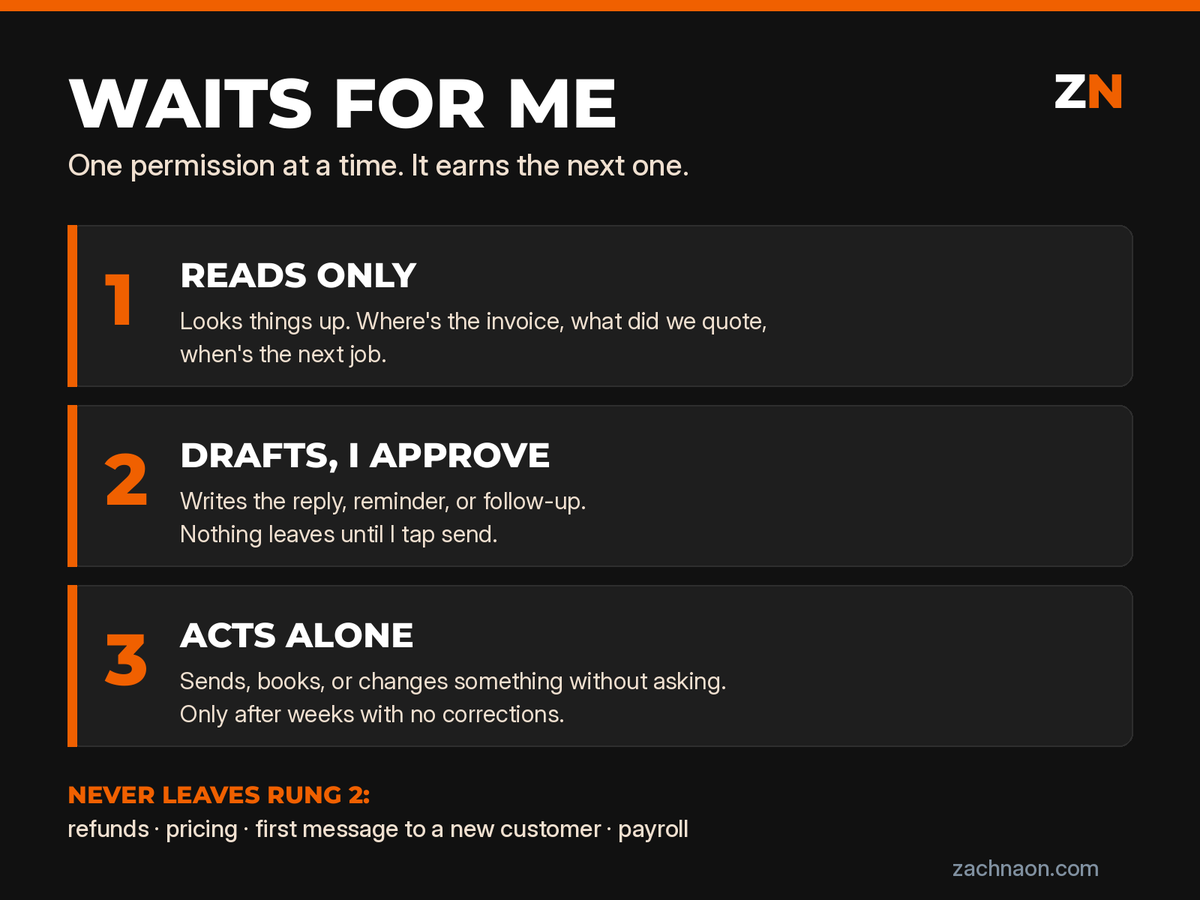
Give your AI one permission at a time, and make it earn the next one.
Three rungs:
1. Reads only. It looks things up. Where's the invoice, what did we quote, when's the next job.
2. Drafts, I approve. It writes the reply, the reminder, the follow-up. Nothing leaves until you tap send.
3. Acts alone. It sends, books, or changes something without asking.
Every task starts on rung 1. It moves up after a few weeks where you never had to correct it.
Some tasks never leave rung 2: refunds, pricing, the first message to a new customer, anything touching payroll.
Write the list down and keep it where you can see it. When you know exactly what waits for you, there's nothing left for the AI to do behind your back.
The AI mistake that costs you isn't the one that crashes. It's the one that looks finished.
A quote goes out with last year's price. A job gets booked on the wrong day. A follow-up says "sent" and never left the outbox.
None of those throw an error. They just look like work got done.
Once a week, pull three things your AI touched and check them against the source:
1. One customer-facing message
2. One number (price, invoice, hours)
3. One thing it said it did
Two clean weeks earns it a longer leash. One miss resets the clock.
Trust the spot check, not the checkmark.
Naming your AI doesn't make it staff. A job description does.
Every big AI company is now pitching an agent that plugs into your books, your store, and your inbox.
Before you connect one, write the same four lines you'd write for a new hire:
1. What it owns (one job, not "help with everything")
2. What it never touches without asking you
3. Who checks its work, and how often
4. Where it reports when it's stuck
If you can't fill in line 2, it's not ready to touch your accounts.
Hire it like staff or don't hire it.
Don't schedule the AI routine until the owner can finish the task once without you in the room.
Vendors sell set-it-and-forget-it before anyone has run the job clean.
Gate it:
1. Owner completes the job once with AI assisting — you watch, you don't coach mid-run
2. Every correction gets written into a skill or checklist the owner owns
3. Only then does it earn a calendar cadence
A weekly bot nobody trusts is theater with a schedule attached.
Do not put it on the calendar until the one-shot clears.
"Which AI?" is the wrong assessment question.
Owners freeze on Claude vs ChatGPT vs Grok while the same broken weekly workflow sits untouched.
Before you switch platforms, answer these three:
1. What weekly workflow still breaks if the model name changes?
2. What reusable skill or file do you already own on the current stack?
3. What still needs a named human to approve before send, spend, or delete?
If you can't answer those, a new subscription won't fix the ops.
Don't shop logos. Map the workflow first.
A skill you open and run by hand every time is still a chat with a checklist.
Automation starts when something fires it — a schedule, a webhook — and a person only ratifies send or spend.
You can save a long list of skills and still open a blank window every Monday. The gap is not more prompts. It is the missing trigger and the approval gate.
Skills are not automation until something fires them.
Most owner bottlenecks do not need a rebuilt stack. They need a named fix.
Before you buy another seat, put the bottleneck in one of three buckets:
1. Off-the-shelf tool — connect it and move on
2. Owner-run setup with their own context — they drive it
3. Custom skill for a proprietary process — that is the build lane
Name the bucket first. Most work belongs in bucket one. Bucket three is the rare proprietary workflow.
Do not sell a stack before you have named the fix.
3/ Use arithmetic only when every input is stated and the relationship needs no extra assumption.
Label the result as derived. Keep it separate from facts you heard.
Before you design an automation around a manual report, check the software already in the business.
Manual work can mean the feature exists but is not configured. It can mean the data is wrong upstream. It can mean the report is in the wrong place.
An AI layer on top of any of those gives the owner another system to maintain.
Read the vendor docs before you draw the workflow.
1/ A discovery call can feel useful and still leave you unable to make a recommendation.
The fix is a closing inventory. Before the call ends, get the inputs your recommendation actually depends on.