*1 Do not forget to blur your location again after the convention/event
*2 Do not add someone just because you know their fursona/persona. Occasionally remove contracts as needed
Preferably use time limited location sharing service such as Telegram Location over Zenly
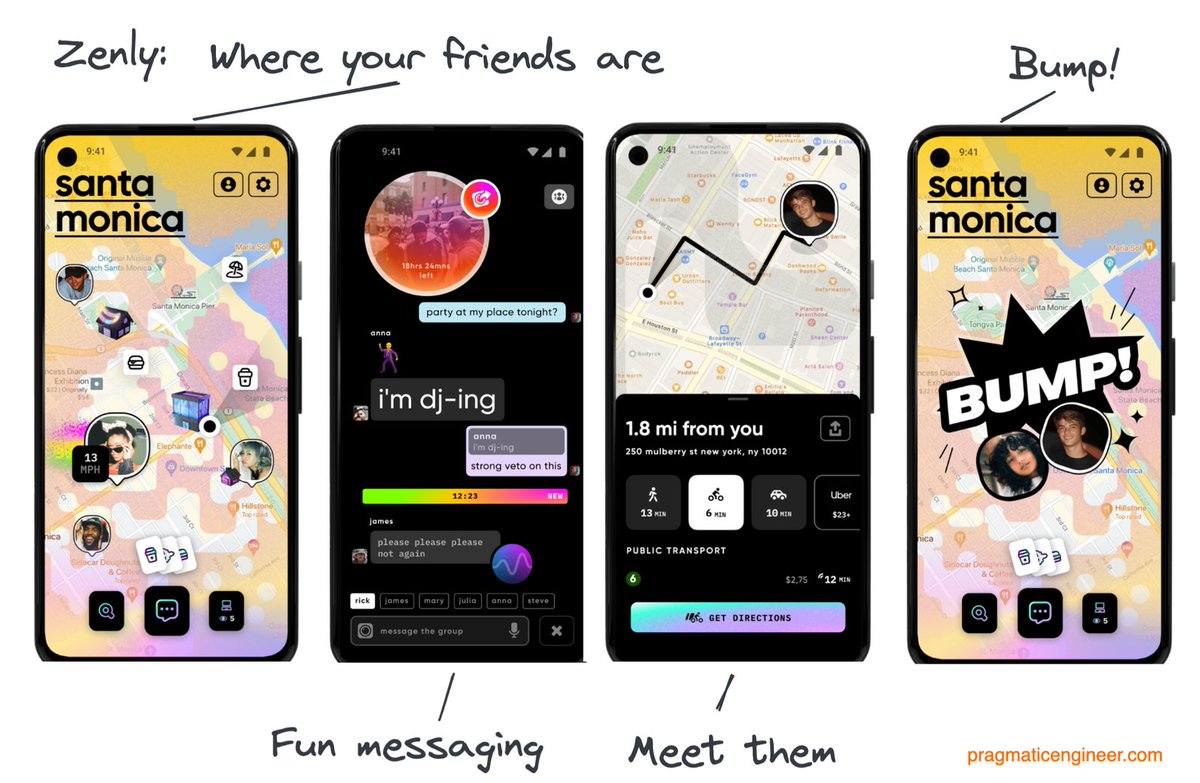
Be cautious about using live location sharing apps such as Zenly
Zenly by default gives your precise location to your contacts 24/7
If you must use Zenly*
1️⃣Blur your location via Ghost Mode
(unless needed otherwise: ex. convention/event)
2️⃣Add only real life friends you trust
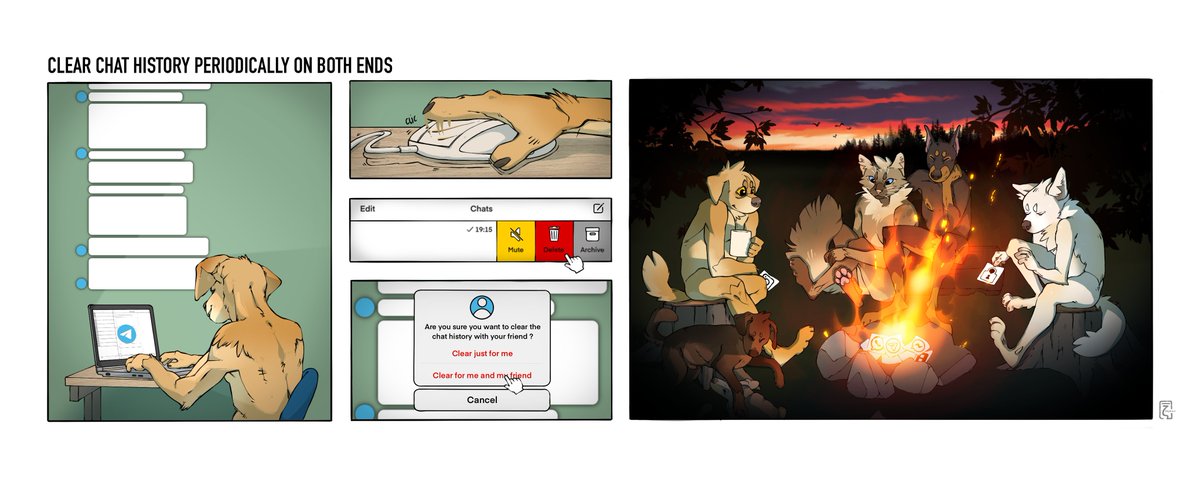
Occasionally clear your chat history on BOTH ends
Communicate with your friends about roughly how often the chat between the two should be cleared (could be months ~ 1 year)
Having less personal information about yourself and your friends online will help to keep everyone safe
These are good practices to keep you and your friends safe, but nothing stops someone from taking a screenshot, or taking a photo of the message.
So, still be careful about what you send.
Operational Security is about mitigation of security threat, not elimination of security threat.
You don't have to isolate yourself from the society. You just have to learn how to be a part of the community safely.
Twitter automatically removes geotag (Exif) when you upload photos. Not all platforms do. Research platforms you use to upload personal parts of your life.
On telegram, If you send a photo "normally", geotag is removed.
If you send it as file, it uploads the Exif with it.
Lots of phones geo-tag photos you take with GPS location🛰 unless you disable it.
It may be useful, or be a security concern to you.
You could disable geo-tagging for your phone
🔽
https://t.co/Z9HjUUBuKu
https://t.co/mDjGb3RCxB
https://t.co/2NKsldbA6T
Consider delaying posting on social media by appropriate amount of time to either;
Obscure when it happened ⌚❓
Be less physically traceable🌍❓
Wait until public knowledge is not security concern📺
15 mins/hours/days/weeks
Review for what can reveal "When" based on context
Review your photos for things that could reveal personal information such as name, address, employment, location, etc
Examples include:
License plate🚘
Mail & Packages ✉ 📦
Tags/Tickets 🎫
Unique land marks🏟
Be mindful that photos and videos you post on social media can reveal personal information of yourself & others📸
Social media posts can reveal:
Who you are👤
Where you are/were🌎
What you do/did📝
When⌚
🔐Your accounts and devices with passwords/locks.
Do Not share your personal passwords with anyone, even with your close friends or relationship partners.
Respect privacy of your friends and loved ones.
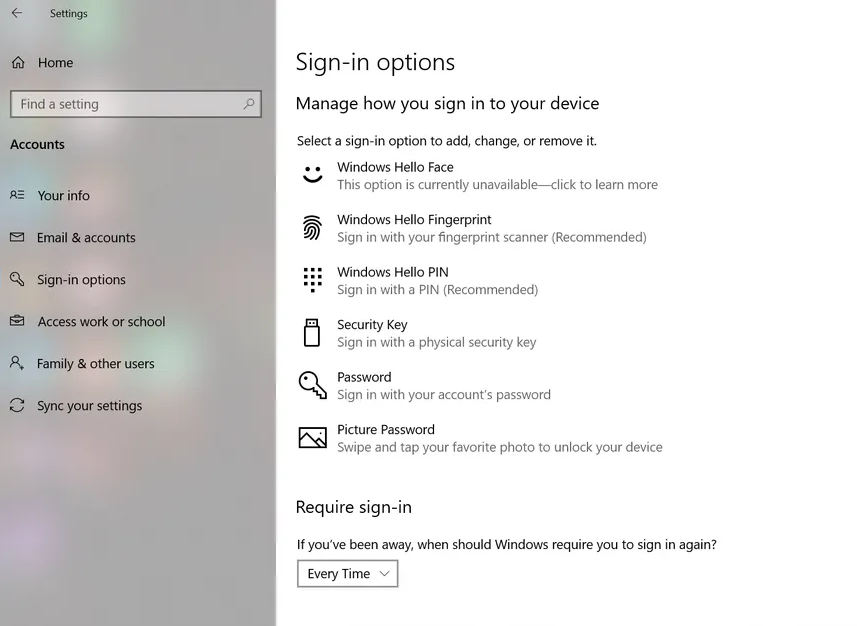
To set up Windows Sign-in password:
🔳Start > ⚙Settings > 👤Accounts > Sign-in options > Choose sign-in method such as Password or PIN
https://t.co/Q6Y11Xut86