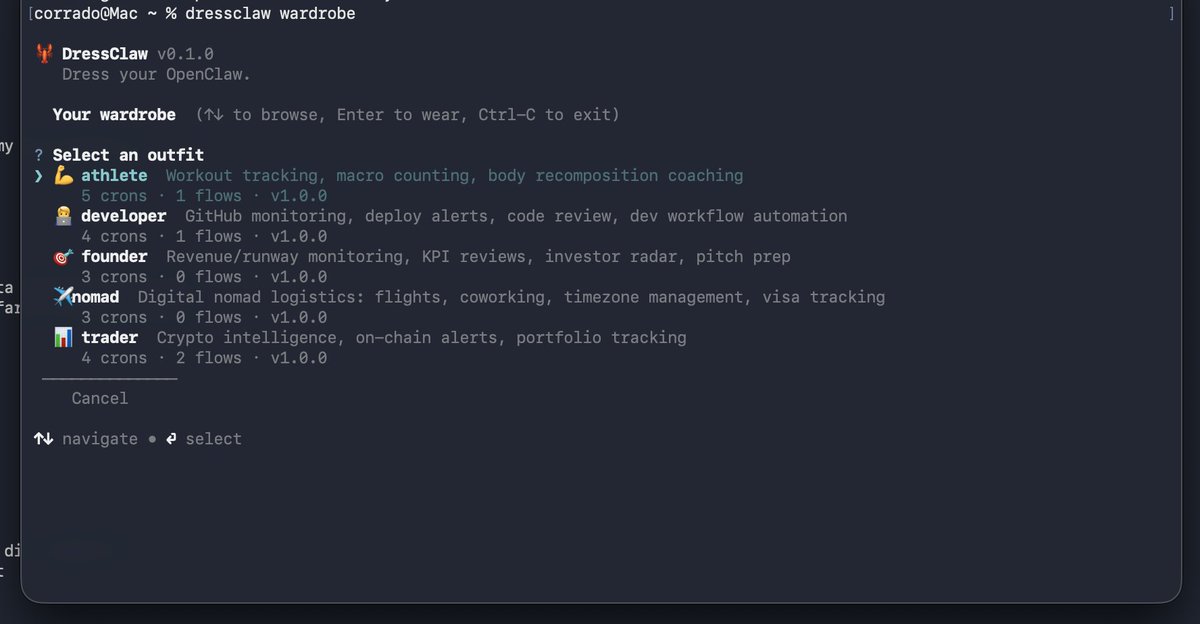
Your AI agent's "personality" is actually 5 things:
• prompt / SOUL
• cron jobs
• workflows
• skills
• model defaults
Each lives in a different place. I packaged them into one swappable unit called an "outfit".
Introducing DressClaw 🧵
Atomic. Reversible. Composable.
7/ 🔗 Useful links
🦞 Core CLI → https://t.co/Onz6W0hgV5
👔 Community registry → https://t.co/XLMdY9e95j
🤖 Built on OpenClaw → https://t.co/rGC0JPGUpo
Dress your claw. Share your outfit. Show me what you build 👇
1/ 🌐 DressClaw community, explained
No central registry. No upload form. No gatekeeper.
Just a folder, a lint command, and git. Here's the whole model 👇
OpenClaw already speaks WhatsApp, Slack, Discord, email — just swap the channel in outfit.yaml.
Soon: every outfit harmonized across all channels, one config, zero friction. 🦞👔
📡 Quick note on channels:
Right now DressClaw ships with Telegram wired up by default for every outfit — briefings, alerts, onboarding interviews all land there out of the box.
But it's not a lock-in.
dressclaw wear founder doesn't dump 12 crons on you blindly.
It injects an onboarding into SOUL.md, your agent interviews you on Telegram — goals, schedule, prefs — writes the config, drops an activation marker, and only then registers the crons you actually picked.
That's it.
One command = entire agent persona swap. Fully reversible.
MIT license. Built on OpenClaw.
⭐ https://t.co/Onz6W0hgV5
Build your own outfit, share it in ~/.dressclaw/community/, show me what you dress your claw as 🦞👔
🧵 How to dress your AI agent in 60 seconds
DressClaw turns OpenClaw config hell into one command. Swap personality, cron jobs, workflows & skills like changing outfits.
Here's the full install → run → extend guide 👇