This AI assistant has its own phone number. It answers my calls, replies to my emails, and ships real work while I sleep. 👇
Try your own free for 14 days; keep the free domain even if you cancel.
https://t.co/KL7pTUK6Gq
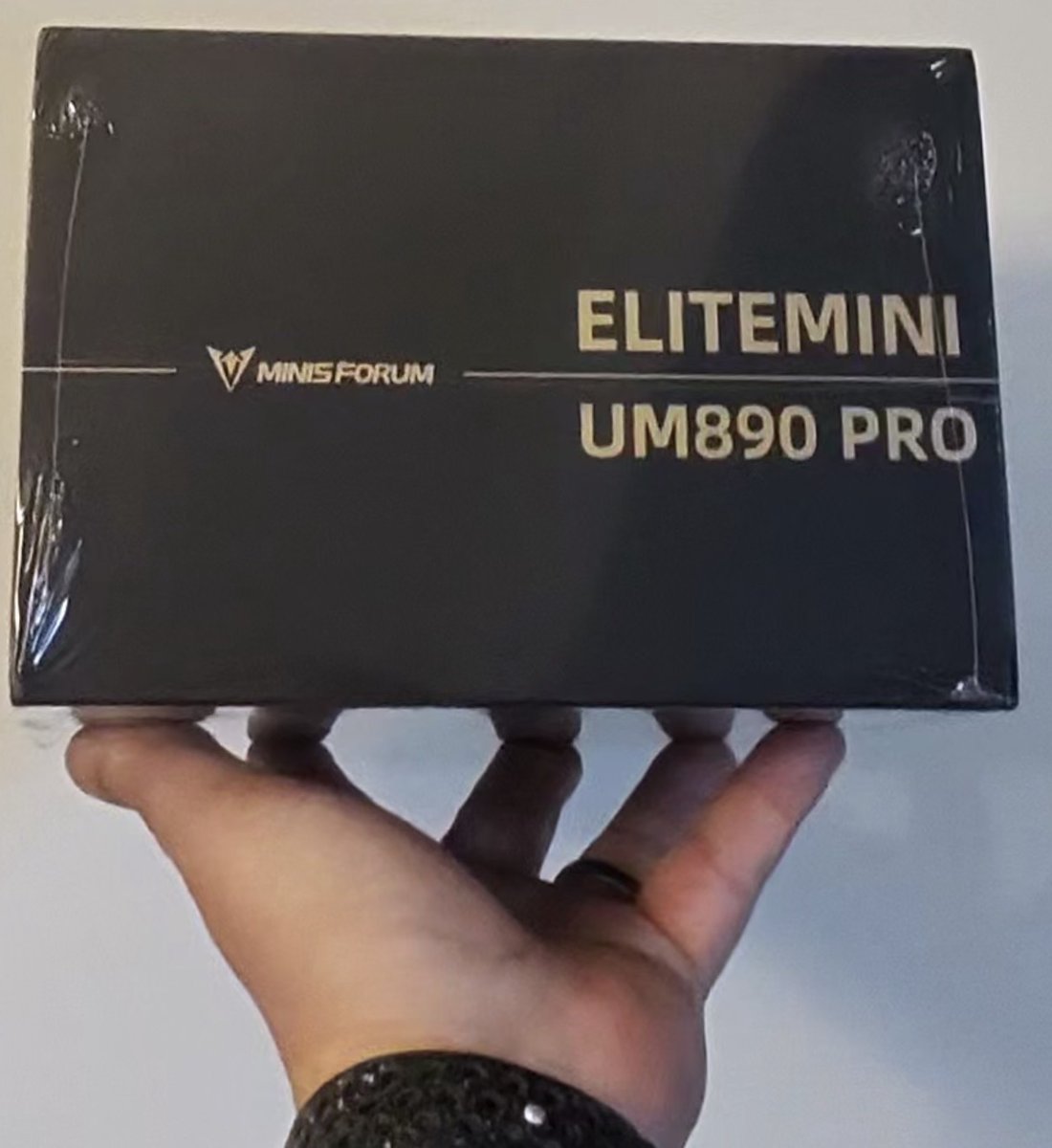
New arrival in the home lab: meet server19
Picked up a MINISFORUM UM890 Pro to add to the home lab
Specs:
• AMD Ryzen 9 8945HS (up to 5.2GHz)
• 32GB DDR5 / 512GB PCIe 4.0 SSD
• Radeon 780M
First order of business: wipe Windows and re-image with Ubuntu Server. Then it gets its label, server19, continuing the very sophisticated naming convention I've committed to (increment the number, ship it).
Nothing beats having real hardware to break. Cloud is great until you want to understand what's actually happening underneath.
What's in your home lab?
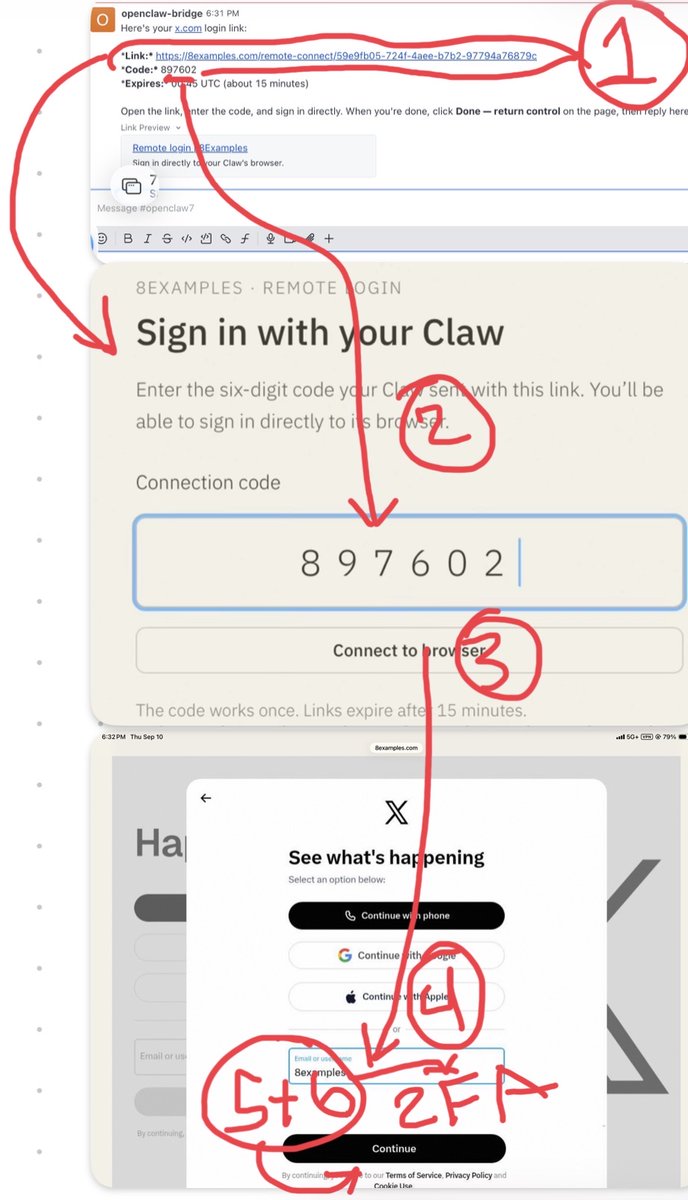
My favorite unexpected iPad tool: Freeform as a screenshot collage board
I kept needing to combine multiple photos and screenshots into one image; a before/after, a UI flow, a few app screens side by side. Every "collage app" I tried wanted a subscription for the privilege.
Then I realized Freeform already does it. Drag in as many images as you want, arrange them freely on the infinite canvas, snap things into alignment, add arrows and text labels where you need to point something out, then export the board as a PDF or screenshot the section you want.
No templates forcing your layout. No watermark. No account. Just an empty canvas that's already on the device.
Sometimes the best tool is the one Apple quietly shipped and nobody talks about.
#iPad #Freeform #Apple #Productivity #Design
One tap to focus: I built a Watch complication for PomoFast
Small feature, big quality-of-life win.
PomoFast is my Apple Watch companion app for pomodoro timers. Launching it meant scrolling the app grid every time — which is exactly the kind of friction that kills a focus habit.
So I built a complication for it. Now it sits on my modular watch face, and starting a session is one tap from raising my wrist.
The lesson I keep relearning: the hardest part of a productivity tool is not the features, it is shortening the distance between intent and action.
#iOS #watchOS #SwiftUI #IndieDev #Productivity
I built https://t.co/qeZxl52pSY, because test automation advice is mostly snippets that don't run
So the rule for this site is that the samples are real. Every one of them runs in GitHub Actions. You can look at the workflow, see it go green, and copy something that actually works rather than something that worked once on the author's laptop in 2021.
What it covers, broadly: the whole surface of test automation, end to end. Frameworks, patterns, CI integration, the parts that get skipped in tutorials because they're fiddly rather than interesting.
I've spent a lot of years building test automation and watching people repeat the same expensive mistakes. This is the reference I wanted to hand them.
If you're setting up automation and want working code to start from instead of a blog post to argue with, have a look.
A terminal that finally has room to breathe.
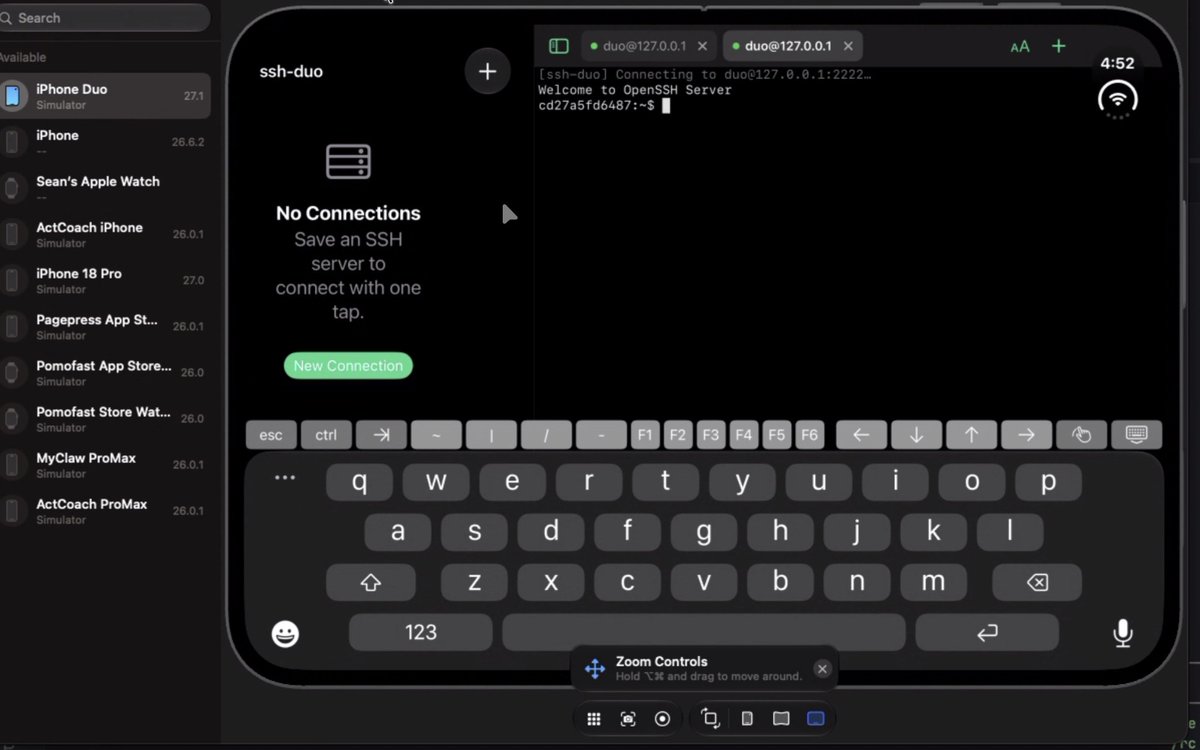
Xcode 27.1 beta landed with an iPhone Duo simulator, so I spent the evening building ssh-duo; an SSH client designed around the fold instead of stretched to fit it.
Closed, on the outer display, it's a single session, full screen, thumb-reachable. Open it and the inner display becomes two live panes side by side: tail a log on the left, run commands on the right. Folding mid-session doesn't drop the connection or reset scrollback. The layout reflows and the session keeps going.
The interesting engineering problem wasn't SSH. It was treating screen geometry as something that changes at runtime. Size classes, safe areas, and "portrait only" all mean something different when the device can change shape while your app is running.
No hardware yet. Simulator only, running on macOS 26.6. But the poses are testable today, and that's enough to design for.
#iOSDev #SwiftUI #iPhoneDuo
Technical + AI-native, building exactly this. 20+ yrs full-stack (C#/.NET, React/Node, Next.js) and I run a production agent stack that does real end-to-end SMB work: automated SEO + security audits with Next.js rebuilds at https://t.co/gsuCliBbPJ, plus outreach and ops fully agent-driven. Calgary-based, fully remote, full US-timezone overlap. Would love to hear what you're launching.
https://t.co/G8iGE2MzO4 · https://t.co/5nkxBZnlSR · https://t.co/kY3KZLMq32
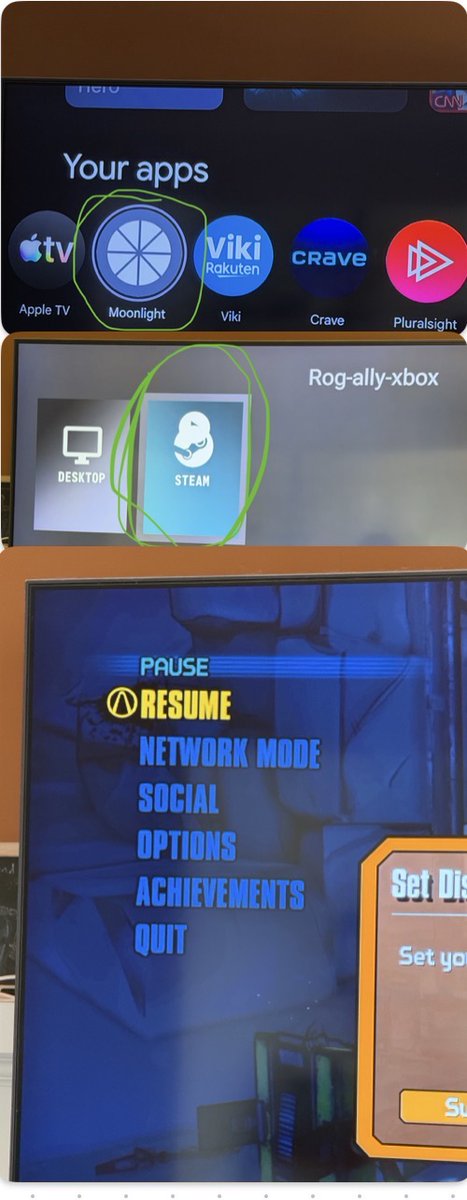
I turned my Chromecast into a Steam console for $0
Setup: Sunshine running on my ASUS ROG Xbox Ally, Moonlight installed on the Chromecast plugged into my TV. That's it. My entire Steam library now streams to the big screen over local Wi-Fi.
The handheld sits wherever it's charging. The TV does the rest — controller for couch games, keyboard and mouse when I want to play something that actually needs them.
No second PC. No console. No extra hardware purchase. Just a streaming host, a $30 dongle, and two pieces of free software talking to each other.
The best part is how invisible it feels once it's running. Pick up the controller, open Moonlight, and I'm in my library in about ten seconds.
#PCGaming #Steam #Moonlight #Sunshine #ROGAlly #SelfHosted
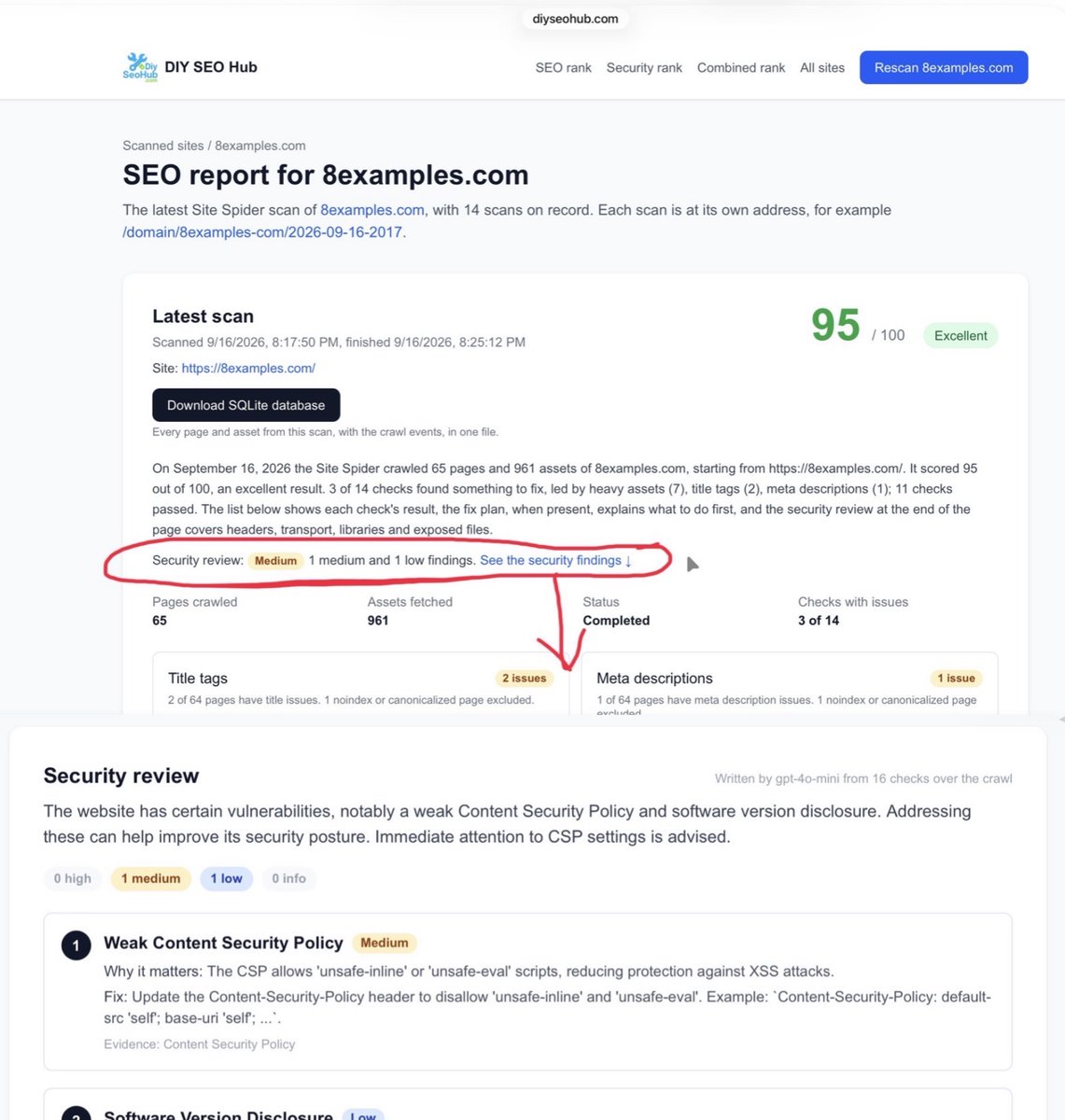
https://t.co/gsuCliBbPJ does more than technical SEO; it also security scans your site
Most SEO tools stop at the usual checklist: titles, meta descriptions, broken links, Core Web Vitals. Useful, but it's only half the picture of your site's health.
DIY SEO Hub crawls your site into a SQLite database, then runs both passes over the same data. Technical SEO analysis and a security scan — missing security headers, exposed files, mixed content, the things that quietly hurt you long before anyone notices.
One crawl, two sets of findings. No reason to pay for two tools when the data is already sitting there.
Give it a try: https://t.co/gsuCliBbPJ
#SEO #TechnicalSEO #WebSecurity #IndieHackers #BuildInPublic
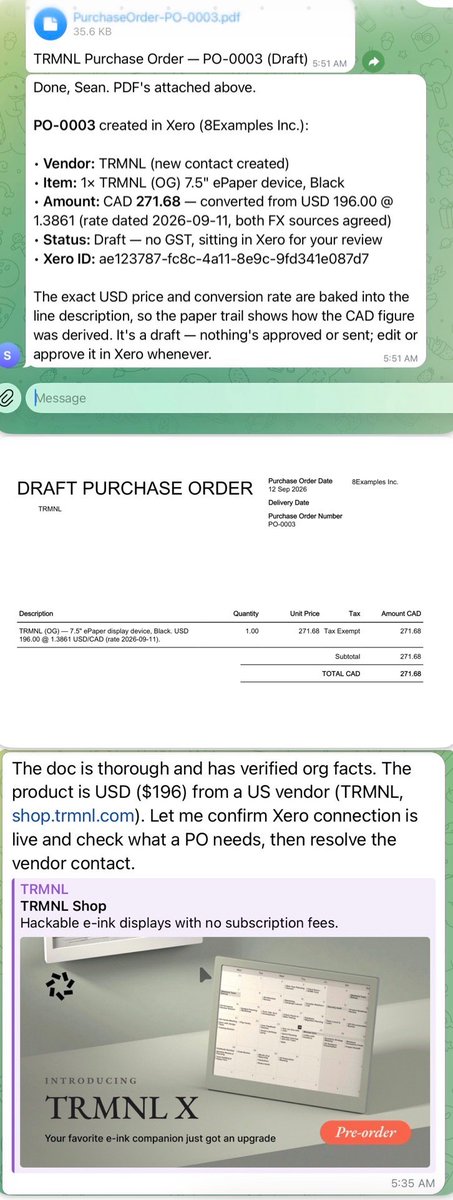
My OpenClaw created a purchase order for its own wireless e-ink display. 📋
I asked in chat, and it used the Xero integration I built at https://t.co/G8iGE2MzO4 to create the PO in Xero. It already has a webcam, a speaker system, and a thermal printer. Now I want to give it a screen for calendars, reminders, and status updates. The paperwork is done. Hopefully my wife approves the purchase order. 😄
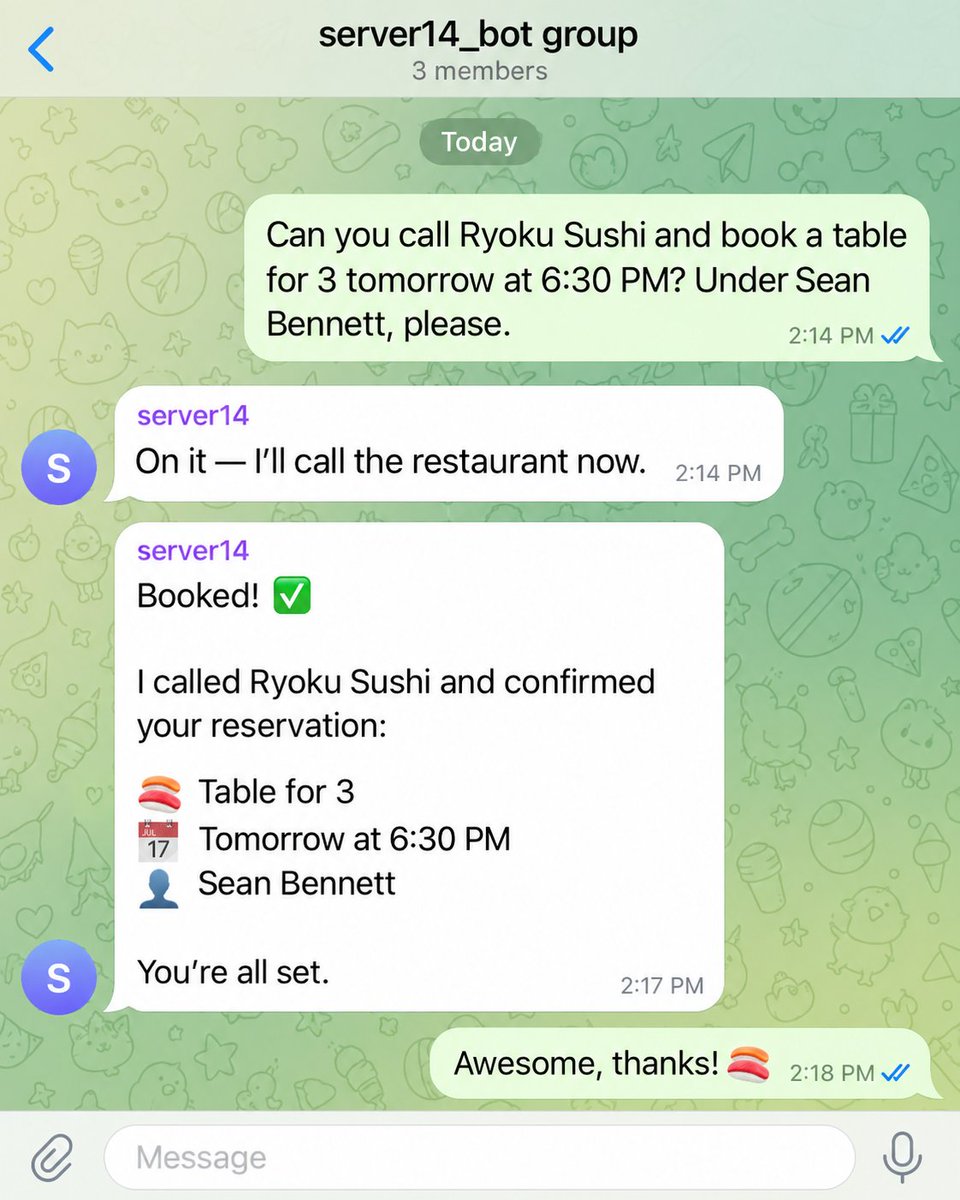
For fun, I’ve been having my OpenClaw handle appointments and reservations by phone. 📞🍣
“Call Ryoku Sushi and book a table for three tomorrow at 6:30.” It can make the call, handle the conversation, and report back with the booking details—all from a request in chat. Giving my assistant a phone has opened up a whole new category of errands to delegate. I’ll still handle eating the sushi. 😄 Sample interaction pictured.
Codex Astra handles the entire iPhone App Store submission for me when I give it access. 📱
I hand over the submission task, and it works through the process while I focus on the app itself. This is the kind of delegation I want from an AI assistant: give it a goal, provide the access it needs, and let it carry the work through to completion. One more part of shipping an app I can hand off. 🚀
Every morning, my OpenClaw prints my daily calendar on a thermal printer. 🗓️🖨️
My schedule is ready to grab, put beside my keyboard, and scribble notes on throughout the day. A quick glance tells me what’s coming up. I’ve somehow ended up using an AI assistant to bring back the paper planner. 😄
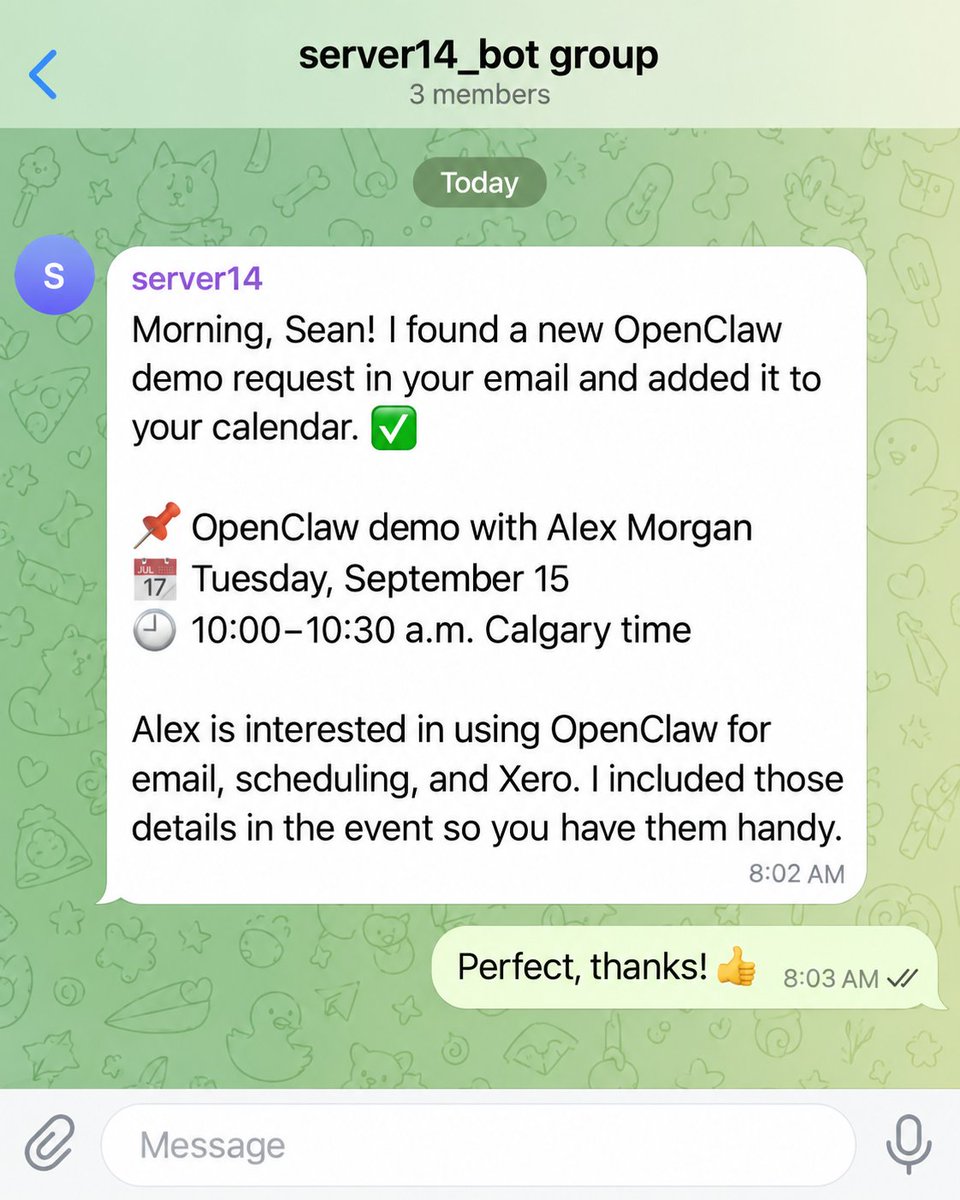
My OpenClaw has a morning routine: check my inbox for calendar invitations and add them to my calendar. 📬📅
One less thing for me to remember, open, and process manually. I like giving my assistant these recurring jobs. Each one takes a little admin off my plate, and together they make the day easier. While I’m getting started, OpenClaw is getting my calendar sorted. ☕
The “Hey OpenClaw” wake word stopped working, so I asked OpenClaw to fix it.
And it did. 🎤🔧 One of the useful things about giving an AI assistant access to its own setup: it can investigate problems and make the changes needed to get things working again. In this case, that meant fixing the voice interface I use to talk to it. “Hey, your ears aren’t working. Can you sort that out?” 😄