📌 챗지피티에서 카드뉴스 디자인 예쁘고 빠르게 뽑는 법
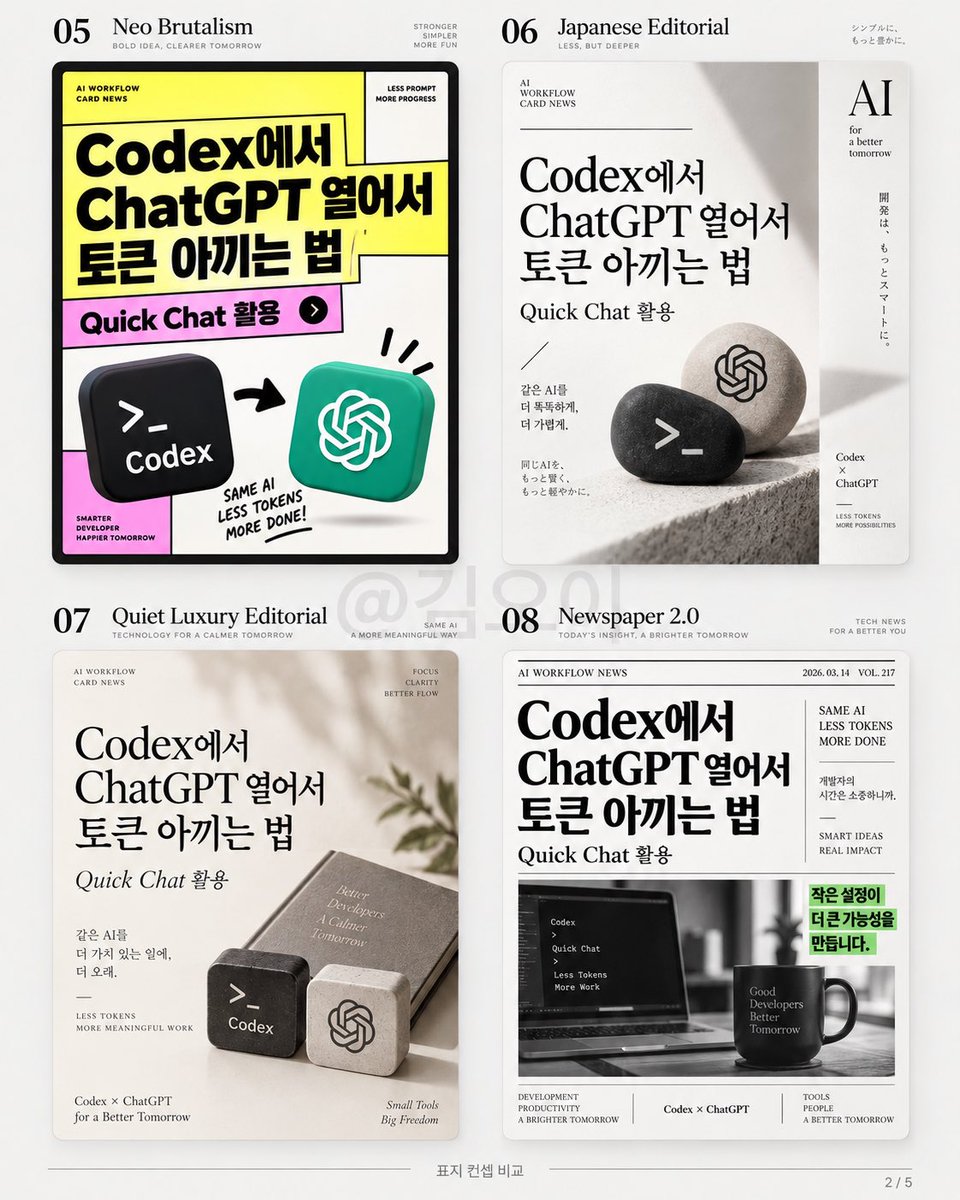
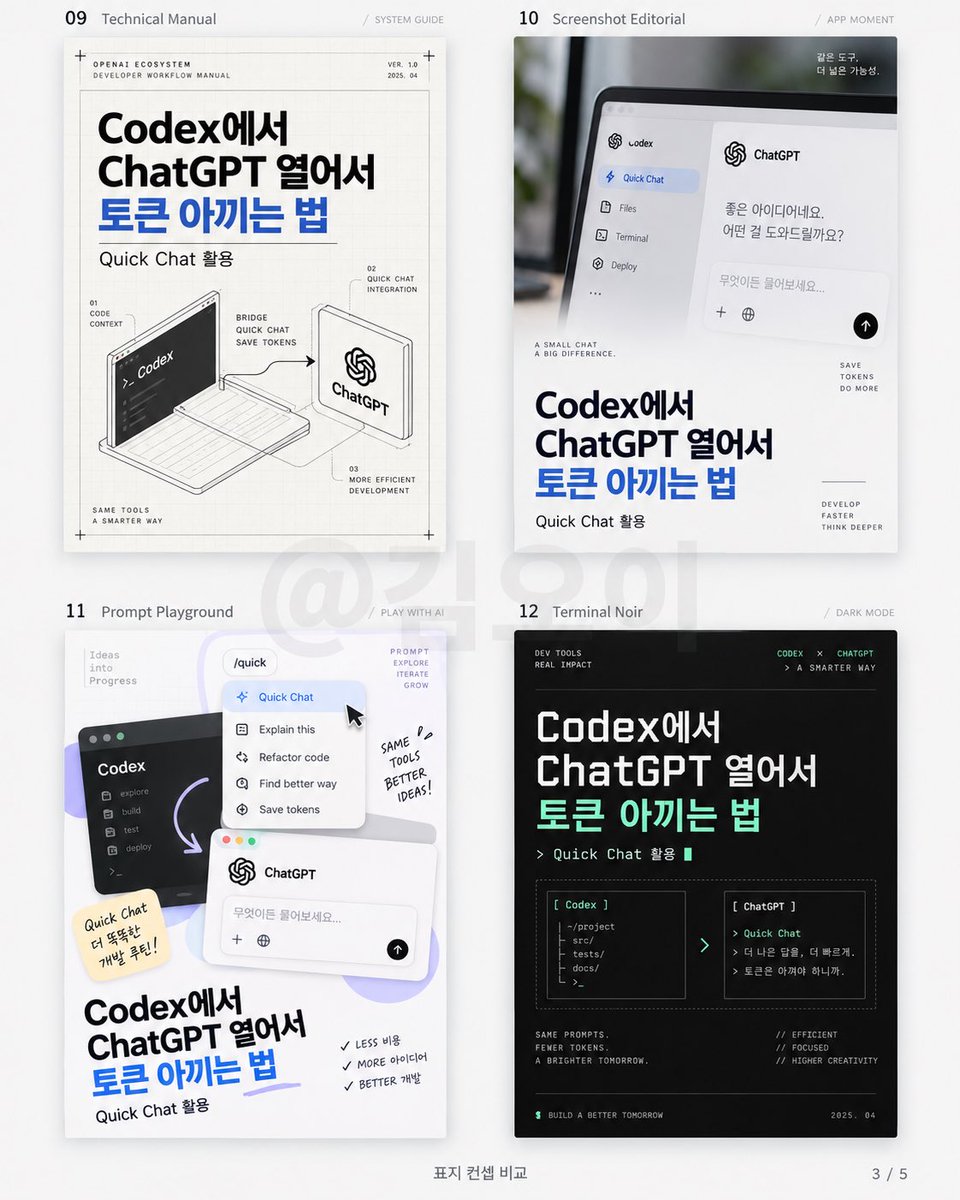
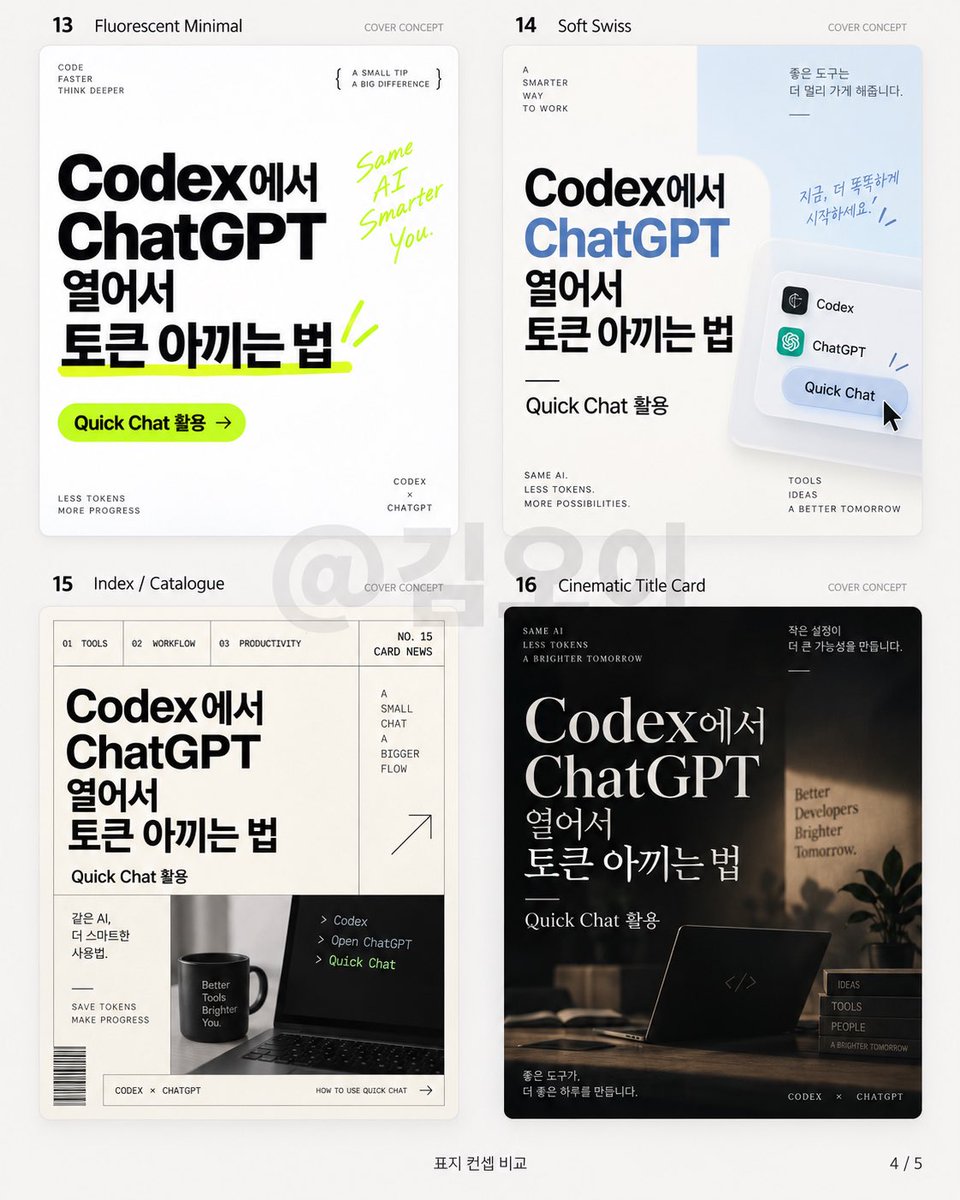
맨날 카드뉴스 만들면 화이트 배경 + 둥근 박스 + 아이콘으로 비슷하게 나와서 아예 같은 문구를 넣고 디자인 컨셉만 20개로 바꿔봤음.
주제는 전부 동일.
“Codex에서 ChatGPT 열어서 토큰 아끼는 법”
📌 비교한 디자인
01 Swiss Typography — 큰 타이포 + 넓은 여백
02 Retro Tech UI — 옛날 컴퓨터 UI 느낌
03 Bento Editorial — 정보를 칸으로 나눈 벤토 구성
04 Monochrome Magazine — 흑백 잡지 같은 고급스러운 느낌
05 Neo Brutalism — 굵은 선 + 강한 원색
06 Japanese Editorial — 일본 잡지처럼 여백과 세로 요소 활용
07 Quiet Luxury Editorial — 베이지톤 + 절제된 고급스러움
08 Newspaper 2.0 — 신문 레이아웃을 현대적으로 재해석
09 Technical Manual — 제품 설명서·설계도 느낌
10 Screenshot Editorial — 실제 화면을 크게 활용하는 구성
11 Prompt Playground — AI UI·커서·창을 디자인 요소로 활용
12 Terminal Noir — 검정 터미널 + 개발자 감성
13 Fluorescent Minimal — 미니멀 디자인에 형광 포인트
14 Soft Swiss — 스위스 디자인을 부드럽게 변형
15 Index / Catalogue — 카탈로그·목차처럼 정돈된 구성
16 Cinematic Title Card — 영화 타이틀처럼 분위기 중심
17 Zine Collage — 종이·테이프·스크랩북 느낌
18 Split Screen — 화면을 둘로 나눠 비교하는 구성
19 Chrome Accent — 미니멀 디자인에 크롬 오브젝트 포인트
20 Modular Poster — 여러 블록을 조합한 포스터형 구성
같은 내용이어도 폰트, 그리드, 사진, 여백만 바꾸면 분위기가 완전히 달라짐.
“예쁘게 만들어줘”보다 디자인 스타일 이름을 정확히 지정하는 게 시간 절약에 확실히 중요함.
AVOID
Do not use:
Colored-pencil aesthetics
Crayon textures
Bleeding watercolor
Pure line-art illustration
Complex realistic illustration
Heavy oil-painting effects
Smooth polished digital illustration
3D rendering
Glossy 3D textures
Commercial cartoon aesthetics
Cute commercial character design
E-commerce advertising aesthetics
Generic poster templates
Excessive decorative elements
Busy compositions
Excessive typography
FINAL ART DIRECTION
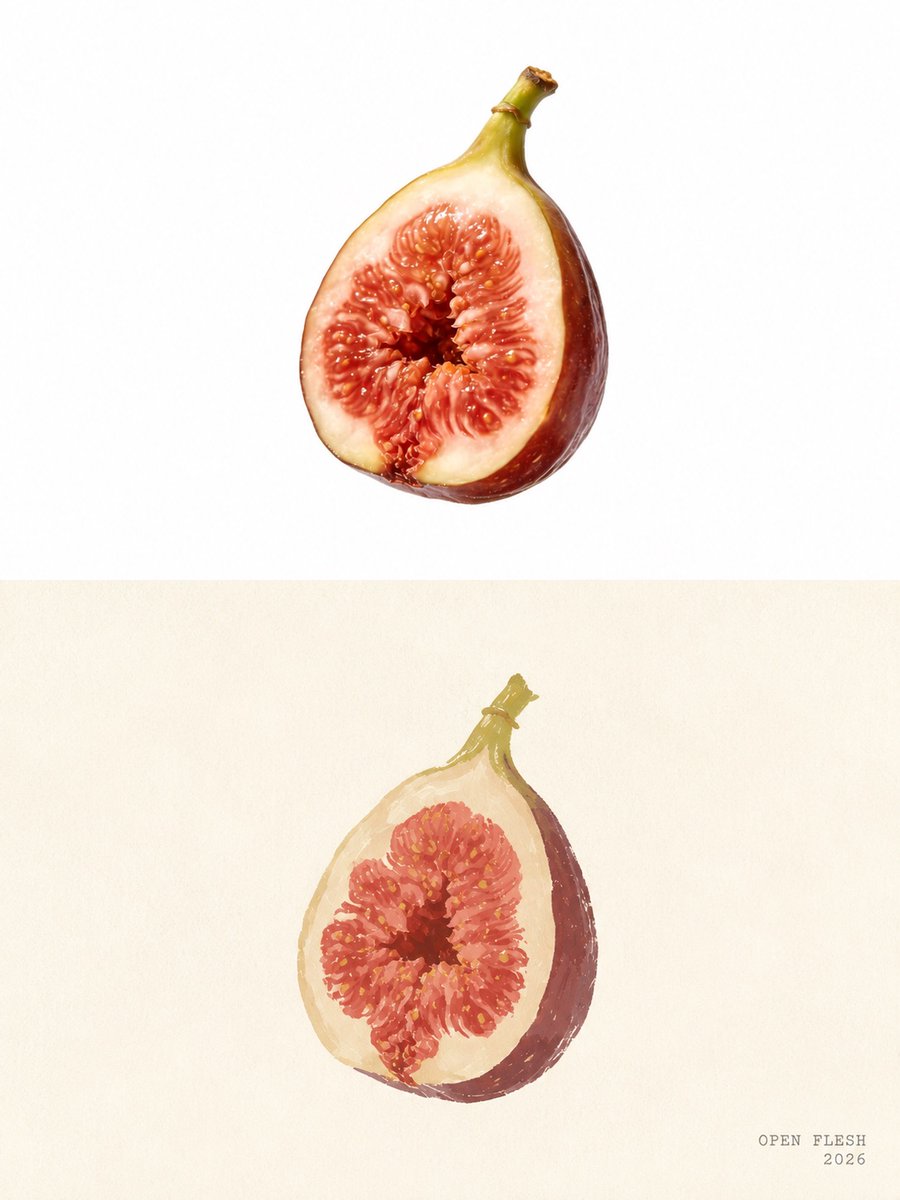
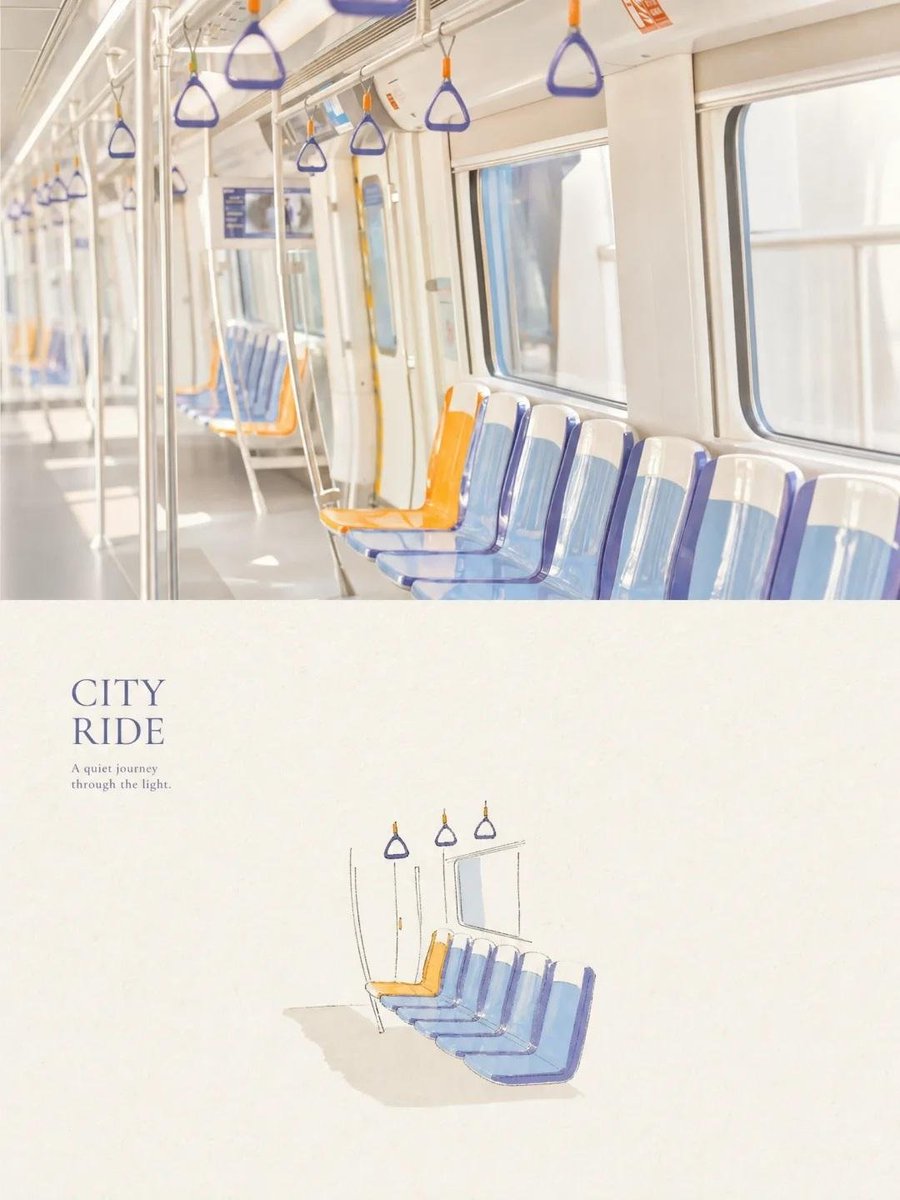
The top half should feel like a beautiful, authentic editorial photograph.
The bottom half should feel like a small, handmade visual poem derived from that photograph.
The two halves should clearly belong to the same visual story, while maintaining a strong contrast between photographic realism above and minimal handmade illustration below.
Prioritize recognition, restraint, negative space, material texture, subtle imperfection, editorial sophistication, and artistic storytelling over decorative complexity
GPT IMAGE 2 on Chatgpt
Prompt:
Create a serene, premium travel photograph of the interior of a modern city train during daytime. Show a clean bright white carriage with large windows glowing with soft natural daylight, a row of empty blue-and-white molded seats along the window, with one distinctive orange seat standing out, stainless-steel vertical poles, overhead rails, and multiple triangular hanging hand straps in blue and orange. Use a slightly wide-angle documentary composition with strong leading lines, soft depth of field, airy high-key exposure, subtle reflections on the windows and metal, gentle pastel tones, realistic textures, understated film grain, calm minimalist atmosphere, authentic travel photography, sophisticated editorial aesthetic, natural imperfections, vertical 4:5 composition, no people, no logos, no watermark.
Prompt 2
Create a minimalist vintage travel-journal illustration of the same modern city train interior: a row of empty blue-and-white seats beside large windows, one distinctive orange seat, thin stainless-steel poles, overhead rails, and several triangular hanging hand straps. Draw it with delicate imperfect ink outlines combined with soft watercolor washes in muted blue, pale orange, warm gray and cream. Place the illustration on slightly aged warm ivory paper with visible fibers, subtle paper grain, uneven hand-painted edges, tiny print imperfections and lots of elegant negative space. Add refined editorial typography reading “CITY RIDE” with the small subtitle “A quiet journey through the light.” underneath. Contemporary Japanese travel-zine aesthetic, quiet nostalgic mood, sophisticated minimal graphic design, handmade feel, balanced composition, vertical 4:5 format, no logos, no watermark.
⚠️CVE-2026-60004 (CVSS 9.8)⚠️
A single malicious patch can hand an attacker your entire Gitea server. 😱
Any user who can push to a repo just sends the same file twice — and Gitea runs their code as the server account. No admin. No exploit chain. Full Remote Code Execution.
If you self-host Gitea, patch to 1.27.1 now.
🔥PoC + setup: https://t.co/ooY67Ihj9T
#Gitea #RCE #CVE #PoC #Exploit #CyberSecurity #CVE_2026_60004
국어학 전공자가 만든 클로드 코드 스킬
한국어를 좀 정확하게 말하게끔 해줌
/plugin marketplace add snflkd/fluent-korean
/plugin install fluent-korean@fluent-korean
이렇게 두 줄 치고 /clear 입력
⚠️Critical Authentication Bypass in Gitea Docker images.⚠️
In Gitea Docker images up to and including 1.26.2, REVERSE_PROXY_TRUSTED_PROXIES was set to `*` by default.
When reverse-proxy authentication is enabled and the Gitea container port is directly reachable, unauthenticated attackers can spoof the X-WEBAUTH-USER header to impersonate any existing user—including an administrator—without a password or session cookie.
This may allow attackers to access private repositories, source code, secrets, and administrative functionality. Users should upgrade directly to Gitea 1.26.4 and restrict trusted proxies to the intended proxy addresses.
🔥PoC + Vulnerable environment:
https://t.co/NOyLd2rCzB
#Gitea #AuthenticationBypass #AccountTakeover #Docker #ReverseProxy #CyberSecurity #CVE #PoC #Exploit #CVE_2026_20896
현재 Codex를 최고로 활용하는 방법. (프롬프트 복붙하세요)
Sol 모델을 팀장 처럼 활용하고
luna 모델을 실무자 처럼 다루는거임
Sol이 작업 분배
→ Luna 워커들이 병렬 처리
→ Sol이 결과 검수
→ 부족한 부분만 재작업
이렇게 오케스트레이터를 사용하면
좋은 성능의 sol로 머리 역할을 해서 지시를 내리고
Luna는 저렴하게 일을 하게 되서 가성비 있게 최고의 모델을 사용 가능함
그래서 어떻게 하냐?
프롬프트 댓글에 적어 놓겠습니다
AI 돈 내고도 뭘 시켜야 할지 모르겠다면 이 프롬프트 10개만 저장해두면 됨
(계획, 자료조사, 글쓰기, 연봉 협상, 사업 아이디어 확인까지)
1. 오늘 할 일 정리
“오늘 목표는 [ ]
해야 할 일은 [ ]
마감은 [ ]입니다
먼저 해야 할 3개를 골라주고
시간 순서대로 정리해주세요
미뤄도 되는 일도 따로 알려주세요”
2. 자료조사
“[주제]를 처음 보는 사람도 이해하게 조사해주세요
핵심 내용
최근에 달라진 점
중요한 숫자
관련 회사나 인물
주의할 점을 출처와 함께 정리해주세요”
3. 머릿속 생각 정리
“아래 내용은 생각나는 대로 적은 메모입니다
내가 하고 싶은 말을 한 문장으로 잡아주고
읽기 편한 순서로 정리해주세요
빠진 내용은 질문으로 남겨주세요
[메모 붙여넣기]”
4. 어려운 내용 공부
“[내용]을 중학생도 이해할 정도로 설명해주세요
쉬운 비유와 실제 예시를 넣고
사람들이 자주 헷갈리는 부분도 알려주세요
마지막에는 3줄로 다시 정리해주세요”
5. 둘 중 하나 고르기
“현재 상황은 [ ]이고
선택지는 [A]와 [B]입니다
각각의 장단점
돈과 시간
최악의 경우
나중에 생길 문제까지 비교해주세요
지금 가장 현실적인 선택도 말해주세요”
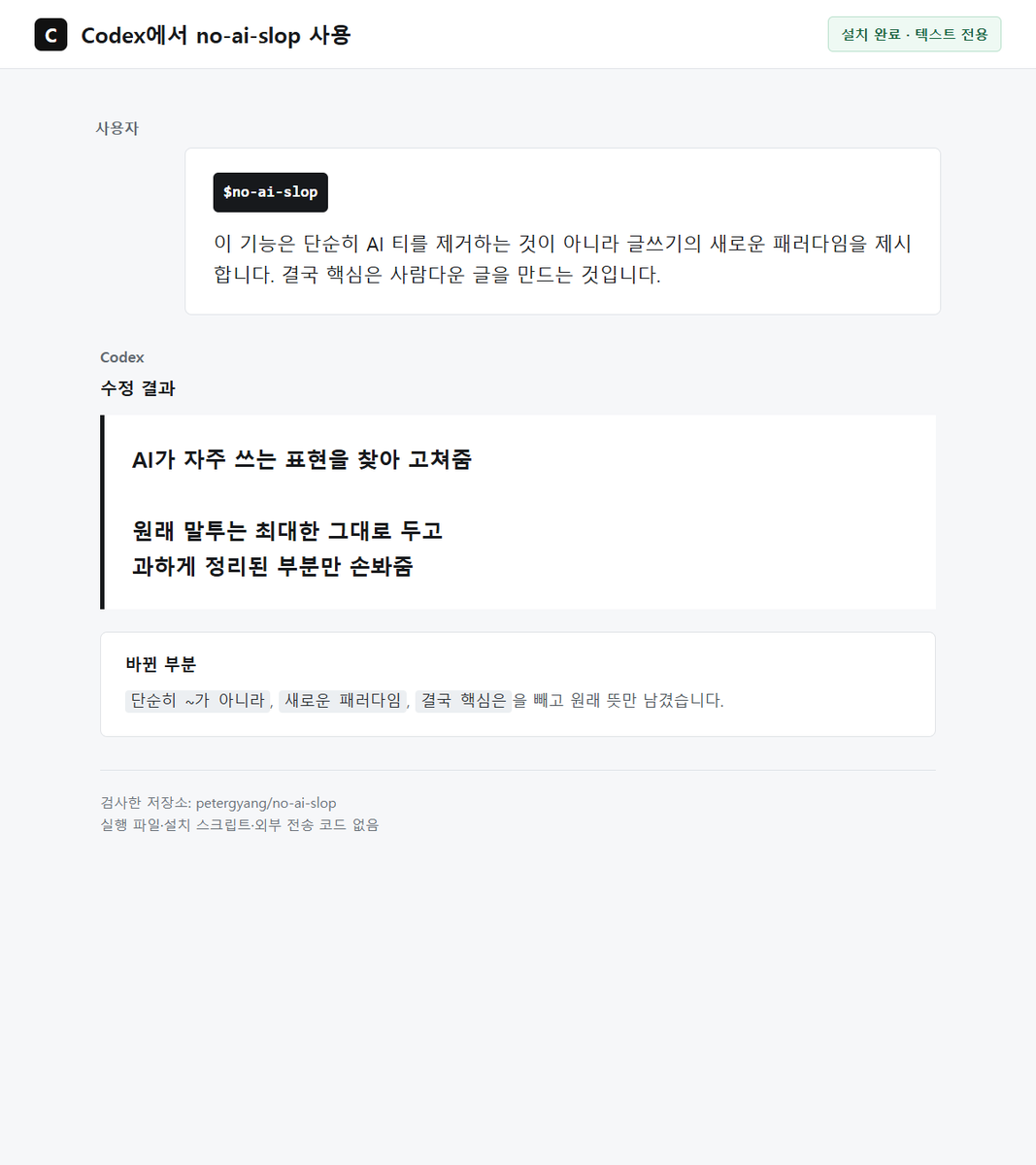
6. 내가 쓴 글 다듬기
“아래 글의 내용과 말투는 그대로 두고
맞춤법과 어색한 문장만 고쳐주세요
새로운 주장이나 거창한 결론은 넣지 말고
사람이 직접 쓴 느낌은 살려주세요
[글 붙여넣기]”
7. 문제 해결
“지금 겪는 문제는 [ ]입니다
확인된 사실과 추측을 나눠주고
무엇부터 확인해야 하는지 알려주세요
가능한 해결 방법 중
돈과 시간이 가장 적게 드는 것부터 정리해주세요”
8. 사업 아이디어 검사
“제가 생각한 아이디어는 [ ]입니다
누가 이걸 필요로 하는지
왜 돈을 낼지
이미 비슷한 제품이 있는지
가장 큰 문제는 무엇인지 알려주세요
돈을 쓰기 전에 7일 안에 시험할 방법도 만들어주세요”
9. 이력서 고치기
“아래 이력서와 채용 공고를 비교해주세요
빠진 키워드
숫자로 보여줄 수 있는 성과
고쳐야 할 문장만 표시해주세요
제가 하지 않은 경험은 만들지 마세요
[이력서]
[채용 공고]”
10. 조회수 잘 나온 글 분석
“아래 글이 왜 반응이 좋았는지
첫 문장
글의 순서
사람들이 공감한 부분
저장하거나 공유한 이유로 나눠서 분석해주세요
내용은 베끼지 말고
제 주제인 [ ]에 적용한 새로운 글 3개를 만들어주세요
[원문 붙여넣기]”
Claude 기준으로 정리했지만
ChatGPT나 Gemini에 그대로 넣어도 됨
Figma와 AI Agent의 직접 연결, 디자인·개발 협업의 판이 바뀐다
디자이너와 개발자가 스크린샷 보내고, 주석 달고, 문구 수정하느라 왕복하던 시대가 끝나는 중.
이 MCP 하나면 Cursor, Claude Code, Codex가 `Figma`에 직접 붙음.
AI Agent에게 한마디만 하면 디자인 파일을 읽고, 필요하면 Figma 안의 요소까지 수정함. 🔥
페이지 구조·컴포넌트·컬러·간격·선택 레이어를 읽고, 전체 카피 교체나 컴포넌트 인스턴스 일괄 수정도 가능.
프레임·텍스트·버튼 생성, Auto Layout·패딩·라운드·사이즈 조정, 프로토타입 연결을 FigJam 플로우로 변환하고 PNG/SVG/PDF 내보내기까지 지원함.
진짜 재밌는 흐름은 이거:
Figma 링크를 AI에 던짐 → 디자인을 이해하고 프론트엔드 구현 → 버튼 카피가 이상하면 다시 Figma로 돌아가 일괄 수정.
이제 Figma는 “개발자에게 보여주는 이미지”가 아니라
AI가 직접 읽고 조작하는 작업 공간이 됨.
Grab 오픈소스, GitHub 6.9k Star.
디자인과 개발 사이의 벽을 MCP가 진짜로 허물기 시작한 느낌.
🔗Github: https://t.co/mnq6jhUh3C
#AI #AICaffeine #Figma #MCP
UI TASARIMLARINDA SLOP GÖRÜNME DEVRİ BİTTİ!
Hallmark diye açık kaynak bir design skill çıkmış. Claude Code, Cursor veya Codex'e ekleyip kullanabiliyorsun. UI ve landing page'leri baştan itibaren tasarım duyarlılığıyla ürettiriyor.
Kurulumu tek satır. Şunu yazman yeterli:
npx skills add nutlope/hallmark
Sadece kodlamayı AI'a bırakırsan çalışan ama görsel olarak sönük ekranlar çıkıyor. Diğer tüm AI ile yapılan sitelerin birebir kopyası gibi görünüyor ve işe yaramaz oluyor, zaten buna da slop design diyoruz.
Bu skill'i verince iş baştan daha profesyonel görünüyor. Skill'e tasarım kurallarını, arayüz prensiplerini baştan sona öğretmişler.
Claude Code veya Codex ile UI üretenler için denemeye değer.
Örnekler videoda var.
AI에 대해서 공부하고 싶으시다면
'3Blue1Brown' 유튜브 채널 추천드립니다
채널명은 '3Blue1Brown 한국어' 입니다
현대 트랜스포머와 머신러닝, 딥러닝의 기초가 되는 신경망 구조에
대해서 비전공자도 이해하기 쉽도록 만든 영상이에요.
원래는 영어 영상인데, 한글로 더빙하셔서 쉽게 공부할 수 있답니다!
수학적인 개념과 원리가 들어있으니 이해하기 쉬울 거에요
그리고 또 더 고맙게도,
Michael A. Nielsen이 작성한
'Neural Networks and Deep Learning '도 김시현이라는 분께서
아주 잘 번역해두셨더라구요!
이것도 링크 달아드릴게요!
🔗링크1: 3Blue1Brown - ML/DL
https://t.co/VUlzpEpwqL
🔗링크2: Sihyeon-kim- 뉴럴네트워크와 딥러닝
https://t.co/MLJQpHYUom
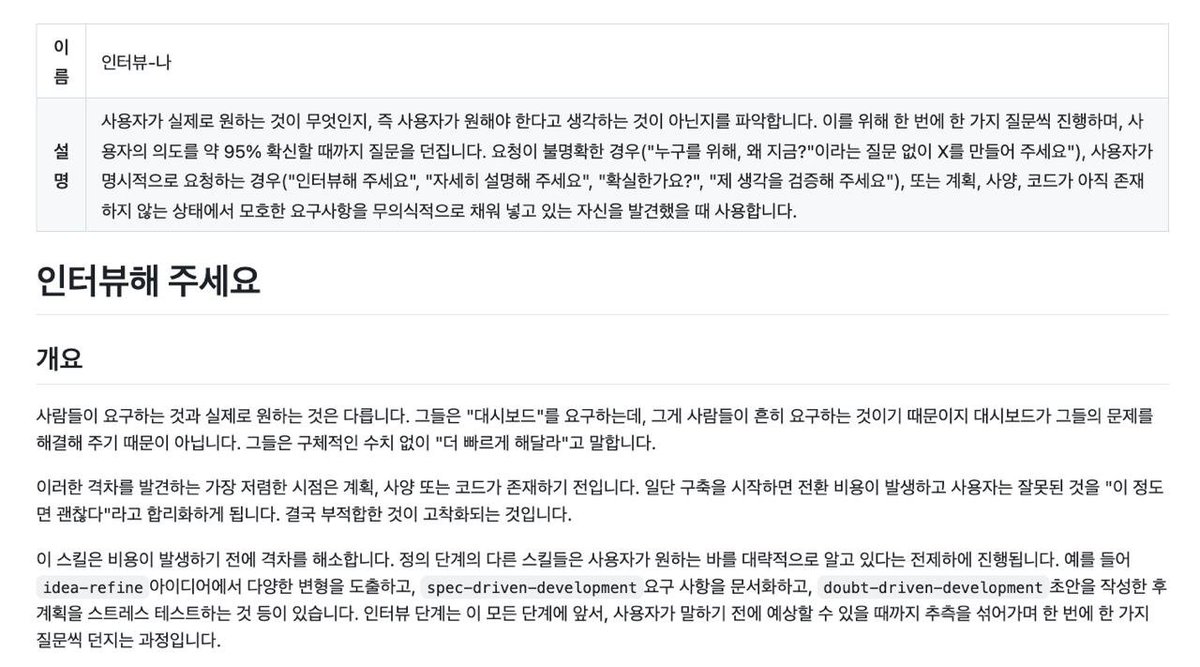
요구사항이 애매하면
Agent도 결국 눈치 보면서 대충 밀어붙이게 됨 😅
이럴 때 진짜 체감 좋은 Skill이 딱 2개 있음.
핵심은
`Agent가 먼저 제대로 물어보게 만드는 것`임 👀
1. interview-me
말 그대로
끝까지 파고드는 인터뷰형 Skill 🧠
애매한 요구를 바로 실행하지 않고
먼저 맥락, 목표, 제약조건부터 캐묻게 만들어줌.
🔗https://t.co/DQe4lpTvxT
2. grilling
이건 진짜 이름 그대로임 ㅋㅋ
불필요한 말 다 빼고
계속 핵심만 찔러서
요구사항이 모호한 상태를 못 버티게 만드는 스타일 🔥
한 번 쓰면 왜 다들 좋다고 하는지 바로 이해됨 😂
🔗https://t.co/aZ0pJRXpwj
좋은 Agent는 바로 일하는 게 아니라,
먼저 제대로 캐묻는 Agent임. ✅
#AI #AICaffeine #skill
AI 가 직접 브라우저를 조작해줌 (GitHub repo)
browser-use라는 건데 스타가 10만 개 넘게 찍혀있습니다
쉽게 말하면
AI가 사이트에 들어가서
직접 조작해서 검색부터 만드는거 코딩까지도 가능함
예를들면
내가 만들고 싶은 기능을 AI한테 말함
AI가 코드 짬
browser-use가 브라우저에서 실제 화면을 열어봄
버튼이 눌리는지
로그인이 되는지
폼이 제대로 작동하는지
에러가 뜨는지 확인함
문제 있으면 다시 코드 수정까지 해줌
AI초보자라면 써보는걸 추천함
이런 repo는 한 번 저장해둘 만한 듯함
링크⬇️
https://t.co/aF1o0esc3G