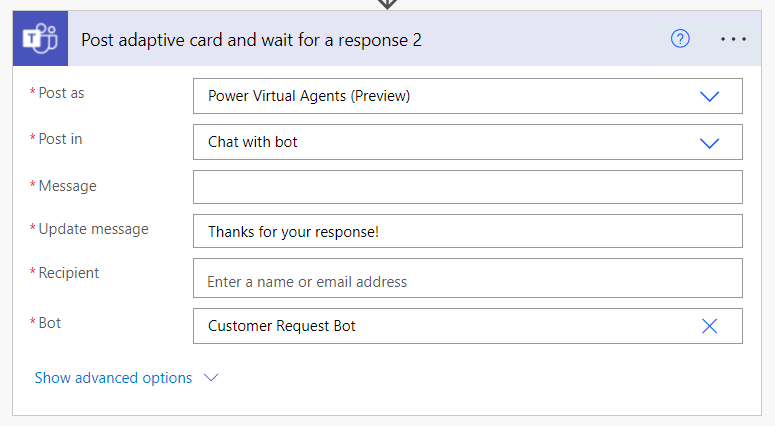
Hot off the press, excited to share we have just published a handful of new #PowerPlatform#CoEStarterKit videos. Starting with an updated walkthrough of setup instructions (the most difficult to keep up to date) https://t.co/VtSojWFlTE
And we're live with the June #CoEStarterKit release - for the first time, super coordinated with our docs team to go live at the VERY SAME TIME.
https://t.co/anCCOMfOUy
Start your week off with a quick Power Apps video teaching you how to connect dataverse to power automate and vice versa #powerapps#Microsoft https://t.co/VXey5LHfAM
Can you tell that one of my favorite topics is Power Apps UI/UX? Learn how to make the #PowerApps#UI configurable to your users by adding a #darkmode and light mode toggle option in my latest video. #PowerPlatform
Watch Now: https://t.co/JbWdoKwUPG
CALIFORNIA DROUGHT UPDATE: The U.S. Drought Monitor released new data on California's drought conditions Thursday – and what a difference a week makes. https://t.co/es1DU1SLCq
Just noticed "Find and Replace" in the expression editor for @MSPowerApps! It will be much easier to replace table names, columns or find keys in collections while developing canvas apps..
#PowerApps#PowerPlatform#PowerAddicts
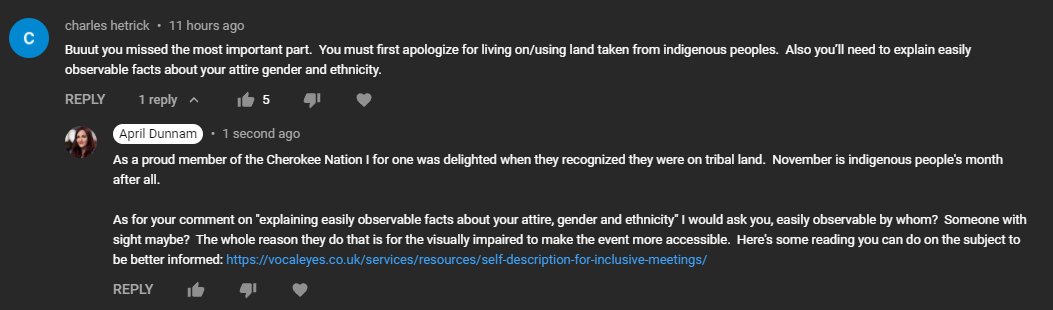
The fact that someone took the time to post this on my Ignite video & 5 people liked it made me realize we need to increase awareness on this issue. The self descriptions of appearance you saw the hosts doing at Ignite were for #accessibility. Please research before criticizing.
Want to add a little more ooomph to your #PowerApps people pickers? See how to create a #MicrosoftTeams esq custom people picker like this in your Power Apps in my latest video.
Watch Now: https://t.co/Uwbgx44m4v
I'm back with another Microsoft Power Platform YouTube video! This one is a quick clip on Power Automate. #PowerApps#PowerAutomate#Microsoft365
https://t.co/hSlZoerfUk