aVersion_Lines is out!
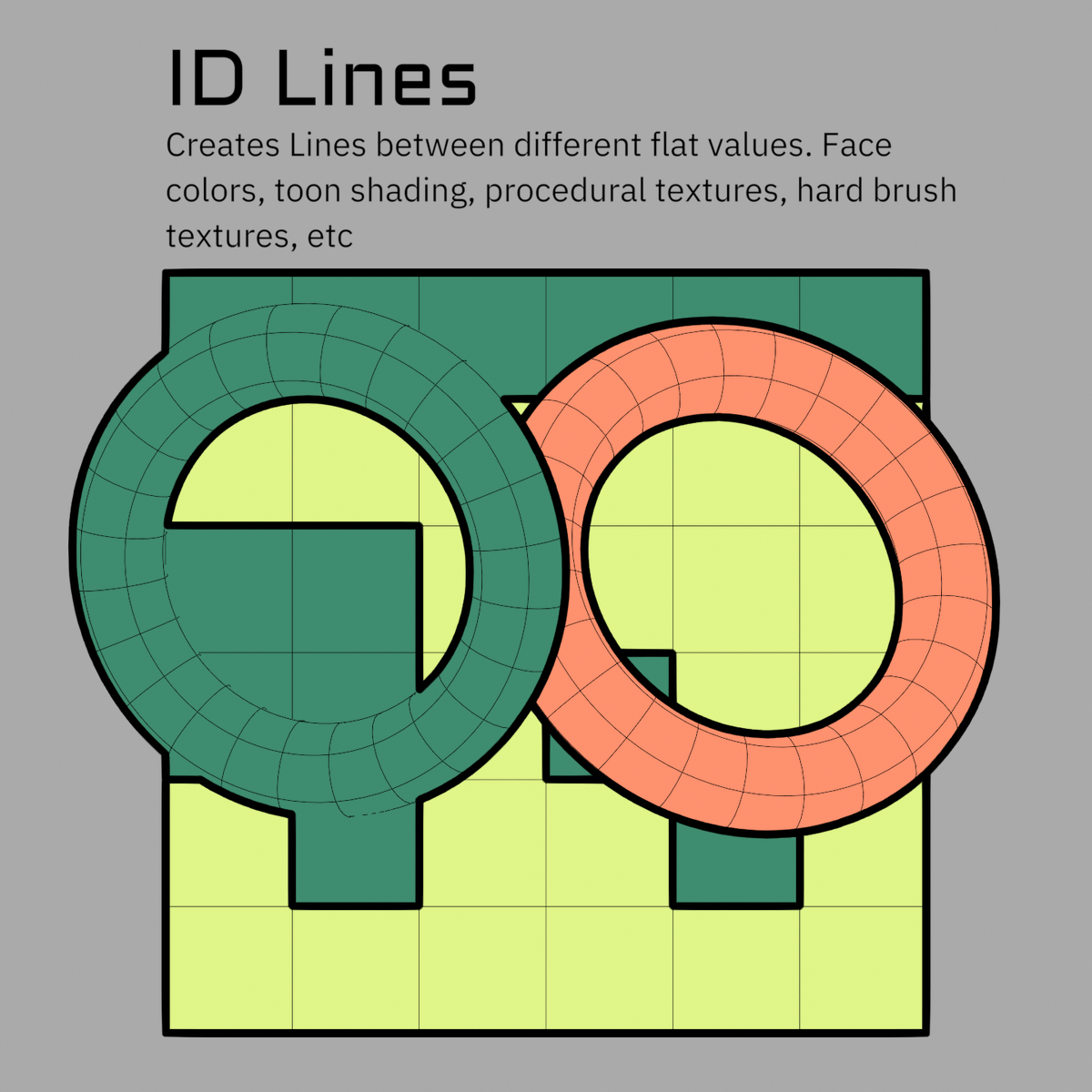
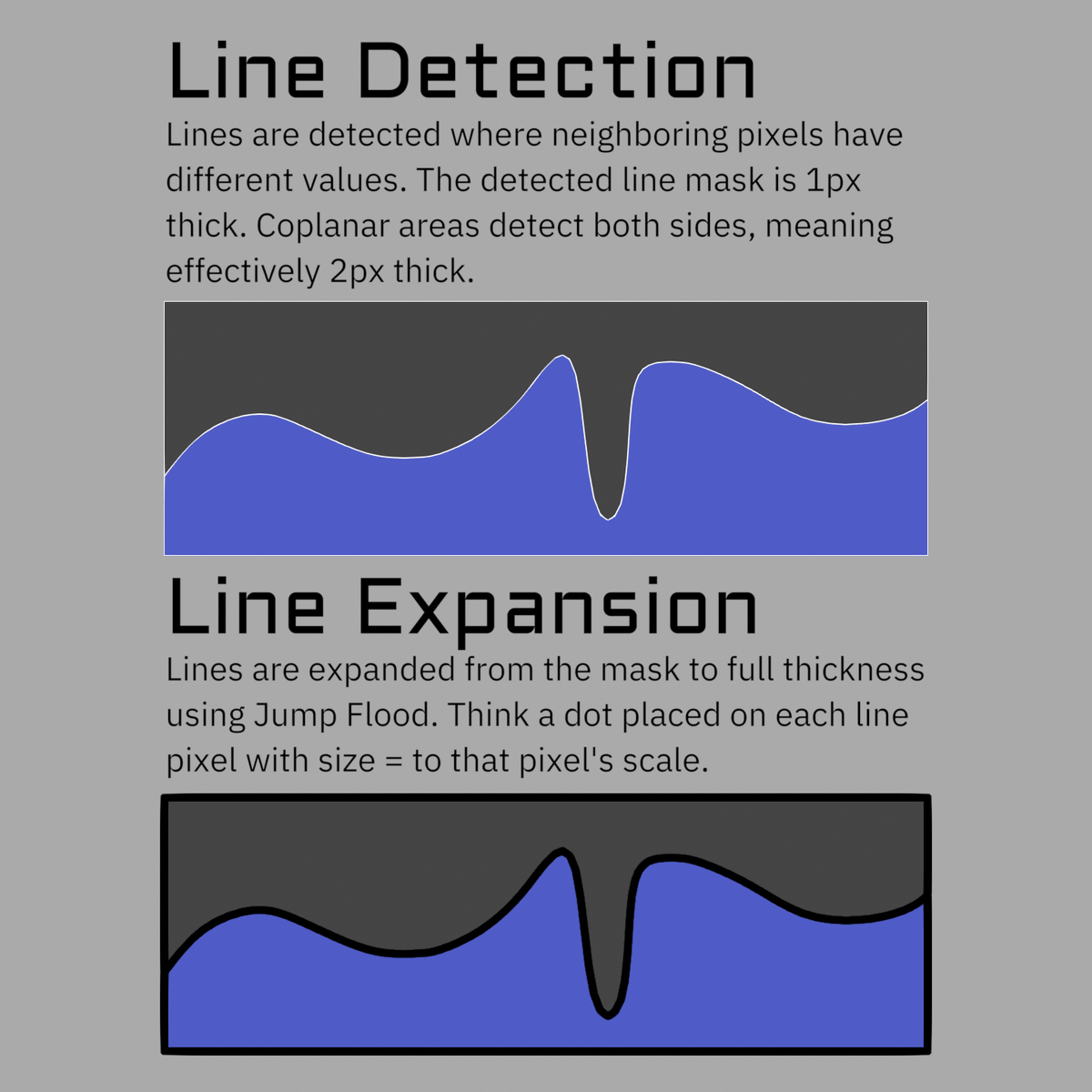
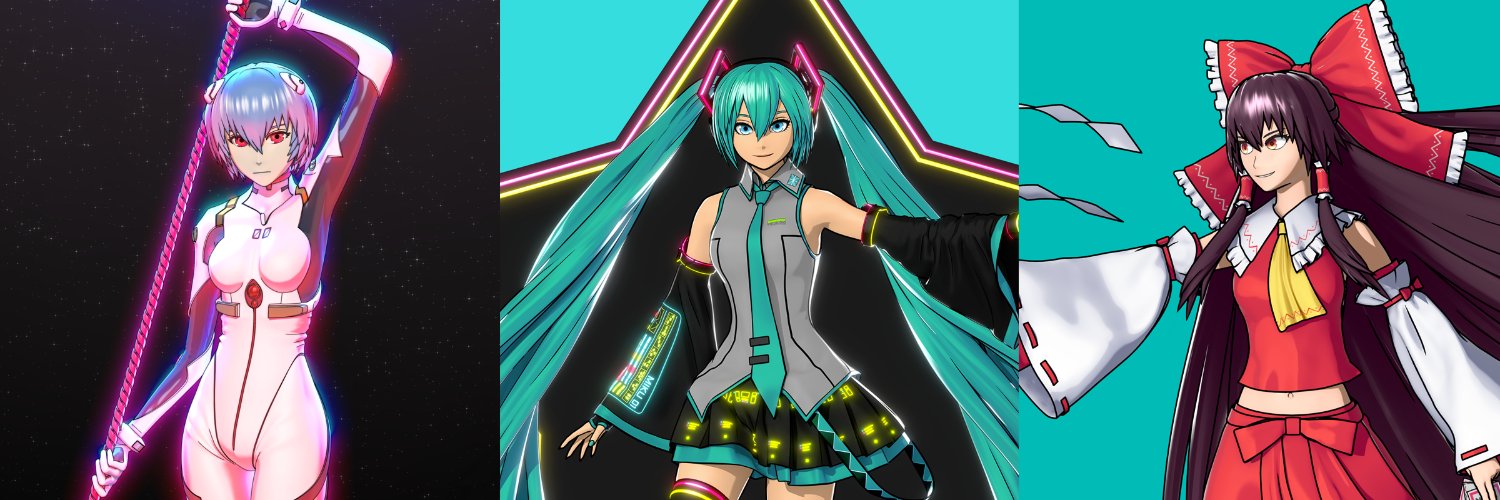
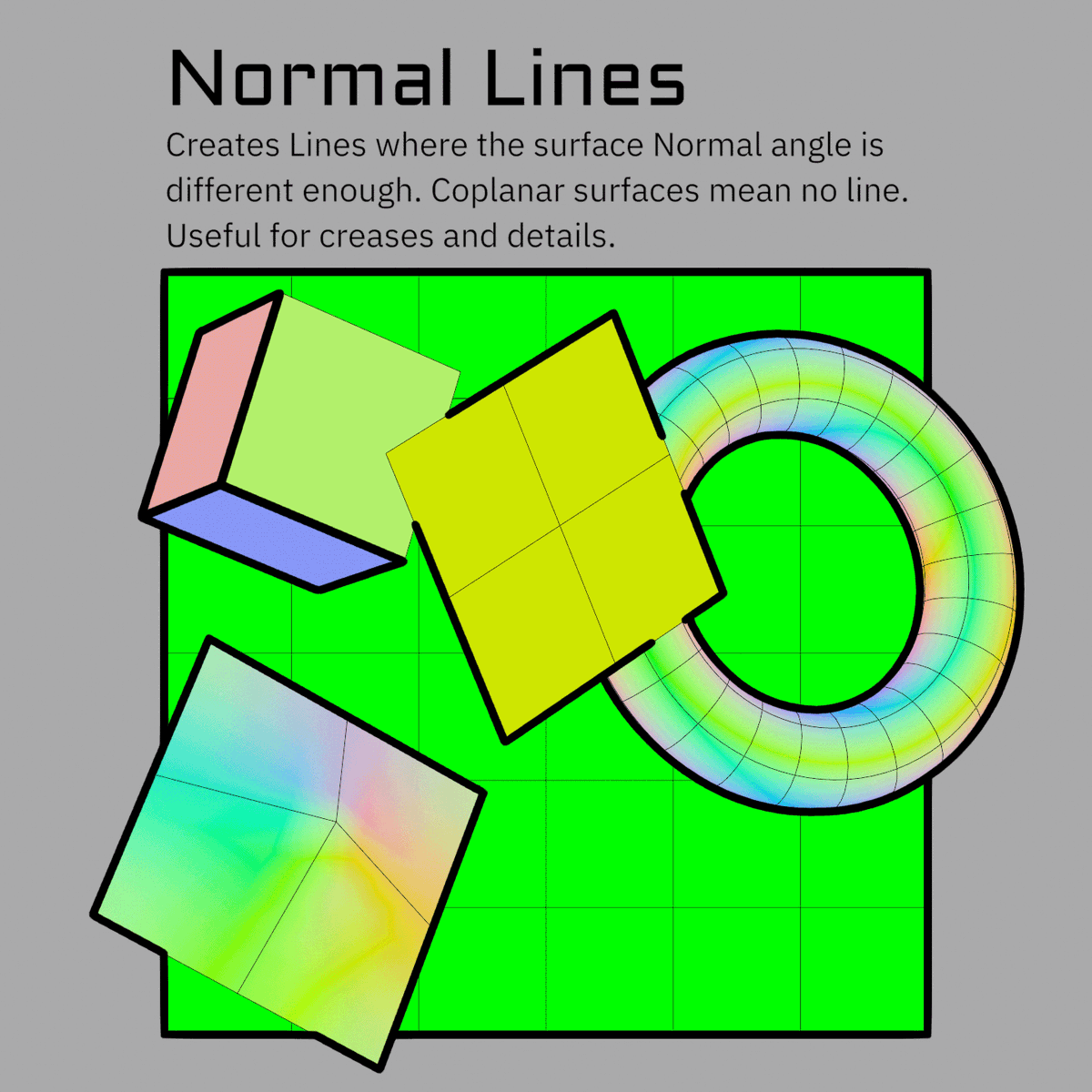
Draw lines from any data, not only geometry. Screen-space Jump Flood line art in Blender 5.2's Compositor. Draw lines from Depth, Normals, or Custom Color IDs.
Store: https://t.co/grq8LLZ8Lk
Guide: https://t.co/fD5lXMhCbl
Docs: https://t.co/uRF3lO87W8
@erindale_xyz@HappySlice@MatterCg They are proficient if you give them precise enough instructions, but that requires you to already know geonodes 🤣 So you are safe still.
@WitoTV Its a blender compositor effect, so I'm afraid it cannot export at all. An equivalent post processing stack would have to be built in unity (which it could be, but an exact copy wouldn't be suited to real time.)
aVersion_Lines is out!
Draw lines from any data, not only geometry. Screen-space Jump Flood line art in Blender 5.2's Compositor. Draw lines from Depth, Normals, or Custom Color IDs.
Store: https://t.co/grq8LLZ8Lk
Guide: https://t.co/fD5lXMhCbl
Docs: https://t.co/uRF3lO87W8
aVersion_Lines is out!
Draw lines from any data, not only geometry. Screen-space Jump Flood line art in Blender 5.2's Compositor. Draw lines from Depth, Normals, or Custom Color IDs.
Store: https://t.co/grq8LLZ8Lk
Guide: https://t.co/fD5lXMhCbl
Docs: https://t.co/uRF3lO87W8
If you're into stylized 3D, check out this tool for Blender's Compositor by @AversionReality, which creates line art from rendered images instead of relying solely on geometry.
Available now with 25% off: https://t.co/ozagNPAZ9S
aVersion_Lines is out!
Draw lines from any data, not only geometry. Screen-space Jump Flood line art in Blender 5.2's Compositor. Draw lines from Depth, Normals, or Custom Color IDs.
Store: https://t.co/grq8LLZ8Lk
Guide: https://t.co/fD5lXMhCbl
Docs: https://t.co/uRF3lO87W8
Looking good! Yes, since these are Screen Space Lines and not Geometry Lines, it has no concept of a stroke, and so can't measure their length. That's the tradeoff for being able to access shader data instead. You can set different widths in different areas with an attribute, texture, material setting, etc. In the future I plan to make it so that you can pipe geometry based lines into the system too. Then you'll be able to change scale based on length for geo-derived lines, which would cover everything here :)
Also, not sure if your pictures are zoomed in, but you may want a lower threshold on the Anti-Aliasing node.
@VyperiSer Haha nice! And thanks :)
I covered the basics in the guide video, but there's a lot more that will need a project example to really get across. But let me know if you find anything interesting, or have any questions!
Like other 3D line art, the quality is still heavily dependent on your mesh. This tool gives more options, but it isn't a magic button to get nice lines on any model. Dirty input = dirty output, as always.
It doesn't care about topology as much as geometry based line art, but since it also gives you the ability to feed in textures and shader data, you have more opportunities for things to get funky!
The big drawback (for now) is that you need to disable regular filter Anti-Aliasing and then use the Anti-Aliasing node in the Compositor instead. This is worse quality in general, but for most toon or stylized work its still fine with the right settings. This will hopefully change with upcoming Compositor AA improvements.
It is also heavy on the VRAM use. If you are doing very high resolution and don't have 8gb VRAM, it may run over into system RAM. It will still work, but that slows things down. This will hopefully also change with further Compositor improvements.
Please see the documentation for other requirements and limitations before you buy:
https://t.co/HpXQuHRFWV