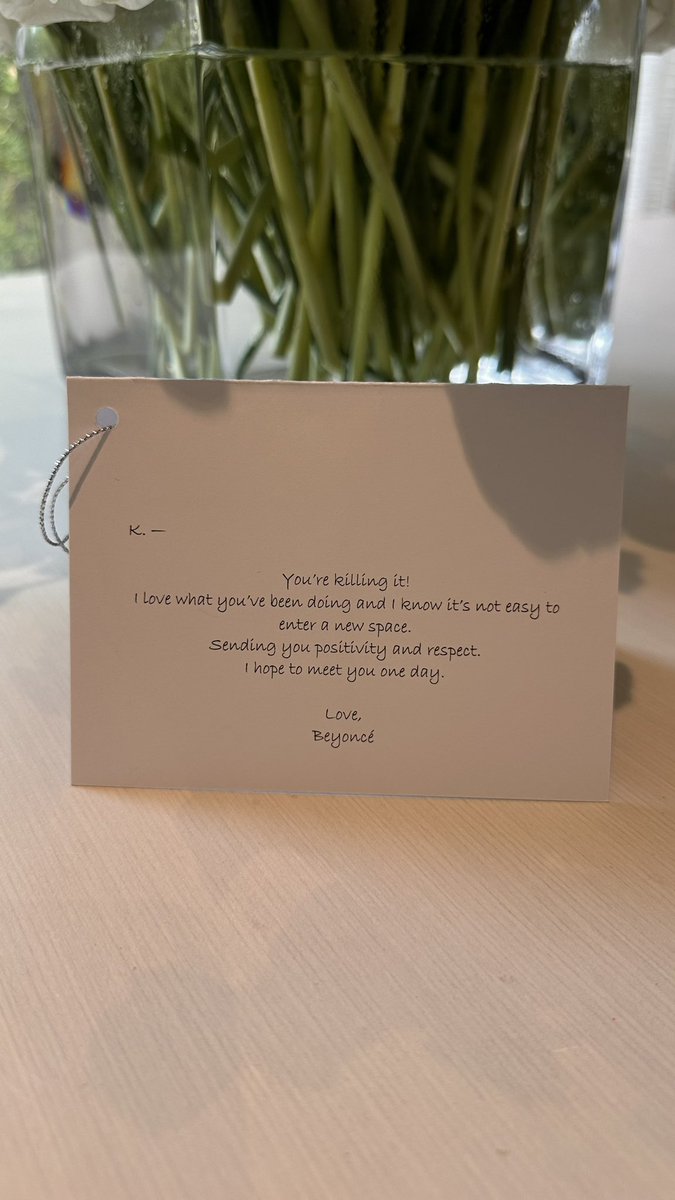
Beyonceeeeeeeeeeeee! WOW! This is soooo nice. One of the nicest things EVER, I’m in tears. Thank you for giving me my flowers, they are so beautiful. I’m so nervous about FINALLY getting to put out my first country album, and this just fueled the fire 🔥 I’m so motivated. Congratulations on another ICONIC ALBUM AND ERA. Look forward to seeing you soon. Do your thing Cowboy Carter @beyonce YOU ROCK. So much love and support 4u🌻🔥🙏🏽🙏🏽🙏🏽
Hard times have fallen on our family and my mother Specifically, we ask that you keep my mother in your prayers, for any type of support helps a long way ❤️ The fight is on and we are behind you Mom 🤎🙏🏽 @TLew3DK#FxxxCANCER
https://t.co/ebJrGG4lyC
He worked at this fast food restaurant my dad owned. He lived in this really beat down apartment with his bff, they said they came to America for a “better life.” One day his parents came to my parents house looking for him, turns out he was the Prince of Zamunda.
⭐️ALL EL PASO PRODUCERS SINGERS RAPPERS AND ANYONE WHO JUST WANTS TO GET INTO MUSIC⭐️
Im bringing multi platinum producers “chase the money” and “Ron Ron do that shit” to the city for a FREE producer camp a day before the Young nudy concert!!! 21st is the camp 22nd is the show🫶🏼
adobe PS retouching tip — wanna get rid of flyaways in under 1 min? this is my fave trick step-by-step:
1. create a new layer
2. change blend mode to “lighten” if your subjects hair is darker than the background OR “darken” if it’s lighter than your background
3. select your “spot healing” tool then lower the hardness to 0%
4. draw on the hair with your spot healing tool and watch the flyaways disappear! if your background is solid you won’t even need to retouch your background to make it look seamless 🌞 you’re welcome!