The Been There, Built That YouTube channel is here: short explainers on how familiar tech actually works, plus demos of the network tools we build.
Subscribe: https://t.co/0O99TrhHKI
New on Been There, Built That: how to get your US ham radio license, step by step. FRN, finding an exam session, fees, your call sign, your first radio, and how to actually study for the Technician test. 📻
https://t.co/0FyNMTXVvg
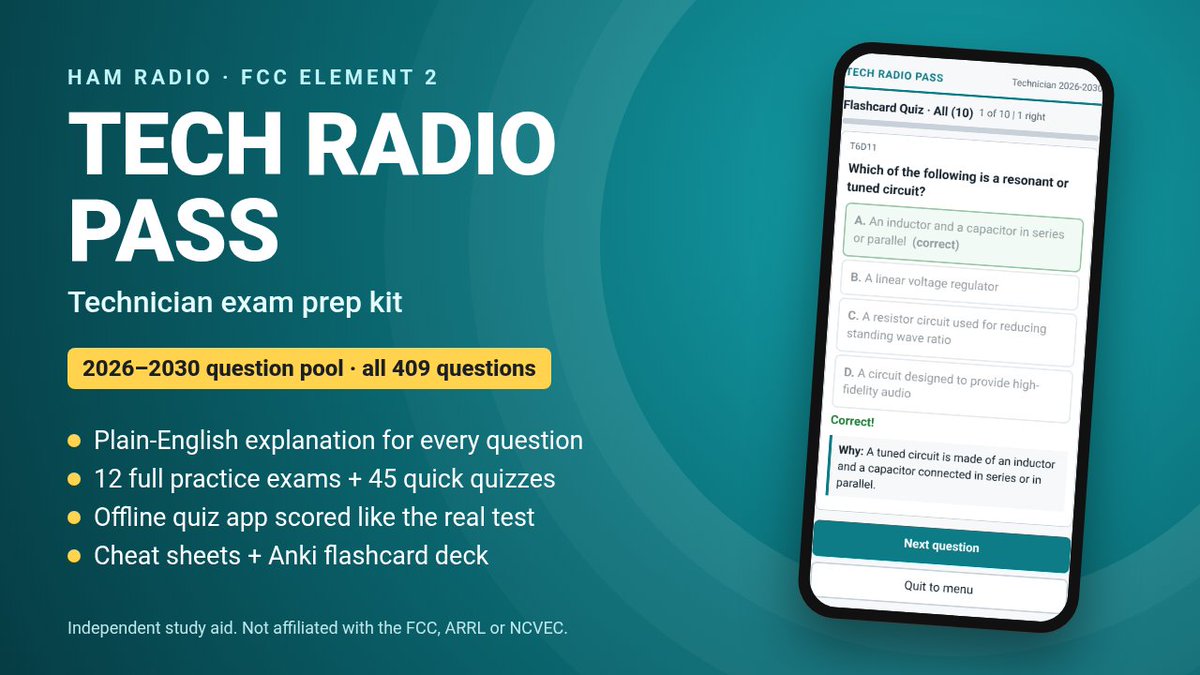
Just out: Tech Radio Pass, a $9 study kit for the US Technician (Element 2) exam and the current 2026-2030 pool. Study guide, cheat sheets, 12 practice exams, 45 quizzes, an offline quiz app (10 free sample questions), an Anki deck, and a 2-4 week plan.
https://t.co/p39kdICDi6
Peanut butter, but better. Pecans take the flavor somewhere peanut butter's never been. Bold, rich, sweet and salty. There's no going back. Crafted in New York's Hudson River Valley, Peanut Better upgrades classic American peanut butter.
@brianoliveri Hi Brian! Happy to follow and learn with you, check us out when you have time . We're just getting started as well!
https://t.co/0O99Trh9Va
A month ago I had 0 followers.
Today I'm at 1,517.
No ads, no tricks. Just showing up every day and actually talking to people here.
If you're building with AI, let's connect 👋
If you're running a business, let's connect 👋
If you're a dad trying to keep up with it all, let's connect 👋
@yourclouddude Good list. On the DHCP one: 169.254 just means no usable Offer came back. Check whether the Discover leaves and whether an Offer returns, and you know if it's the NIC, the VLAN/relay or the server.
@missjuwonX Great Day 3 lab. Next step: add a DHCP pool for each subnet (plus ip helper-address if the server sits on another one), then break one gateway and watch only that subnet fail.
@cyber_razz Capture UDP 67/68 on the client. No Discover going out = local problem (NIC, driver, port). Discover but no Offer = VLAN, relay or the server. A second client on the same port tells you fast which side it is.
@CyberRacheal A. DHCP starvation. The giveaway is the pool emptying fast with leases handed to lots of different hardware addresses. DHCP snooping and port security are the usual defenses.
@MichaelGannotti Good upgrade. Label trunk vs access ports as you cable it, then renew a client on each VLAN. Easiest way to catch a port that silently fell back to the default VLAN.
@FLBoundFreeMan After a switch swap I always renew a client on every access VLAN to make sure it lands in the right DHCP scope, and check the trunks still allow every VLAN you think they do. What are you moving to?
@davepl1968 Nice fix. Worth one more check: plug a client into VLAN 3 and confirm it pulls a lease from the Lighting scope, not the default LAN, and that the allowed VLANs on the uplink ports match what you intended.
@Hamzaonchain Best way I've found: rebuild the same VLAN + DHCP lab on a cheap switch, then break it on purpose. Drop a VLAN from the trunk's allowed list or remove the helper address and watch the client fail. Fixing it sticks way better than reading about it.
Solid list. One gap is a way to generate a few DHCP clients and a VLAN tag, so you can test the server and the trunk, not just one laptop's renew. PathProbe's free tier does that from a terminal and can write a pcapng to open in Wireshark. Only on a network you are allowed to test: https://t.co/8H54SPyky6
@TreyInTech B) switchport trunk allowed vlan add 20. If the trunk already has an allowed-VLAN list, VLAN 10 can pass while 20 is dropped until you add it. A and C would make the port an access port. D only turns off DTP.