Keep editing a local file on the other Mac when the internet drops. With Beam set up on both Macs on the same local network, that editor window is on your desktop, ready to type into.
https://t.co/aLGbH9qrU4
Beam lists your mini’s windows in the picker. Choose the window running your build and it opens on the Mac in front of you. The mini stays in the closet.
https://t.co/cz57VMEMt7
In Beam, pick the other Mac's build window. It opens on your desktop with its own Dock icon. Your windows and keys go straight between your Macs, encrypted.
https://t.co/X2awIxLNbp
This is without question the best “remote desktop” (that undersells what it does) app I’ve used. Clean, efficient, low resource utilization.
@hnshah and @SamAsante crushed it.
Never knew we needed this until now...
Beam by @hnshah and @samasante puts single apps from one Mac on your other Mac, each with its own Dock icon and ⌘Tab spot.
So you can open one window from your Mac at home, not its whole screen.
Why we like it: when running agents you can call one window on its machine without needing to fight over the mouse.
Have been beta testing this for a few weeks now.
This really has made life so much better! So much better than built-in screen sharing.
For anyone working with multiple mac machines, this is a no brainer!!
Awesome work @hnshah@SamAsante
https://t.co/CZrmS5b80q
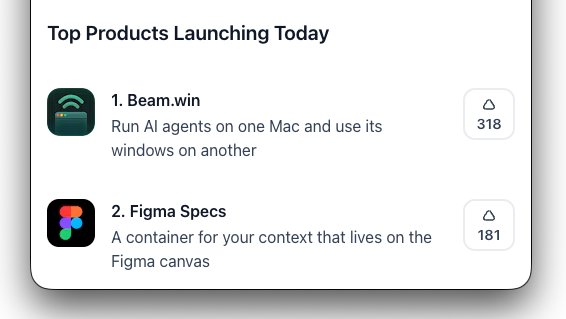
I thought Beam was going to be a pretty niche Mac app. It's #1 on @ProductHunt right now. I underestimated how many people would find this interesting. https://t.co/mph8JBv32r
AI agents are getting their own computers. We need better ways to use the apps running on them.
I've got a Mac mini at home running Hermes Agent. It helps manage the other Macs in my setup, often without me touching it.
That's one of the reasons @SamAsante and I built Beam. I can bring an app window from that Mac right onto the one I'm using.
We launched Beam today on Product Hunt → https://t.co/i5lNHv7KTj
I asked this while @SamAsante and I were building Beam.
More than 100 replies led us to people who were already using multiple Macs in all kinds of interesting ways. We brought some of them into early access and learned a ton from how they actually worked.
Beam is out now. You can bring an app window from another Mac right onto the one you're using.
Live on Product Hunt → https://t.co/i5lNHv7d3L
In June, @SamAsante and I launched Typeahead, the first product from our new company.
Today we're releasing our next Mac app. It's called Beam, and we're live on Product Hunt.
I've got Macs all over my house doing different work. Some run agents and local models. Others handle builds. When I want to use one app on another Mac, I usually end up navigating a whole second desktop through Screen Sharing.
Beam brings that app's window onto the Mac I'm using. It gets its own Dock icon and shows up in ⌘Tab. I can type into it and resize it while everything keeps running on the other Mac.
Sam has put a lot of care into making this feel natural. The video shows it better than I can explain it.
Live on Product Hunt → https://t.co/i5lNHv7d3L
When you open an app from another Mac with Beam, it gets its own place in your Dock and shows up in ⌘Tab, right alongside the apps already on your Mac.
That feeling of the app belonging in your workspace is what we’ve been working toward.
Beam the other Mac’s terminal beside your code.
Move the original to another Space, a macOS desktop. The beamed window stays available on the Mac in front of you.
https://t.co/RH3zRhkXDj
Meet Beam.
Share windows between your Macs. A window over there becomes a real window right here: live, sharp, with its own Dock icon and a place in ⌘Tab.
Free to try at https://t.co/bX4DL6756j
Meet Beam.
Share windows between your Macs. A window over there becomes a real window right here: live, sharp, with its own Dock icon and a place in ⌘Tab.
Free to try at https://t.co/bX4DL6756j
Bring a draft window from the other Mac onto your desktop with Beam. Hide its app on the other Mac. Keep typing in the beamed window.
https://t.co/8XTffBikyN
Watch a build running on the other Mac in a Beam window on your desktop. Switch to your work, then return to the build trace with ⌘ Tab.
https://t.co/rCwZMRftrB