Cashcow is an aritificial intelligence build
to serve humans in their investment decisions.
To get the most out of it we offer a premium free trading course👇
People get ready. 🚀
Cash Cow launch,
1. Web version 🌐
2. iOS and Android App 📱
is planed for the 26 dezember 2022. In the meantime we are goin to publish a trading course that normaly will you cost around 1000$. 📈
#TradingView#btc#Ethereum#patterntrading#StockMarket
People get ready. 🚀
Cash Cow launch,
1. Web version 🌐
2. iOS and Android App 📱
is planed for the 26 dezember 2022. In the meantime we are goin to publish a trading course that normaly will you cost around 1000$. 📈
#TradingView#btc#Ethereum#patterntrading#StockMarket
(1-2) Chart Types!
By clicking on the (1) candlestick symbol at the top, you can change the chart type that @TradingView will use to display your price data.
#candelstick#Charttypes#TradingView
(2-2) Menu Overview!
Next one...add indicators, use templates like #swingtrading and create #pricealerts. Those settings will be saved for your different profiles and chart layouts so that you can style your #charts individual.
(1-2) Menu Overview!
The top menu has a variety of different functions and styling features. In the first field you can search for different markets, “Compare” lets you overlay your chart with different markets after that skip between the different time frames.
#markets#trading
(3-4) Chart Template!
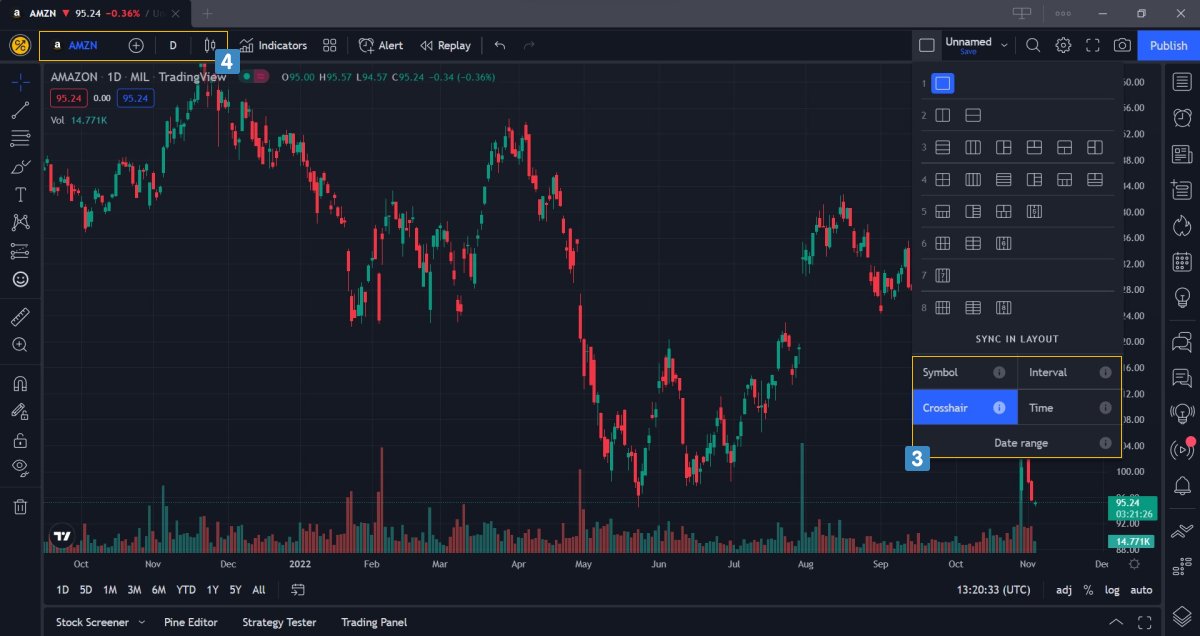
You can also sync charts in different ways (3). In the top left (4) you can change the markets you see in the chart area. To change the right or the left chart (simply click on it) and then type the name of the market you want to see.
(2-2) Create Profile!
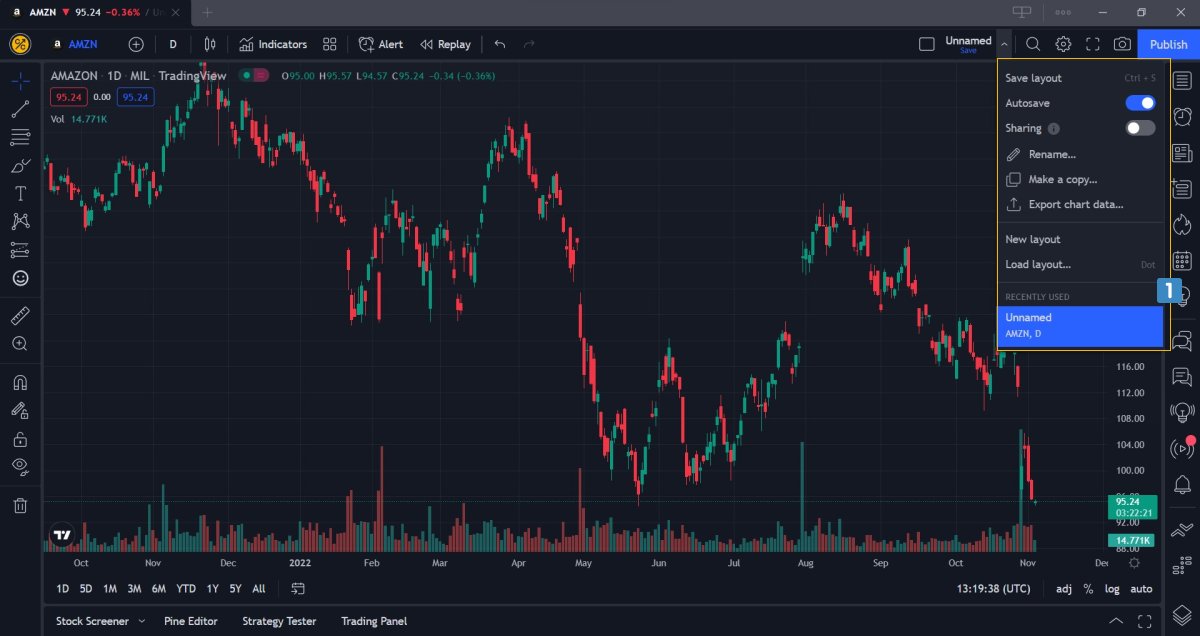
To create a new profile, click in the top right corner (1) where you’ll see the term Unnamed when you haven’t created any profiles yet. You can directly type a name and it will save it as a new profile. You can create new profiles and also switch between it
(1-2) Create Profile
When you first get started, you probably want to create profiles for your chart layouts. In a profile, you’d typically include different markets that somehow belong together, or that you want to monitor together to make it more effective and organized.
(1-5) Tradingview overview!
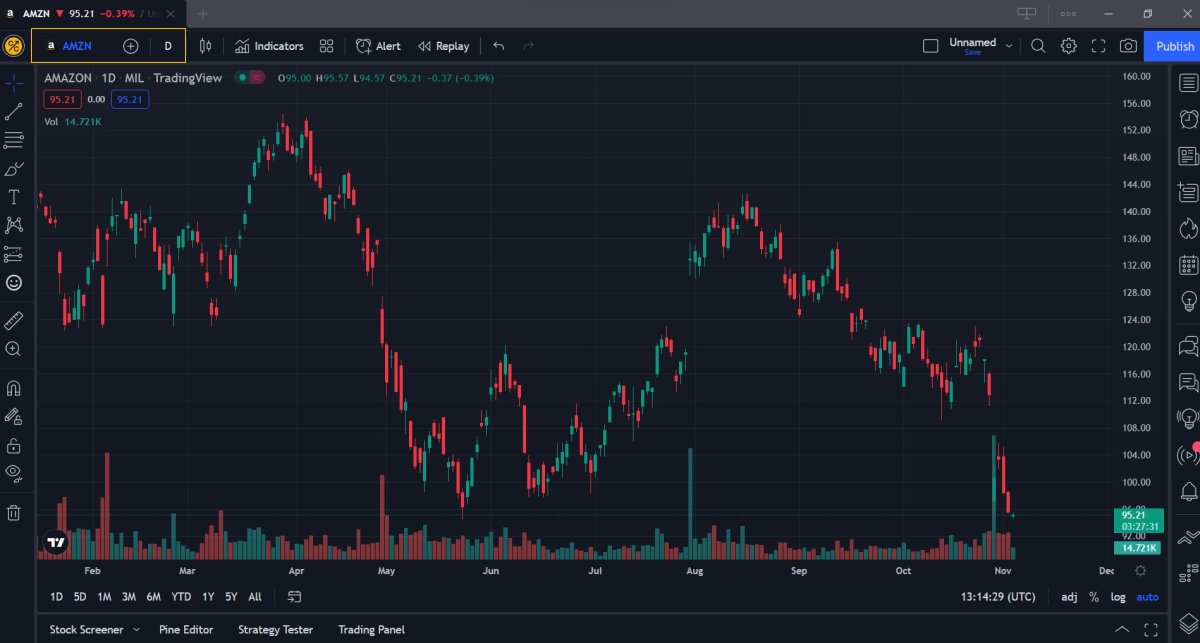
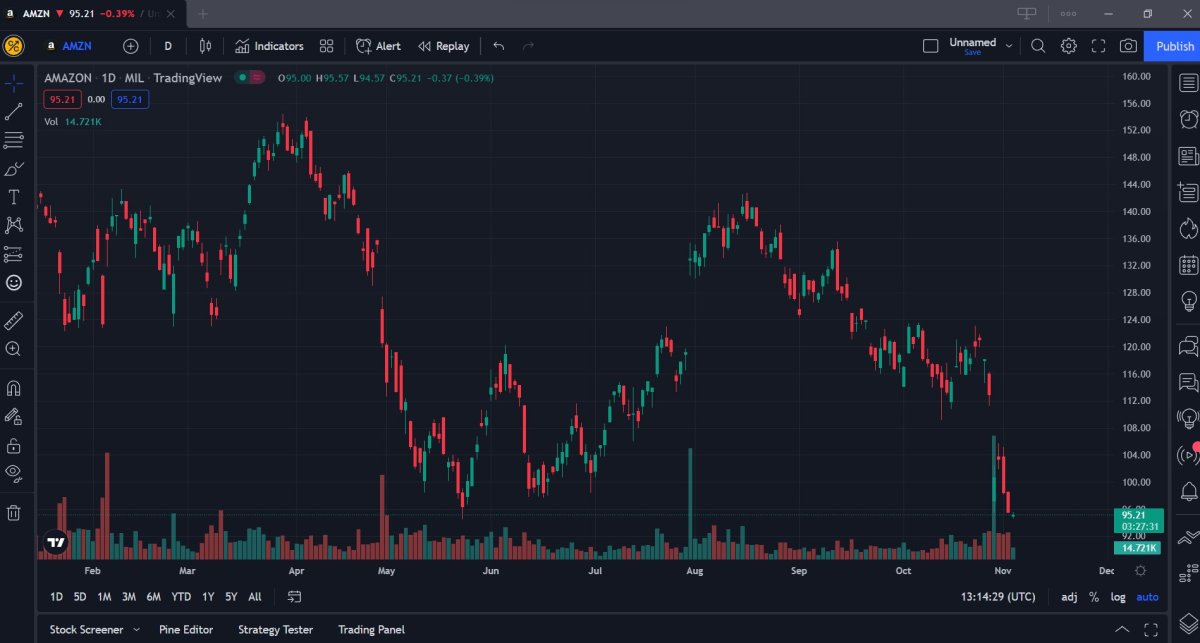
First, we will give a brief overview over the whole @TradingView platform and then get into the individual functions specifically.
The screenshot below shows the regular TradingView platform in its most basic form.
#tradingview#pattern#education
(4-5) Tradingview overview!
at the far right (5) you find tools to create watchlists, a news calendar, your published trading ideas, and much more;
and at the bottom right (6) you can publish your ideas, save screenshots or directly share your chart to Twitter.
#tradingideas