Three-panel email with AI built in. Ask it to find the thread, draft the reply, write the filter. We also explain email headers nobody reads. Get early access.
Conduit Mail is AI-powered email, now in early access.
It looks like the mail app you already know. Press Cmd+K and ask it to find the thread, sum it up, draft the reply in your voice, and file it. You see each step as it happens.
https://t.co/Hcoz9Lr4bd
The best Superhuman alternative depends on which part of it you were paying for. Deeper AI, wider provider support, a free tier, or AI in a client that looks familiar. Four options, prices read off each vendor's own page.
https://t.co/eRxazyFE2E
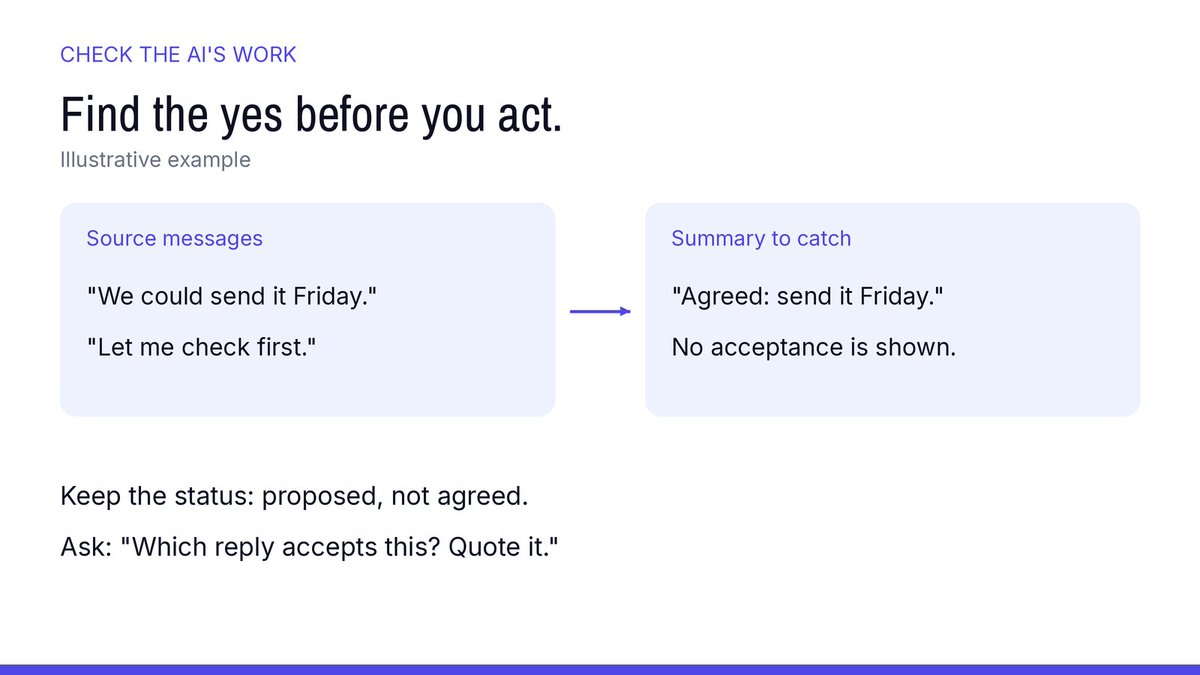
"We could send it Friday" is a suggestion. Before acting on an AI summary that says "Agreed Friday," find the reply that actually accepts it. No acceptance in the thread? Keep it marked proposed. Illustrative example on the card.
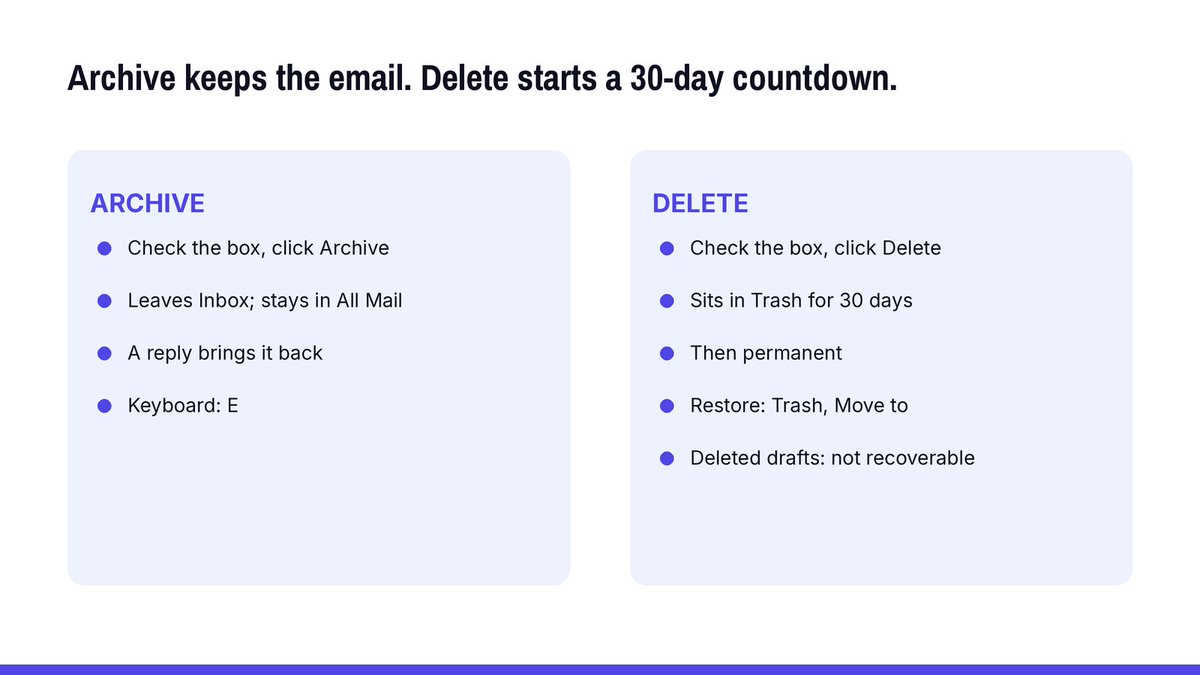
Archive keeps the email. Delete starts a 30-day countdown.
In Gmail on a computer:
Archive: check the box, click Archive. Gone from Inbox, still in All Mail. A reply brings it back. Keyboard: E.
Delete: check the box, click Delete. It sits in Trash for 30 days, then it's permanent. To restore: open Trash, check the box, Move to. Drafts you delete can't be recovered from Trash.
Permission Slip: on day one, your inbox agent only reads.
Sending, deleting and forwarding wait. Watch what it asks for over a week before you turn anything else on. If you can't name which tools it has, you are guessing.
How we set ours in Conduit Mail, in early access: sending from an agent is off by default and is a separate opt-in, and every call is logged. MCP comes with Plus and Pro, and new accounts open from the waitlist.
https://t.co/M0qA4MTwKy
That long CC thread doesn't need you. Mute it.
In Gmail on a computer:
1. Check the box next to the conversation.
2. At the top, click More, then Mute.
3. Later replies skip your inbox and go straight to Archive.
It still reaches your inbox if someone mails only you, adds you on To or Cc, or sends it to a Google Group you're in. Find muted mail with is:muted. To undo: More, then Unmute. Keyboard shortcut: M.
@omarvvvr Two catches nobody's mentioned. The 15 GB is shared by Gmail, Drive and Photos, so it fills faster than it sounds. And Google can delete a personal account left unused for 2 years, so you'd be signing in to all 100 on a schedule forever.
Blocking loses because each block covers one address. A filter covers them all. In Gmail, open search options, put https://t.co/6JgWuK03my in From and Meta suspended in Has the words, then Create filter > Delete it. Meta's help lists the only domains it sends from. Gmail isn't one.
Email Field Guide: Just Bumping This.
Hatches three days after silence. Adds nothing but the subject line and a gentle shove. Lives in the same thread, same ask, same missing reply. The unanswered email's favorite companion.
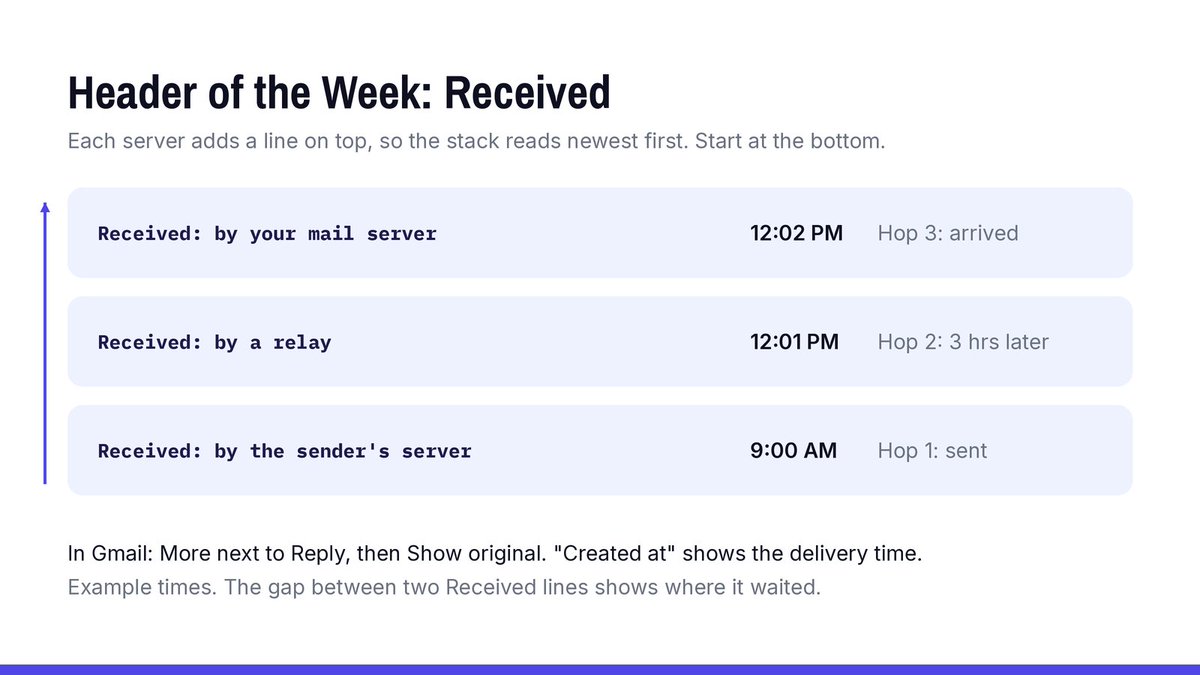
Header of the Week: Received.
Every server that handles an email on its way to you adds a Received line to the top of the header, with the time it got it. So the stack reads newest first: start at the bottom to follow the email from the sender to you.
When someone swears they sent it at 9 and it showed up at noon, the gap between two Received times shows which hop it sat on.
In Gmail: open the email, click More next to Reply, then Show original. Next to "Created at" is the delivery time. For the hop-by-hop view, copy the header into Google's Admin Toolbox Messageheader, which lists each hop and its delay.
Search for a flight confirmation by sender and date, not by the booking code you never memorized. It came from the airline, the agent, or a travel tool within a day of paying. Then label travel mail on arrival, so next time is one search.
https://t.co/e5CQX392op
@RobLipsett Changed passwords don't end it. Google's recovery form accepts an old password, so enter the last one you remember. Wrong guesses won't kick you out. Use the device you usually sign in on, from home, in your usual browser. "Couldn't verify" isn't final either. You can try again.
Writing email on a Sunday? Nobody has to know.
In Gmail, next to Send, click the down arrow, then Schedule send, and pick Monday morning. It goes out in the time zone you scheduled it in, sometimes a few minutes late.
Changed your mind? Open Scheduled in the left panel, open the email and click Cancel send. It turns back into a draft.
You can have up to 100 scheduled at once.
@graceis_cute Deleted mail still counts until you empty Trash and Spam. Drive and Photos share the same 15 GB. Then search has:attachment larger:10M, delete the big ones, and empty Trash again. Google says the meter can lag 48-72 hours.
Every AI tool you ever let "connect to Gmail" may still have the keys.
A five-minute Friday check:
1. Open your Google Account and go to Security & sign-in.
2. Open your linked apps.
3. Choose Access to your Google Account.
4. For anything you don't use: See details, Remove access, Confirm.
Removing access stops the app from reaching your account from now on. What it already copied may stay with the app, so if you're done with it, delete your account there too.
@SangTheRhee The last thing anyone agreed to. A date, a price, which version of the deck. It's usually buried in a reply halfway down, under a subject line that stopped being true weeks ago. An agent that surfaces that one line, with the message it came from, has done most of the reply.
@megevhan Only for a while. Gmail's help says anything sitting in Spam is deleted for good after 30 days. Need the space sooner? Open Spam and click Delete all spam messages now, at the top.
@akshaychat It wasn't. No second account exists, and Google's help says you own every dotted version of your address. What happened is someone gave the bank your address, dots and all, as their own. Gmail never sees that form, so it can't stop it. Only the bank can change what's on file.
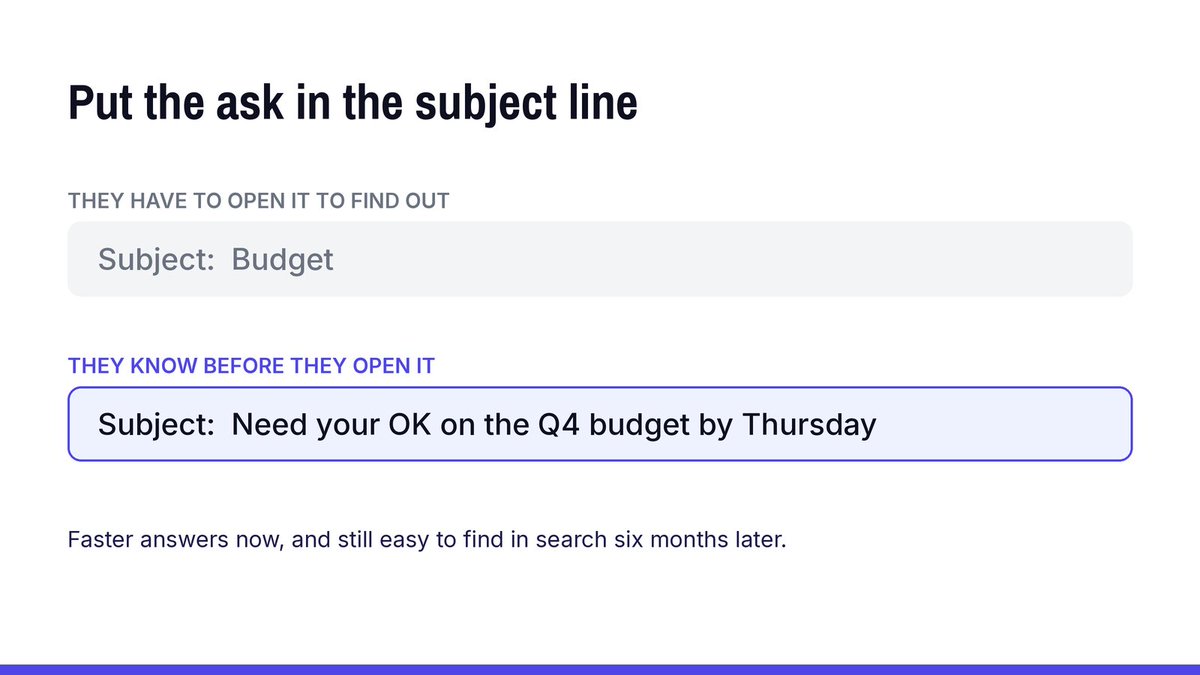
One habit that gets faster answers: put the ask in the subject line.
"Budget" makes someone open the email to find out what you want. "Need your OK on the Q4 budget by Thursday" tells them before they open it, and it's still easy to find in search six months later.
@akshaychat If that person's bank emails land in your inbox, the bank is who can fix it, not Google. Reply to one of them, or call the bank, and tell them the email on that customer's account is yours. That's also what Google's help page on getting someone else's mail tells you to do.