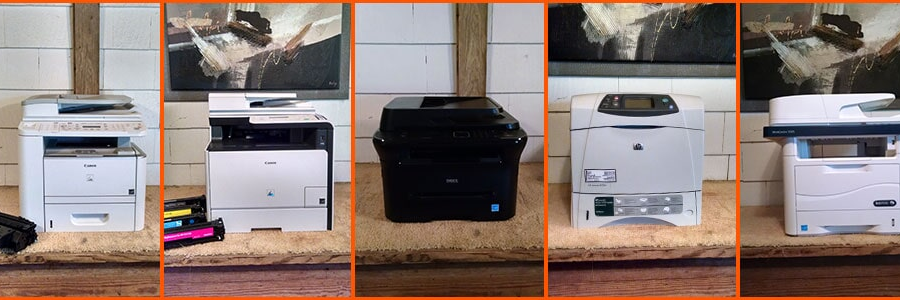
We come to YOU at home or office to service, repair, supply & sell copiers, printers, & computers. All makes & models. IT Techs for all your computer issues.
NEW BEGINNINGS --- 2026 & BEYOND
We are closing 2025 another year on our 38-year journey with our valued Customers, Family & Friends. With deep gratitude we thank you as we look forward to greater opportunities for all of us in the NEW YEAR. We thank you for welcoming us into your homes & offices, trusting us with your copier, printer, & computer needs. Every single call has been an opportunity for us to show up, solve problems, & stay connected. Whether we were delivering toner or ink supplies, repairing vital equipment, or stepping in with quick IT strategy & computer support—you gave us a reason to keep doing what we love --- making things work, keeping things productive at a reasonable rate & fostering relationships. WHEN YOU CALL, WE WILL BE THERE!!! We are here for you & because of you.
WE PRAY BLESSINGS FOR YOUR FINANCES, YOUR HEALTH, & YOUR FAMILY WITH GREAT PEACE, HEALING & VICTORY IN THE NEW YEAR 2026 3 John 1:2
I need a Salisbury, MD local person that is experienced with Google, Facebook & other social media programs to help increase our Company exposure & profitability. https://t.co/dI72GUSOhz
Email Sally at [email protected] or call me (410) 430-5448
Need a Technician with experience on Copier/Printer repair & maintenance. IT experience setting up/connecting computers to machines making them internet ready. Ability to troubleshoot hardware & software issues. Call (410) 742-7776
email: [email protected]
We come to YOU at home or office to service, repair, supply & sell copiers, printers, & computers. All makes & models. IT Techs for all your computer issues.
35th Anniversary
Copier/Printer RejuvenatorS is celebrating 35 years of service with over 100 years of combined experienced Technicians. It is our goal to meet the needs of people's copiers, printers, faxes, all-in-ones & computers. We come to you at home or office to service...
If you have changed to a new laser printer, makes sure your computer(s) have been adjusted to make the new printer the default printer. From the Start menu on the computer, access Settings -> Printers and Faxes; find the new printer and select “Default.” It should then work.
The printer’s service manual is one of its most important pieces of equipment. It lists what each of the error codes means as well as the best options for correcting them. Refer to it first for guidance on what to do.
Many calls we get are from people whose laser printer keeps stopping. This may be caused by problems with the memory. Try rebooting the computer then turning the printer back on. Many times this solves the problem.
While you may be tempted to repair or clean a printer on your own, or assign the task to one of your employees, improper maintenance can damage it beyond repair, lead to costly replacement, and generate counter-productive bad will in the workplace. Let a professional team...
Some printers are like automobiles and will tell you when maintenance is needed. If maintenance is not performed within a certain number of printer operations, it will shut down automatically until the needed actions are performed.
Printer repair is not a do-it-yourself project, or something you assign in-house to the resident “electronics” expert. These are highly complicated pieces of machinery combining computer software with mechanical engineering. Tinkering with them will only damage them further....
You will need to have your laser printer cleaned on a periodic basis. Toner collects on the inside of the printer and eventually interferes with the printing process, producing poor looking documents. The process does not take long nor is it expensive.
The quality of the image (print quality) is determined by the conditions of the various printer system components. The first thing to check is the toner cartridge and the drum. If they are damaged, they'll need to be replaced. If they're fine, it could be the laser scanner or...
The more expensive and elaborate your printer is, the more sense it makes to have it repaired when it is not working correctly, especially if you use it for high volume printing operations. Weigh replacement costs against repair costs, and you will quickly see the advantages...
While you may be tempted to toss your malfunctioning printer out, having it repaired not only saves you money, it also keeps unsafe materials out of landfills. Let us have a look at it first to see if it can be repaired.
When you notice that the printer is picking up multiple sheets of paper during the printing process, the tray separation pad is probably worn out. If this is the case, the best solution is to simply have it replaced.
The key component of a laser printer is the drum. In larger machines, this piece of photosensitive equipment may be a separate item that can be removed and repaired. In smaller printers, it may be combined with the toner cartridge and disposable. If you are not sure, give us a...