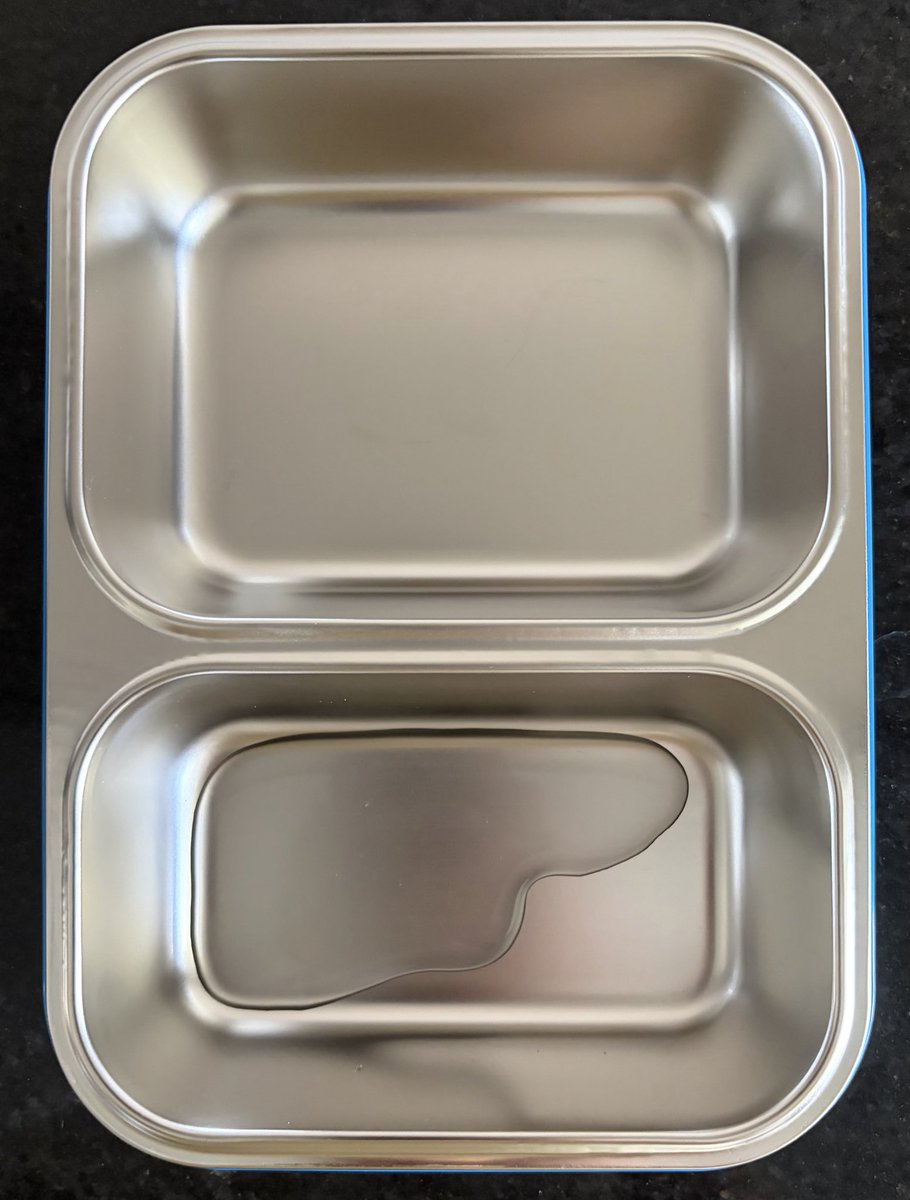
School lunch starts next week, so the lunchbox hunt began 😅
Kept seeing Rabitat everywhere, so decided to give it a try.
Link: https://t.co/FHC6it9gXx
First impressions:
✅ Stainless Steel
✅ Leak-proof (water test passed)
✅ Easy for little hands
✅ Good quality
✅ Cute designs (name can be added too)
I’ve added photos and a video of the water test
Parents, which lunchbox has worked best for your kids? comment below👇
PFRDA just changed how NPS subscribers can use their retirement money.
No more being forced into annuity for your entire corpus at 60.
You can now draw a regular income from your NPS corpus while keeping it invested in the market.
Here's what changed 🧵
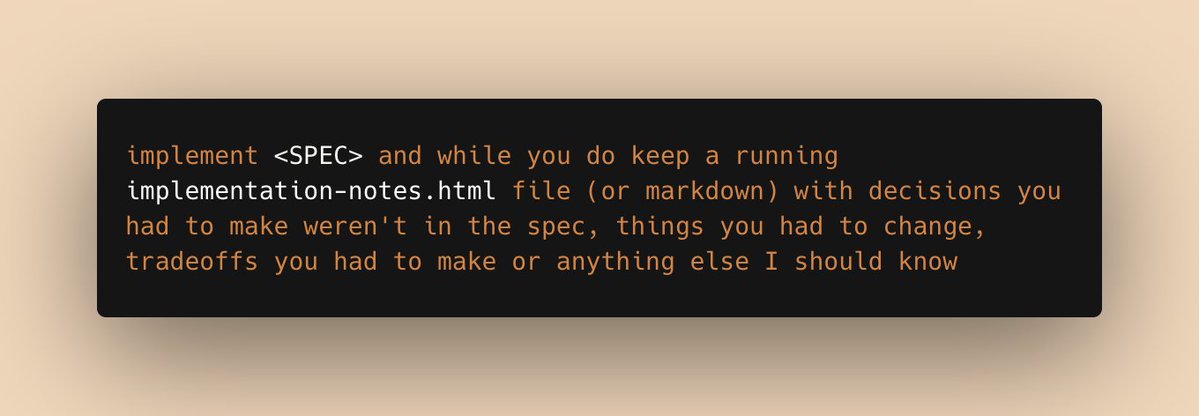
a prompt I've been using a lot recently:
implement <SPEC> and while you do, keep a running implementation-notes.html file (or markdown) with decisions you had to make weren't in the spec, things you had to change, tradeoffs you had to make or anything else I should know
Ask Claude to document and describe the main flows in your app and output in a single page html + json data file.
Incredibly useful for humans and the JSON file is very useful for explaining the flow to the LLM when working on new features/bugfixes.
Updates on $DXYZ & $VCX since last Friday:
- DXYZ premium rose moderately to 32% while VCX now commands a very rich premium of close to 200%
- Anthropic primary round getting closer to being announced. Secondary market transactions clearing at well above $1T
- SpaceXAI + Anthropic compute partnership announced - should strengthen valuation for both
Attaching my dashboard updated with today's (5/6)closing prices.
NFA. YMYD.
React Doctor v2 is here
Your agent writes bad React code, this catches it
Works with Next.js, Vite, React Native. Fix your app in minutes
npx react-doctor@latest
Something very bad is going to happen. Not talking about the election result, it's the @netflix new series. OMG. A terrific series after ages. Such top notch craft on display. Design, atmosphere, music, title drop. What a beauty. Dil khush ekdum.
Most underrated Claude Code tip:
Use Claude Code to coach you on how you use Claude Code.
1. Run /insights. This will generate a report on your usage patterns, tool calls, and time spent.
2. Find the report file it produces.
3. Open a fresh Claude session, attach the report, and ask: "Read this report. Identify the 5 worst habits in how I use Claude Code, and give me a concrete fix for each."
I have a recurring calendar event to run this every 3 weeks. Every single time, I find something new.
Agents make ugly UIs because they've never seen good design.
We've been fixing that, 2,000 DESIGN.md files from the world's best products, structured for a model to read and learn. Colors, type, spacing, layouts and more.
Free. https://t.co/mJaKNHba0O
Most Indians don't know they can legally invest $250,000 abroad every year. Here's everything you need to know about global investing — costs, taxes, platforms, and estate tax. A thread 🧵
Paste this into your claude.md and measure your usage in a week.
My bet: you’ll save more than 50% of tokens.
---------------
## Task Delegation
Spawn subagents to isolate context, parallelize independent work, or offload bulk mechanical tasks. Don't spawn when the parent needs the reasoning, when synthesis requires holding things together, or when spawn overhead dominates.
Pick the cheapest model that can do the subtask well:
- Haiku: bulk mechanical work, no judgment
- Sonnet: scoped research, code exploration, in-scope synthesis
- Opus: subtasks needing real planning or tradeoffs
Subagents follow the same rules recursively, with two caps:
- Haiku does not spawn further subagents. If it needs to, the task was wrong-sized for Haiku — return to the parent.
- Maximum spawn depth is 2 (parent → subagent → one further tier).
Don't escalate tiers without a concrete reason. If a subagent realizes it needs a higher tier than itself, return to the parent rather than spawning up.
Parent owns final output and cross-spawn synthesis. User instructions override.
## Preferred Tools
### Data Fetching
1. **WebFetch** — free, text-only, works on public pages that don't block bots.
2. **agent-browser CLI** — free, local Rust CLI + Chrome via CDP. For dynamic pages or auth walls that WebFetch can't handle. Returns the accessibility tree with element refs (@e1, @e2) — ~82% fewer tokens than screenshot-based tools. Install: `npm i -g agent-browser && agent-browser install`. Use `snapshot` for AI-friendly DOM state, element refs for interaction.
3. **Notice recurring fetch patterns and propose wrapping them as dedicated tools.** When the same fetch/parse logic comes up more than once, suggest wrapping it as a named tool (e.g. a skill file or a .py script that calls `agent-browser` with the snapshot and extraction steps baked in for that source). Add the entry to `## Dedicated Tools` below and reference it by name on future calls.
### PDF Files
Use 'pdftotext', not the 'Read' tool. Use 'Read' only when the user directly asks to analyze images or charts inside the document.
## Dedicated Tools
<!-- List project-specific tools here. For each, link to its skill or script file (e.g. `tools/reddit_fetch.py`). The orchestration logic lives in those files, not here. -->
---------------
Plus, add this to settings.json:
"env": {
"CLAUDE_CODE_DISABLE_1M_CONTEXT": "1",
"CLAUDE_AUTOCOMPACT_PCT_OVERRIDE": "80"
}
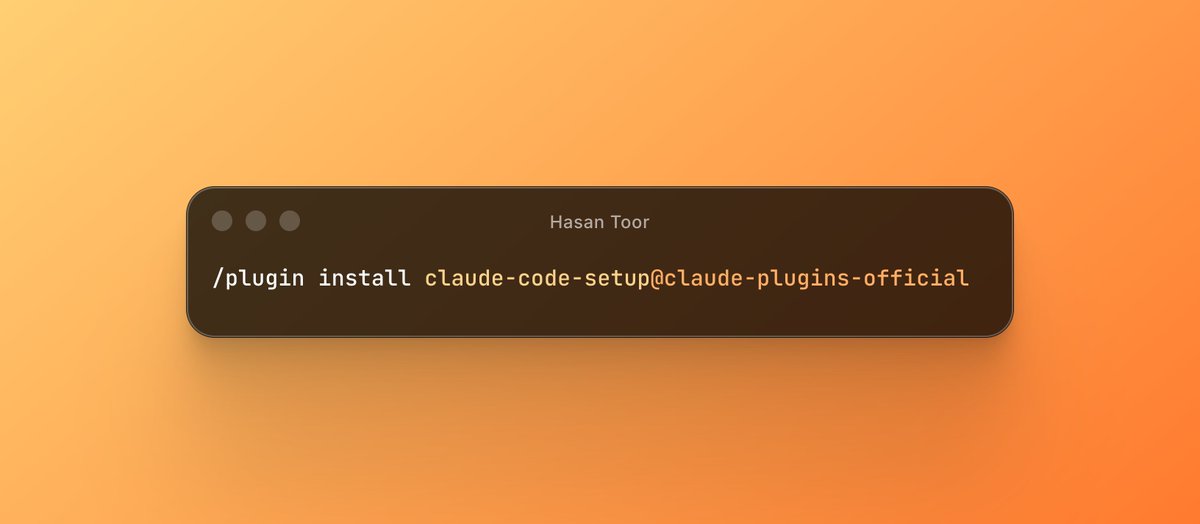
Stop using Claude Code without this plugin.
There's an official Anthropic plugin called claude-code-setup.
It scans your entire project and tells you exactly what to activate.
→ Which hooks to set up
→ Which skills to install
→ Which MCP servers fit your stack
→ Which subagents to spin up
→ Step-by-step config for each one
You just run one command:
/plugin install claude-code-setup@claude-plugins-official
And it audits your setup like a senior engineer reviewing your repo