thanks Google that Gemini 4 Neon is F*CKED all trading agents that I run before...
I made FREE Gemini-TradingAgents repo:
Neon trading brain → Hydrogen backtest → Argon bull vs bear → Carbon final decision
most INSANE & CHEAPEST trading setup that I've ever run...
here's how to run it in one command:
first understand how this repo works:
• most AI trading bots are 1 model guessing on a chart. no backtest, no second opinion, no risk limit
• this repo turns 4 Gemini models into a hedge fund desk: one finds the trade, one backtests it, one runs bull vs bear, one makes the final call
• & plain code gets the last word, so the AI can never risk more than 1% of your account on a trade
how to run it with Gemini 4 Neon (any terminal):
1 → clone the repo below & run ONE install script - it sets up TradingAgents (123K stars), Vibe-Trading (39K) & Google's ADK for you
2 → paste your Gemini key into .env. prices, news & fundamentals come from free sources, no other keys
3 → type gemini-tradingagents BTC-USD - Neon writes the trade & exactly what would prove it wrong
4 → Hydrogen backtests that exact plan, then walk-forward tests it on data it never saw
5 → Argon runs a hedge fund committee: bull vs bear vs risk officer vs PM. Carbon reads it all & says GO, GO SMALLER or NO-GO
6 → you get entry, stop, 2 targets, position size & where the models disagree. a file named KILL blocks every new trade at once
7 → on stocks add --paper with free Alpaca paper keys & it becomes a paper order with the stop & both targets already set. add --fast & a full run costs about $0.50
8 → paste the .pine file it saves into TradingView & see the entry, stop, targets & the agents' verdict right on your chart
steal it for FREE before everyone starts using it:
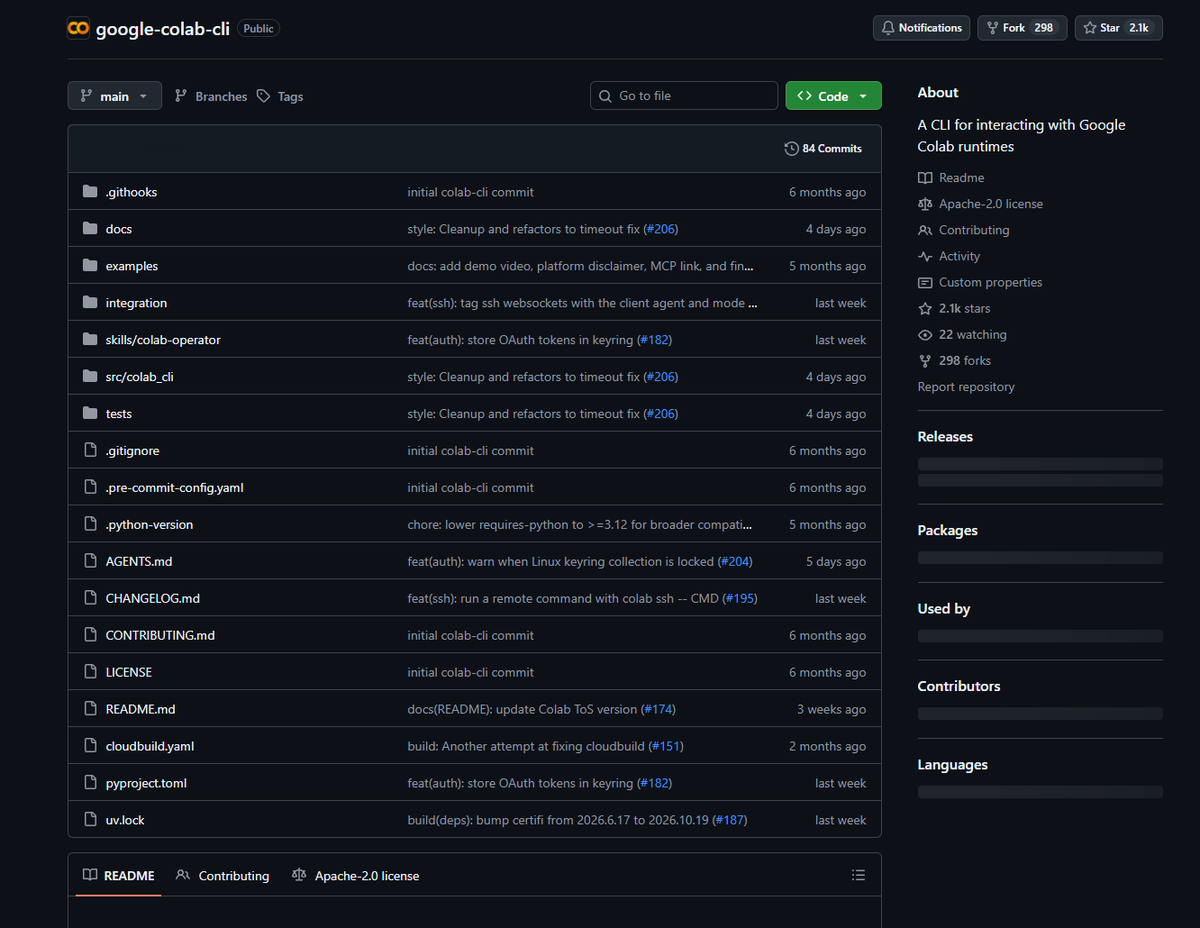
Google vừa chơi một nước quá điên rồ! Anh em không cần bỏ vàichục triệu mua card đồ họa vẫn có thể biến Claude Code, Codex hay Antigravity thành AI Agent tự điều khiển GPU NVIDIA T4, A100, thậm chí cả H100 80GB VRAM. Đặc biệt, có thể bắt đầu hoàn toàn MIỄN PHÍ!
Repo này có tên google-colab-cli, vừa được chính Google phát triển và mở mã nguồn.
Đào sâu vào mới thấy thứ Google vừa tung ra không đơn thuần là một công cụ chạy Python, mà là cách để Coding Agent tự sử dụng sức mạnh tính toán của Google Colab ngay từ terminal.
Thử tưởng tượng, máy anh em chẳng có GPU, nhưng chỉ cần ra lệnh cho Antigravity:
"Hãy fine-tune Gemma 3 bằng QLoRA trên Google Colab. Tự chọn GPU phù hợp, cài thư viện, chạy training, tải model về máy và tắt GPU khi hoàn thành."
Và Agent có thể tự lo gần như toàn bộ quy trình:
Tận dụng GPU T4 16GB VRAM miễn phí khi Colab cấp tài nguyên.
Hỗ trợ cả L4, A100 và H100 80GB VRAM nếu tài khoản có quyền truy cập.
Tự cài PyTorch, Transformers và các thư viện AI.
Tự chạy code, theo dõi kết quả, tải model về máy.
Tự giải phóng GPU sau khi hoàn thành, không cần mở Notebook thủ công.
Điên rồ hơn là Google còn làm sẵn Agent Skill để Claude Code hay Antigravity biết cách vận hành công cụ này. Chính Google cũng đã demo Antigravity tự fine-tune Gemma 3 bằng QLoRA.
Tất nhiên, T4 miễn phí có giới hạn và H100 không mặc định miễn phí. Nhưng điều mình thấy đáng nói hơn nhiều là:
Chúng ta đang tiến đến thời điểm một chiếc laptop bình thường cũng có thể điều khiển cả một hệ thống GPU cloud chỉ bằng vài dòng prompt.
Không cần sở hữu dàn GPU đắt đỏ. Không cần ngồi quản lý từng Notebook. Cứ giao việc cho Agent và để nó xử lý phần nặng nhọc.
Anh em làm AI mà ngân sách hạn chế thì repo này thực sự đáng lưu!
#AIAgents
Holy f*ck, Opus 5.5 replaced Premiere Pro
11 free open-source repos that do every job of a video editor
Cut. Stabilize. Grade. Slow-mo. Upscale. Stems. Titles. Export.
Every job in this video is real. Each repo ran on 4:23 of my own footage
Everything below is free:
PySceneDetect → finds every shot in your footage
https://t.co/AyouNBFh2d
Auto-Editor → cuts the dead air automatically
https://t.co/n2ds6siPL5
vid.stab → steadies shaky footage
https://t.co/4OcBolvA2C
color-matcher → grades every shot to one reference
https://t.co/xpDutUAs5f
rembg → removes the background, no green screen
https://t.co/eSi1csth0I
RIFE → smooth slow motion from normal footage
https://t.co/brsPlX7z9B
Real-ESRGAN → upscales low-res video x4
https://t.co/hFVvO6f6gP
Demucs → splits any track into stems
https://t.co/AO83fPiTGd
librosa → finds the beat, so every cut lands on it
https://t.co/AixReZo6U8
HyperFrames → animated titles from plain HTML
https://t.co/H9Oq01w7WD
FFmpeg → exports the final film
https://t.co/YfAFuxfOdP
Bookmark this before your next edit
Drop the PDF below into Opus 5.5 and see what it makes
Then read the full motion design guide in the article belo
🚨 ANTHROPIC ACABA DE REGALAR EL MANUAL PARA MONTAR UNA EMPRESA SIN EMPLEADOS
taller gratuito sobre cómo construir un negocio operado por agentes de IA.
nada de chatear con la IA. agentes que se activan solos y ejecutan el trabajo sin intervención humana.
→ se lanzan con un horario, una llamada o un evento de GitHub
→ corren en la nube aunque apagues el ordenador
→ gratis
→ subtitulado al español
resultado: tareas que antes hacías a mano cada día, ahora las hace un agente por su cuenta.
🔖 guárdalo, te va a servir.
with no coding background built a game in 6 weeks with claude opus 5.5 + godot...
there’s a smart way to set it up:
- step 1: run opus 5.5 in claude code inside your godot project
- step 2: build one feature, test it in the game, adjust until it feels right, then start the next
- step 3: generate reference images in your game’s style with codex/astra
- step 4: save every image prompt that works as json, and use them to guide the next generations so the style doesn’t drift
- step 5: make the big 3d assets in tripo p2 from those references
- step 6: model the small props in blender, then texture them in tripo with matching refs (cheaper)
- step 7: animate in cascadeur
- step 8: document every vfx and shader in obsidian so the look stays consistent
who does what:
> opus 5.5: most of the code
> codex/astra: references and assets
> tripo p2: the big 3d models
> godot: custom tools, headless scripts, the game
one json file of good prompts is why every character, monster and prop looks like it belongs in the same game (dev: afterthewinddev)