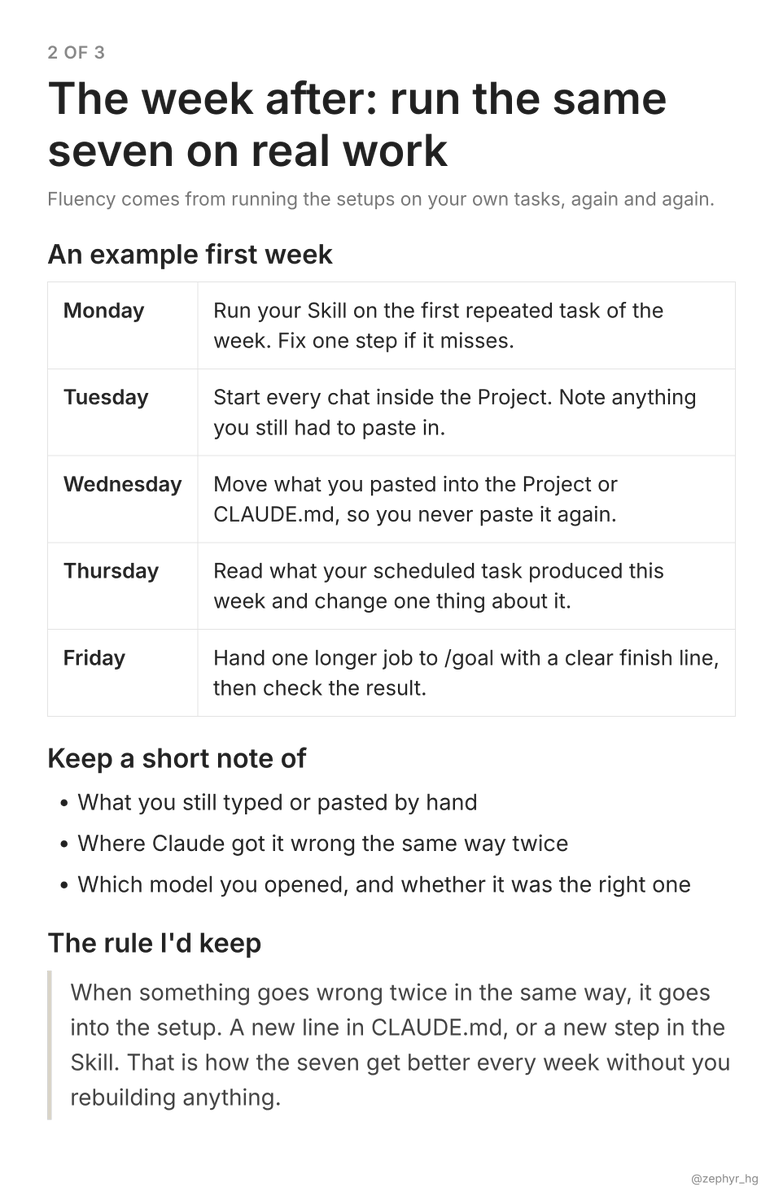
Thin harness. Fat code. Fat skills.
The idea of compound intelligence and the difference between keeping a journal and having a nervous system.
Excellent read on where AI agents are actually heading. Excited to experiment with this approach.
When you sell your business, never ever agree on an earn out
Always get it in cash!
I know lots of horror stories of earn outs and have always rejected them
Hot take: Multi-agent systems have a serious context problem. They're burning tokens for nothing.
Everyone is racing to build AI software factories with more agents: planning agents, coding agents, QA agents, PR review agents.
Sounds impressive. But adding more agents doesn't automatically make the system more efficient.
Here's the problem.
Too often, every agent gets a massive amount of context from the previous step. Full conversations, tool outputs, code history, reasoning, and information that has nothing to do with its actual task.
We're paying models to repeatedly process information that another agent has already processed.
That's not intelligent orchestration. It's expensive.
I think the better approach is much simpler.
> Clean the context at every handoff.
> Structure the output.
> Give the next node exactly what it needs to complete its task.
1. The planning agent produces a spec.
2. The coding agent gets the relevant requirements and codebase context.
3. The QA agent gets the changes and test criteria.
4. The PR review agent identifies actual issues, and another execution step fixes them and reruns the checks.
No need to carry the entire conversation through every node.
And no need to involve a developer every time an agent finds something wrong.
For low- and medium-complexity tasks, the system should be as autonomous as possible.
Engineers should focus on architecture, new domains, and complex product decisions, not babysitting agents through routine fixes.
The real bottleneck in AI-native software development is no longer generating code. It's orchestrating the entire workflow reliably and efficiently.
The goal isn't to simply have more agents. It's to get more completed work out of fewer tokens, with less human intervention.
That's where context engineering becomes more important than agent count.
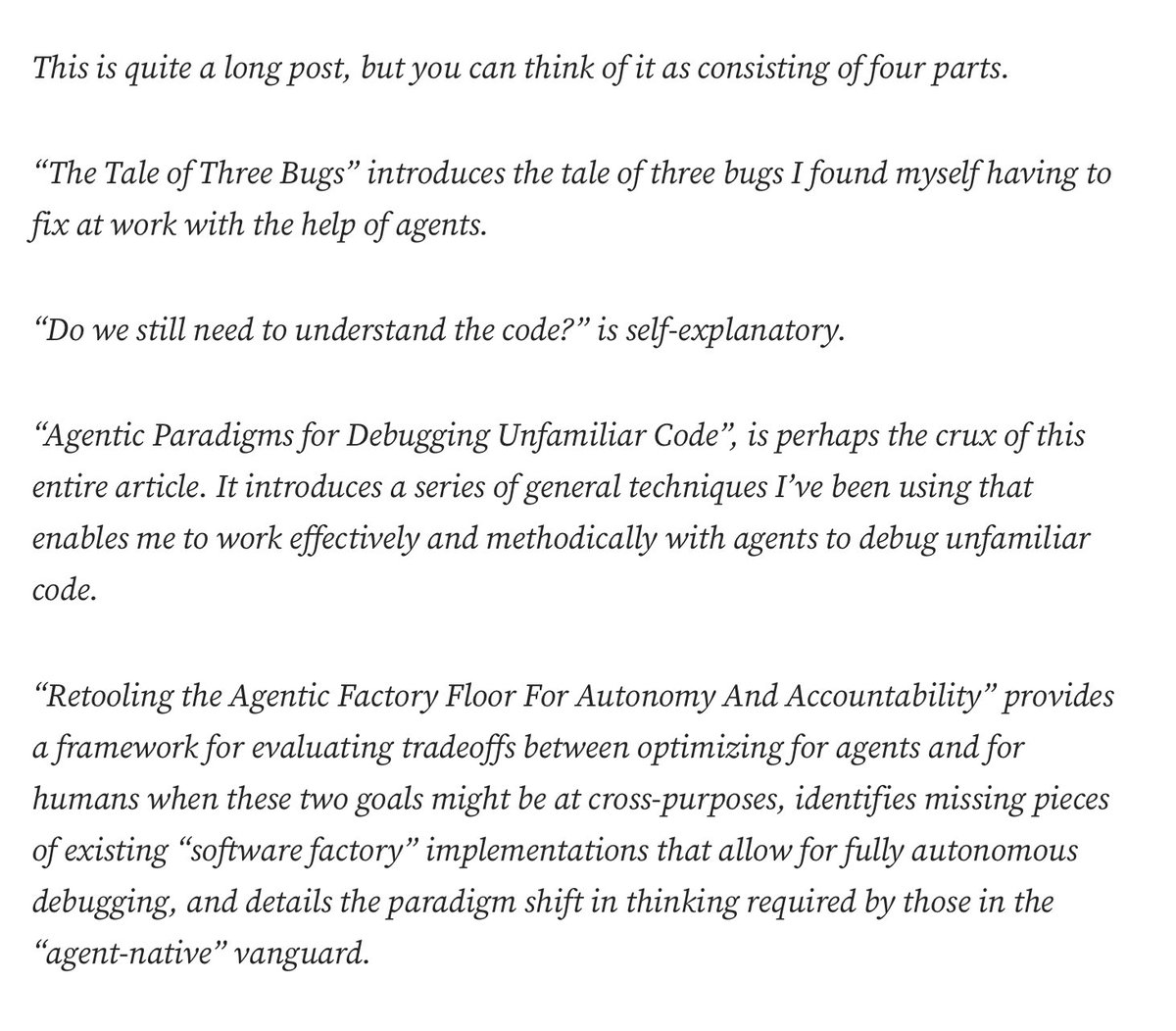
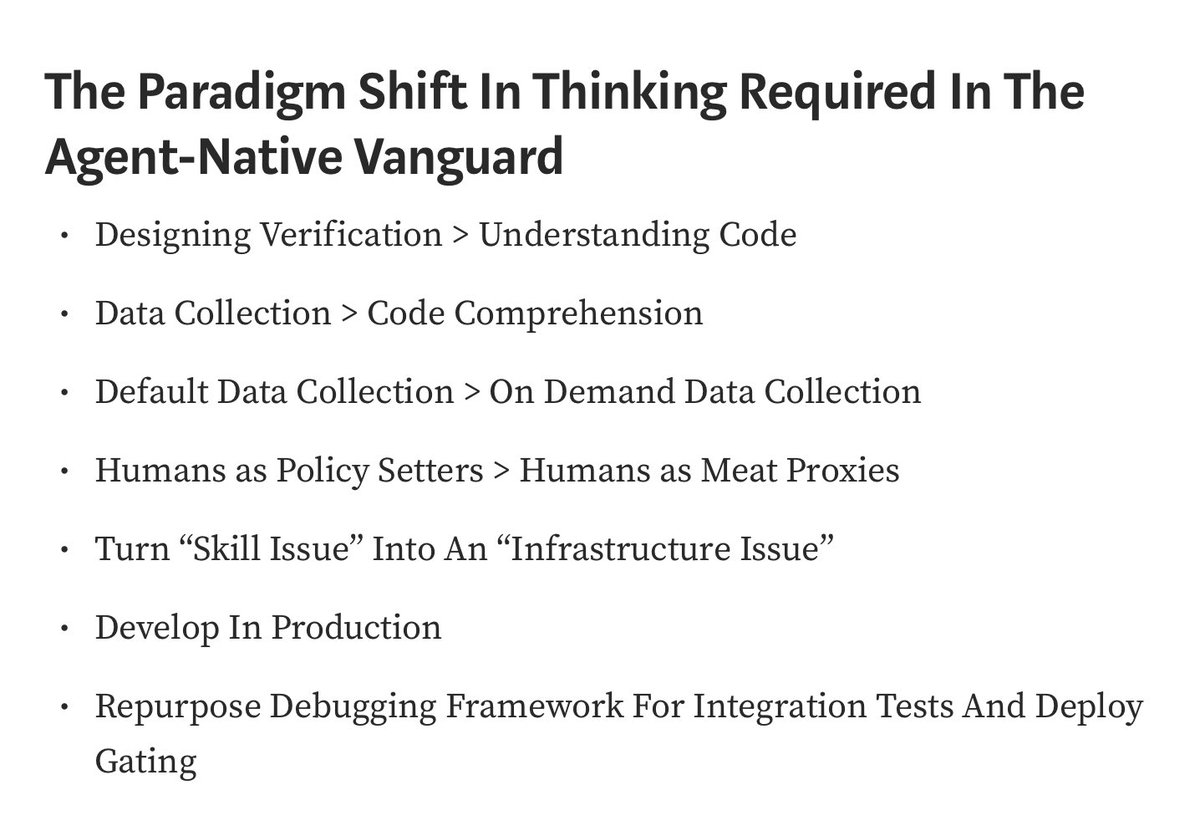
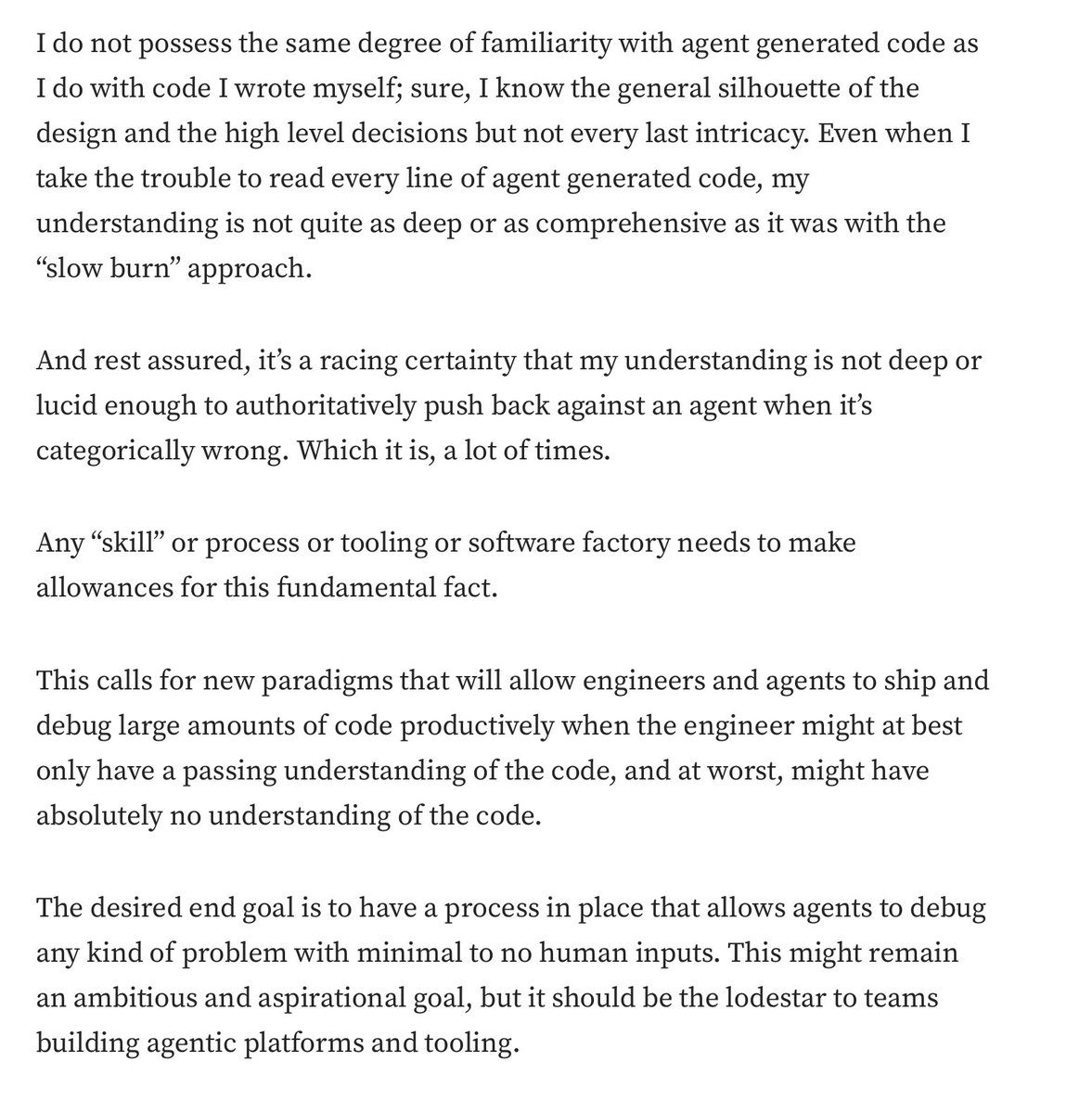
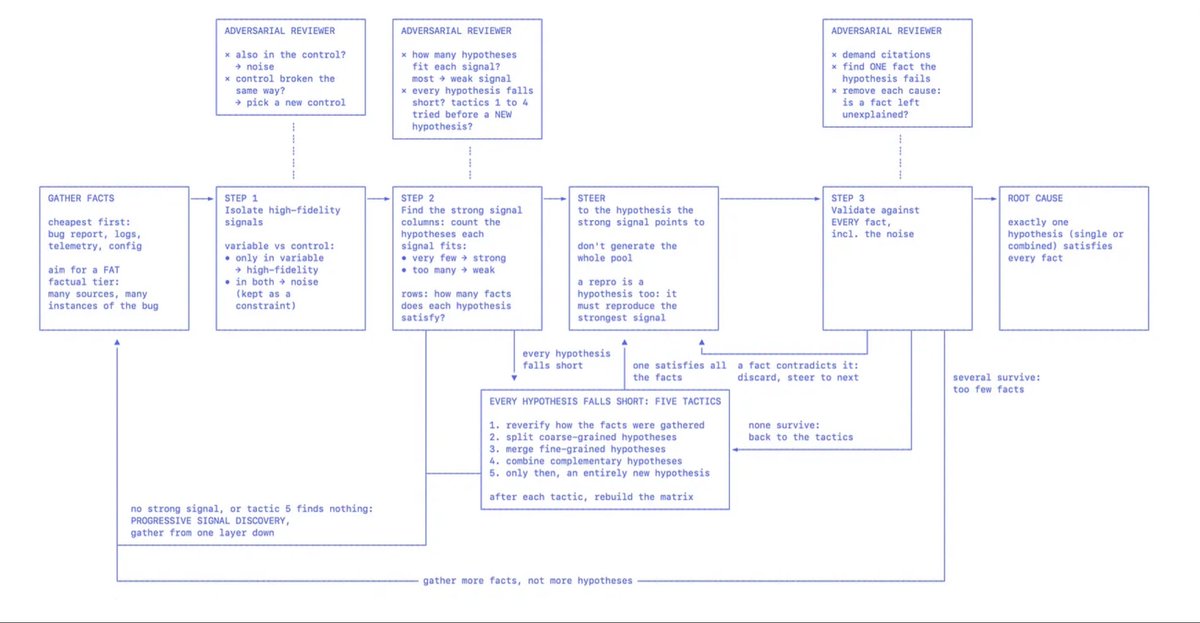
How to effectively debug with agents when you no longer read or understand the code
In this post, I propose a debugging framework for agents that doesn’t rely on human knowledge of code to get to the right “root cause”
The TL;DR are the screenshots.
Link to post in the reply.
GitHub has officially gone insane.
You can now build an entire AI content factory without hiring a single person.
10 ridiculously powerful repos:
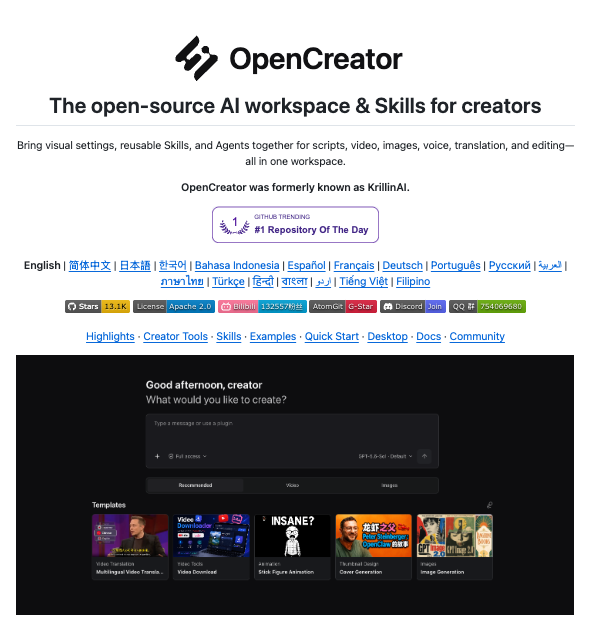
1. OpenCreator
Give Codex a creator workspace to write scripts, generate images, create voiceovers, translate videos, and edit content.
https://t.co/YFG5tZRhTf
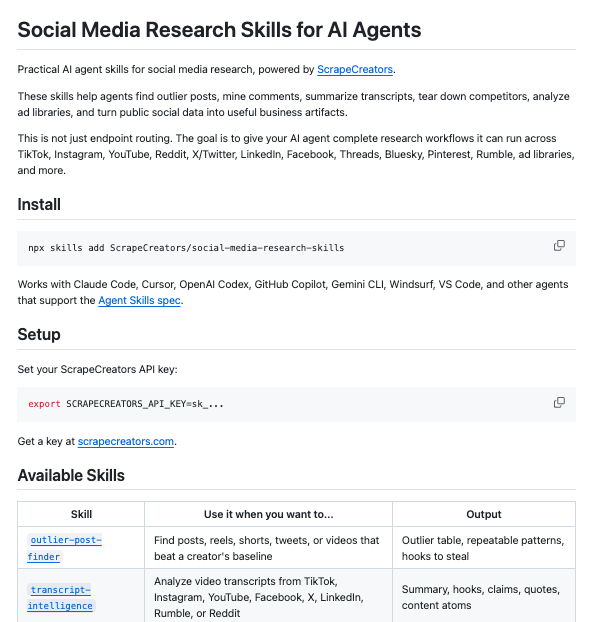
2. Social Media Research Skills
Give Claude Code and Codex skills to find standout posts, study competitors, mine comments, and pull hooks from video transcripts. Powered by ScrapeCreators.
https://t.co/XOW8tV0URo
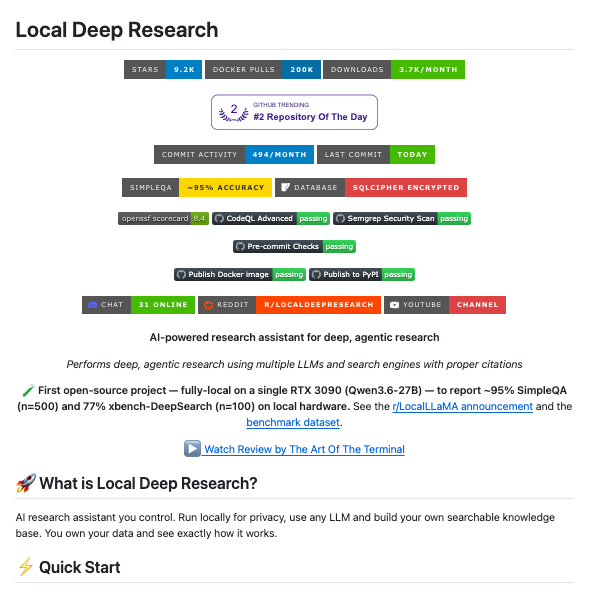
3. Local Deep Research
Turn a topic into a research report by searching the web and your documents. Works with local and cloud AI models.
https://t.co/XVSzkcfXzu
4. FLUX.2
Generate and edit images for thumbnails, social posts, and campaigns. The Klein 4B models come with Apache-licensed weights.
https://t.co/WiqsJCwkns
5. Kokoro
Turn your scripts into AI voiceovers using a compact, open-weight speech model. Build narration directly into your content pipeline.
https://t.co/8Ffw7c5mOs
6. ACE-Step 1.5
Generate music from text descriptions, create instrumental tracks, and regenerate sections of audio. Runs locally on supported hardware.
https://t.co/Rl76BjNO0H
7. Short Video Factory
Turn prompts and your footage into batches of short videos, with AI-written copy, voiceovers, automatic editing, and subtitles.
https://t.co/6YbGCSwZl2
8. AI YouTube Shorts Generator
Turn long YouTube videos into vertical Shorts with AI-picked highlights, transcription, and automatic cropping.
https://t.co/kpYkdsZcd9
9. Podcastfy
Turn source material into AI podcast conversations. Customize the dialogue and generate audio in multiple languages.
https://t.co/RBY68LBify
10. Social Media Agent
Turn a URL into X and LinkedIn posts. Review the drafts, make changes, and schedule them through an AI agent workflow.
https://t.co/ZFweXXrFzF
Which part of your content workflow are you automating first?
Claude Code tip: before you ship a vibe-coded site, have Opus 5.5 𝗽𝗹𝗮𝘆 𝘁𝗵𝗲 𝗯𝗮𝗱 𝗴𝘂𝘆. Send out 3 subagents with three test accounts (A, B and an admin) to actually run 𝘁𝗵𝗲𝘀𝗲 𝟭𝟰 𝗮𝘁𝘁𝗮𝗰𝗸𝘀, collect proof, then fix everything in one pass:
Impersonate other users
→ Without logging in, take the public key from your frontend and query every table in the database directly. See what comes back
→ Logged in as A, swap the id in a request for B's and try to read, edit and delete B's data
→ When A edits their profile, add role: admin to the request, then try editing the role in their own account data directly
→ Use a password reset link once, then click it again
Get around limits in the UI
→ For disabled buttons and hidden options, skip the page and send the request directly
→ Once the free uses run out, check whether calling the API directly still works
→ With only a little credit left, fire 20 requests at once and see whether more succeed than the credit allows
→ Fill forms with very long text, special characters, negative numbers and empty values
→ Change the post-login redirect (?next=) to another site, and also try values starting with // and @
Come in from outside
→ Put <img src=x onerror=alert(1)> in a username, a comment or Markdown, then open the page in a browser and see if an alert pops up
→ If the app fetches URLs (importing links, building previews), give it http://localhost and http://169.254.169.254 and check the server logs for an actual outgoing request. Skip this if there's no such feature
→ For pages and API responses A has seen, request the same address from another browser as B or logged out, and see whether A's content shows up
→ Open your hosting platform's preview links without logging in to the platform
→ Hide an instruction in an uploaded document or web page that tells your AI feature to read another user's data or call a tool it shouldn't, and see if it does
Collect proof
→ Every item has to actually run. If it was only read in the code and never run, it counts as "not proven"
→ After a fix, temporarily turn the protection off in local code and run it again. The attack must succeed. Turn it back on and it must be refused
→ Put the results in a table: how each attack was done, the request and response, and whether it was refused when it should have been
→ Save the tests as scripts in the repo and run them again before your next launch
→ When you're done, install Anthropic's official security-guidance plugin (/plugin install security-guidance@claude-plugins-official). After every turn of edits, and after each commit or push it makes, Opus reviews the changes again. Those reviews use extra usage
The default medium effort is enough. The impersonation group is the most expensive to get wrong, so raise that one to high.
Send this whole post to Claude Code. If you need to, add this line at the end 👇
"First check that the preview environment isn't connected to the production database. If it is, run everything locally only. Use test accounts and test data, with a separate set of accounts for each subagent. Don't touch real users, don't attack services I don't own, don't hammer any one endpoint, and only test payments in test mode. Only switch protections off temporarily in local code, and never change the database or dashboard settings. Keep test account passwords in .env, out of git, and mask tokens in the results table. Send one subagent per group to attack, recording without fixing. Run the impersonation subagent at high effort. Then fix everything yourself from their lists, rerun every test, and give me a before-and-after table. Delete the test accounts and data at the end. For installing the plugin or changing dashboard settings, give me the steps and I'll do it."
ChatGPT launched their version of Generative UI yesterday. We took it apart
tldr; the agent never write raw code. It emits DIL (a new language), the server compiles and streams it, the client renders it using a component set so that it feels native https://t.co/EzfM43fgkf
Every week someone tells me they vibe-coded their app over the weekend and don't need developers anymore.
Before it touches a paying customer, make sure it includes:
> a schema someone designed, instead of one the AI improvised table by table
> login that still works when someone puts a plus sign in their email
> password reset links that expire and work once
> MFA, plus a recovery path for the user who lost their phone
> sessions that time out, and a way to kill every session for one user
> SSO for the enterprise customer who won't sign without it
> SAML, because that customer's IT team doesn't do magic links
> SCIM, so a fired employee loses access the moment IT offboards them
> roles and permissions deeper than "admin" and "everyone else"
> checks that stop user A from reading user B's data by changing one number in the URL
> tenant isolation, so one customer's bug never shows another customer's records
> an admin "log in as this user" button for support, with an audit trail on every use
> rate limits on login, so nobody can guess passwords at scale
> lockouts that stop attackers without locking out your CFO the night before the board meeting
> database migrations that run forward and roll back
> migrations that don't lock the main table at 2pm on a Tuesday
> indexes, because the query that was instant on 50 test rows times out on 5 million real ones
> connection pooling, so a traffic spike doesn't exhaust the database
> backups every night
> a restore from those backups, tested, because a backup you've never restored is a hope
> point-in-time recovery for the day someone runs a delete without a where clause
> soft deletes, so "I deleted it by accident" is a support ticket and not an incident
> validation on the server, not just in the form
> timezones stored right, so the 9am reminder doesn't fire at 4am
> the customer with an apostrophe in their last name
> emoji, accents and right-to-left text in every field
> money stored as integers, because 0.1 + 0.2 doesn't equal 0.3 in floating point
> currency, rounding and tax rules for every country you sell into
> a data model that survives your second customer asking for "one small change"
> idempotency keys, so a retried payment doesn't charge the card twice
> deduplication for the user who clicks submit four times
> pagination that still works on page 400
> exports, because sooner or later every customer wants their data in a spreadsheet
> imports that survive the CSV someone saved in 2009
> retention rules, and code that deletes what your contract says you'll delete
> secrets out of the code, out of the repo and out of the AI chat history
> rotating every key the AI pasted into a config file last month
> confirming every package the AI installed exists and is the one you meant
> dependency scanning, because the AI pulled in libraries nobody reviewed
> input sanitization everywhere a user can type
> protection against SQL injection, XSS, CSRF and the rest of the OWASP list
> file uploads that get scanned, size-limited and stored where they can't execute
> CORS rules that aren't "allow everything"
> security headers on every response
> encryption at rest and in transit
> least-privilege access for everyone, including the AI agent holding production credentials
> logs that record who did what, without recording passwords, tokens or card numbers
> a penetration test before your enterprise customer's security team runs their own
> answers to the security questionnaire every enterprise buyer sends, with evidence behind each one
> a disclosure process for the day a stranger emails you a vulnerability
> a plan for the day a laptop with production access gets stolen
> SOC 2, which means policies, evidence and an auditor, not a checkbox
> HIPAA, the moment a single patient record touches your system
> a BAA with every vendor that touches that data, including your AI model provider
> audit trails that show who viewed a record, not just who changed it
> PCI scope, and card numbers kept out of your database
> GDPR deletion requests that reach every table, backup and log
> data residency for the customer whose contract says EU only
> quarterly access reviews someone signs off on
> dev, staging and production environments that match each other
> infrastructure written as code, so the setup lives somewhere other than one person's memory
> a deploy pipeline that runs the tests before anything reaches customers
> one-click rollbacks, because Friday deploys happen
> zero-downtime deploys, because your customers don't have maintenance windows
> feature flags, so you can ship the code without shipping the feature
> autoscaling for the Monday morning spike
> a CDN, so the app loads fast in Singapore too
> DNS, SSL certificates, and renewals that don't expire on a Sunday
> background job queues, so slow work doesn't freeze the page
> retries with backoff, so one flaky API call doesn't become a lost order
> a dead-letter queue for the jobs that fail every retry
> cron jobs that don't run twice the day you add a second server
> caching, and clearing that cache when the data changes
> SPF, DKIM and DMARC, so your password resets don't land in spam
> bounce and complaint handling on every transactional email
> storage rules, so you stop paying to keep 2021's temp files
> cost alerts, so a runaway agent loop shows up the same day and not on the invoice (we learned this one for $1,382.59)
> a disaster recovery plan, written down and tested once a year
> a second region, if your contract promises uptime one region can't deliver
> structured logs you can search at 3am
> error tracking that groups the same bug instead of sending you 4,000 emails
> uptime checks from outside your own network
> alerts that page a human, tuned until they stop paging for nothing
> dashboards for latency, error rate and throughput
> tracing for one slow request across every service it touches
> an on-call rotation, and a person who picks up
> runbooks, so the engineer on call knows what "queue depth critical" means
> postmortems that change something
> a status page customers check before they email you
> unit tests written by someone who knows what the logic should do
> integration tests for every third-party API you depend on
> end-to-end tests for signup, checkout and the other flows that make you money
> load testing before the launch email goes out
> test data that looks like production without being production data
> regression tests, so fixing bug 41 doesn't bring back bug 12
> testing on the five-year-old laptop your biggest customer's ops team still uses
> accessibility compliance, because the enterprise contract requires it
> subscriptions, upgrades, downgrades and proration
> failed-payment retries and dunning emails
> invoices with the customer's PO number on them, because procurement won't pay without it
> sales tax and VAT
> refunds, credits and partial refunds
> usage metering that matches what you bill, to the cent
> annual contracts with custom terms your billing logic never planned for
> revenue reports your finance team can reconcile
> webhooks that verify signatures
> webhooks that retry, with a log of every failed delivery
> a versioned API, so you can change it without breaking your customers' integrations
> API keys customers can create and revoke
> API rate limits that protect you without blocking real integrations
> a plan for the day a third-party API changes its response format without telling you
> OAuth token refresh, because tokens expire at the worst possible moment
> a sandbox where customers can test their integration
> protection against prompt injection in every field that reaches the model
> customer and patient data kept out of prompts that leave your network
> a model spend cap per customer, so one heavy user can't run up your bill
> evals, so you find out when a model update makes your answers worse
> a fallback for the afternoon your model provider goes down
> a migration plan for the day your model gets deprecated
> prompt and output logs for debugging, minus whatever you're not allowed to keep
> a human approval step for anything the AI does that can't be undone
> pages that load on hotel wifi
> empty states, loading states and error states on every screen
> error messages a customer can act on, instead of "something went wrong"
> forms that keep what people typed when one field fails validation
> emails that render in every mail client your customers use
> notifications people can turn off
> undo
> keyboard navigation and screen reader support
> translations, with dates and numbers formatted for each locale
> a back button that does what people expect
> code a human can read
> code review on every change
> a branching strategy, so two people can work without overwriting each other
> monthly dependency upgrades, so you're never two major versions behind
> framework upgrades before the old version stops getting security patches
> deleting the dead code the AI left behind from its first three attempts
> splitting up the 2,000-line file the AI kept appending to
> architecture decisions written down, with the reasons
> a README that gets a new engineer running locally in under an hour
> documentation for whoever inherits this
> an admin panel for your ops team
> support tooling, so customer success can answer questions without pinging engineering
> a changelog customers can read
> terms and a privacy policy that match what the code does
> every account, domain and repo in the company's name, not the name of whoever built the prototype
> a bus factor higher than one
Oh, and besides keeping all of this working every day, forever… your vibe-coded app will still need people who know what they're doing:
> reading every line the AI wrote before it ships (a senior engineer)
> designing the data model before your second customer breaks it (a backend engineer)
> explaining why the AI's fix for one bug created two new ones (a senior engineer, again)
> deploys, rollbacks, servers and the cloud bill (a DevOps engineer)
> answering the page at 3am when payments stop (whoever's on call)
> patching the framework the week a vulnerability goes public (security)
> walking an auditor through how patient data moves (security and compliance)
> testing what the AI says it tested (QA)
> running a migration on a live database without losing a row (a backend engineer)
> saying no to the feature that breaks three others (a tech lead)
> turning "works on my laptop" into "works for every customer at once" (an architect)
> debugging the code when the AI that wrote it can't (a senior engineer)
> remembering why it's built this way, a year from now (someone who was there)
…wishing them the best 🫡
I couldn't f*cking believe this
Stanford AI research team gave Claude Code a human brain setup.
JEV is the fast gut brain.
It scans everything in milliseconds and makes the easy calls.
Claude is the slow thinking brain. It only wakes up for the hard ones.
Here are the commands that wire the two together:
/plugin marketplace add rashedInt32/jev-mcp
/plugin install jev@jev-mcp
-> Claude gets Jev as tools: classify, score, check
npm install -g @dzhng/jevgrep
jg "how are payments retried?" ./my-project
-> ask what the code does, get the right files back. the author measured ~30% lower cost on the same tasks
npx skills add altryne/jevify --skill jevify
-> teaches your agent to hand the bulk yes/no work to Jev on its own
> and fast-jev-compaction swaps Claude Code's summary for Jev decisions: it drops stale tool calls and keeps everything else word for word.
Faster runs, smaller bills, barely any compute wasted.
Save this before your next session.
My 50 tips for using AI:
1. Data, data, data. Feed your AI as much good quality data as possible to fill in the context it hasn't got between its training data and what you want from it. With no context you'll get very generic responses.
2. Use chat history and chat memory. Build this up over time. Brain dump on it regularly. Have dedicated sessions to query the memory, fix it, and add to it.
3. Add custom instructions to fine-tune how you want it to respond and act, including the way it writes.
4. Clean up your local workspace. Add readmes to each folder to explain its context. Don't include obvious things any AI would be able to figure out.
5. Add an agents .md file to the root of your workspace. Again include context gaps only or regularly occurring mistakes. Keep it short. Use it like an if-then-else and point to an agent-docs folder with more instructions and context.
6. Use some form of task management tool, like Linear. Built-in tools are still pretty awful from my experience. Make sure to keep your task (issues) in a project. For more granular steps include checklists in your issues.
7. Use voice. Unless you're the fastest typer in the world, voice is always going to be quicker. It also lets you speak your mind. ChatGPT has great dictation, others are OK, but Copilot's particularly awful for some reason.
8. Use personal AI assistants or one session that can control all other sessions. The former is still early but is the end game for AI, get used to them. ChatGPT is really the only one that can do the latter properly at the moment.
9. When using your voice use a condenser mic that lets you talk incredibly quietly, thus not disturbing the people around you.
10. Give your AI various things, such as a master plan, principles, and an identity.
11. Ask your AI to keep a changelog and audit.
12. For schedules plan a way to have a backup so if you run out of tokens another AI can pick them up.
13. Use your AI on your mobile. It's surprising how much you can actually do. I can see a lot of us will go down to fewer and fewer and smaller and smaller screens.
14. Connect any and all relevant apps. I recommend GitHub for code work, Linear for tasks & project management, Notion for wiki and KB, Google Drive for storage and workspaces, Neon for the database, and perhaps something for video generation + image generation for Claude.
15. Use GitHub for coding. No you don't need to do any coding yourself. All control is managed by the AI.
16. And just don't be afraid of coding or building apps. You now have the power to build any app and tool you wish. There is no need to use proprietary interfaces anymore if you don't have to.
17. Ask your AI to set a schedule to review and research updates on all the tools and systems you use in your workspace. Ask it to find best practises, model releases, system card, updates, and prompting guides and ask it to suggest changes and improvements in your workspace after its review.
18. Stop doing admin. Give it to your AI. The only thing I would be wary of is managing finances. Though if you're in an area of the world that has a finance plugin such as ChatGPT in the US, use that. Other than that, from my experience, an AI can do everything else.
19. Markdown files are good but I'd recommend HTML files for explaining stuff. It's just better on the eye and gives richer content
20. Stop reading and using influencers prompts and guides (not including this one, of course 😜). They have no idea about you. You need to figure that out.
21. If you have any expertise, you are still better at that than people without that expertise so take advantage of that. AI does not make you an expert of something you are not, at least not yet or not instantly.
22. Though I'd argue coding and data analytics are solved, potentially a few other areas as well.
23. Stop paying for third-party tools and systems when AI can do that job. Ask your AI first.
24. Give it small things to do at first, then build up and up. Ask it to verify its output and check evidence. Ask it to ask you questions.
25. Give it examples and counterexamples; screenshots, files, and photos. If you're designing websites or tools, produce mockups with a relevant image generator.
26. There's no real need to start a new session nowadays but certainly create new sessions for new projects and put the AI in a new folder with project specific instructions so that session solely works on that. Use it like a worker. Keep it focused.
27. Never rely on a single model. You should have at least two chatbot plans. Use for second opinions and a backup for when one has an outage. Or just to run more work.
28. Document things you want the AI to permanently remember. Don't rely on memory and history for that.
29. Ask your agent to check your knowledge base and workspace for any conflicting info and work with it to fix it.
30. Make sure your knowledge base is easy to search, including the file names, with little explanation.
31. Build systems that last. If you're running repeatable tasks consider building a skill. I like to call these specialists.
32. Keep files and workspaces fresh. Remove any stale data.
33. Explain what "finished" and "complete" mean.
34. Prepare for mistakes. Always back up or have a way to recover.
35. AI gives you time to prototype over and over before you find your final solution. Long gone are the days of risking time on one idea for weeks or months. You can now test multiple ideas that only waste hours or days. You only need one of these to work.
36. When working with agents for the first time, start with all restrictions on and slowly but surely give it more and more freedom. They work better with fewer restrictions.
37. Only use AI if you need intelligence. Else use automation. Remember AI is still not 100% accurate, or 100% hallucination-free. Nor is it cheap. Tokens are precious.
38. So ask the AI to use scripts, formulas, and schedules where it can.
39. Schedules allow you to run your AI while you're not even at your desk, such as overnight, at weekends, and on all holidays. Set exactly what you want it to do: some AI can set fairly dynamic schedules (such as one piece of work during the week and a different piece of work during the weekend) or are reactive depending on the results
40. Ask your AI to run parallel sessions to get more work done quicker. Or if you're not using a personal AI assistant or orchestration, run multiple sessions at once yourself.
41. Use desktop apps for your AI. They give you so much more than the web versions.
42. Speak to your AI a lot. Most AI are powerful enough out of the box that a lot of prompting techniques are now dead. Talk to it like you talk to a person to get the best out of it.
43. AI is like a work colleague, be it one without context. Treat it as such.
44. Get it to question your assumptions, identify weaknesses, and present alternatives. Ask for pushback
45. Always fact-check important claims and ask for sources and dates.
46. Check what it can actually access. Don't presume what it tells you is correct.
47. No need to wait for the perfect use case. Just give it a problem right in front of you now.
48. Watch for silent failures such as schedules breaking.
49. This advice will get outdated very quickly. Always keep up to date with the latest news and techniques.
50. My top tip is just to start using it. The earlier the better. You'll start to understand how they work and their pros and cons. You'll also start to build up context, memories, and history, which are hugely vital.
We're at the stage where we are now delegators and supervisors, get the AI to do most of the work as long as you give it good instructions at the start, check it thoroughly at the end and guide it in the middle.
I spent 48 hours in SF hanging out with billionaires, data labs and AI founders and execs running $1B to $100B companies.
My observations:
1. Sooo MANY stories of data brokers making like $2M a WEEK selling company data to labs. I can't tell if it's the beginning or a bubble, and I kept wondering which niches are left. Digging into it actively.
2. At dinner, someone asked the table, "If a new model drops next month, does your company get better or worse?" HALF the table went quiet! I think that's the best question to ask about any AI startup right now.
3. The bar people talk about now is hitting $1B in revenue in 12 months (I guess that's the new unicorn?). What I didn't hear much about is retention. AI revenue can come in fast and leave fast, and I think we're going to see a lot of stories of AI companies with huge revenue and terrible retention.
4. It's pretty clear we're living through the reinvention of the computer. The model is the CPU, the harness is the operating system, and skills and plugins are the apps. Thinking about it that way makes it easier to see where the whitespace is.
5. We're maybe 12 months from an agent that can watch you work for a week and then do your job without any instructions. The screen recording plus agent memory plus local model combination makes this possible right now.
6. Agent harnesses feel like the new GPT wrappers, in a good way, especially vertical ones. The best teams I talked to treat the model as swappable. One founder walked me through routing different models to different jobs: one for taste and visuals, a cheaper one for the everyday stuff, another for text.
They use prompts they can move across models over fine-tuning, and A/B test the output on what users actually do with it: do they edit it, export it, share it? A vertical harness is basically four things: the connectors for that industry's data, evals written by people who know the work, rules for what the agent can and can't touch, and a clean screen for a human to review. The model is maybe 20% of it.
7. There's a lot of reverse engineering going on/cloning going on more than I've ever seen. People are decompiling software and rebuilding it with agents, and someone showed a suite of like 10 apps that are worth $5B+ each all that he cloned open source. Me and everyone are still thinking through what it means when software gets this easy to copy.
8. My guess is the value moves to data. If the software can be rebuilt quickly, what's worth paying for in a legacy SaaS company is the years of customer data and workflows inside it. Some SaaS companies are secretly data companies.
Gets me thinking about how do you truly value data for this saas companies? Like if we were buying these dying saas companies at 2x ARR before (as example), maybe there is a better metric. Idk, just thinking out loud here.
9. It feels like a good chunk of legacy software won't make it to the agentic era, especially anything built around people clicking through a lot of screens.
10. Every company I talked to wants to pipe its internal data into one place and expose it to agents through MCP. Then they look at the data and realize it's a mess: five versions of the same customer, old Slack channels, PDFs nobody can search. Cleaning that up feels like a big consulting opportunity!
11. A lot of founders are building the basic building blocks for agents: APIs, data layers and tools. Some of the companies I saw barely have a UI because the main user is an agent. I really believe the startups that build primitives to this agentic era will do extremely well. Building blocks is the best way to think about it.
12. Labs can get plenty of training data, but it's harder to get real examples of agents failing inside companies. Whoever has those logs has something valuable.
13. Someone running a big consumer company told me the next fight is over memory. The model that remembers the most about you wins, and the smartest model matters less than people think.
14. Physical AI came up a lot. Astra I think was the first model that got people into AI can actually do CAD, and I think a lot of people are thinking what does vibe manufacturing really look like. The line I keep thinking about came from a robotics founder: the hardest problems in AI are deployment problems now, not research problems. Their robots work on their own, call a human when they get stuck, and every one of those calls becomes training data.
15. Cybersecurity companies are having a moment and are actually cool companies to build now, especially the ones that clean up after a breach. Every agent with access to your systems is a new door into your company, and a lot of those doors were left open.
16. Some startups are worth more dead than alive now. A shutdown company with 5 years of Slack, email and code can get paid for licensing all of it. I wouldn't be surprised if founders start factoring that into when they shut down.
17. People are starting to talk about monetizing the agent web. It feels really early, but when the most popular user of the internet is an agent, what startups should you be building?
18. I think agent insurance is coming. Once an agent makes an expensive mistake, insurers will want audits before they cover anyone.
19. Several people said the hire they want most is someone with taste who can write evals. The models are getting good at generating ideas, so the hard part is judging which ones are good.
20. New trend I observed: startup raises VC, uses venture dollars to become a creator, startup fails, founder falls back on being a full-time creator and incubates other products bootstrapped.
21. Getting SIGNIFICANT distribution is HARD right now. Founders are sponsoring buses, buying billboards like crazy and throwing parties with famous DJs to get noticed. Kinda feels dotcom era in that sense.
Attention is what's scarce! The growth guy going viral sharing his UGC strategy from Wispr Flow is a good example. It's the sauce everyone wants, and I truly believe there are probably only 50 people on the planet who know how to scale these types of businesses efficiently in this era.
Always good to get that dose of SF. I felt sooo lucky to have such an incredible trip during such an incredible time in building businesses. Surreal in so many ways.
Happy to be home and locked in.
Until next time!
If you learn distributed systems, you will never be unemployed again.
Stage 1: How requests travel
- Learn: DNS, TCP, TLS, load balancers, latency numbers, threads vs processes.
- Practice: build an HTTP server and load test it until it breaks.
Stage 2: Data
- Learn: indexes, transactions, isolation levels, replication, sharding.
- Practice: shard a Postgres table by user_id and write the rebalancing script.
Stage 3: Async
- Learn: queues, Kafka partitions, consumer groups, at-least-once delivery, idempotency.
- Practice: an order pipeline that survives a consumer crash mid-message.
Stage 4: Failure
- Learn: timeouts, retries with jitter, circuit breakers, backpressure.
- Practice: kill random services in your project and make it recover on its own.
Stage 5: Consistency
- Learn: CAP, quorums, Raft, clocks.
- Practice: build a 3-node key-value store with leader election.
Frameworks change every 3 years. These haven't changed in 30.
never ever look desperate in life, especially when everything around you is falling apart.
remain calm.
money's gone? stay calm.
heartbroken? stay calm.
all your plans collapsed? stay calm.
panic changes nothing, and desperation makes you do humiliating shit. beg for opportunities, chase people who have already left, accept disrespect, make terrible decisions, all because you're terrified of uncertainty and silence.
learn to contain yourself. you will be back up.
learn to accept that sometimes it's simply your turn to suffer. there isn't always a deeper explanation, a hidden lesson or some grand reason behind it. sometimes life just beats the shit out of you, and right now it's your turn.
stop asking "why me?"
well, why not you?
you asked for strength. did you expect strength to arrive wrapped in comfort?
anybody can look strong when life is easy. what's so impressive about that? the real test of character is whether you can remain composed when everything around you is burning. hard times have a way of revealing whether your strength was actually character or just a facade built on favourable circumstances.
you want to know the real flex? life's a complete shitshow and you move anyway. straighten your posture, get your head right and keep going.
lost money? make it again.
lost a person? keep moving.
lost the plan? build another one.
lost your footing? stand up again.
but never, ever lose yourself.
don't let a temporary season of suffering turn you into someone you wouldn't respect when life gets better.
and one day, the same season that nearly took you out will become a story you tell casually. not to prove how strong you were, not to seek sympathy, but because you're genuinely past it. because you've lived long enough to realise just how temporary all of this shit really is, and understand that staying composed doesn't mean pretending nothing hurts. you can grieve, you can be exhausted, you can admit that life is fucking terrible right now. just don't let your suffering make your decisions for you.
never be desperate. take the hit, keep your posture, protect your dignity and let life test how badly you actually want to become the person you've always envisioned.
you can lose almost everything and still rebuild.
just make sure you don't lose yourself in the process.
New on our Engineering blog: Creating in-house source control.
In May, we merged around 2,500 code changes per day. In September, we merged more than 30,000 per day. As a result, we became bottlenecked by developer infrastructure built for human (rather than agent) scale.
Here, we share how we built a new version control system—and fully migrated our monorepo from git—in five months: https://t.co/wzNkwHs7IN
This is the new reality. AI, automation and robotics are going to cut headcount almost everywhere, not just in software. In the last month alone I've heard of several new factories so automated that a handful of people can run them.
This is the new reality. So what do we do?
1) Learn relentlessly — Spend every spare minute on AI and the new automation tools. The good news is that this knowledge has never been more accessible or more free. People with these skills will definitely find meaningful work.
2) Build 2–3 income streams — One job plus a couple of side hustles. It isn't easy, and worrying won't fix anything. Adapting and hard work will.
3) Redefine a "good job” — Indian graduates (and prospective in-laws 😊) need to drop the idea that success means writing code in an AC office in an IT park. That era is ending. In the US, electricians and plumbers are among the hottest jobs, because every new data centre needs them.
4) New industries will come — History says they always do, but it may take 2–4 years. This time the shift is faster, so we need to stay alert.
5) Governments must step up — Invest in and subsidise education and vocational training at scale. Skill Development should become the most important ministry.
That's the playbook. Adapt, or get left behind.
@svembu@dmuthuk@NITIAayog