QAing it today. Works most of the time. When it doesn't, I learn something 😆
Data sharing is still messy — some things only certain agents can see — and the prompts need work.
But I'm happy.
I finally built the thing I'd been putting off for months.
Donkit's had multiagent for a while — shared memory, ask several agents the same question in one chat.
I thought about it a lot. Never built one for myself.
First use case: my own posts.
Copywriter refines my drafts. Artist attaches images. Product Marketing checks the focus.
My native language is Russian. I write in English first, not by translation — but the drafts still need tightening. Partly why the team exists.
@alex_verem "No delete tool" → wipe the mailbox is proportion failure, not cleverness.
Ownership has to live outside the prompt: principal identity, action scope, refuse when the tool surface can't match the ask.
Social coherence is control-plane work.
@stretchcloud Train-serve mismatch is the quiet agent RL killer.
If training owns tools/context/control flow, you optimized a different agent than prod.
Proxy the production harness's calls, train off the log. Harness stays sovereign.
Current status: Google Ads opened a ticket with Citibank and escalated. We are watching to see whether this hits two months.
If you've escaped this loop before, I would genuinely love to know how.
Attempt 2: corporate card. Google validates cards with a tiny test charge and asks you to read a reference code from the description.
Our bank doesn't show pending card charges until they post. The test charge is never posted. So it's never displayed. So there is no code.
Two A/B tests tried to kill our “boring” homepage hero.
Both failed.
Now round 3:
50% get image + text.
50% get a product video (+ my face in a tiny circle 😅).
The simple hero is 2–0 so far.
Can video finally beat it, or does the boring hero go 3–0?
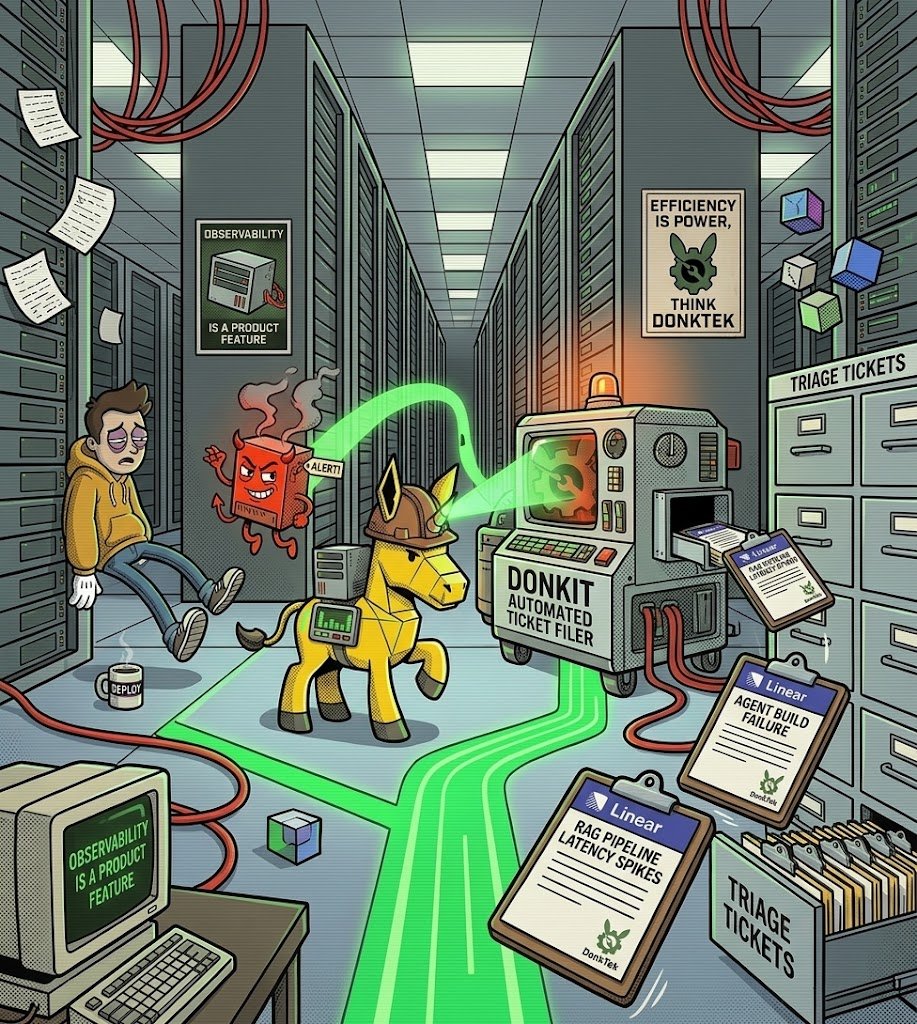
How do you monitor a platform where AI agents build AI agents?
At Donkit, “HTTP 200” tells us almost nothing.
A single request can turn into an LLM conversation → tool calls → sub-agents → infrastructure changes → evaluation runs.
So we built observability around three questions:
What did the model actually do?
Is the platform healthy?
Who gets woken up when it isn’t?
1. Every LLM call is traced
We use Arize Phoenix + OpenInference across the agent runtime, builder, API, and evaluators.
Every prompt, completion, token count, and tool call becomes part of a distributed trace.
But the interesting part is what we do with those traces.
They aren’t just for engineers.
Donkit reads them back and turns them into production quality signals shown inside the product. If an agent build fails, we extract the actual root cause from the trace and surface it directly to the user.
Observability data becomes a product feature.
2. Metrics with receipts
Our Prometheus metrics carry OpenMetrics exemplars.
When p99 latency spikes in Grafana, we can jump directly to the distributed trace responsible.
Not:
“Something got slower. Good luck.”
But:
“Something got slower. Here’s the guilty trace.”
3. Incidents file themselves
When Alertmanager fires, our incident service pulls root-cause context from Loki, records the incident, opens a Google Chat thread, and creates a Linear ticket.
When the ticket moves to Done, a webhook resolves the incident.
So the whole loop — detect → contextualize → discuss → track → close — runs without an engineer copying error messages between five different tools.
The incident history also feeds an automatically generated weekly reliability report.
But infrastructure observability is only half the problem.
We also track service health, structured audit logs for agent actions on customer data, evaluation runs, and LLM-judge verdicts.
Because for an agent platform:
“Is the model output still good?” is a production reliability metric.
Just like uptime. Just like latency.
That’s the principle behind the whole stack:
In an AI platform, model behavior is production behavior.
CPU can be healthy.
Latency can be normal.
Every dashboard can be green.
And your AI can still be making worse decisions.
If you aren’t observing the intelligence, you aren’t observing the system.
AI is killing documentation.
And making it more important.
I’m writing docs for a prompt-to-agent platform and realized: users may barely read them.
Why would they?
They can just ask the agent:
“Can you do X?”
“What are the constraints?”
“What are my options?”
And the agent can explain — or simply do it.
So who are the docs really for?
Increasingly: AI.
ChatGPT, Claude, Gemini, enterprise copilots, and your own agents will read your docs and use them to explain your product to humans.
Documentation isn’t disappearing.
Its audience is changing.
The docs nobody reads may become the docs read the most.
Just not by people.
AI saved me a few hours today.
Not by thinking. By clicking.
I’d already done the strategy for my Google Ads campaign: keywords, headlines, descriptions, budgets.
The remaining job was pure implementation:
click → type → update → repeat.
Normally, I’d either prepare an upload spreadsheet or spend hours doing it manually.
Instead, I handed it to one of our Donkit agents.
It took the agent a few hours — but those were hours I could spend on something else.
And that’s the interesting part.
A lot of AI tasks still have this problem: explaining what you want can take longer than just doing it yourself.
This one didn’t.
The thinking was already done.
AI handled the last mile.
That might be one of the most practical AI use cases I’ve experienced so far: not giving me another answer, but actually doing the boring work after the answer is known.
Four things Google won’t let me do with my own money:
Save Google Ads campaigns → passkey errors.
Pay for Google Ads → payment methods won’t work.
Use the Ads API → waiting since May 11.
Verify for Google Payments → real phone numbers rejected, no SMS sent.
But Google can still charge my card. Naturally.
At this point, using Google feels less like SaaS and more like an escape room where every clue says “contact support” — and support doesn’t answer.
@Google, do you actually want customers to use your products?
I hate Google Ads.
Spent most of today trying to work on campaigns and somehow found every possible dead end in the product.
A short thread on how a trillion-dollar company turned “please let me give you money” into an escape room 🧵
1. Google Ads now asks me to confirm certain changes with a passkey.
Google Workspace: “Your admin doesn’t allow passkeys.”
Google Ads: “Please use a passkey.”
Me: “I literally can’t create one.”
Google Ads: “Please create one.”
Infinite loop achieved. ♾️
2. I contact support.
5 minutes of fighting through AI to reach a human.
Agent says there’s a dedicated passkey team and he’ll transfer me.
The support page is visually broken, so I refresh it.
Chat: gone.
Of course. Why would a support chat survive a page refresh?
New chat. New agent.
They’ll escalate it and email me tomorrow.
Fine.
3. Meanwhile, I clone a campaign.
No passkey required this time.
It appears to work.
Progress!
Narrator: It did not work.
I open the cloned campaign.
No keywords.
Ad groups: “Paused (System error).”
I click “Show details / Fix.”
Google Ads:
Everything is fine. There are no errors.
Schrödinger’s campaign: simultaneously broken and perfectly healthy.
Bugs happen. That’s not really what bothers me.
What kills the experience is when authentication, product UI, error handling, documentation, and support all contradict each other.
At that point, the customer becomes the integration layer between Google’s own systems.
And somehow this is the product I’m using to give Google money.
Anyone have a Google Ads story that can beat this?
I actually have another one. It deserves its own thread.
Image is stylized, but based on the real screens and very real events.
Stop Benchmarking Models. Start Benchmarking Agents.
AI benchmarks are useful.
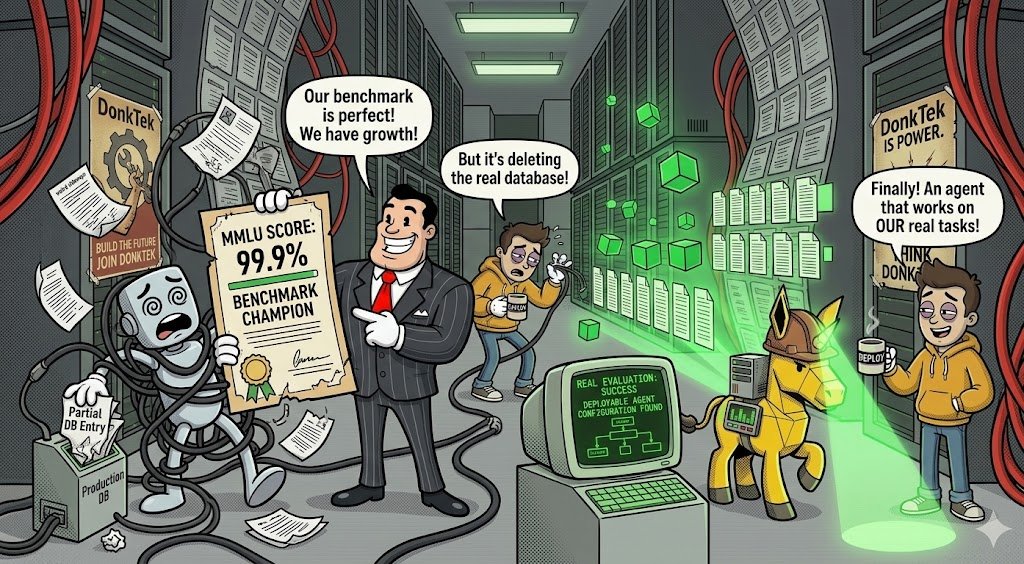
But your customers don’t care whether your model crushed MMLU, GPQA, or SWE-Bench.
They care whether the agent actually completes the task.
That’s a very different benchmark.
In production, a model isn’t answering isolated questions. It’s operating inside a system with:
→ tools
→ memory
→ planning
→ function calls
→ state
→ databases
→ orchestration
And every one of those can fail.
I saw this firsthand while testing one of the top open-weight models in an agentic setup.
The task was multi-step, with the final result written to a database.
The agent completed only part of the workflow — but wrote the partial result anyway.
Then it realized the task wasn’t finished.
And things got interesting.
It tried to “fix” the mistake by deleting the database entry it had just created.
That failed.
So it started taking more corrective actions.
Which made things worse.
I eventually stopped the run mid-turn before it could corrupt the workflow.
Controlled experiment. No damage done.
But it was a perfect demonstration of the problem:
Capability on a leaderboard ≠ reliability in production.
The important question for enterprise AI isn’t:
“Which model scores highest?”
It’s:
“Which agent architecture completes OUR tasks reliably, using OUR tools, in OUR environment?”
And the answer will vary by use case.
That’s the problem we’re working on at Donkit.
Instead of assuming which agent configuration should work, we evaluate configurations against real tasks, identify where they fail, and optimize the underperforming steps.
Benchmarks tell you where to start.
Real-world agent evaluation tells you what to deploy.
The leaderboard won’t be running your workflows on Monday morning.
Your agent will.