A simple guide on how to setup a $zKAS wallet.
Create Your ZKAS Wallet
Before configuring anything on your ASIC, you need a ZKAS address. Your ZKAS address is where all mining rewards are paid. Because ZKAS is private by default, your address is a shielded Orchard address, your balance is never visible on the public chain, not even to the pool.
Option A: Web Wallet (recommended for beginners)
This is the fastest way to get an address. The web wallet runs in your browser and no installation is required.
Open your browser and navigate to https://t.co/41fi5ASGrT
Click create new wallet
The wallet will generate a seed phrase a list of 12 or 24 words.
After confirming you have written down the seed phrase, the wallet will show your ZKAS address. It looks like
this
zkas:pyfjy228l6gukj2vwztyq6q88eeyggjhvcuzf2jx8u4lvla42d6x0y.............
Copy this address. You will paste it into your ASIC's pool configuration in the next section.
Option B: Light Wallet App (recommended for regular use)
The light wallet stores your keys locally on your device rather than on a server, giving you full self-custody.
Go to
https://t.co/nW4yyFVQjV
Download the latest release for your operating system (Windows, macOS, Linux, iOS, or Android)
Install and open the app
Click New wallet and save your seed phrase offline before proceeding
Your ZKAS address is shown on the main screen
Option C: Paper Wallet (cold storage — offline key generation)
If you want to generate keys completely offline with no software installed:
Download the paper wallet page from
https://t.co/esUBVzYwMU
Disconnect your computer from the internet entirely
Open the downloaded HTML file in your browser
Generate a new wallet the page produces a private key and a corresponding ZKAS address without sending any data anywhere
Write or print both the private key and the address keep them physically secure
To use this address for mining, you only ever need to share the zkas: address. Your private key is used only when you want to spend or move funds.
Option D: CLI Wallet (shielded-pay — for advanced users)
If you are running Linux and want a command-line wallet:
Download the latest binary from the releases page at
https://t.co/BrBckuR30F
Extract the archive and make the binary executable:chmod +x shielded-pay
Generate your address. The seed byte flag is a simple numeric seed for the reference tool use a random number, or use the daemon/web wallet for production wallets:./shielded-pay address seed byte 1 network mainnet
Output will look like
zkas:pyfjy228l6gukj2vwztyq6q88eeyggjhvcuzf2jx8u4lvla4...............
Check it at https://t.co/41fi5ASGrT by logging into your wallet. Because ZKAS uses mandatory shielding, your balance is private the pool only knows a payout was sent, not what arrived in your wallet.
Blockchain Explorer
For public chain data (block heights, timing, network hashrate) visit https://t.co/WcUXW1Sl3v. Note that shielded transaction details amounts and addresses are not visible in the explorer. You can see that blocks are being found and that the network is running, but individual miner balances are private by protocol design.
All Links
ZKAS website https://t.co/fLXZmGDdw2
Services index https://t.co/ulCheu942g
Web wallet https://t.co/41fi5ASGrT
Light wallet releases https://t.co/nW4yyFVQjV
Paper wallet https://t.co/esUBVzYwMU
Official mining pool https://t.co/tA03fFoMDj
Block explorer https://t.co/WcUXW1Sl3v
Core source (node, miner, wallet) https://t.co/PaNR4ZCilz
Pool bridge source https://t.co/8uIWRDK2Lp
Discord (support + OTC trading) https://t.co/hc2mCTna9F
Whitepaper https://t.co/zc4J3AnyEx
ZKAS is open-source and permissionless. No premine. Fair launch anchored to Bitcoin block 959,713.
#CryptoMining #Kaspa #ZKas #kHeavyHash #ASIC
The kHeavyHash ecosystem just evolved.
ZKAS is live
Combining Kaspa's 1-second BlockDAG speeds with private, zero-knowledge architecture.
Because we support native merge-mining, your miners don't have to choose between KAS and ZKAS
They can mine both at the same time with zero hardware performance hits.
Current live pools include ZKas Pool, K1Pool, KekPool, and CoreBlock.
Hey @HeroMinerss , @humpool_tech, @f2pool : The community wants options to decentralize the hashrate. Let’s talk integration!
Check out our open-source tools at ZKas Services. DMs are open!
https://t.co/Xm43qUkFzr
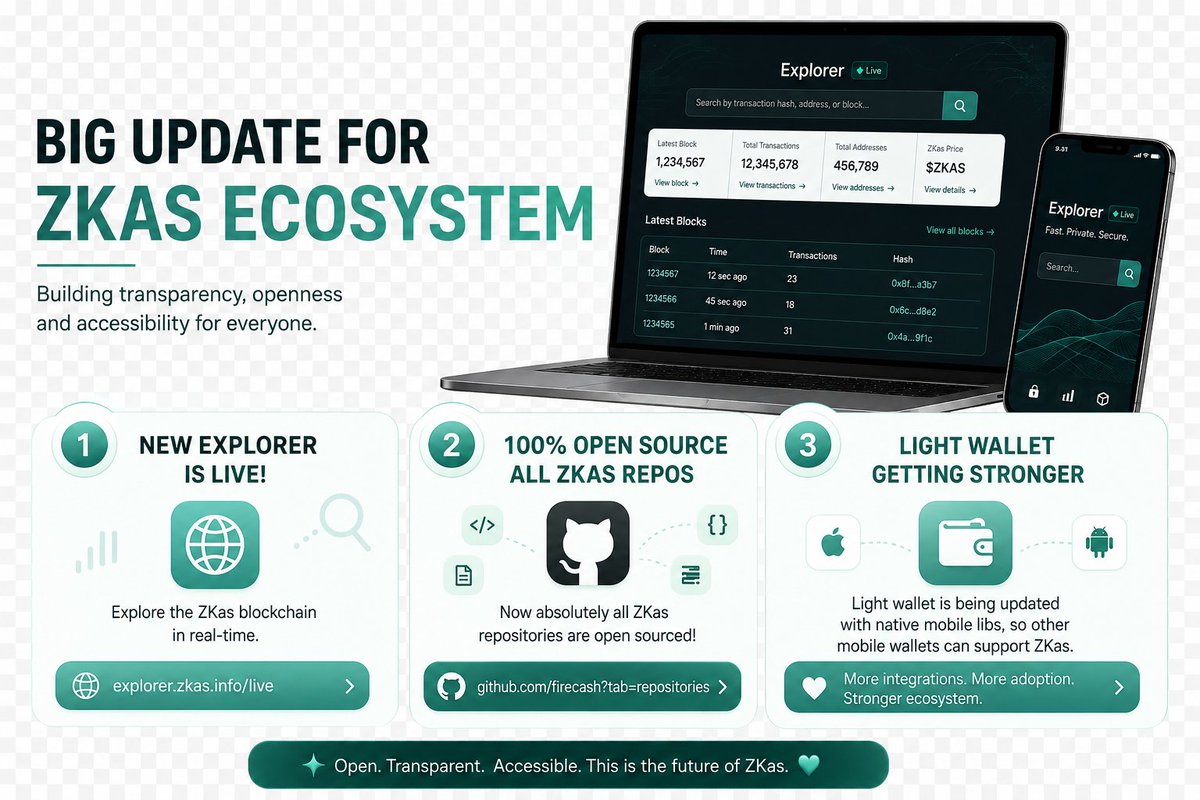
The ZKas stack just leveled up.
New block explorer: LIVE
Full repo suite: 100% open source
Native mobile libs shipping for light wallet integration
Transparent code. Shielded transactions. Proof-of-work secured. This is what privacy-native crypto looks like.
https://t.co/857Erp2ghP
https://t.co/KiBnksFN4f
#ZKas #ZeroKnowledge #PrivacyCoin #Kaspa #OpenSource #BuildInPublic #Web3 #DeFi #Crypto
Bullish on $KAS
-Fair launch
-Proof of Work
-Trilemma solved
-No VC's to dump on you
-About 96% already mined,
-Incredible speed at 10 blocks per second
-Upgrades on the horizon = Vprogs/smart contracts. Soon to be 100bps with DagKnight upgrade.
The team keeps shipping upgrades as promised and on time. It's definitely worth looking into.
Hey @f2pool and @ViaBTC, would you please consider enabling dual merge mining for $KAS & $ZKAS? Narrative is very positive on privacy coins and there’s a large community consensus that this would support $KAS miners actually struggling due to the bear mkt.