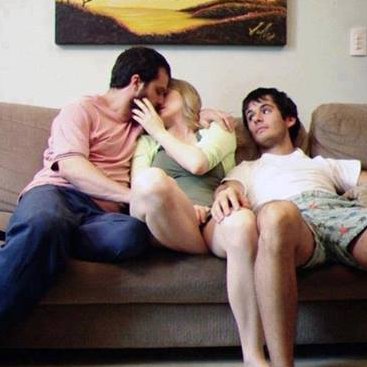
Straight from AI video production #13
Negative prompting.
Describing only what you want is good but the model still has a thousand doors left open, and it will happily walk through the wrong one.
The majority of video models don't need a separate negative prompt field.
You write the negatives INSIDE the prose, right next to what they protect.
The rules that make negatives work:
- Place the ban right next to the element it protects (The weather is sunny, no rain)
- Pair it, positive first and negative to seal it.
Use the negative prompt to prevent unwanted outcomes, but also to fix bad gens ✅
Straight from AI video production #12
Report your generations back to Claude.
Everybody does the first half..
Your video fails, you go back explain what broke then you get a fixed prompt.
That's a normal workflow.
But almost nobody does the second half : when a generation comes out PERFECT, tell Claude that too.
Why it matters ?
Claude has excellent memory within your project, every win you report becomes a locked convention.
Do both consistently and something magical happens.
You describe a new scene in two sentences and the prompt comes back already carrying every lesson you've validated together.
Fixes teach Claude what to avoid but good generations teach it what to repeat ✅
Got a problem?! Solana can help!
Three lucky applicants will win FREE Breakpoint tickets.
Apply to be a salesman at bringbackbull (dot) com!
https://t.co/Zin1a7lrse
FREE BREAKPOINT TICKETS FOR CLOSERS
We're giving away Breakpoint tickets to THREE salesmen (or saleswomen).
Already got your sales kit? You're in. If not, grab yours below and get to closing.
Winners announced tomorrow, live on the Solana Ecosystem Call.
It's 65% down from ATH, and might temporarily see lower, but there are multiple interesting signals that $KET could be one of the main memecoins for the next bullrun
It has Solana Foundation and Jito/JTX people all over it, and different people are talking about it than the regular pump and dump shitKOLs
I don't know what's cooking but my spidey senses say something is, that's speculation ofcourse, but my dca is on (after hitting a great entry earlier)
If I'm wrong I'll just delete this tweet
Straight from AI video production #11
TIMESTAMP your prompts.
Every shot, every beat down to the second.
Don't just describe WHAT happens but describe WHEN.
I write my scenes like an edit timeline: "(0-3s) this happens (3-5.5s) then this (5.5-8s) then this, ect"
The model respects chronology far better than people think.
What timestamps buy you:
- Actions stop rushing or dragging, each one gets exactly the seconds it needs
- Dialogue lands in its assigned shot
- Reactions come after their cause
The skill underneath: learn how long things really take in your story.
Coherence comes from the clock ✅
Straight from AI video production #10
Describe the LIGHT.
It's the difference between a snapshot and cinema.
Light isn't a background info but it's the emotion of the shot.
The same scene reads tender, threatening or nostalgic depending on nothing but the lighting you write.
Leave it out and the model serves you the same flat neutral lighting it gives everyone.
What to actually describe:
- WHERE it comes from (a window, a fire, the low sun, one lamp ect)
- WHAT MOOD it carries (soft and warm, hard and cold, blooming ect)
My advice is to control what the light is allowed to touch ✅
Straight from AI video production #9
The style you pick changes EVERYTHING.
Same scene, same refs with different style = a completely different film.
Most people write the action and let the model decide the look.
That's why their videos feel generic, the style should be a deliberate choice, engineered to match the story you're telling and locked across every prompt of the project so all your shots cut together like one film.
It's long research and you have to test a LOT of styles to truly understand what makes each one different.
But here's the payoff : every test goes into your personal style database.
You'll have a library of proven styles you can pull from instantly, project after project.
AI is the engine and your database is the fuel ✅
Straight from AI video production #8
Multishot prompting.
It's the biggest time saver nobody uses properly.
Instead of generating 5 separate clips and editing them together, prompt ONE generation as an edited sequence.
You can just specify how many hard cut shots you want and the timestamp for each shot.
What you win :
- The scene comes out PRE-EDITED, cuts included.
- Free consistency, same light, same grade, same faces across every shot.
- Dialogue timing you control, each line lands in its assigned shot.
The rules that make it work is the timestamps on every shot ✅
Straight from AI video production #6
The most underrated skill in AI video is actually loving what you're making.
No prompt trick saves a project you're bored of.
When you love the project everything changes, you reroll one more time instead of settling, you notice the small details that sell a shot and you fix the one bad word instead of posting it broken.
Every technique I'm sharing works twice as well on a project you care about.
Passion is the real upscaler !
Create things you want to watch ✅
Straight from AI video production #5
Upscale your keyframes to 4K before generating. EVERY SINGLE TIME.
The video model samples your reference image.
Feed it a soft 1080p keyframe → you get a soft video.
You can write "sharp, detailed, high quality" in the prompt all you want but the image always wins over the text.
So give the image the win : run every keyframe through an upscaler or generate them in 4K, check the details (faces, hands, textures), then generate.
10 seconds of upscaling = a permanently sharper video.
This is the cheapest quality upgrade you can make in the entire pipeline ✅
Straight from AI video production #4
Voice consistency across episodes?
Clone your character's voice in ElevenLabs.
The detail everyone gets wrong is the upload.
Don't feed it 10 seconds but give the model MORE than a full minute of clean audio.
More material = a noticeably better, more stable clone.
Then every time a generation nails the visuals but flubs one line, you regenerate just that line with the cloned voice.
No more rerolling a perfect shot for one bad word.
Your character keeps one unique voice ✅
Straight from AI video production #3
Multiple characters in one generation ? Describe each one and EXACTLY what he does. INDIVIDUALLY.
If you write "they talk in the taxi," the model decides who moves, who speaks, who blinks and it blends them together : swapped faces, mirrored gestures, two people doing the same thing at once.
Name each character. Give each one his own action in every beat. Leave nobody unassigned.
One character, one action, zero confusion ✅
Straight from AI video production #1
More detail ≠ better prompt
I once had a 4,500-character video prompt that kept failing, generation after generation.
The fix ? I cut it down to 1,600 characters of plain language. Same scene, same references and it worked almost instantly.
Over-explaining confuses the model. It starts blending instructions instead of following them.
When a generation keeps failing, don't add words.
Remove them ✅