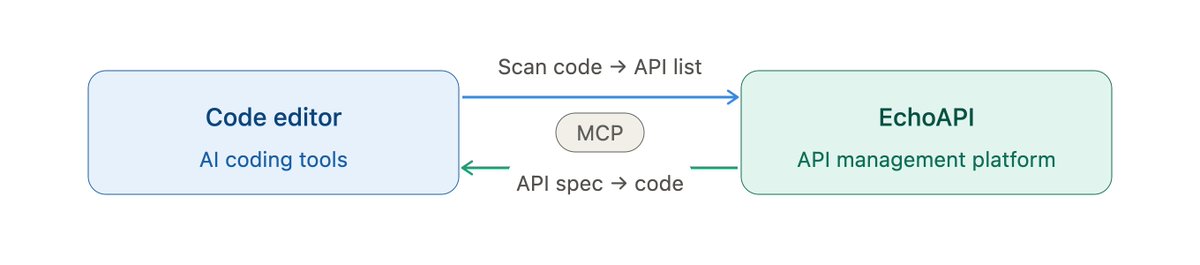
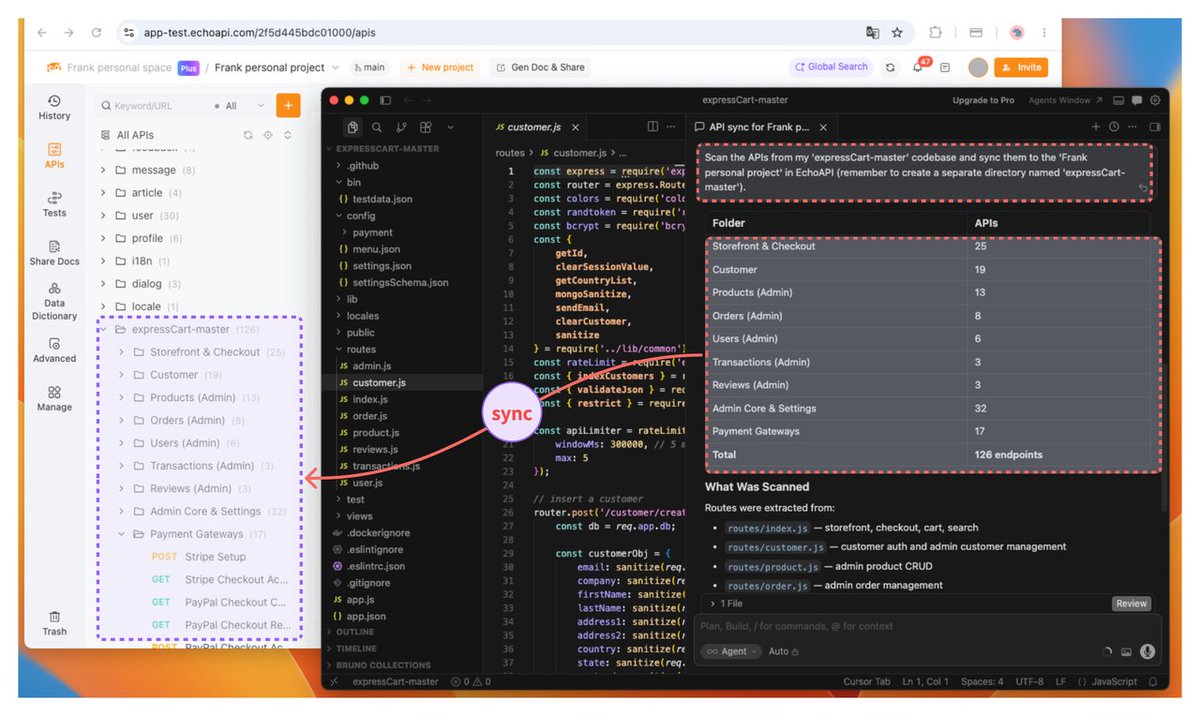
Code editor + API tool, finally in sync. MCP-Skills auto-scans your code into a live API list in EchoAPI — and feeds real API specs back into your AI editor so it stops guessing endpoints
As long as your device is still connected to the internet, attackers may be able to access your local sensitive files (such as .ssh and .bash_history) via third-party JS files or plugins.
This is why EchoAPI still retains an offline mode, ensuring that users have an additional option to keep their data secure and under their own control.
Collections are useful for organizing API requests and running tests.
But in modern development teams, API management often requires more than just grouping requests — such as collaboration, version tracking, and environment management.
EchoAPI extend this concept by offering better collaboration features and a more integrated API testing experience.
Give us a shot: https://t.co/YtkkQirTnp
First thing I’d check is differences between how Postman and the browser send requests:
CORS – browsers enforce it, Postman doesn’t
Headers – especially auth headers, cookies, content-type
Credentials – cookies / session vs token-based auth
Preflight (OPTIONS) – browser might send one that your API isn’t handling
Environment differences – base URL, proxies, etc.
What I usually do is open DevTools → Network tab, compare the exact request from the browser vs Postman, and spot what’s missing or different.
Using tools like EchoAPI helpful for this kind of comparison since it’s easier to tweak requests quickly and see what changes break things.