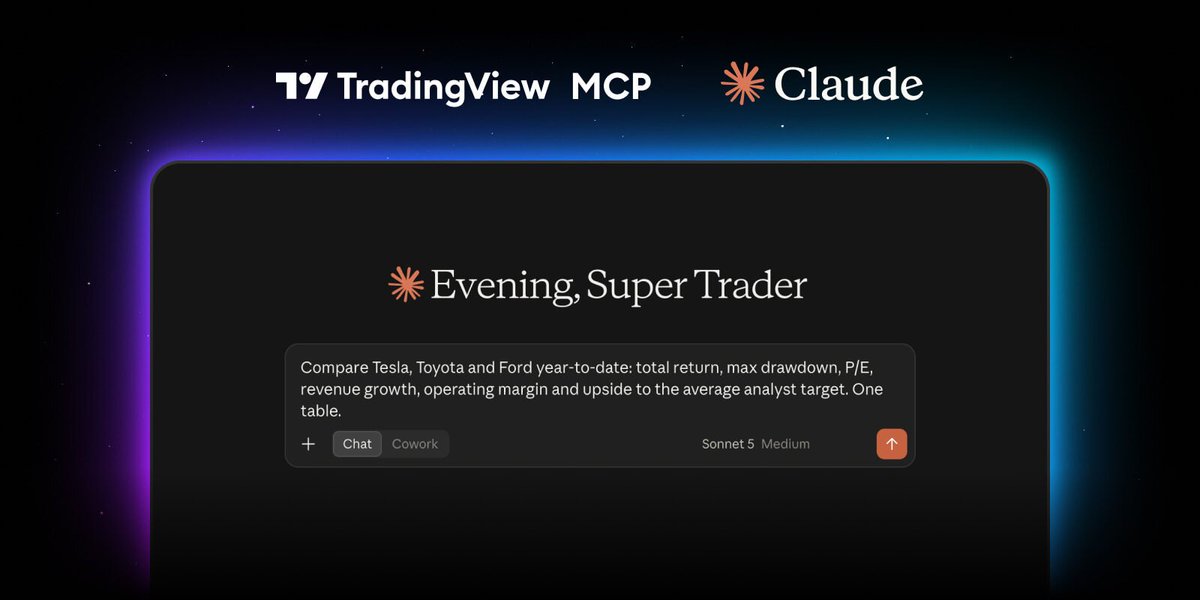
TradingView just shipped its new official MCP server for Claude.
Your AI agents can control your charts, set price alerts, conduct research & more by pulling directly from your TV account.
If you want to set up the updated connection, do this:
Step One: Copy this link: https://t.co/uSbdns1szG
Step Two: Open Claude, go to Settings → Connectors → Add custom connector, then paste the link there
Step Three: Sign in to TradingView & approve access
Step Four: Start prompting
Example prompts:
→ "Pull the current support/resistance setup on [ticker] and give me the bull and bear case with key levels"
→ "Find stocks showing bullish RSI divergence on the 4H timeframe right now"
→ "Give me a full read on [ticker]: trend, momentum, support and resistance, and any active chart patterns"
→ "What are today's biggest news movers? Also, give me an update on any important upcoming events."
→ "Set an alert for when [ticker] closes above [level], and tell me the moment my watchlist hits any of my invalidation levels"
Bookmark this so you don't forget to get started.
I canceled three AI subscriptions this month.
Here's the $6/month Hermes setup that replaced all of them:
What I was paying before:
→ Claude Pro: $20/month
→ ChatGPT Plus: $20/month
→ Perplexity Pro: $20/month
Total: $60/month. Usage caps on all three. Memory wiped every session on two of them.
What I run now:
→ Hetzner CX22 VPS: $4/month
→ DeepSeek V4 Flash via OpenRouter: ~$2/month at normal usage
→ Hermes Agent: free, open source, MIT license
Total: $6/month. No caps. No resets. Gets smarter every day.
How to set it up:
Step 1. Spin up a VPS
Go to https://t.co/cMVz6aAFJV, create a CX22 instance running Ubuntu 24. Takes 2 minutes.
Step 2. Install Hermes
SSH into your server and run:
curl -fsSL https://t.co/sigsJoxuce | bash
Step 3. Connect OpenRouter
Sign up at https://t.co/WIXkC3e8Lu, grab your API key, and set DeepSeek V4 Flash as your default model at $0.14 per million input tokens.
Switch to Claude or GPT-5.6 only when the task genuinely needs frontier intelligence.
Step 4. Enable the learning loop
Toggle on persistent memory and skill generation inside Hermes settings.
Every complex task now creates a reusable skill file automatically.
After 30 days the agent is completing similar tasks 40% faster, which means 40% fewer tokens burned.
Costs go down the longer you run it. The opposite of every subscription you've ever had.
Step 5. Connect your tools
Link Telegram, Discord, Slack, or WhatsApp so you can prompt your agent from anywhere, not just your desktop.
(Keep in mind that connecting these results in more token usage)
Now you have a 24/7 AI assistant that:
→ Never forgets you
→ Runs while you sleep
→ Gets cheaper over time
→ Costs less than a Netflix subscription
The robotics trade could be the most asymmetric bet of the next decade.
This sector is one of my highest-conviction bets over a longer time horizon, and I've been deliberately building exposure for months.
My full guide to investing in robotics (capture the massive gains):
GLM-5.2 is the most powerful open-sourced AI model ever.
The problem is, most people have no clue how to set it up or use it.
This ultimate guide will teach you everything you need to know about the new GLM-5.2 model:
Most people completely missed this.
Anthropic recently published a full security framework for Vibe coders.
How to secure your AI agents 101.
Must read.
https://t.co/9EkrMUz5z7
My altcoin portfolio is now at $80,000.
Still down from the $160K invested, but I made one structural change this week that is going to compound: I started using Claude as a sparring partner for every trade decision.
In this video I break down exactly how I built the framework and where it already overruled me.
What I cover:
– I sold Renzo at 7 cents (good trade), rotated into Wormhole and that rotation was a mistake. Here is why.
– I sold $500 of PEAK after the sigma + RSI extension on the daily. Same trigger that gave a 30% correction in 3 days last time.
– Claude told me to wait on selling another asset in my portfolio until the sign hit later in the week!
Full breakdown 👇
GPT 5.5 is INSANE..
For the first time in months, I'm switching back to ChatGPT for key workflows.
And you should probably do the same.
This video covers EVERYTHING you need to know - and exactly how to optimise your stack:
This is genuinely one of the most powerful ways to use AI in your trading.
I recently connected OpenClaw to the new TradingView MCP - and it's insane.
You can literally turn your Claw agent into your personal trading assistant.
Watch a live demo here:
I've tested 100 AI tools, and these are the only 7 worth your money.
If you’re not using them, you’re leaving serious productivity on the table.
I cover exactly how to get full value from each tool in this guide.
Watch now 👉 https://t.co/2Cfkktvwn0
Claude's biggest flaw is it forgets everything. I fixed that permanently with 3 files.
Now it remembers my preferences, my writing style, my corrections - and it gets smarter every conversation.
Here's the setup (takes 5 minutes):
------------------------------------------------------------------------------------------------------------------------------------------------------------------------------
Start a brand new desktop folder, and build these three markdown files:
1. Instructions. MD - tells the model how to act
Example:
## Who you are
## What you do
## Rules
## What good outputs look like
## Memory
In this folder, include: "UPDATE Memory . MD with my preferences over time."
This line is crucial; it's how you get Claude to create a running memory log of all your data.
2. Memory. MD - this is the "brain" of Claude, and what gets continuously updated over time.
Example:
## Preferences
## Corrections
## Patterns
Now, whenever you say something like "stop using em dashes" in Claude Code, it will automatically update your Memory. MD file to reflect that preference because your instructions in the first .MD file told it to do so.
You can then take this Memory. MD and use it across any LLM or Claude chat without having to re-explain anything - super useful for big projects or transferring data.
3. Context. MD - any context the model needs based on your project
This is one of the most powerful memory setups you can run inside of Claude.
Make sure to save this so you don't forget it.
(tip: copy & paste into Claude co-work to guide you and help build this for you).
Claude Code + Obsidian is the most powerful AI combo I’ve ever used.
I literally built an AI second brain that remembers everything I read, write, and research.
Here's how to replicate my system (it only takes 5 minutes).
Watch here 👉 https://t.co/mvoeKNDJ5K
This is the most important Claude article you'll read all week.
Claude has quickly become the #1 AI tool - and it's not even close anymore.
I just condensed 100+ hours of Claude mastery into a <5-minute read.
How to 10x your Claude productivity (for the intermediate):