Obsidian is the ultimate management tool for academics.
It has 1,924 plugins, and everyone knows the top 10.
Here are 6 lesser-known plugins you should be using:
Here is a list of 50 AI apps I made for you.
Click the link: https://t.co/viYfTn3bGs
Enter your name/email and you'll get the list in your email for free.
Ever highlighted a paper and realized a month later that you remember none of it!?
This is completely normal but also avoidable!
Here is a technique to remember every paper you read:
👇
1. 📦 A paper is like a box - you must unpack it first
A box is a great way to transport things, but not to use them. No matter how much you label (i.e. highlight a paper) it, its contents will remain locked away.
When you read your main objective is to understand (or unpack) the concepts of this paper and its results.
2. 🖍️ Don't bother highlighting
Highlighting is at best a form of focusing the mind or at worst procrastination to real understanding.
Instead, try to summarize one core concept or finding of this paper in your own words. When writing a paper the author will try to do the opposite, they will expand a concept/finding they already understand into a paragraph or two.
3. 📘 Read selectively
Your attention span is shorter than you want to admit, be mindful of how you spend it. The less you read the better. First focus on the abstract, then the last paragraph of the introduction (usually the author's intentions) then move to the results.
Try to understand every related figure fully before you continue. Lastly skip to the discussion section, which tells you something about the limitations of this paper (and whether it applies to you)
4. 🎯 Focus on relevant results only
Research is very vast. Even the most niche paper will not be fully relevant to you. For example, I look at how plants react to climate change, yet often papers mention animals too. To keep it relevant I skip (or skim) these results.
As humans we only retain what is (emotionally) relevant to us, try to maintain your appetite by being selective! Just like going to a buffet, the key is to eat the best parts first.
5. 💻 Use digital notes
Most insist that handwriting helps you retain information, but there is just too much information for your brain to handle. You will read 100s of papers for a single project and no amount of biological memory will fit this.
Digital notes on the other hand are limitless - you just need a system to easily retrieve them!
If you want to learn my system, check out the link in the comment to this post!
6. ⚓️ Anchor your notes into existing knowledge
Knowledge is not a collection of facts, it is the connection between these facts. So whenever you take notes, take notes on concepts not papers, and link these notes to other related concepts and papers. This is only possible with digital notes (Even though a very limited "analog" version exists. e.g. The Zettelkasten technique)
Linking notes in concepts will create a network of living evolving notes and will greatly help you to write your ideas up later on.
7. 🏷️ Tag related papers
In your kitchen you will likely put knives, forks, and spoons in the same location, they belong to a similar concept: Cutlery. This way you only remember one thing: "Cutlery" not 3 things! This works with papers too. Digital notes allow you to easily group notes on papers or concepts by assigning a tag to them.
The usefulness becomes apparent over time as you start forgetting your old notes and your tags keep reminding you of them. Believe me, I have 100s of papers in my library and the only way to navigate is through concepts like tags.
8. ⭐️ Create outlines of concepts
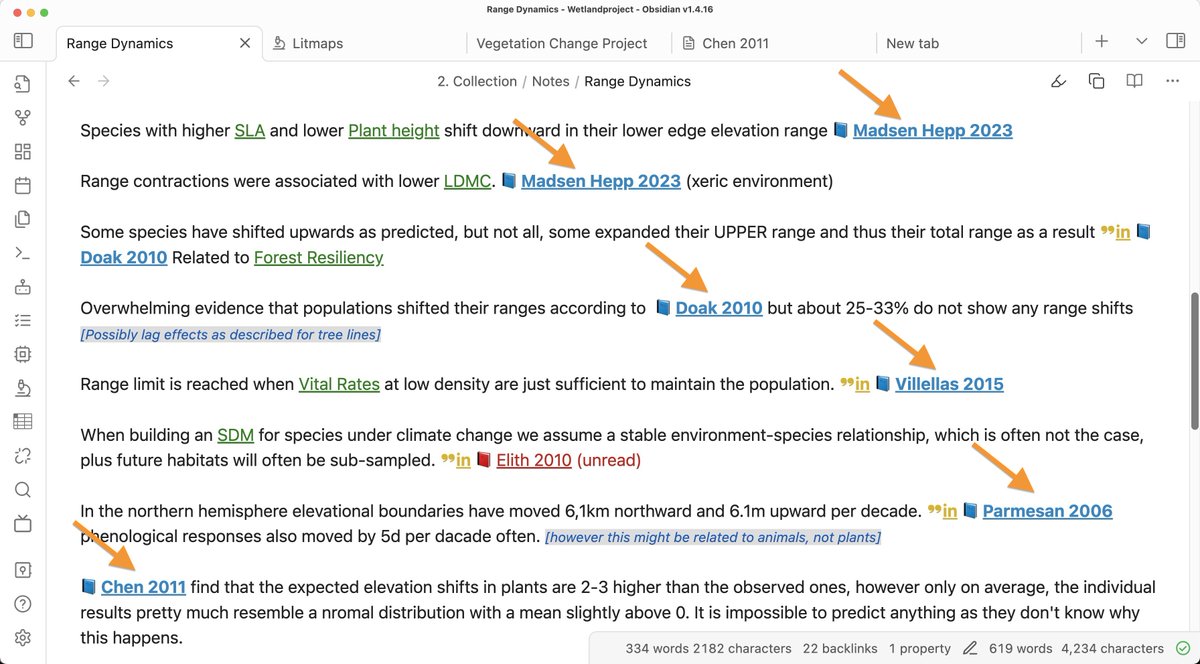
Lit reviews come in waves, first, you read excessively then ideas start repeating themselves and you read less and less. This is the time to create an outline or map of the content of this topic.
Simply take 15 minutes to quickly write a paragraph or two on what you know about this topic. More importantly, link the papers you remember in this document. This is how you gently refresh your memory and make it permanent in your mind.
9. 🔍 Review old papers
Especially when starting you won't understand the content, more importantly, you won't know what is important and what is not. This is where your notes on a concept come in. Suddenly you stumble upon an old entry form months ago that relates to something you are reading now. Take the opportunity to review this old paper with new eyes, suddenly it all makes much more sense!
Of course, don't waste the opportunity to update your notes again! It is a spiral to more and more understanding!
If you want to learn my system of note-taking that will allow you to find papers you read months or years ago, you can join my upcoming webinar on Academic Knowledge Management.
Link for pre-signup in the comment below!
I tell people: lead with the most important stuff at summary level & then more detail as needed. Don’t build a crescendo of data to get to the main point on the last slide. If you want to tell a story, become a novelist. This is opposite to how many are trained in grad school.
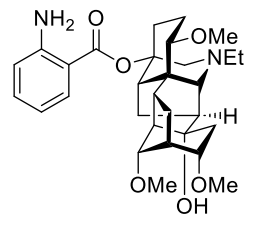
This week in #LCSOSynthesisProblem, Stefano challenged us with the synthesis of Neofinaconitine by Gin & Tan in @J_A_C_S ! #Chemistry#TotalSynthesis
Take a look: https://t.co/8mVbMA7dnD
Original paper: https://t.co/BZDiSv5QKy
AI has transformed job hunting forever.
Use this Cheat Sheet to find your next dream role:
Get more Guides & Prompts like this by signing up to Superhuman AI--the world’s biggest AI newsletter.
Canva is now integrated into ChatGPT.
It's so powerful you can create any visual in seconds.
I'll show you how to create logos, banners and more using Canva in ChatGPT:
Amazing book "The Power of High-Throughput Experimentation" is out! I will read the entire thing asap😍
I put in a chapter "Data Visualization for High-Throughput Experimentation"😄so happy https://t.co/e0Z1ges61B
Vol 1 https://t.co/qH9kRbBOY2
Vol 2 https://t.co/jLgPSNyJpa
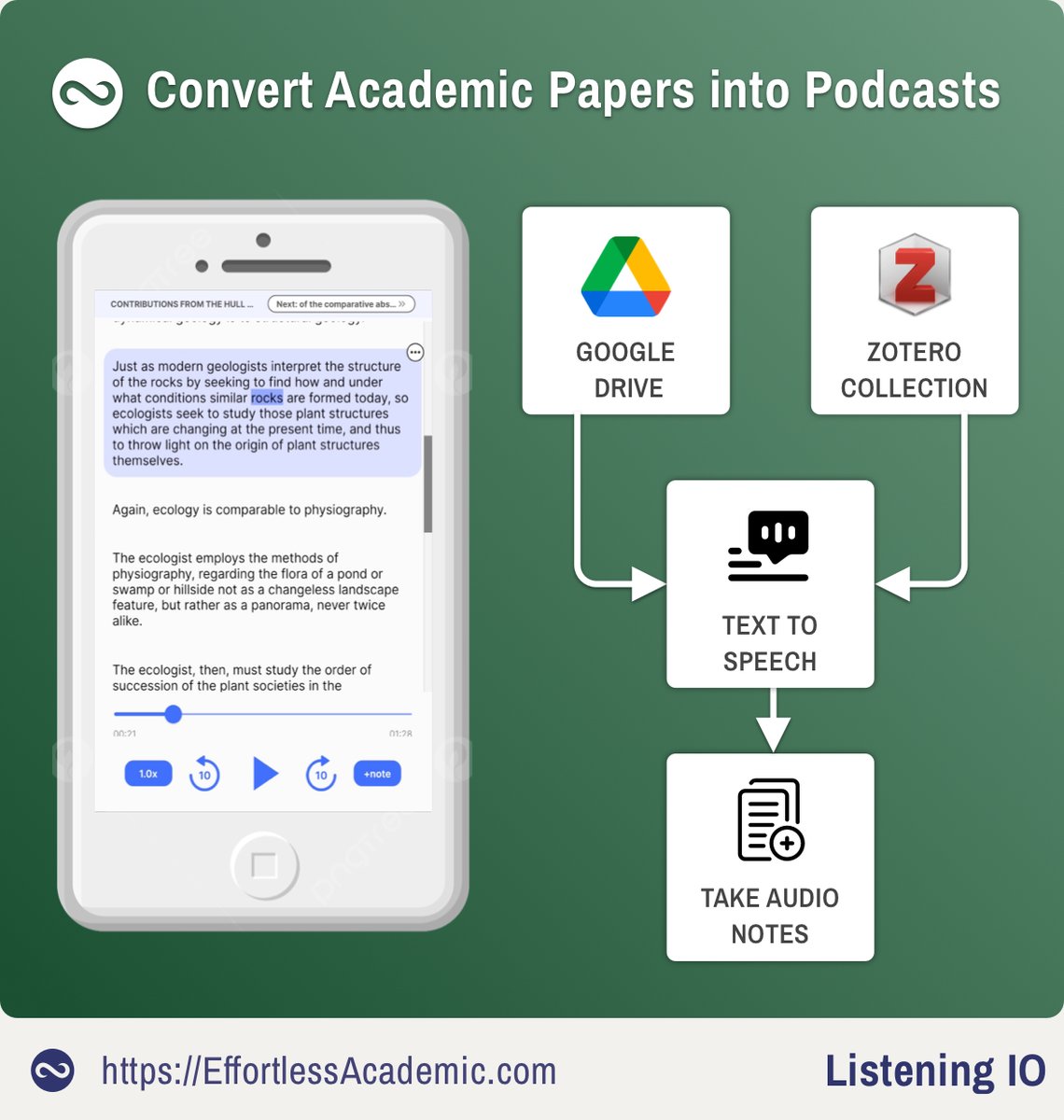
I just listened to a paper, while walking my dog.
ListeningIO turns papers to podcasts and takes notes with one click.
Here is how to use it and link to Zotero:
(Picture of our dog included)
👇
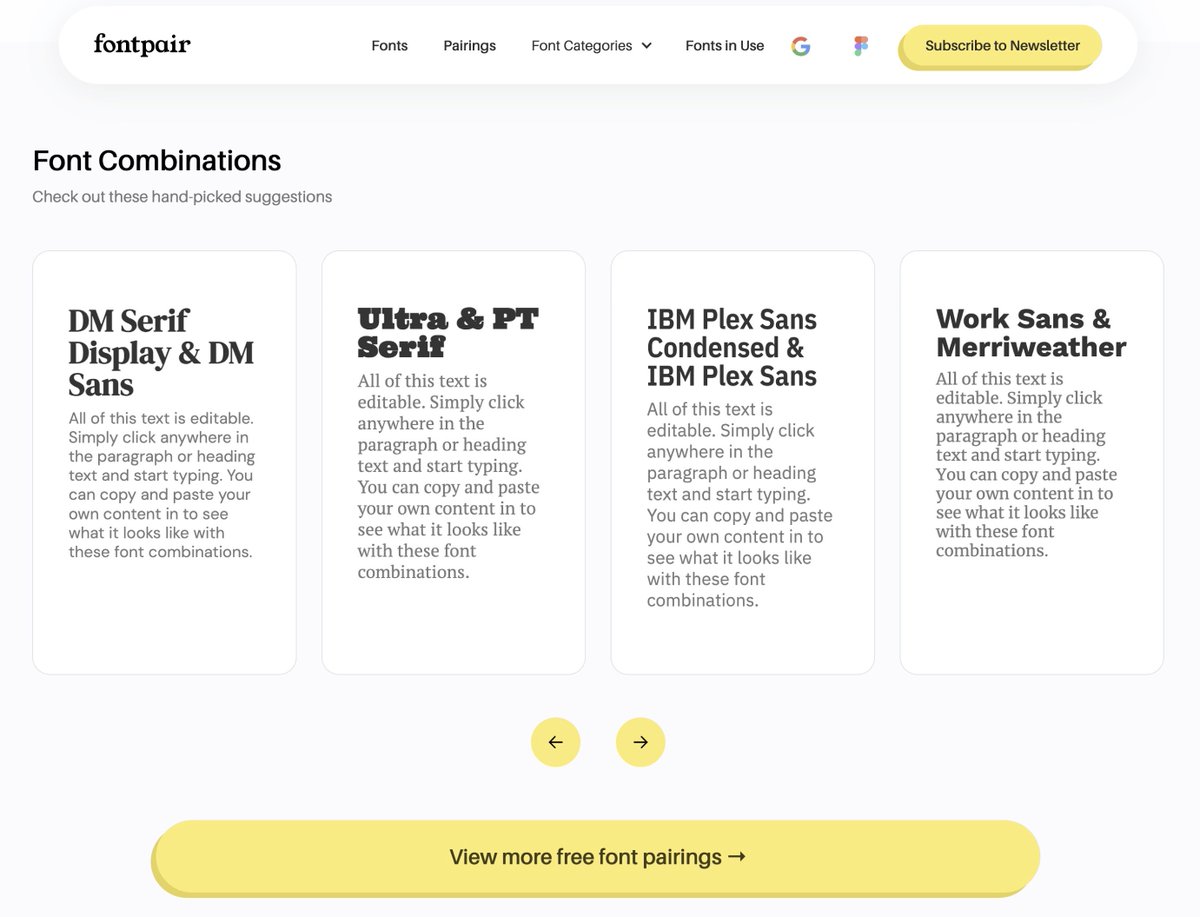
1. Picking the right fonts
❌ Don't pick fonts at random (and don't use Comic Sans!).
✅ Find harmonic pairings with Fontpair (Link at the end)
Rule of thumb: One font for headings, one font for running text.
Get free fonts from Google Fonts (1561 families currently).
Most academics have the same boring PowerPoint presentations.
Before academia I worked for 8+ years in web design.
Here are 10 design guidelines and resources for an outstanding presentation:
👇
Most scientists struggle with illustrations and graphics.
But with the right tool, it gets much easier and improves your publications!
Here is an AI assisted workflow to design beautiful figures, abstracts or posters:
(With tips from an ex web designer)
👇
Forget Zotero, this app is the most advanced reference manager for academics.
- Built-in discovery tool for newly released papers
- One-click citations/references of a paper
- Mobile app
- Soon: AI integration
Here are all the features with screenshots:
👇
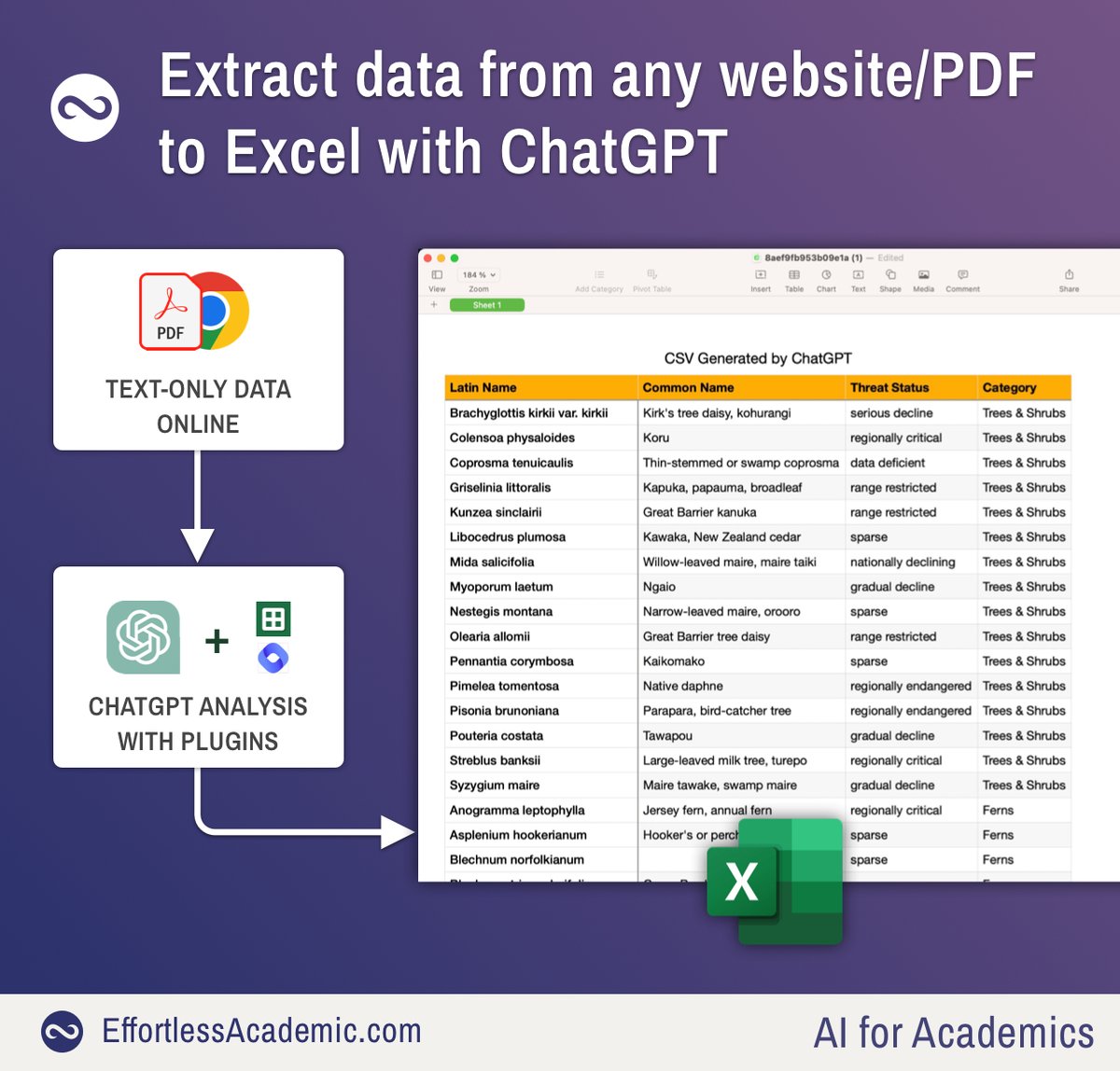
ChatGPT can extract data from any website/PDF straight to Excel.
For my research I needed a list of threatened species, available as a text-only appendix to a paper.
Instead of copy and pasting I used ChatGPT to extract the data in < 1 minute:
👇
Found this thread useful?
1. Scroll to the top and retweet the first tweet to share it with your friends and colleagues.
2. Follow me @MushtaqBilalPhD for regular tips on academic writing.
Good luck writing.